MagicMirror Forum
    • Recent
    • Tags
    • Unsolved
    • Solved
    • MagicMirror² Repository
    • Documentation
    • 3rd-Party-Modules
    • Donate
    • Discord
    • Register
    • Login
    A New Chapter for MagicMirror: The Community Takes the Lead
    Read the statement by Michael Teeuw here.

    AlexaPi

    Scheduled Pinned Locked Moved Troubleshooting
    28 Posts 4 Posters 17.1k Views 4 Watching
    Loading More Posts
    • Oldest to Newest
    • Newest to Oldest
    • Most Votes
    Reply
    • Reply as topic
    Log in to reply
    This topic has been deleted. Only users with topic management privileges can see it.
    • romainR Offline
      romain
      last edited by

      Not completly sure about this but the http server : 5055 might just be the port AlexaPi using to comunicate with the MagicMirror module MMM-AlexaPi . I do have the same message and it doesn’t prevent AlexaPi to work

      1 Reply Last reply Reply Quote 0
      • D Offline
        davidrq7
        last edited by

        Guys i get a little succes.
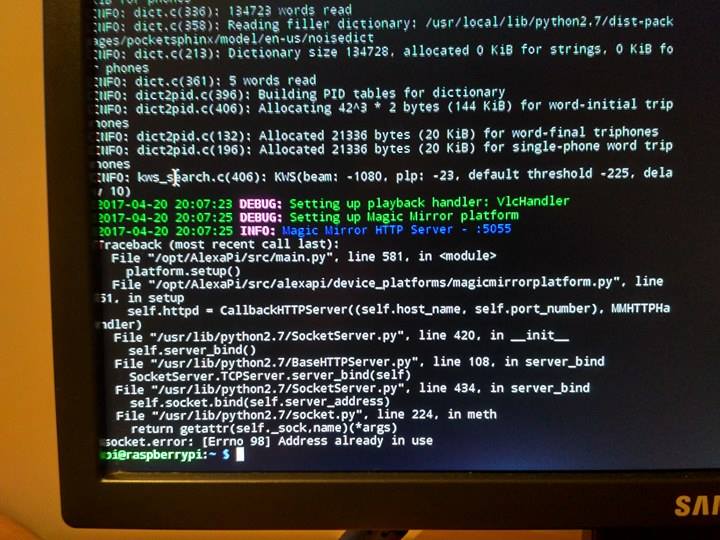
        I got the token from amazon, i set the sound and when i start alexa service she is active but i got rly nasty problem with this port 5055. I have no idea what to do next0_1492711999352_18034766_1562333477133204_1450890660_n.jpg
        romainR 1 Reply Last reply Reply Quote 0
        • romainR Offline
          romain @davidrq7
          last edited by

          @davidrq7 This mean you have already an instance of alexaPi running. reboot or kill the already running alexapi

          1 Reply Last reply Reply Quote 0
          • D Offline
            davidrq7
            last edited by

            Y, but even when i stop alexa service and start it again it looks all the same. Any sugestions? :) im getting closer to the end ^^

            johnnyboyJ 1 Reply Last reply Reply Quote 0
            • johnnyboyJ Offline
              johnnyboy @davidrq7
              last edited by johnnyboy

              This post is deleted!
              D 1 Reply Last reply Reply Quote 0
              • D Offline
                davidrq7 @johnnyboy
                last edited by

                @johnnyboy i’ll check this tomorrow by using sudo netstat -lnptu to check which application is blocking 5055 or 5050 port

                johnnyboyJ 1 Reply Last reply Reply Quote 0
                • johnnyboyJ Offline
                  johnnyboy @davidrq7
                  last edited by johnnyboy

                  This post is deleted!
                  1 Reply Last reply Reply Quote 0
                  • lucallmonL Offline
                    lucallmon
                    last edited by

                    i had errors installing the current version 1.5, so I reverted back to v1.4 which is much more stable. this is the version that I am currently running flawlessly.

                    cd /opt/AlexaPi
                    sudo git checkout v1.4
                    

                    I hope this helps

                    johnnyboyJ 1 Reply Last reply Reply Quote 0
                    • johnnyboyJ Offline
                      johnnyboy @lucallmon
                      last edited by johnnyboy

                      This post is deleted!
                      1 Reply Last reply Reply Quote 0
                      • D Offline
                        davidrq7
                        last edited by davidrq7

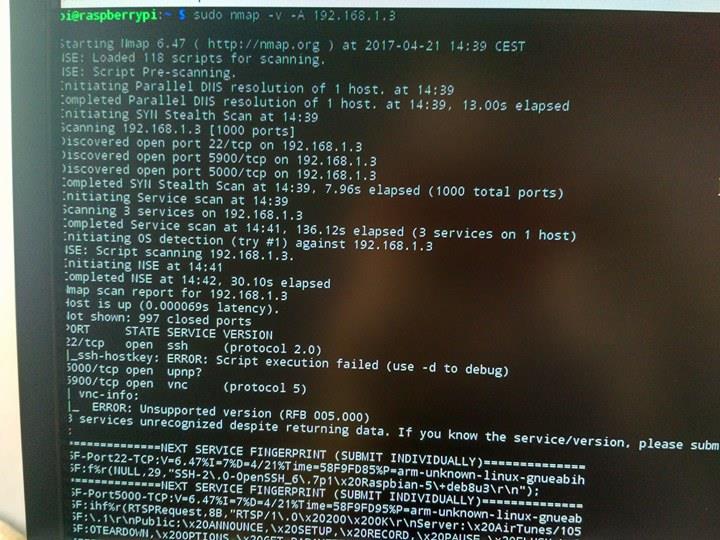
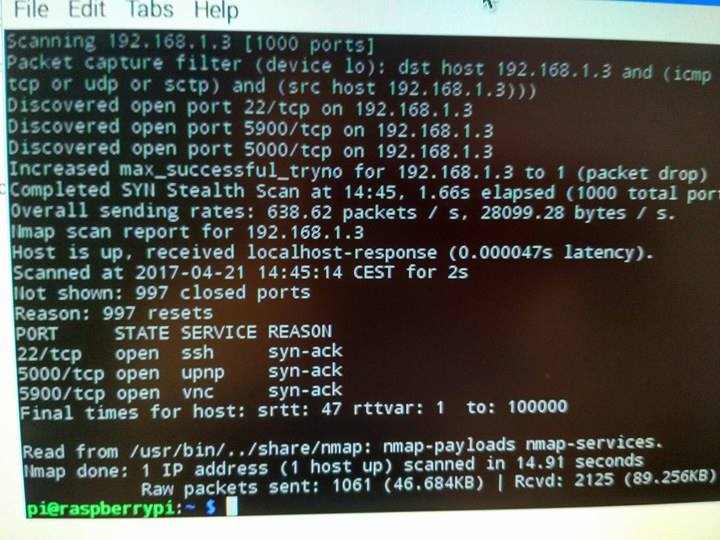
                        This is what i got when i used netstat. Dont know what should i do next?
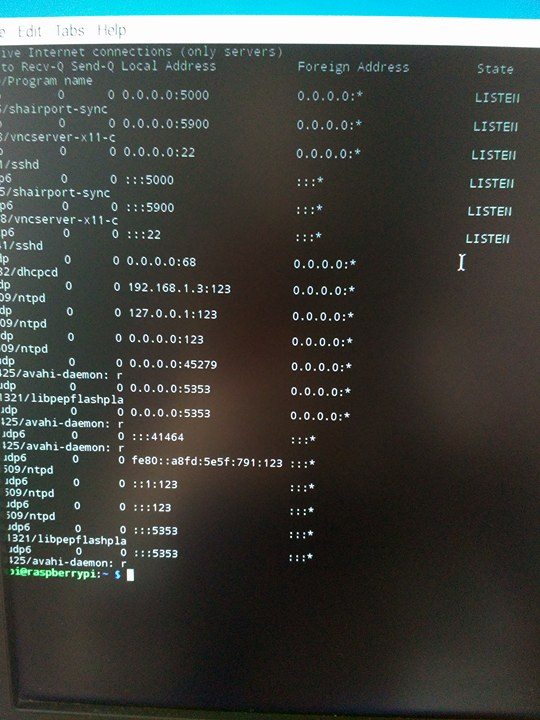
                        0_1492777811244_18052991_1563534897013062_29793805_n.jpg0_1492778637066_18052791_1563556803677538_1550604459_n.jpg0_1492778810487_1563565440343341_1253734879_n.jpg

                        Edit: Allright i found something. sudo nano /etc/opt/AlexaPi/config.yaml at bottom is a line with numer 5055 so i change it for 5050. Diging more …;)
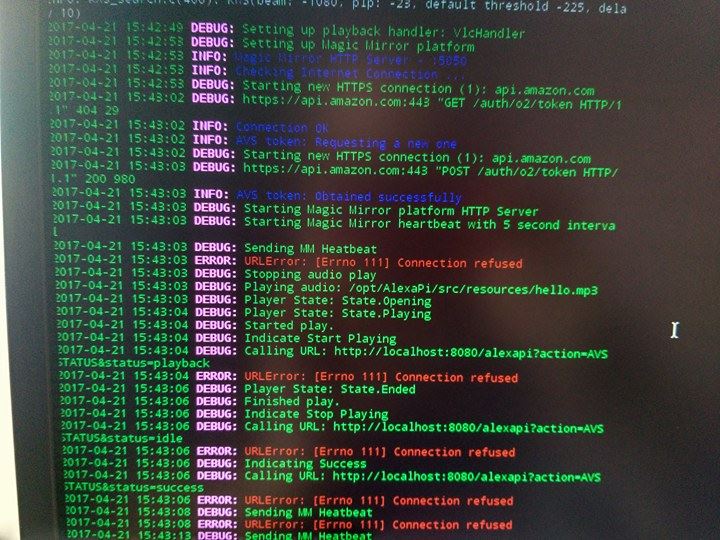
                        0_1492782892635_1674897959_n.jpg

                        1 Reply Last reply Reply Quote 0
                        • D Offline
                          davidrq7
                          last edited by davidrq7

                          Found another intresting thing at forum.
                          “I’m expecting there’s a significance in which user is starting AlexaPi.
                          The service is started by user alexapi, but when you start it from the terminal, with “sudo”, you’re starting it as root.”
                          How can i use it? In super newbie …

                          romainR 1 Reply Last reply Reply Quote 0
                          • romainR Offline
                            romain @davidrq7
                            last edited by

                            @davidrq7 Wait, are you still on your connexion issue ? Or it’s a sound issue ? Because the user might be an issue for the sound, but it’s unlickly to be an issue for the connexion

                            D 1 Reply Last reply Reply Quote 0
                            • D Offline
                              davidrq7 @romain
                              last edited by

                              @romain i think i wilk leave this version. Can You tell me how to install AlexaPi 1.4 plz ?

                              romainR 1 Reply Last reply Reply Quote 0
                              • romainR Offline
                                romain @davidrq7
                                last edited by

                                @davidrq7 Sure, you go to your AlexPi folder
                                cd /opt/AlexaPi/
                                Then you use the command git checkout v1.4
                                (you could have write git checkout then press the tab key once or two time so it show you all available version. This work for most github repository)

                                1 Reply Last reply Reply Quote 0
                                • D Offline
                                  davidrq7
                                  last edited by davidrq7

                                  Guys AlexaPi is conecting but i have an issue with sound i cant record any sound.
                                  When i use arecord -D yourdevice test.wav
                                  i have message like this 0_1492871101305_record.jpg
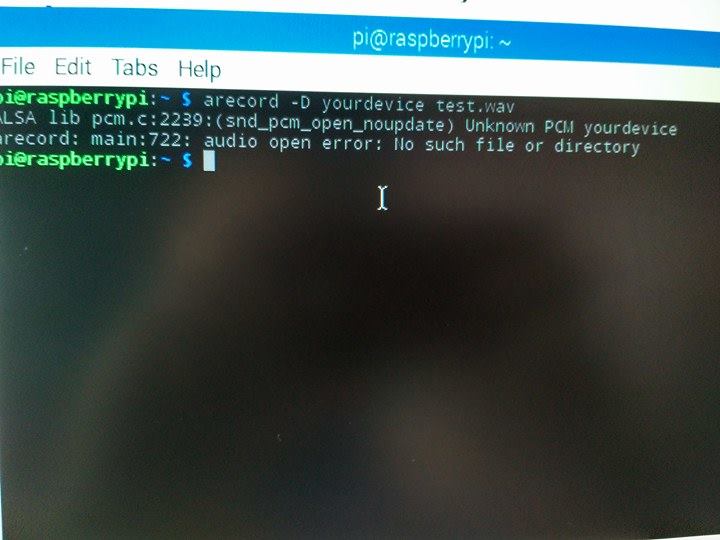
                                  here’s my alsa link
                                  http://www.alsa-project.org/db/?f=13c96d7203793e608733957776c725f8a536602f
                                  What i should do next??

                                  lucallmonL 1 Reply Last reply Reply Quote 0
                                  • lucallmonL Offline
                                    lucallmon @davidrq7
                                    last edited by

                                    @davidrq7 go to gitter.im/AlexaPi and ask there. This is where the guys that made it hang out.

                                    1 Reply Last reply Reply Quote 0

                                    Hello! It looks like you're interested in this conversation, but you don't have an account yet.

                                    Getting fed up of having to scroll through the same posts each visit? When you register for an account, you'll always come back to exactly where you were before, and choose to be notified of new replies (either via email, or push notification). You'll also be able to save bookmarks and upvote posts to show your appreciation to other community members.

                                    With your input, this post could be even better 💗

                                    Register Login

                                    • 1
                                    • 2
                                    • 2 / 2
                                    • First post
                                      Last post
                                    Enjoying MagicMirror? Please consider a donation!
                                    MagicMirror created by Michael Teeuw.
                                    Forum managed by Sam, technical setup by Karsten.
                                    This forum is using NodeBB as its core | Contributors
                                    Contact | Privacy Policy