Read the statement by Michael Teeuw here.
Problem MMM-syslog in Midori
-
Hi,
i have a litte problem.
Midori don’t show the Syslog module and i think it is a issue with the ECMA6 script or so.
I had the same problem with MMM-Fuel but a manual fix is available (https://forum.magicmirror.builders/topic/922/modules-not-showing-up-on-kweb-or-midori)Only firefox and Chromium show the modul but on my rpi1 these browser needs to much resources.
is a small fix for midori realistic or can I blow it into the wind?
TypeError: Cannot read property 'push' of undefined
    at Class.module.exports.NodeHelper.create.start.storeLog (/var/www/mirror2/modules/MMM-syslog/node_helper.js:50:12)
    at /var/www/mirror2/modules/MMM-syslog/node_helper.js:36:10
    at Layer.handle [as handle_request] (/var/www/mirror2/node_modules/express/lib/router/layer.js:95:5)
    at next (/var/www/mirror2/node_modules/express/lib/router/route.js:131:13)
    at Route.dispatch (/var/www/mirror2/node_modules/express/lib/router/route.js:112:3)
    at Layer.handle [as handle_request] (/var/www/mirror2/node_modules/express/lib/router/layer.js:95:5)
    at /var/www/mirror2/node_modules/express/lib/router/index.js:277:22
    at Function.process_params (/var/www/mirror2/node_modules/express/lib/router/index.js:330:12)
    at Immediate.next (/var/www/mirror2/node_modules/express/lib/router/index.js:271:10)
    at Immediate.immediate._onImmediate (timers.js:423:18)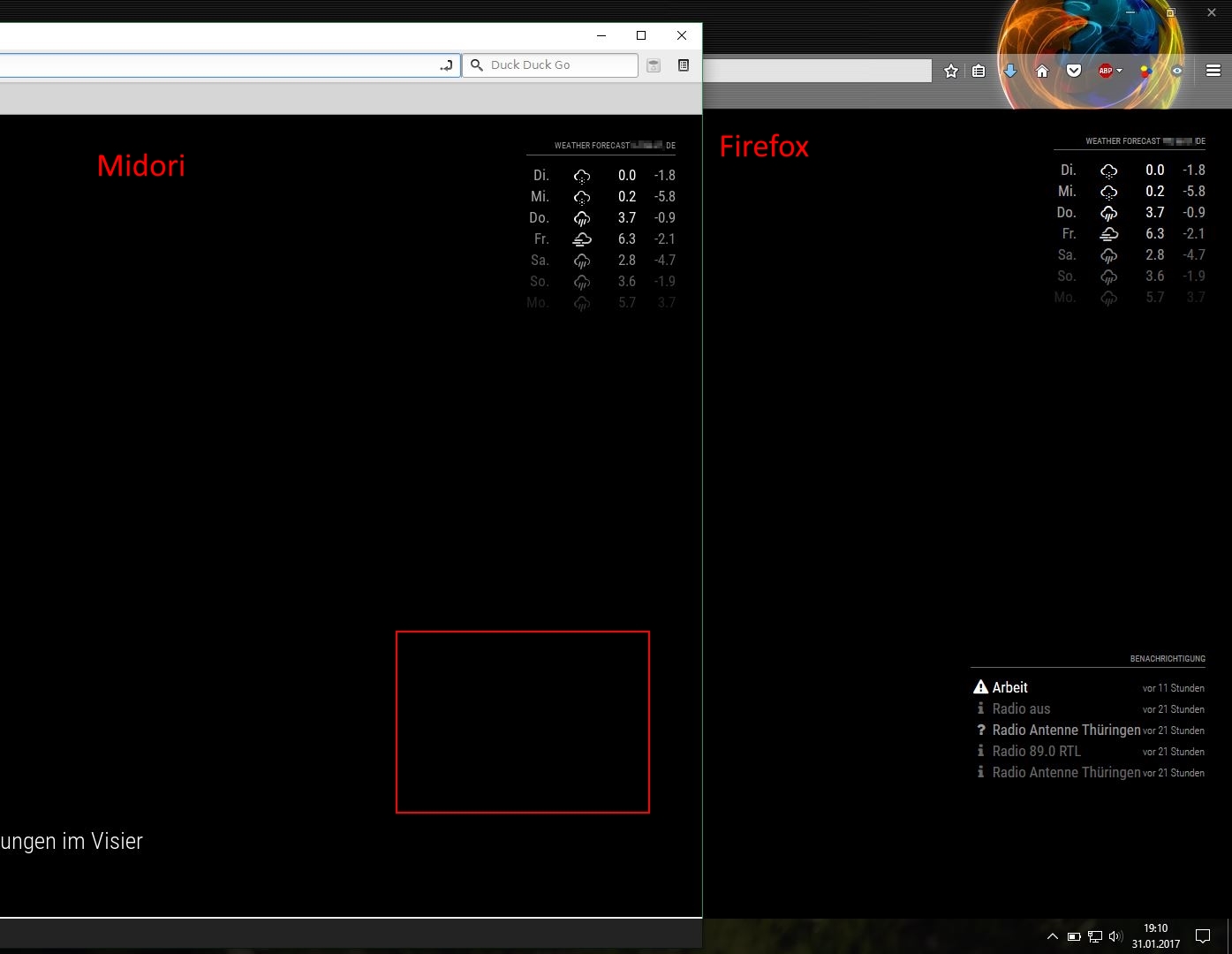
-
i have fix it.
edit MMM-syslog.js
replace line 44
setInterval(() => {with
setInterval(function(){ -
@gizmo90
i have the same issue, but the change you mention doesn’t fix it.
any hints?TypeError: Cannot read property 'push' of undefinedbut the http-request is sent successfully:
{"status":"success","payload":{"type":"ALERT","message":"Testalert","silent":false,"timestamp":"2017-10-25T17:36:57.487Z"}}regards,
astrakid -
test this
setInterval(function(){ this.updateDom(); }, 60000);
instead of
setInterval(() => {
this.updateDom(60000); -
@gizmo90 said in Problem MMM-syslog in Midori:
setInterval(function(){ this.updateDom(); }, 60000);
tried that already, but it doesn’t solve the issue.
-
found the issue: if the module is set to “top_bar”, then it forces this error. “top_right” works fine.

Hello! It looks like you're interested in this conversation, but you don't have an account yet.
Getting fed up of having to scroll through the same posts each visit? When you register for an account, you'll always come back to exactly where you were before, and choose to be notified of new replies (either via email, or push notification). You'll also be able to save bookmarks and upvote posts to show your appreciation to other community members.
With your input, this post could be even better 💗
Register Login