Read the statement by Michael Teeuw here.
MMM-BackgroundSlideshow
-
I have a question about the background photos. I’ve found that the images are larger when viewed on the raspberry than when I look at them on the PC.
I am using the MMM BackgroundSlideshow module to display a new image every 10 seconds.
In custom.css I have the following codes deposited:
/***************************************************** * Magic Mirror * * Custom CSS * * * * By Michael Teeuw http://michaelteeuw.nl * * MIT Licensed. * * * * Add any custom CSS below. * * Changes to this files will be ignored by GIT. * *****************************************************/ .MMM-SystemStats { color: #CEF6CE; } .normal, .dimmed, header, .MMM-BackgroundSlideshow { color: #fff; }, .MMM-EasyPix { font-weight: 400; } .MMM-SystemStats { font-size: 45%; } .MMM-darksky-hourly { color: #ffffff; }Can someone tell me why the PI are “bigger” than when I look at them on the PC
That’s still my config
/* Magic Mirror Config Sample * * By Michael Teeuw http://michaelteeuw.nl * MIT Licensed. * * For more information how you can configurate this file * See https://github.com/MichMich/MagicMirror#configuration * */ var config = { address: "0.0.0.0", // Address to listen on, can be: // - "localhost", "127.0.0.1", "::1" to listen on loopback interface // - another specific IPv4/6 to listen on a specific interface // - "", "0.0.0.0", "::" to listen on any interface // Default, when address config is left out, is "localhost" port: 8080, ipWhitelist: ["127.0.0.1", "::ffff:127.0.0.1", "::1"], // Set [] to allow all IP addresses // or add a specific IPv4 of 192.168.1.5 : // ["127.0.0.1", "::ffff:127.0.0.1", "::1", "::ffff:192.168.1.5"], // or IPv4 range of 192.168.3.0 --> 192.168.3.15 use CIDR format : // ["127.0.0.1", "::ffff:127.0.0.1", "::1", "::ffff:192.168.3.0/28"], language: "de", timeFormat: 24, units: "metric", modules: [ { module: "alert", }, { module: "updatenotification", position: "top_bar" }, { module: "clock", position: "top_left" }, /*{ module: "compliments", position: "lower_third" },*/ /*{ disabled: false, module: "MMM-NewsFeedTicker", position: "bottom_bar", //classes: "day_scheduler", config: { feeds: [ { title: "20 min", url: "https://api.20min.ch/rss/view/67", encoding: "UTF-8", //ISO-8859-1 className: "myClass", defaultLogo : "" }, ] } }, { module: 'internet-monitor', position: 'top_center', config: { type: 'minimal', maxTime: 7000, updateInterval: 120000, verbose: false, displayStrength: true, displaySpeed: false, strengthIconSize: 40, maxGaugeScale: 25, wifiSymbol:{ size: 50, fullColor: '#3afc25', almostColor: '#ffff0c', halfColor: '#ff8c00', noneColor: '#ff1111' } } },*/ { module: 'MMM-darksky-hourly', position: 'top_right', // This can be any of the regions. config: { // See 'Configuration options' for more information. apiKey: 'xxx', // Dark Sky API key. latitude: 47.309714, longitude: 7.8106514, } }, { module: 'MMM-SystemStats', position: 'bottom_left', // This can be any of the regions. classes: 'small dimmed', // Add your own styling. Optional.// classes: 'small dimmed', // header: 'System Stats', // Set the header text OPTIONAL config: { updateInterval: 10000, // every 10 seconds align: 'right', // align labels view: 'textAndIcon', }, }, { module: "MMM-EasyPix", header: "WLAN-Code", position: "bottom_right", config: { picName: "guest_wifi_config.png", // Enter the picture file name. maxWidth: "100%", // Size picture precisely. Retains aspect ratio. } }, { module: 'MMM-BackgroundSlideshow', position: 'fullscreen_below', config: { imagePaths: ['modules/MMM-BackgroundSlideshow/Amerika_2018'], transitionImages: true, randomizeImageOrder: true } }, /* { //disabled:true, module: "MMM-AVStock", position: "top_right", //"bottom_bar" is better for `mode:ticker` config: { apiKey : "WPYPLO6M92PTF7PB", // https://www.alphavantage.co/ timeFormat: "YYYY-MM-DD HH:mm:ss", symbols : ["aapl", "GOOGL", "005930.KS", "SCHN.SW", "UBS", "NOVN.VX",], alias: ["Apple", "Google", "SAMSUNG Electronics", "Schindler", "UBS", "Novartis",], //Easy name of each symbol. When you use `alias`, the number of symbols and alias should be the same. If value is null or "", symbol string will be used by default. tickerDuration: 60, // Ticker will be cycled once per this second. chartDays: 90, //For `mode:series`, how much daily data will be taken. (max. 90) poolInterval : 1000*15, // If your AV account is free, at least 13 sec is needed. mode : "table", // "table", "ticker", "series" } },*/ /*{ module: "newsfeed", position: "bottom_bar", config: { feeds: [ { title: "New York Times", url: "http://www.nytimes.com/services/xml/rss/nyt/HomePage.xml" } ], showSourceTitle: true, showPublishDate: true } },*/ ] }; /*************** DO NOT EDIT THE LINE BELOW ***************/ if (typeof module !== "undefined") {module.exports = config;} -
Ok, thanks for your help. I downloaded the program PhotoScape and changed the height and width of all photos. Look, there you go !! Thank you
-
-
@cyrus1337
I’m not sure, I don’t know anything about backgroundSlideShow, but,Your pictures would be greater than resolution of screen.
Then, your PC viewer might have resized your pictures automatically when they were shown. But backgroundSlideShow might not have that feature. However, there is a possibility of controlling by CSS. Ask to creator. -
@sean Thanks for your quick reply.
-
@cyrus1337 said in MMM-BackgroundSlideshow:
@sean Thanks for your quick reply.
I also use this module very successfully. Try to resize the pictures to the resolution of your screen (photoshop), normaly 1920 x 1080, 1024 x 760. Sometimes it is also necessary to set the pictures to the correct aspect ratio 16:9. For me it works fine.
Regards Mike -
@garbleflux i had to modify another image display module to get the correct presentation of images, no zoom in and no crop of portrait mode. does mean that some of the background shows thru, but the pictures are correctly displayed
-
@sdetweil And what would be your module :)
-
@cyrus1337 I am using the MMM-ImagePhotos module… but I had to change the code to keep my images properly formatted…
landscape
https://www.dropbox.com/s/adzzi3bc7wwq8q5/IMG_20181114_102356.jpg?dl=0
portrait
https://www.dropbox.com/s/htxdm7b8sayqazh/IMG_20181114_102350.jpg?dl=0can’t get the pics to actually display here…
-
I made several modules handling photos -
MMM-GooglePhotos,MMM-WeatherBackground,MMM-DropboxWallpaper,…All modules can display photos by its aspect-ratio with covering the target area or resizing to show whole picture.
Try them.-
MMM-DropboxWallpaper (https://github.com/eouia/MMM-DropboxWallpaper)

-
MMM-GooglePhotos (https://github.com/eouia/MMM-GooglePhotos)

-
-
Anyway, If your module would be using
imgtag for showing photos, module should know the exact image size and calculate to resize it by proper target ratio.
Instead, I prefer using Background CSS trick.background-size:coverwill cover whole image to entire area of it’s element,background-size:containwill resize image to fit to target element size. Suprisingly, without any calculation. -
@sean how about a portrait photo sample…
the tv/monitor aspect ratio (16:9) doesn’t fit unless u stretch or clip the image…
the sunrise is 6000x4000 pixels the portrait photo is 4000x6000 (both WxH)
-
@sean but it distorts the picture, not in original format… which is what I want…
-
@sdetweil
There are two options for vertical photos on horizontal screen.-
cover: whole screen will be covered by part of photos. but some areas(top and bottom) of photos will be out of screen -
contain: whole picture will be shown from bottom to top. but some remain area of screen (left and right) will be black.
-
-
@sean i understand… but BOTH distort the image presentation
-
@sdetweil
Which distortion? It’s just resizing. -
@sean bingo… if something is clipped (not shown) then its wrong… I fiddled with all those css settings and finally gave up… i calculate the dimensions myself and all is good on EVERY picture
-
@sdetweil
Then you can use justcontainmode .
Here is my another module handling image -MMM-Rijkswith same technic.
It can show howcontaintrick works.
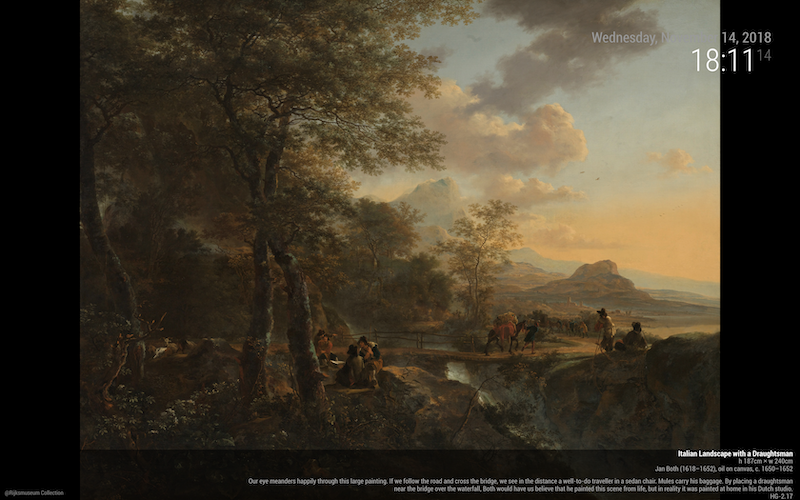
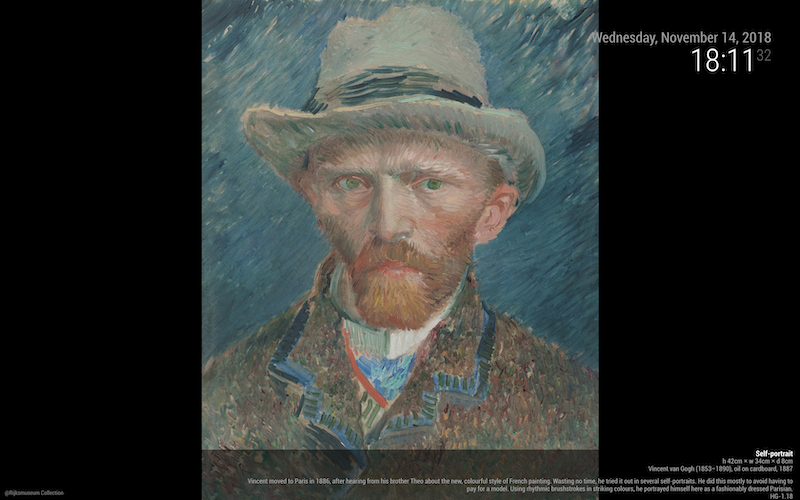
-
@sean ok, that doesn’t work for me… i am not background, i am foreground. (fullscreen above).
if I set if on the module div or on the image, I get the same extreme zoom in.
-
@sean With the module MM-Background Slideshow I have now added
contain:{ module: 'MMM-BackgroundSlideshow', position: 'fullscreen_below', config: { imagePaths: ['modules/MMM-BackgroundSlideshow/Amerika_2018'], slideshowSpeed: 5000, transitionImages: true, randomizeImageOrder: true, backgroundSize: 'contain' } },The pictures now show it in the correct size. From the pictures, which were photographed in portrait format, it does not display correctly. Funny is that certain something in portrait mode.
-
@cyrus1337
Each JPEG taken by modern digital camera has EXIF -directioninformation . Many picture viewers (in PC or Phone) can show the picture of right direction by automatic rotation with that information.But Most of Web Browser (including Electron/Chrome of MagicMirror) don’t have that feature yet.
If your photos are stored in GooglePhotos or any other “SMART” clouds, the pictures will be stored with right direction when you saved. But… As I know that BackgroundSlideShow use your local directory. Browser cannot know right direction, then It display the picture as it was taken.
I tried automatic rotation on MMM-DropboxWallpaper with EXIF, but not so satisfied. On browser level, it could’t be solved acceptably. Rotation on displaying could make unintended blank area, and Rotation of stored images on RPI needs too much CPU power.
Solution: Rotate photos by manual with image editor in your POWERFUL PC then, save and use them.
Hello! It looks like you're interested in this conversation, but you don't have an account yet.
Getting fed up of having to scroll through the same posts each visit? When you register for an account, you'll always come back to exactly where you were before, and choose to be notified of new replies (either via email, or push notification). You'll also be able to save bookmarks and upvote posts to show your appreciation to other community members.
With your input, this post could be even better 💗
Register Login

