Read the statement by Michael Teeuw here.
My Raspberry won’t boot up
-
I’ve been very happy with my magic mirror for a while now however the other day it simple stopped working. I noticed now that I cannot get the Raspberry Pi 3+ to successfully start up. I explored online for days and tried changing the Config txt file after recovery start up.
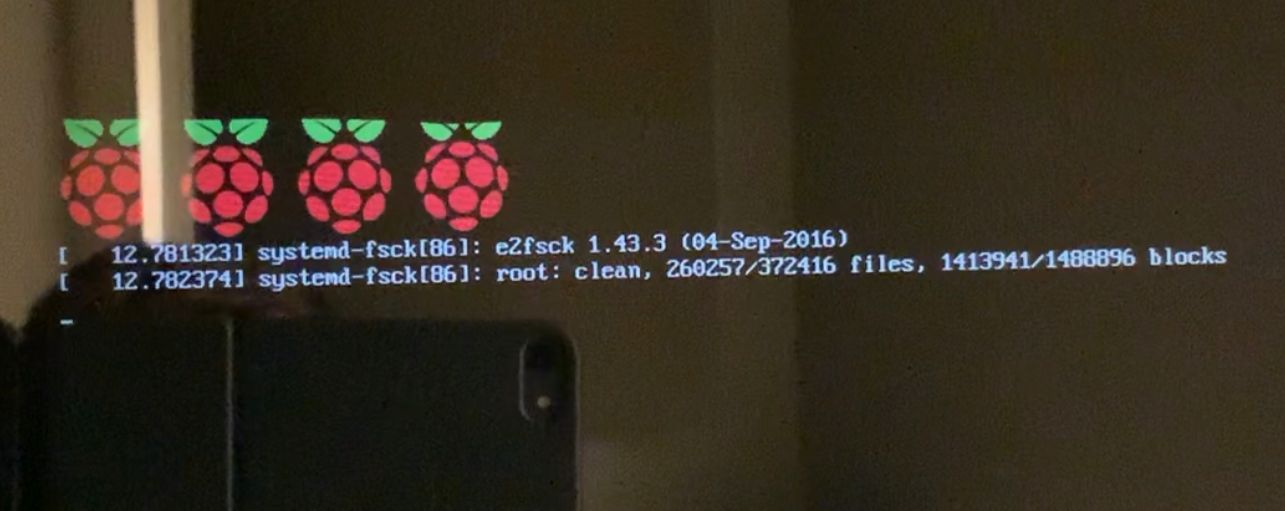
It boots up to this part then goes black with a blinking cursor in the top left hand corner. Please can someone help a novice who was proud I had got the magic mirror fully working.
Thanks Richard
-
I had that problem. Turns out my off brand cards I was using were fake sized. It would eventually overwrite itself. Card said “32Gig” was 8 meg or some such.
Double check you got good cards. I’d start there. Hope you got some backup.
-
My understanding is that that micro-SD card problem is particularly vexing for the the photographic community. I told my daughter, a part-time pro photog, that I was buying another couple of micro-SD card for my PI4 and she warned me about that. There are some real horror stories associated with that issue - think weddings.
-
@earnestrichards Thanks for your feedback but it’s a Kingston SD card and I can see the contents on the Card when I Plug it into my PC. I think the SD card is not the Problem, but I’m no expert
-
@richardh151 sadly these SD cards are a lot more fragile than they would have you believe. the actual memory cells are write once. so as u write more times, u leave behind old dead, used memory cells, until you run out, and then the card is useless.
I have gone thru 8 memory cards.on.my two mostly development machines, I have moved to boot from SD card, run from SSD.
it has the same memory issue, but due to the size, will take a lot longer to run out.
(recent reports of a windows 10 defragmentation bug causing early SSD failures from this problem. see https://www.pcgamer.com/amp/windows-10-bug-wrecking-ssd/ )so, my best suggestion, get a new card, and an adapter, flash raspian on the new card, and then use the adapter in a USB port on the pi to copy the MagicMirror folder to the new card.
and get a bigger card than u need
-
@sdetweil That’s interesting, and disconcerting, about the Win10 SSD problem.
How long do you estimate that your cards last?
Does reading the card inflict damage the same way as a write would?
I think I will also keep at least one cloned SD card handy.
-
@earnestrichards read does not affect like write does. and of course for low write environments, like cameras and music devices, the cards last near forever.
my 8 cards have failed since Nov 16 when I started working on pis. lost a pi 3 mm card 2 weeks ago. luckily it wasn’t customized.
-
@sdetweil Thanks Sam


Hello! It looks like you're interested in this conversation, but you don't have an account yet.
Getting fed up of having to scroll through the same posts each visit? When you register for an account, you'll always come back to exactly where you were before, and choose to be notified of new replies (either via email, or push notification). You'll also be able to save bookmarks and upvote posts to show your appreciation to other community members.
With your input, this post could be even better 💗
Register Login