MagicMirror Forum
    • Recent
    • Tags
    • Unsolved
    • Solved
    • MagicMirror² Repository
    • Documentation
    • 3rd-Party-Modules
    • Donate
    • Discord
    • Register
    • Login
    A New Chapter for MagicMirror: The Community Takes the Lead
    Read the statement by Michael Teeuw here.

    Need help resizing in vertical orientation

    Scheduled Pinned Locked Moved Troubleshooting
    36 Posts 3 Posters 12.6k Views 3 Watching
    Loading More Posts
    • Oldest to Newest
    • Newest to Oldest
    • Most Votes
    Reply
    • Reply as topic
    Log in to reply
    This topic has been deleted. Only users with topic management privileges can see it.
    • S Do not disturb
      sdetweil @Matthewlawson3
      last edited by

      @matthewlawson3 see this topic
      https://forum.magicmirror.builders/topic/6808/css-101-getting-started-with-css-and-understanding-how-css-works?_=1616334901530

      Sam

      How to add modules

      learning how to use browser developers window for css changes

      M 1 Reply Last reply Reply Quote 0
      • M Offline
        Matthewlawson3 @sdetweil
        last edited by

        @sdetweil so I just copy the contents of main.css into a new file called custom.css? Then I modify custom.css and that should show when I run the MM? Or does that custom.css have to be renamed to main.css and the original main.css renamed to something else while testing?

        S 1 Reply Last reply Reply Quote 0
        • S Do not disturb
          sdetweil @Matthewlawson3
          last edited by

          @matthewlawson3 do this

          cd ~/MagicMirror/css
          cp main.css custom.css
          

          edit custom.css and change

          body {
            margin: 60px;
            position: absolute;
            height: calc(100% - 120px);
            width: calc(100% - 120px);
            background: green;                                     <- this line 
            color: #aaa;
            font-family: "Roboto Condensed", sans-serif;
            font-weight: 400;
            font-size: 2em;
            line-height: 1.5em;
            -webkit-font-smoothing: antialiased;
          }
          

          start mm

          and u should see this
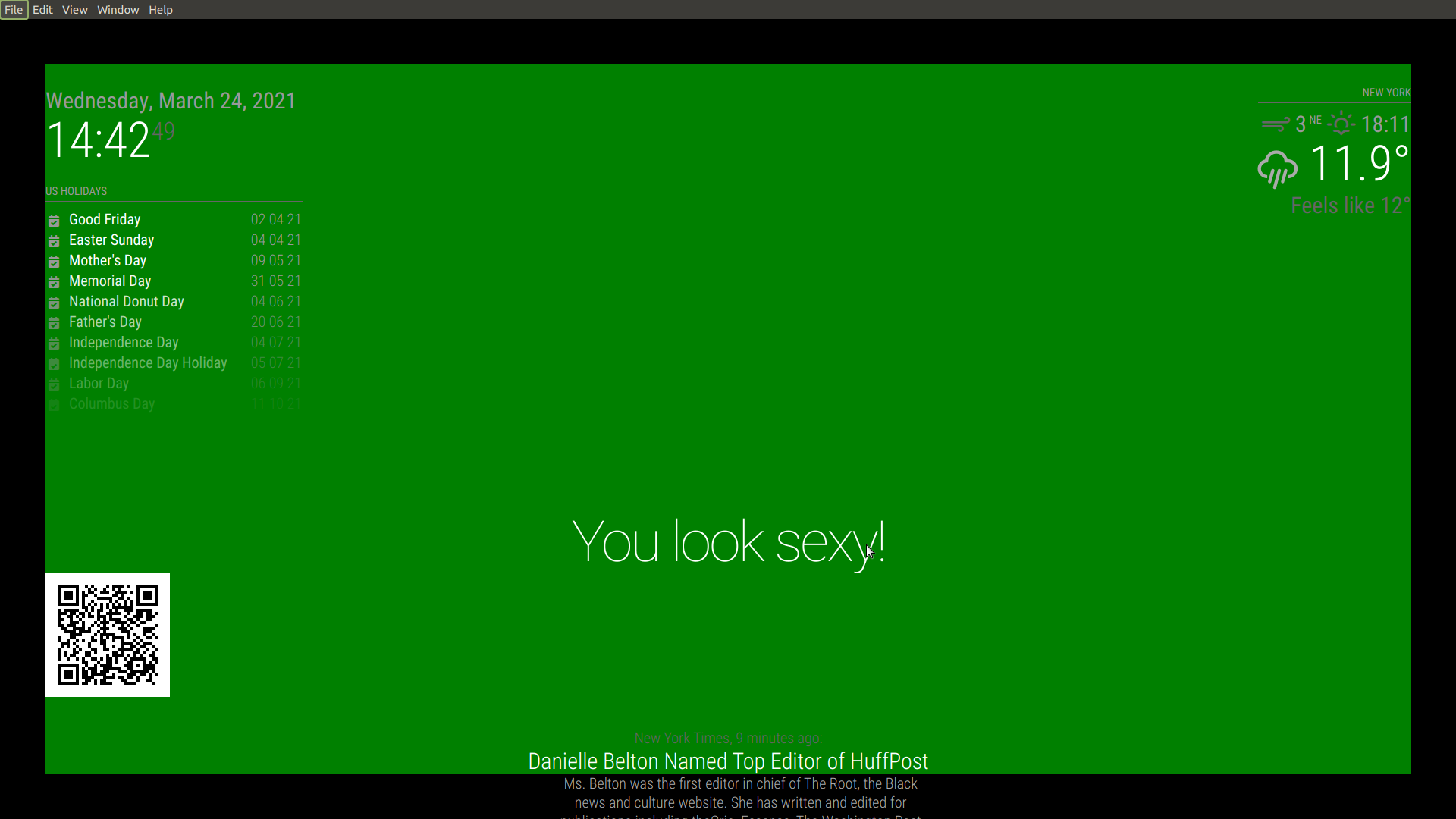
          Screenshot at 2021-03-24 14-42-49.png

          now you can see the border around the main area, where all the modules are placed

          Sam

          How to add modules

          learning how to use browser developers window for css changes

          S 1 Reply Last reply Reply Quote 0
          • S Do not disturb
            sdetweil @sdetweil
            last edited by

            @Matthewlawson3

            and if u set the background-color for date, time, and calendar

            .calendar {
            	background-color: blue;
            }
            .date {
            	background-color: red;
            }
            .time {
            	background-color: pink;
            }
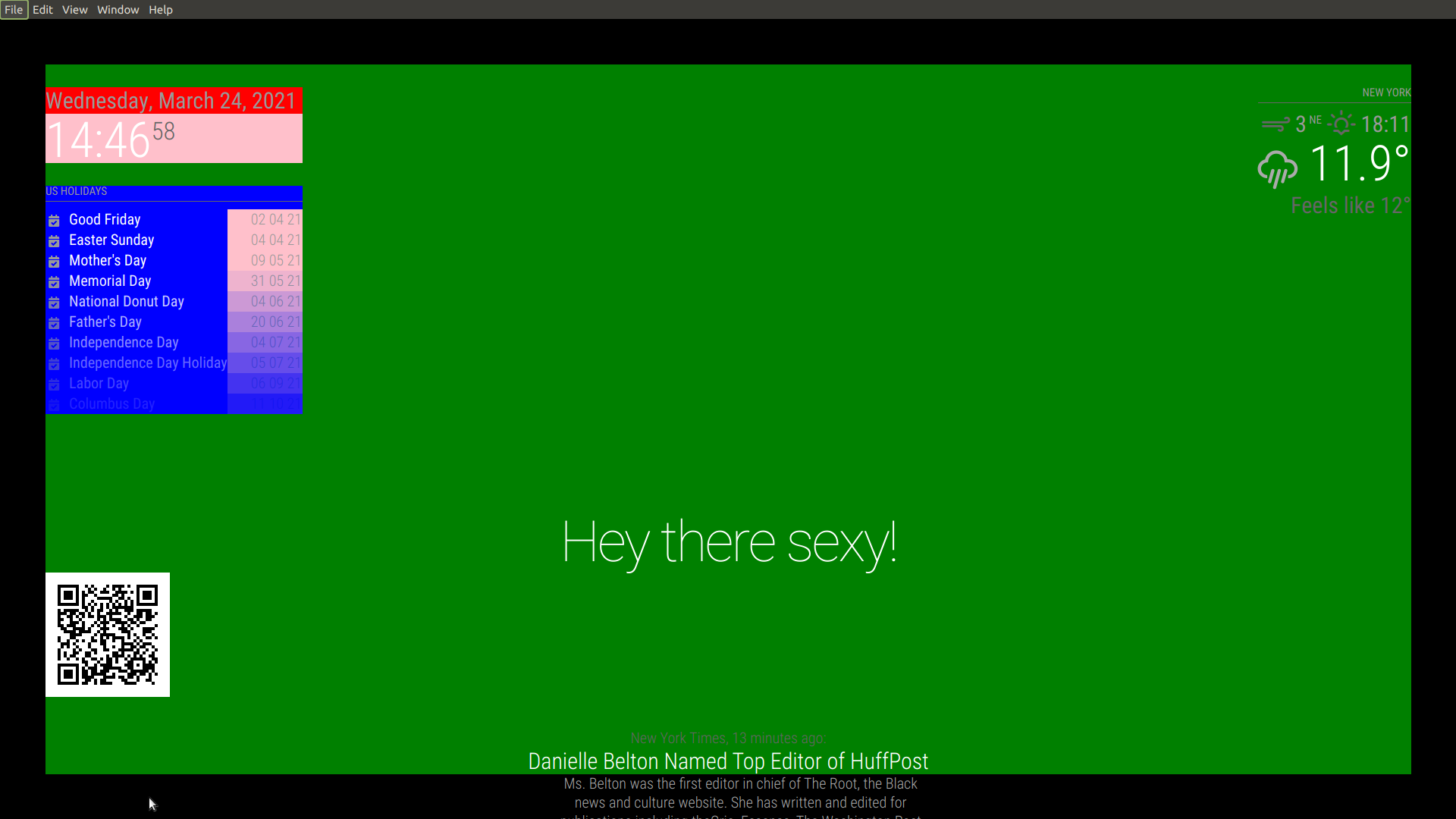
            

            Screenshot at 2021-03-24 14-46-58.png

            you’ll see this

            Sam

            How to add modules

            learning how to use browser developers window for css changes

            M 1 Reply Last reply Reply Quote 0
            • M Offline
              Matthewlawson3 @sdetweil
              last edited by

              @sdetweil Thank you. So when I can see the borders, I would assume I have to adjust the border size and make it smaller?

              Below are some pictures of the MMM Tools issue and the BibleGateway issue where they are invading the space of the other modules. I need MMM Tools to fill that gap on the left and the BibleGateway module to get back to the right side.

              alt text

              alt text

              S 1 Reply Last reply Reply Quote 0
              • S Do not disturb
                sdetweil @Matthewlawson3
                last edited by

                @matthewlawson3 u need to use the vertical page , sun over the mountains to upload a picture (third from right on desktop browser)

                Sam

                How to add modules

                learning how to use browser developers window for css changes

                1 Reply Last reply Reply Quote 0
                • M Offline
                  Matthewlawson3
                  last edited by Matthewlawson3

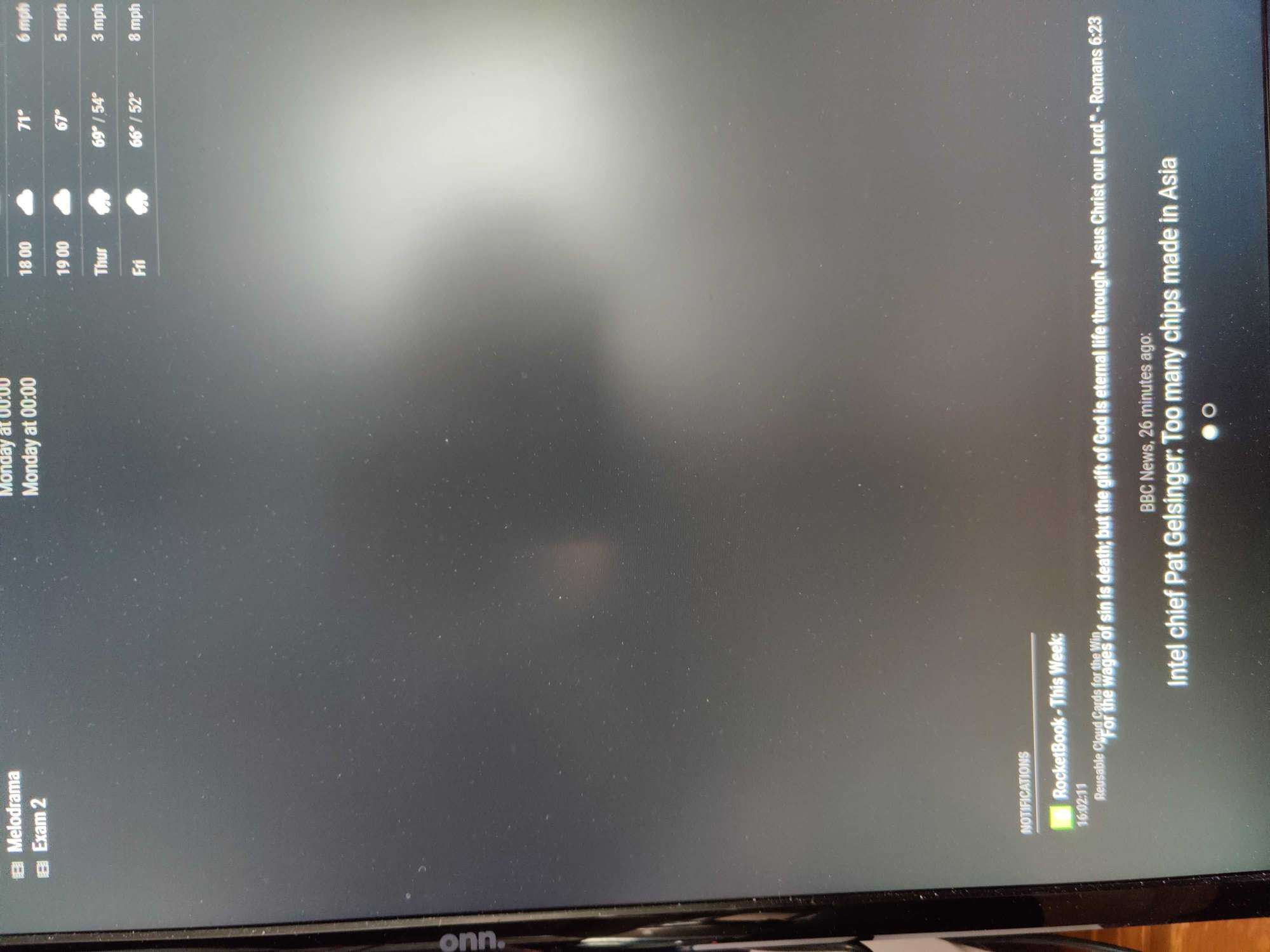
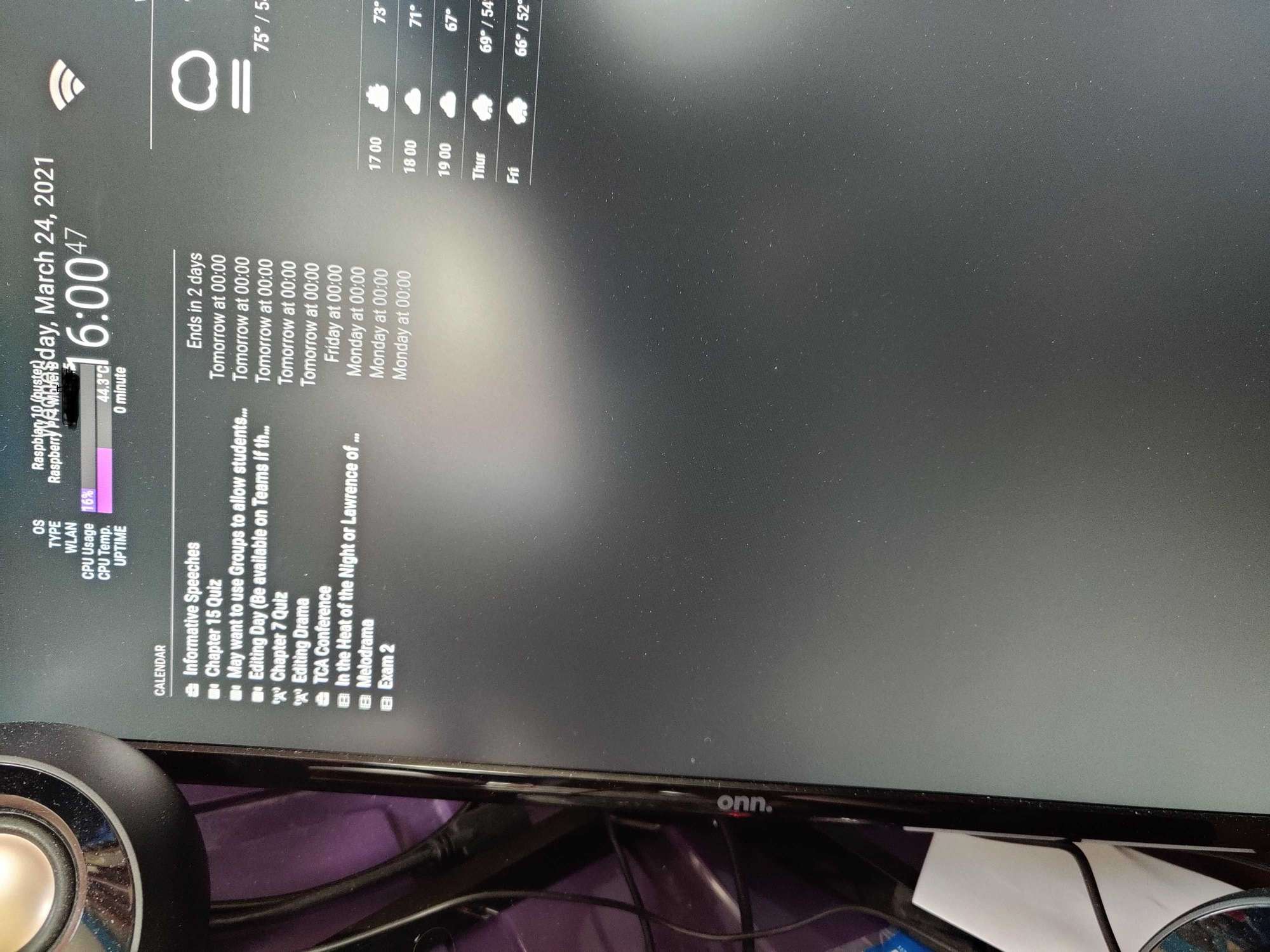
                  @sdetweil Sorry. I have the green background and can see the border btw. Pictures are below of what it looks like normally. The MMM Tools is module is set for top left position and the calendar is too. The Bible module is set for bottom right position.
                  Bottom.jpg

                  Top.jpg

                  S 1 Reply Last reply Reply Quote 0
                  • S Do not disturb
                    sdetweil @Matthewlawson3
                    last edited by

                    @matthewlawson3 would be better if u backed up a little got the whole screen as one image… we can zoom in on the pic…

                    what is that stomping all over the date?

                    Sam

                    How to add modules

                    learning how to use browser developers window for css changes

                    M 1 Reply Last reply Reply Quote 0
                    • M Offline
                      Matthewlawson3 @sdetweil
                      last edited by

                      @sdetweil ahh that is MMM Tools. Since MMM Tools and the calendar are in the top left position this is how they end up. I like the calendar where it is. But the MMM Tools is pushed over to the right in this set up. Without the calendar, MMM Tools moves back to the left and out of the way.

                      S 1 Reply Last reply Reply Quote 0
                      • S Do not disturb
                        sdetweil @Matthewlawson3
                        last edited by

                        @matthewlawson3
                        yeh, MMM-Tools looks like it has some css problems…

                        Sam

                        How to add modules

                        learning how to use browser developers window for css changes

                        M 1 Reply Last reply Reply Quote 0
                        • M Offline
                          Matthewlawson3 @sdetweil
                          last edited by

                          @sdetweil Anything you can recommend for me to get it to behave? Something I could do in the custom.css?

                          S 1 Reply Last reply Reply Quote 0
                          • S Do not disturb
                            sdetweil @Matthewlawson3
                            last edited by

                            @matthewlawson3 i don’t know… haven’t look at it before…

                            Sam

                            How to add modules

                            learning how to use browser developers window for css changes

                            M 1 Reply Last reply Reply Quote 0
                            • M Offline
                              Matthewlawson3 @sdetweil
                              last edited by

                              @sdetweil Oh okay.

                              1 Reply Last reply Reply Quote 0
                              • M Offline
                                Matthewlawson3 @sdetweil
                                last edited by

                                @sdetweil I tried the full screen recommendation that @BKeyport recommended, but of course it didn’t fix the issue with MMM-Tools.

                                Do I have to go into the CSS of the actual module folder?

                                S 1 Reply Last reply Reply Quote 0
                                • S Do not disturb
                                  sdetweil @Matthewlawson3
                                  last edited by

                                  @matthewlawson3 u should be able to fix in custom.css once we figure out what the problem is

                                  Sam

                                  How to add modules

                                  learning how to use browser developers window for css changes

                                  1 Reply Last reply Reply Quote 0
                                  • S Do not disturb
                                    sdetweil
                                    last edited by

                                    I don’t see the top left problem

                                    Screenshot at 2021-03-24 17-48-20.png

                                    Sam

                                    How to add modules

                                    learning how to use browser developers window for css changes

                                    M 1 Reply Last reply Reply Quote 0
                                    • S Do not disturb
                                      sdetweil
                                      last edited by

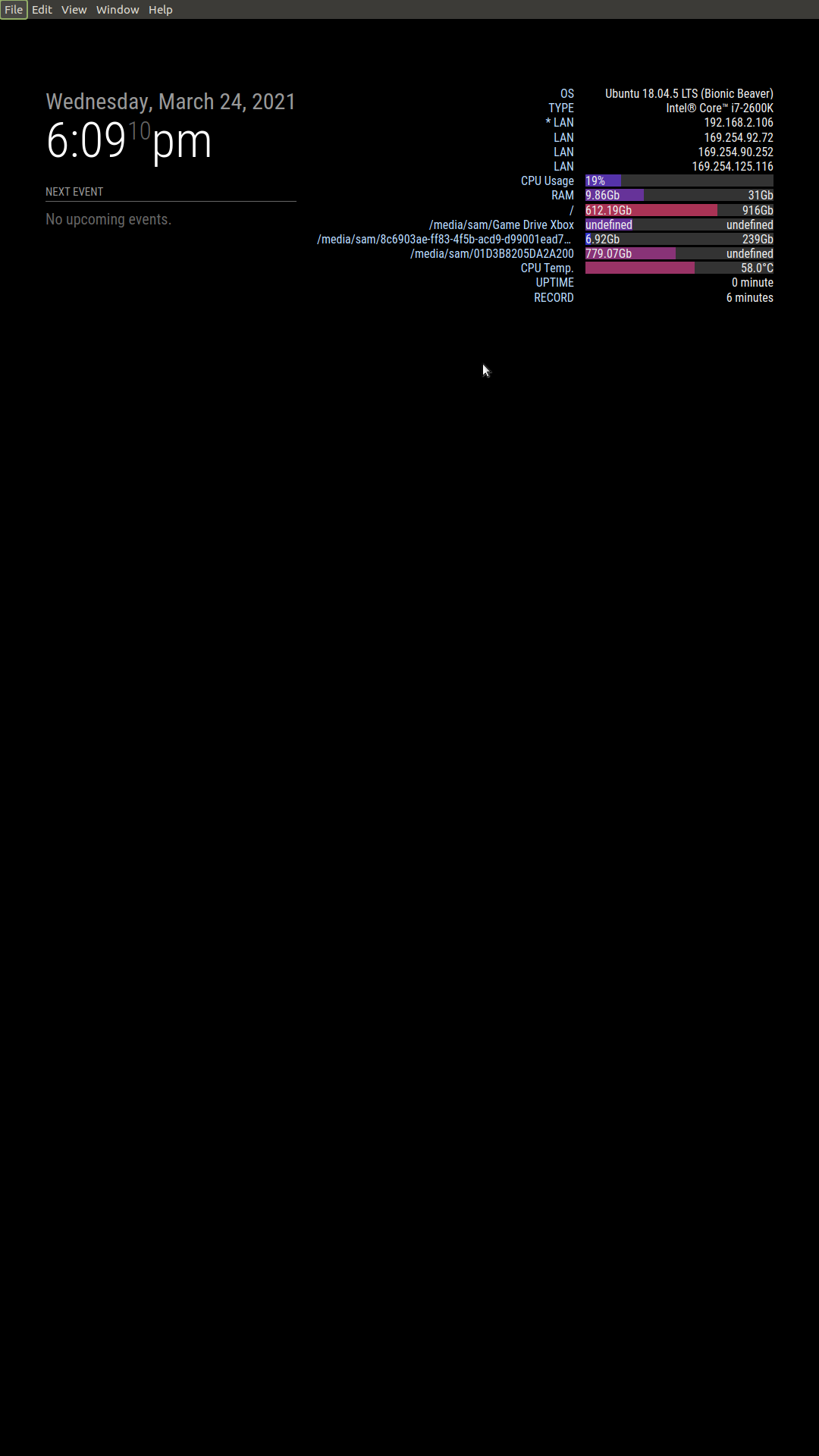
                                      and here is upper right , you can reduce the margin value…
                                      Screenshot at 2021-03-24 18-09-10.png

                                      its content will push things around… the regions are flexible, so they stretch to accomodate the content

                                      Sam

                                      How to add modules

                                      learning how to use browser developers window for css changes

                                      M 1 Reply Last reply Reply Quote 0
                                      • M Offline
                                        Matthewlawson3 @sdetweil
                                        last edited by Matthewlawson3

                                        @sdetweil ok. Interesting you don’t have the same issue with top left. Could it be because I have MMM Tools above the calendar? Whereas yours seems to have the calendar above MMM TOOLS . Also, the clock module on mine is top center.

                                        S 2 Replies Last reply Reply Quote 0
                                        • S Do not disturb
                                          sdetweil @Matthewlawson3
                                          last edited by

                                          @matthewlawson3 yes, I can try flopping them around in the morning

                                          Sam

                                          How to add modules

                                          learning how to use browser developers window for css changes

                                          1 Reply Last reply Reply Quote 0
                                          • S Do not disturb
                                            sdetweil @Matthewlawson3
                                            last edited by

                                            @matthewlawson3 said in Need help resizing in vertical orientation:

                                            Do I need to use the developer window in any way to help fix this?

                                            probably

                                            Sam

                                            How to add modules

                                            learning how to use browser developers window for css changes

                                            M 1 Reply Last reply Reply Quote 0

                                            Hello! It looks like you're interested in this conversation, but you don't have an account yet.

                                            Getting fed up of having to scroll through the same posts each visit? When you register for an account, you'll always come back to exactly where you were before, and choose to be notified of new replies (either via email, or push notification). You'll also be able to save bookmarks and upvote posts to show your appreciation to other community members.

                                            With your input, this post could be even better 💗

                                            Register Login

                                            • 1
                                            • 2
                                            • 1 / 2
                                            • First post
                                              Last post
                                            Enjoying MagicMirror? Please consider a donation!
                                            MagicMirror created by Michael Teeuw.
                                            Forum managed by Sam, technical setup by Karsten.
                                            This forum is using NodeBB as its core | Contributors
                                            Contact | Privacy Policy