Read the statement by Michael Teeuw here.
Camera capture cannot be performed on the Magic Mirror.
-
I installed openv and python etc in the raspberry pie for camera capture.
So I executed a simple Python code.
test.py:import cv2 cap = cv2.VideoCapture(0) ret, frame = cap.read() cv2.imwrite('chan.jpg',frame) cap.release() cv2.destroyAllWindows() print("1")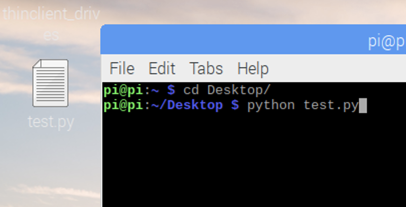
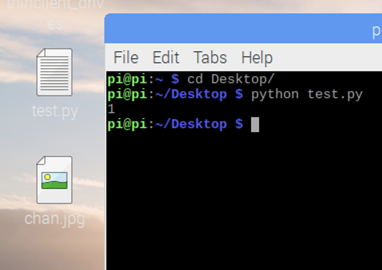
Successfully 1(print(“1”) in test.py) was printed and the picture was saved on pi/Desktop.
Then, I deleted the pi/Desktop/chan.jpg.However, we tried to run test.py with MagicMirror, but failed.
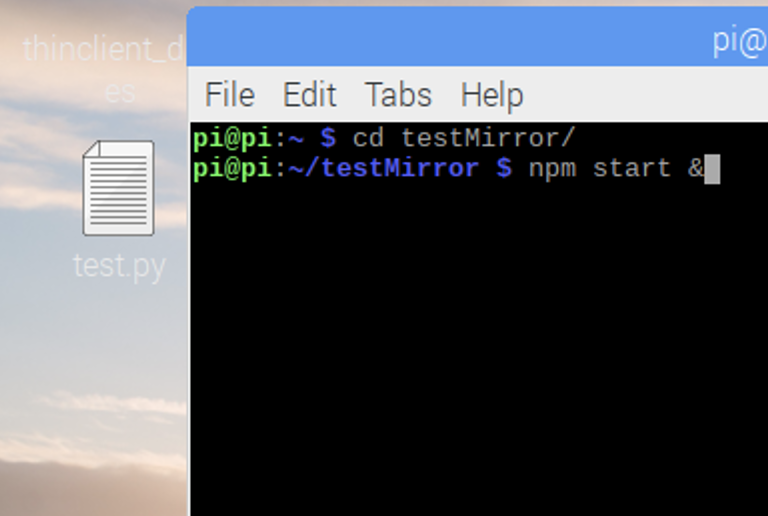
The code for node_helper.js to run test.py is as follows.
var NodeHelper = require("node_helper");
var {PythonShell} = require('python-shell');
var socketTestpython;
module.exports = NodeHelper.create({
  start: function() {
    socketTestpython=this;
    console.log(this.name+"node_helper started")
  },

  socketNotificationReceived: function(notification, payload) {
    switch(notification) {
      case "TEST":
        console.log("notification : " + notification)
	    PythonShell.run('/home/pi/Desktop/test.py', null, function (err, result) {
            if (err) throw err;
            console.log(result);
            socketTestpython.sendSocketNotification("I_DID",result);
          });

        break
    }
  }
})
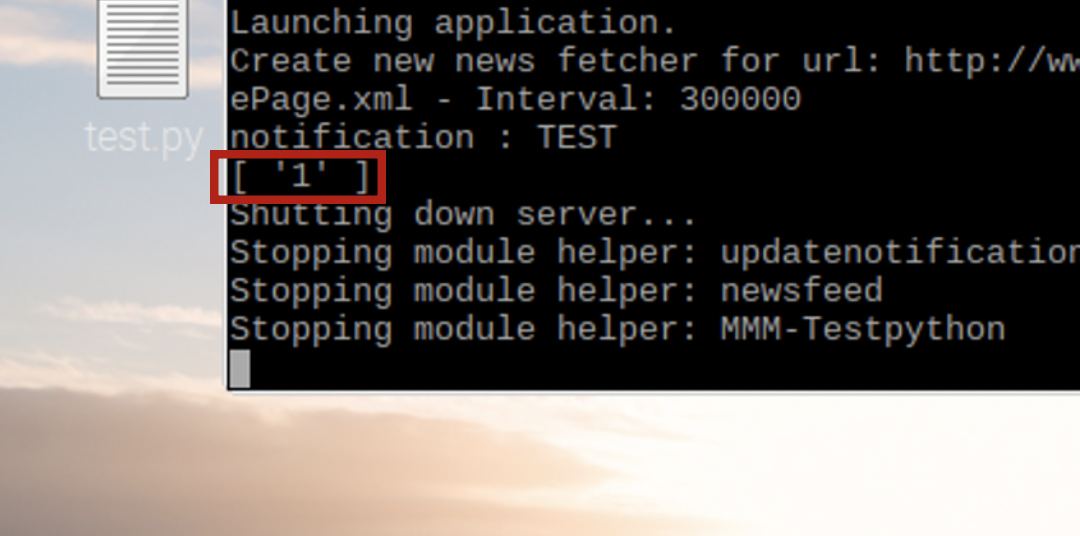
print(“1”) in test.py
‘1’ was successfully outputed on the console as follows:
But as you can see in the image, there is no capture picture file on the desktop.What is the problem?
I didn’t do anything on npm install about openv.
Is there anything I should install in the magic mirror?
For example, should I do npm install opencv4nodejs? -
@emrhssla said in Camera capture cannot be performed on the Magic Mirror.:
cv2.imwrite(‘chan.jpg’,frame)
i agree with sean… u need to be specific in your python script WHERE u write the file… here it defaults to the current directory at the time (which is NOT where the script is located)
maybe like this
cv2.imwrite('/home/pi/Desktop/chan.jpg',frame) -
@emrhssla
Your image might be saved in MagicMirror directory. Have you checked? -
@emrhssla said in Camera capture cannot be performed on the Magic Mirror.:
cv2.imwrite(‘chan.jpg’,frame)
i agree with sean… u need to be specific in your python script WHERE u write the file… here it defaults to the current directory at the time (which is NOT where the script is located)
maybe like this
cv2.imwrite('/home/pi/Desktop/chan.jpg',frame) -
@sdetweil thank you!
-
@Sean thank you!
Hello! It looks like you're interested in this conversation, but you don't have an account yet.
Getting fed up of having to scroll through the same posts each visit? When you register for an account, you'll always come back to exactly where you were before, and choose to be notified of new replies (either via email, or push notification). You'll also be able to save bookmarks and upvote posts to show your appreciation to other community members.
With your input, this post could be even better 💗
Register Login