Read the statement by Michael Teeuw here.
MMM-Awesome-Alexa isn't working
-
Hi everybody!
Reading both in the GitHub repo and in this forum I got the idea that this module may be kinda obsolete and unsupported but I really like the visual effect and the possibility to have another Alexa device in my house for basically nothing.
I already tried to install the module following the instructions at https://awesome-alexa.js.org/#/installation?id=step-2-install-module
And also tried to install it using @sdetweil do-install.sh script.
Both times I got a lot of errors but the electron rebuild always worked fine in the end.
I run the config-helper without any issues and correctly update the config.js file with all the necessary tokens.
I tested my microphone and stereo device (a bluetooth JBL Go) using the audio setup troubleshooting page at https://awesome-alexa.js.org/#/audio-setup
But when I launch the MagicMirror, even without any error, Alexa is totally unresponsive, can somebody help?
Using an rpi3 with
node 14.15.0
npm 6.14.8 -
@LukeTheWalker what is the device name in the config.js, does it match what u were using in the testing?
-
Maybe I am not understanding the question correctly.
In the ~/MagicMirror/config/config.js file, in the MMM-awesome-alexa module object there is a parameter named deviceId which I set to the value I found on my amazon console developer, here is the section am referring to:
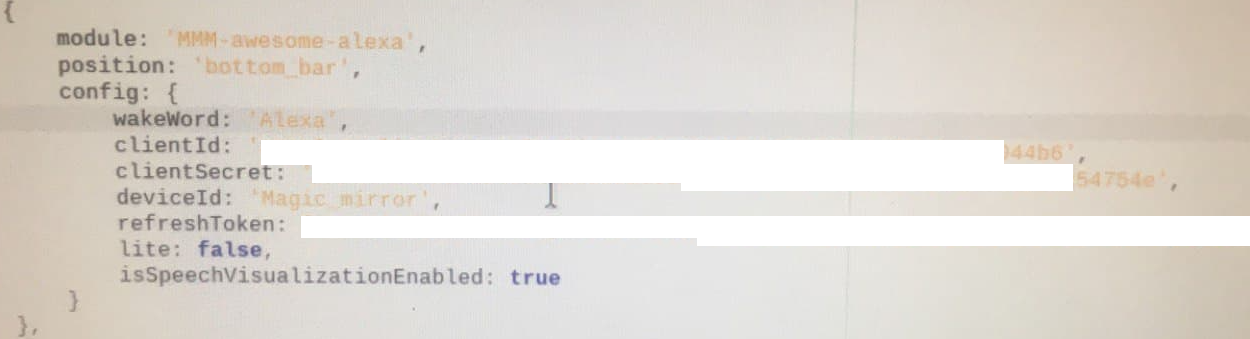
And here is the amazon page from which I picked it
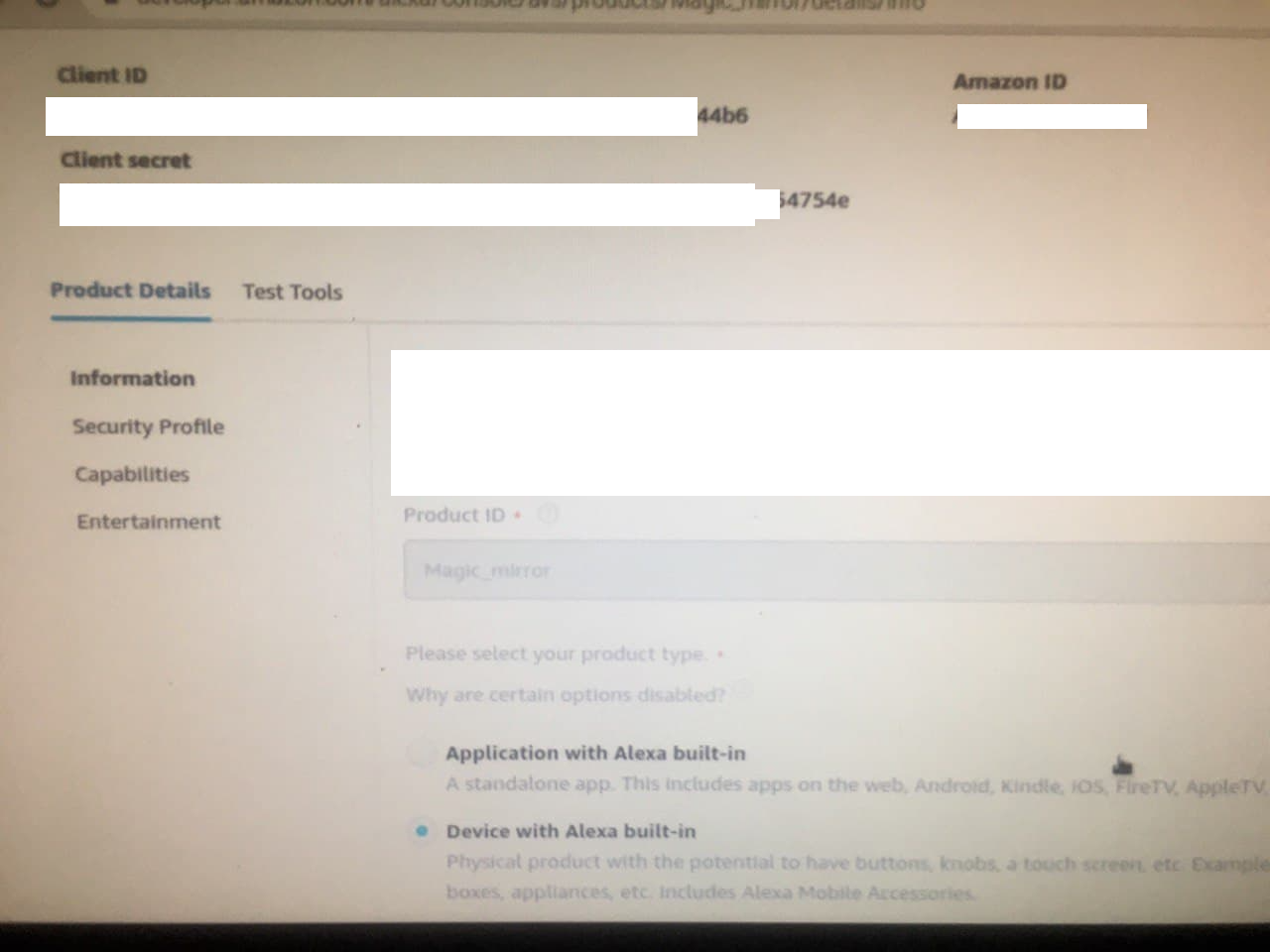
-
is the mic device set as the default?
-
It should
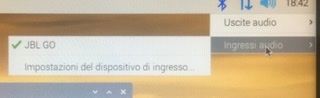
-
@LukeTheWalker has to be default fr command line
do
arecord test.wavspeak something
ctrl-c to end arecordaplay test.wavdo u hear what u said?
-
@sdetweil yes I can I hear
-
@LukeTheWalker when u start up mm, do you see any errors in the window where u do npm start, or if u use pm2,
pm2 logs --lines=???
where ??? is a number, default 15 -
@sdetweil here is the log from running npm start dev:
pi@raspberrypi:~/MagicMirror $ npm start dev

> magicmirror@2.13.0 start /home/pi/MagicMirror
> DISPLAY="${DISPLAY:=:0}" ./node_modules/.bin/electron js/electron.js "dev"

[2020-11-09 22:20:24.369] [LOG]    Starting MagicMirror: v2.13.0
[2020-11-09 22:20:24.382] [LOG]    Loading config ...
[2020-11-09 22:20:24.393] [LOG]    Loading module helpers ...
[2020-11-09 22:20:24.397] [LOG]    No helper found for module: alert.
[2020-11-09 22:20:24.502] [LOG]    Initializing new module helper ...
[2020-11-09 22:20:24.503] [LOG]    Module helper loaded: updatenotification
[2020-11-09 22:20:24.505] [LOG]    No helper found for module: clock.
[2020-11-09 22:20:25.317] [LOG]    Initializing new module helper ...
[2020-11-09 22:20:25.318] [LOG]    Module helper loaded: calendar
[2020-11-09 22:20:25.319] [LOG]    No helper found for module: compliments.
[2020-11-09 22:20:25.321] [LOG]    No helper found for module: currentweather.
[2020-11-09 22:20:27.118] [LOG]    Initializing new module helper ...
[2020-11-09 22:20:27.119] [LOG]    Module helper loaded: MMM-awesome-alexa
[2020-11-09 22:20:27.121] [LOG]    No helper found for module: weatherforecast.
[2020-11-09 22:20:27.166] [LOG]    Initializing new module helper ...
[2020-11-09 22:20:27.168] [LOG]    Module helper loaded: newsfeed
[2020-11-09 22:20:27.169] [LOG]    All module helpers loaded.
[2020-11-09 22:20:27.389] [LOG]    Starting server on port 8080 ...
[2020-11-09 22:20:27.408] [LOG]    Server started ...
[2020-11-09 22:20:27.410] [LOG]    Connecting socket for: updatenotification
[2020-11-09 22:20:27.411] [LOG]    Connecting socket for: calendar
[2020-11-09 22:20:27.412] [LOG]    Starting node helper for: calendar
[2020-11-09 22:20:27.413] [LOG]    Connecting socket for: MMM-awesome-alexa
[2020-11-09 22:20:27.415] [LOG]    Connecting socket for: newsfeed
[2020-11-09 22:20:27.416] [LOG]    Starting node helper for: newsfeed
[2020-11-09 22:20:27.417] [LOG]    Sockets connected & modules started ...
[2020-11-09 22:20:27.614] [LOG]    Launching application.
[2020-11-09 22:20:37.287] [LOG]    Create new calendar fetcher for url: http://localhost:8080/modules/calendars/526b2266ca404c95648812c17dcb716454dc7796f89c0581ae65ee9228174e55.ics - Interval: 300000
[2020-11-09 22:20:37.316] [LOG]    Create new calendar fetcher for url: http://localhost:8080/modules/calendars/cea74d97bef3bf37890989ecc073ff23f172a87c372189a17ebacd5c694df2a7.ics - Interval: 300000
[2020-11-09 22:20:38.599] [LOG]    Create new news fetcher for url: https://www.ansa.it/sito/ansait_rss.xml - Interval: 300000
[2020-11-09 22:20:38.859] [LOG]    Create new news fetcher for url: https://www.ansa.it/sito/notizie/tecnologia/tecnologia_rss.xml - Interval: 300000
[2020-11-09 22:20:38.863] [LOG]    Create new news fetcher for url: https://www.ansa.it/sicilia/notizie/sicilia_rss.xml - Interval: 300000
[2020-11-09 22:20:38.866] [LOG]    Create new news fetcher for url: https://www.ansa.it/canale_scienza_tecnica/notizie/scienzaetecnica_rss.xml - Interval: 300000
[2020-11-09 22:20:38.881] [INFO]   Checking git for module: MMM-awesome-alexa
[2020-11-09 22:20:39.968] [INFO]   Calendar-Fetcher: Broadcasting 0 events.
[2020-11-09 22:20:40.128] [INFO]   Newsfeed-Fetcher: Broadcasting 17 items.
[2020-11-09 22:20:41.719] [INFO]   Newsfeed-Fetcher: Broadcasting 27 items.
[2020-11-09 22:20:42.049] [INFO]   Newsfeed-Fetcher: Broadcasting 57 items.
[2020-11-09 22:20:42.318] [INFO]   Newsfeed-Fetcher: Broadcasting 34 items.
[2020-11-09 22:20:42.496] [INFO]   Calendar-Fetcher: Broadcasting 3 events.
[2020-11-09 22:21:01.334] [LOG]    Shutting down server...
[2020-11-09 22:21:01.337] [LOG]    Stopping module helper: updatenotification
[2020-11-09 22:21:01.338] [LOG]    Stopping module helper: calendar
[2020-11-09 22:21:01.340] [LOG]    Stopping module helper: MMM-awesome-alexa
[2020-11-09 22:21:01.341] [LOG]    Stopping module helper: newsfeed
which is the same from the logs of pm2, no error logs even there
-
@LukeTheWalker ok, last debugging I can think of.
open the developers window, ctrl-shift-i on the keyboard, select the tab labeled console and scroll up to see any errors. usually red text. -
@sdetweil here are all the logs from the console:
main.js:487 Initializing MagicMirror.
translator.js:129 Loading core translation file: translations/it.json
translator.js:154 Loading core translation fallback file: translations/en.json
loader.js:176 Load script: modules/default/alert//alert.js
module.js:513 Module registered: alert
loader.js:148 Bootstrapping module: alert
loader.js:176 Load script: modules/default/alert/notificationFx.js
loader.js:153 Scripts loaded for: alert
loader.js:195 Load stylesheet: modules/default/alert/notificationFx.css
loader.js:195 Load stylesheet: vendor/css/font-awesome.css
loader.js:155 Styles loaded for: alert
translator.js:102 alert - Load translation fallback: translations/en.json
/home/pi/MagicMirror/node_modules/electron/dist/resources/electron.asar/renderer/security-warnings.js:95 Electron Security Warning (Insecure Resources) This renderer process loads resources using insecure
  protocols.This exposes users of this app to unnecessary security risks.
  Consider loading the following resources over HTTPS or FTPS.
 - http://localhost:8080/css/main.css
- http://localhost:8080/fonts/roboto.css
- http://localhost:8080/socket.io/socket.io.js
- http://localhost:8080/vendor/node_modules/nunjucks/browser/nunjucks.min.js
- http://localhost:8080/js/defaults.js
- http://localhost:8080/config/config.js
- http://localhost:8080/vendor/vendor.js
- http://localhost:8080/modules/default/defaultmodules.js
- http://localhost:8080/js/logger.js
- http://localhost:8080/translations/translations.js
- http://localhost:8080/js/translator.js
- http://localhost:8080/js/class.js
- http://localhost:8080/js/module.js
- http://localhost:8080/js/loader.js
- http://localhost:8080/js/socketclient.js
- http://localhost:8080/js/main.js
- http://localhost:8080/fonts/node_modules/roboto-fontface/fonts/roboto-condensed/Roboto-Condensed-Regular.woff2
- http://localhost:8080/translations/it.json
- http://localhost:8080/translations/en.json
- http://localhost:8080/modules/default/alert//alert.js
- http://localhost:8080/modules/default/alert/notificationFx.js
- http://localhost:8080/modules/default/alert/notificationFx.css
- http://localhost:8080/vendor/css/font-awesome.css
- http://localhost:8080/vendor/node_modules/@fortawesome/fontawesome-free/css/all.min.css
- http://localhost:8080/vendor/node_modules/@fortawesome/fontawesome-free/css/v4-shims.min.css


For more information and help, consult
https://electronjs.org/docs/tutorial/security.
 This warning will not show up
once the app is packaged.
warnAboutInsecureResources @ /home/pi/MagicMirror/node_modules/electron/dist/resources/electron.asar/renderer/security-warnings.js:95
/home/pi/MagicMirror/node_modules/electron/dist/resources/electron.asar/renderer/security-warnings.js:145 Electron Security Warning (Insecure Content-Security-Policy) This renderer process has either no Content Security
    Policy set or a policy with "unsafe-eval" enabled. This exposes users of
    this app to unnecessary security risks.

For more information and help, consult
https://electronjs.org/docs/tutorial/security.
 This warning will not show up
once the app is packaged.
(anonymous) @ /home/pi/MagicMirror/node_modules/electron/dist/resources/electron.asar/renderer/security-warnings.js:145
loader.js:157 Translations loaded for: alert
loader.js:176 Load script: modules/default/updatenotification//updatenotification.js
module.js:513 Module registered: updatenotification
loader.js:148 Bootstrapping module: updatenotification
loader.js:153 Scripts loaded for: updatenotification
loader.js:155 Styles loaded for: updatenotification
loader.js:157 Translations loaded for: updatenotification
loader.js:176 Load script: modules/default/clock//clock.js
module.js:513 Module registered: clock
loader.js:148 Bootstrapping module: clock
loader.js:176 Load script: vendor/node_modules/moment/min/moment-with-locales.js
loader.js:176 Load script: vendor/node_modules/moment-timezone/builds/moment-timezone-with-data.js
loader.js:176 Load script: vendor/node_modules/suncalc/suncalc.js
loader.js:153 Scripts loaded for: clock
loader.js:195 Load stylesheet: modules/default/clock/clock_styles.css
loader.js:155 Styles loaded for: clock
loader.js:157 Translations loaded for: clock
loader.js:176 Load script: modules/default/calendar//calendar.js
module.js:513 Module registered: calendar
loader.js:148 Bootstrapping module: calendar
loader.js:236 File already loaded: moment.js
loader.js:153 Scripts loaded for: calendar
loader.js:195 Load stylesheet: modules/default/calendar/calendar.css
loader.js:236 File already loaded: font-awesome.css
loader.js:155 Styles loaded for: calendar
loader.js:157 Translations loaded for: calendar
loader.js:176 Load script: modules/default/compliments//compliments.js
module.js:513 Module registered: compliments
loader.js:148 Bootstrapping module: compliments
loader.js:236 File already loaded: moment.js
loader.js:153 Scripts loaded for: compliments
loader.js:155 Styles loaded for: compliments
loader.js:157 Translations loaded for: compliments
loader.js:176 Load script: modules/default/currentweather//currentweather.js
module.js:513 Module registered: currentweather
loader.js:148 Bootstrapping module: currentweather
loader.js:236 File already loaded: moment.js
loader.js:153 Scripts loaded for: currentweather
loader.js:195 Load stylesheet: vendor/node_modules/weathericons/css/weather-icons.css
loader.js:195 Load stylesheet: modules/default/currentweather/currentweather.css
loader.js:155 Styles loaded for: currentweather
loader.js:157 Translations loaded for: currentweather
loader.js:176 Load script: modules/MMM-awesome-alexa//MMM-awesome-alexa.js
module.js:513 Module registered: MMM-awesome-alexa
loader.js:148 Bootstrapping module: MMM-awesome-alexa
loader.js:153 Scripts loaded for: MMM-awesome-alexa
loader.js:195 Load stylesheet: modules/MMM-awesome-alexa/styles/global.css
loader.js:155 Styles loaded for: MMM-awesome-alexa
loader.js:157 Translations loaded for: MMM-awesome-alexa
loader.js:176 Load script: modules/default/weatherforecast//weatherforecast.js
module.js:513 Module registered: weatherforecast
loader.js:148 Bootstrapping module: weatherforecast
loader.js:236 File already loaded: moment.js
loader.js:153 Scripts loaded for: weatherforecast
loader.js:236 File already loaded: weather-icons.css
loader.js:195 Load stylesheet: modules/default/weatherforecast/weatherforecast.css
loader.js:155 Styles loaded for: weatherforecast
loader.js:157 Translations loaded for: weatherforecast
loader.js:176 Load script: modules/default/newsfeed//newsfeed.js
module.js:513 Module registered: newsfeed
loader.js:148 Bootstrapping module: newsfeed
loader.js:236 File already loaded: moment.js
loader.js:153 Scripts loaded for: newsfeed
loader.js:155 Styles loaded for: newsfeed
loader.js:157 Translations loaded for: newsfeed
loader.js:195 Load stylesheet: css/custom.css
(index):1 Refused to apply style from 'http://localhost:8080/css/custom.css' because its MIME type ('text/html') is not a supported stylesheet MIME type, and strict MIME checking is enabled.
loader.js:206 Error on loading stylesheet: css/custom.css
stylesheet.onerror @ loader.js:206
alert.js:162 Starting module: alert
updatenotification.js:19 Start updatenotification
clock.js:46 Starting module: clock
calendar.js:81 Starting module: calendar
compliments.js:38 Starting module: compliments
currentweather.js:97 Starting module: currentweather
weatherforecast.js:87 Starting module: weatherforecast
newsfeed.js:57 Starting module: newsfeed
main.js:508 All modules started!
module.js:199 currentweather is suspended.
module.js:199 weatherforecast is suspended.
MMM-awesome-alexa.js:1 MMM-awesome-alexa received a notification: idle - Payload: [object Object]
api.openweathermap.org/data/2.5/forecast/daily?id=2525065&cnt=40&units=metric&lang=it&APPID=8dbb79dbda0a167be34484549a620503:1 Failed to load resource: the server responded with a status of 401 (Unauthorized)
weatherforecast.js:261 weatherforecast: Your AppID does not support long term forecasts. Switching to fallback endpoint.
weatherRequest.onreadystatechange @ weatherforecast.js:261
(index):1 Refused to apply style from 'http://localhost:8080/css/custom.css' because its MIME type ('text/html') is not a supported stylesheet MIME type, and strict MIME checking is enabled.
The only place where the module is mentioned seems to be when a notification is sent to the module, which remains in idle
Here is a screen of just the errors and warnings
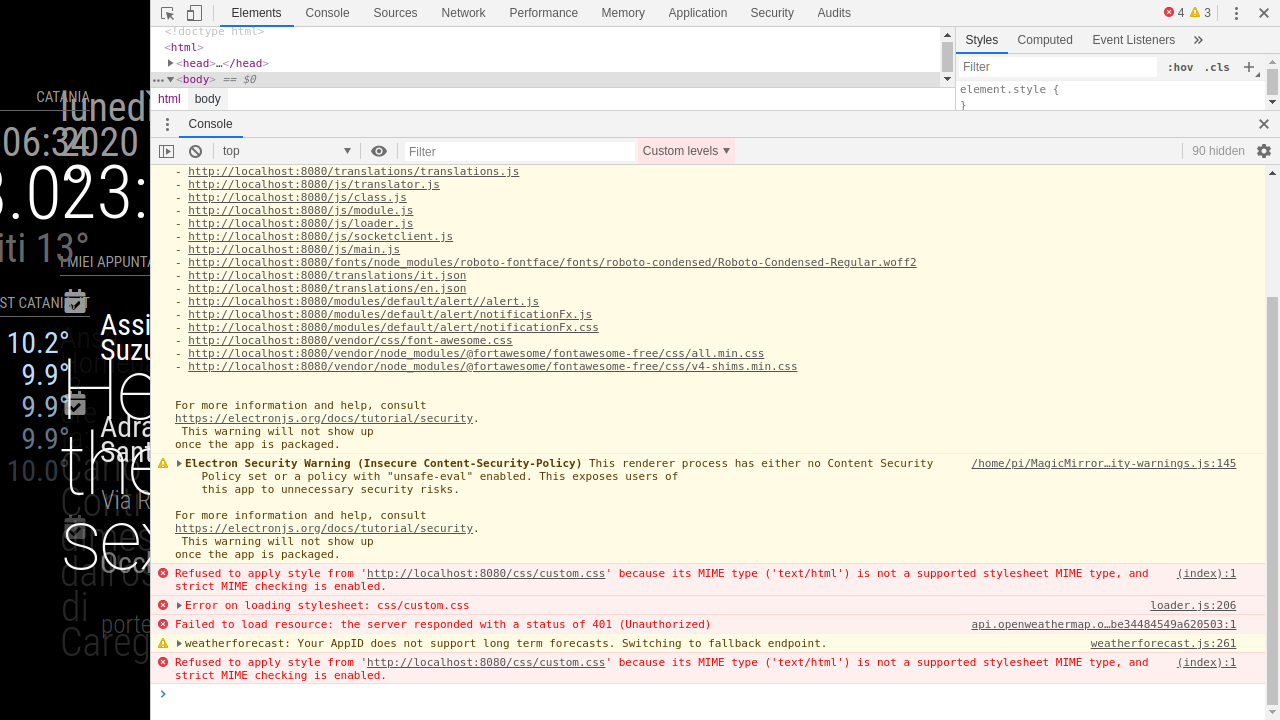
I have in fact one last idea to debug this, could you please send me your MMM-awesome-alexa folder with everything builded and working, in order to try it with my setup ?
-
@LukeTheWalker I am away doing some photography. will be back this weekend, and I will try to package up something
-
@sdetweil
Thank you very much, anyway I am really thankful for all the time you spent trying to debug this with meReally looking forward this weekend, have some nice shots!
-
@sdetweil may I remind you of our discussion?
-
@LukeTheWalker thanks for the nudge
here is a link to the zip of the working MMM-awesome-alexa folder on my pi4.
-
@sdetweil update if interested, the problem was with the Bluetooth device I was using, switched to a usb to combo jack adaptor and now it work!
Any idea on how to play music since amazon music is locked ?
-
@LukeTheWalker far as I know, you cannot play music thru the awesome Alexa module.
Hello! It looks like you're interested in this conversation, but you don't have an account yet.
Getting fed up of having to scroll through the same posts each visit? When you register for an account, you'll always come back to exactly where you were before, and choose to be notified of new replies (either via email, or push notification). You'll also be able to save bookmarks and upvote posts to show your appreciation to other community members.
With your input, this post could be even better 💗
Register Login