Read the statement by Michael Teeuw here.
Generating token for MMM-GooglePhotos
-
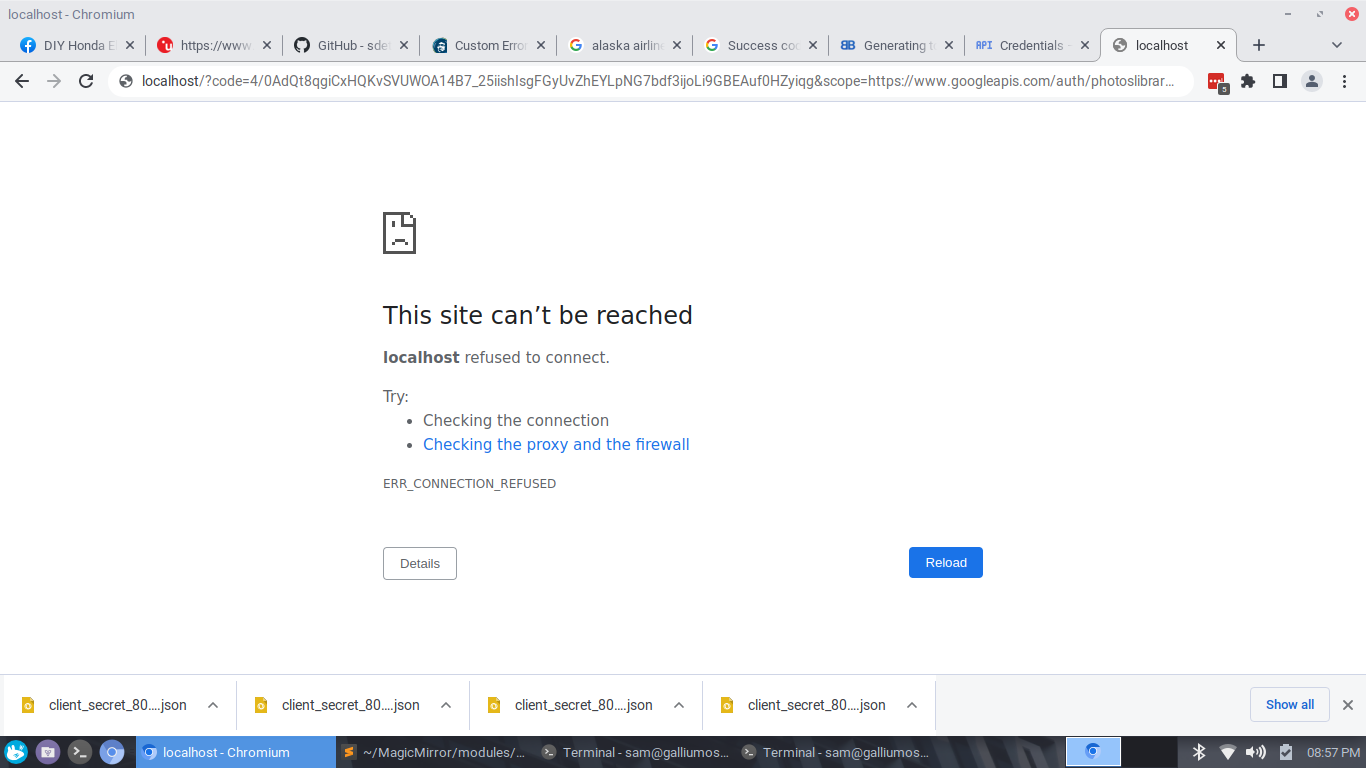
when generating the token for google photos in local pi terminal, the Chromium browser opens and i go through the verification and consent to access and then the browser attempts to access “localhost” with what I am assuming will be the auth code and fails with “Site can’t be reached” localhost refused to connect. Am i missing something? Please advise.
thx much
-
@sdetweil thanks again. also auth_and_test.js and auth.js were missing in theMMM-GooglePhotos directory. Deleted node_modules and ran npm install again but no luck. i downloaded them to the directory. auth.js was referencing the old opn module since renamed to open. Changed to open and ran auth_and_test with the proper results. Kinda messy.
-
@tacotaco step 11, a code will appear 4/…
I see this in the url , code=
-
@sdetweil thanks again. also auth_and_test.js and auth.js were missing in theMMM-GooglePhotos directory. Deleted node_modules and ran npm install again but no luck. i downloaded them to the directory. auth.js was referencing the old opn module since renamed to open. Changed to open and ran auth_and_test with the proper results. Kinda messy.
-
@tacotaco not my module. never run test…
-
@tacotaco thanks much for you assistance!!
Hello! It looks like you're interested in this conversation, but you don't have an account yet.
Getting fed up of having to scroll through the same posts each visit? When you register for an account, you'll always come back to exactly where you were before, and choose to be notified of new replies (either via email, or push notification). You'll also be able to save bookmarks and upvote posts to show your appreciation to other community members.
With your input, this post could be even better 💗
Register Login