Read the statement by Michael Teeuw here.
Magic mirror does not start automatically when booting
-
Hello, I updated to the new MM version at the weekend and then I couldn’t get it to work anymore.
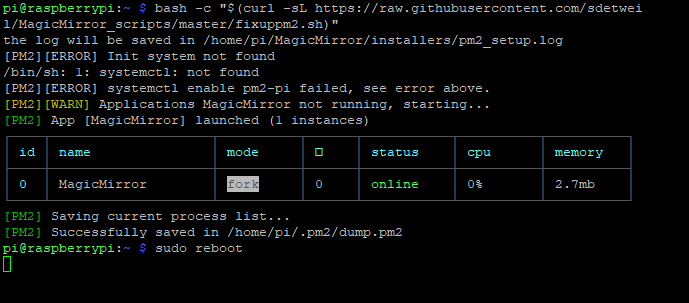
That’s why I reinstalled everything, but my MM doesn’t automatically state when booting. I entered this command:bash -c “$(curl -sL https://raw.githubusercontent.com/sdetweil/MagicMirror_scripts/master/fixuppm2.sh)”
but every time I get this message:
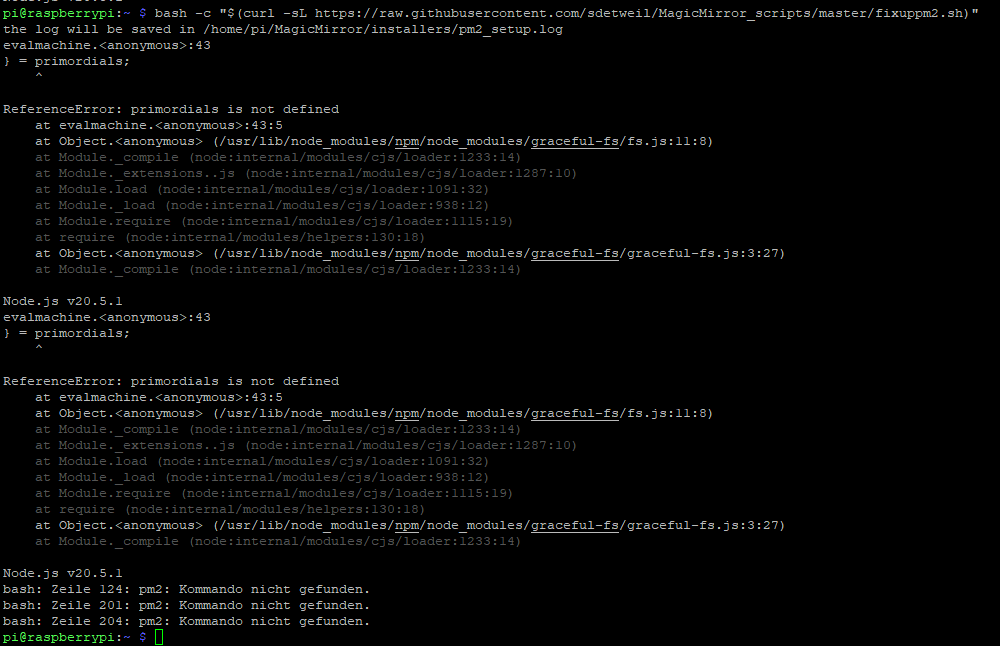
What exactly am I doing wrong? I copied this command from here: https://github.com/sdetweil/MagicMirror_scripts
-
-
do you think so?
-
@sil3ntstorm thanks… the ‘problem’ is that we have a mangled node configuration…
we asked for node 20.8.0, but got 20.5.1 which is broken
-
@sdetweil said in Magic mirror does not start automatically when booting:
20.8.0
Can I just install 20.8.0 over it or do I have to uninstall the other version? Do you perhaps have suitable instructions for this?
-
@sil3ntstorm my scripts auto install 20.8.0
the problem is your system installed 20.5.1 instead…
we don’t know why yet, and don’t have a reliable fix.
pm2 can’t run cause node is broken,
so far the only fix is to rebuild your sd card …
use my backup script to save your MM config , modules, …
https://github.com/sdetweil/MagicMirror-backup-restorereflash the sd card, use my install script and then restore script…
(note that you have to get the ~/MM_backup folder to safety… maybe on github …the fixes suggested by folks on the node distro group do not work.
-
@sdetweil
I don’t need the backup because I just flashed the memory card and haven’t installed any modules yet.
If I re-flash the card now, what instructions should I follow so that version 20.8 is installed and not the defective 20.5.1 again?Thanks for your help so far
-
@sil3ntstorm is it the 64 bit OS, or 32? 64 bit seems to be the biggest trouble spot…
I would use the 32 bit image
then run my install script as the first thing…
we had trouble with the preinstalled node 12 too…
-
I flashed this version.
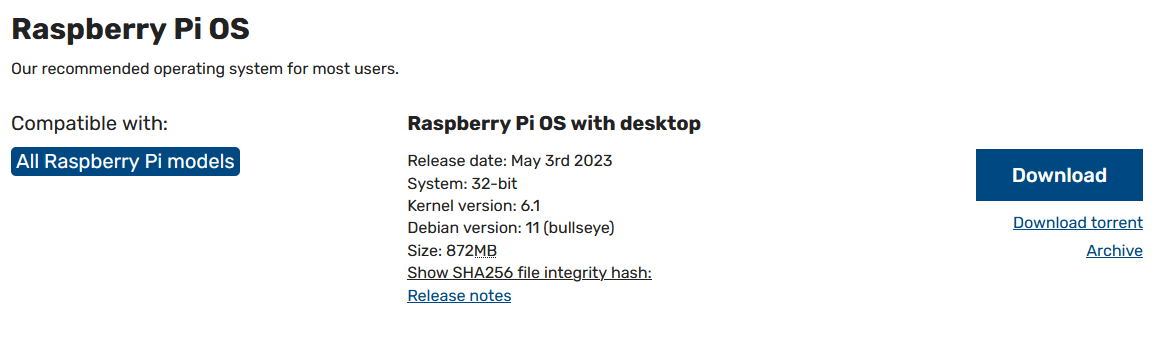
Do you have a link for the installation script?
I only saw the link for the backup script -
@sil3ntstorm my install/upgrade scripts
https://github.com/sdetweil/MagicMirror_scripts
that is the (bullseye) image I use as well…
pi0w gets the legacy (buster) image -
@sdetweil So that I don’t do something wrong for the third time, I’d rather ask carefully: I re-flashed the SD card, now I have to do this first:
bash -c “$(curl -sL https://raw.githubusercontent.com/sdetweil/MagicMirror_scripts/master/node20_install.sh)”
And then this: bash -c “$(curl -sL https://raw.githubusercontent.com/sdetweil/MagicMirror_scripts/master/raspberry.sh)”
And there is already version 20.8 in there and no longer the defective 20.5.1?
And then at the end turn off the two things for the screen saver and the autostart thing:
bash -c “$(curl -sL https://raw.githubusercontent.com/sdetweil/MagicMirror_scripts/master/screensaveroff.sh)”and
bash -c “$(curl -sL https://raw.githubusercontent.com/sdetweil/MagicMirror_scripts/master/fixuppm2.sh)”
Have I understood everything correctly so far?
-
-
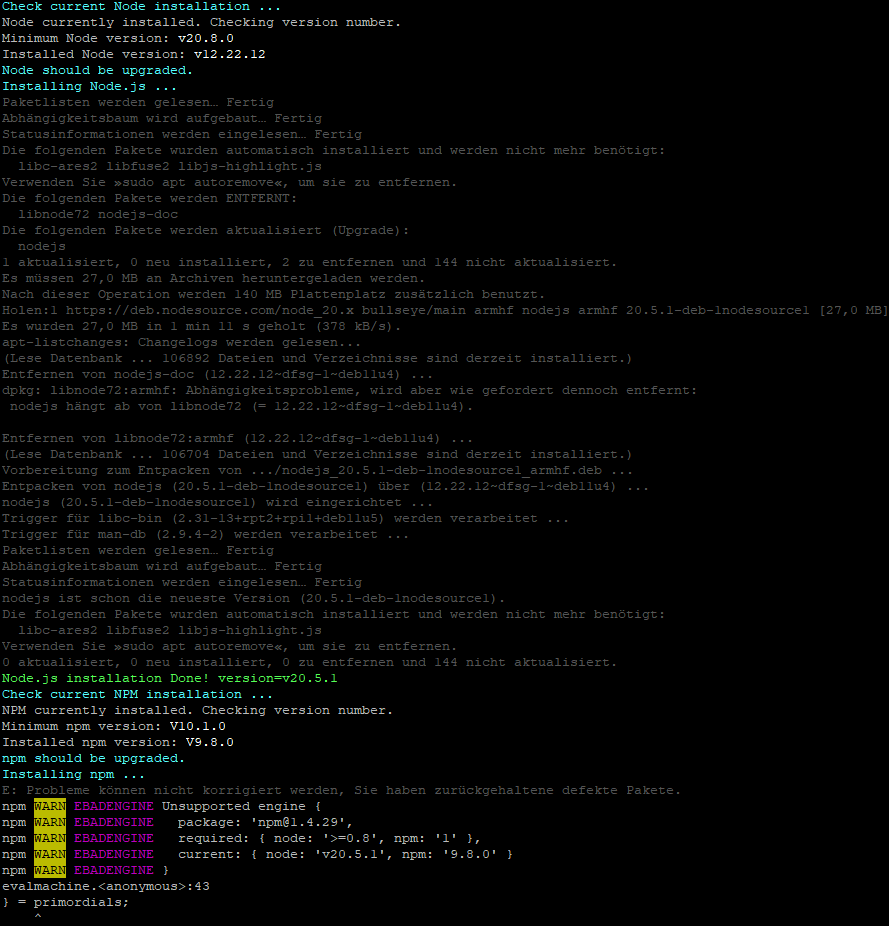
@sdetweil I did it, at the beginning it said version 20.8 and further down it says that 20.5.1 was installed, did something go wrong here?
-
@sil3ntstorm what is going on.?! can u send me the ~/install.log via email
my name userid at gmail please -
@sdetweil email has been sent
-
@sil3ntstorm thanks got it… will review
-
@sil3ntstorm is your mirror working now?
-
@sdetweil No, I re-flashed the SD card and could now reinstall the Magic Mirror software. Should I access my Pi and run this?
bash -c “$(curl -sL https://raw.githubusercontent.com/sdetweil/MagicMirror_scripts/master/raspberry.sh)”
Or do I have to do something else beforehand so that the Magic Mirror software is installed correctly?
-
@sil3ntstorm said in Magic mirror does not start automatically when booting:
@sdetweil No, I re-flashed the SD card and could now reinstall the Magic Mirror software. Should I access my Pi and run this?
bash -c “$(curl -sL https://raw.githubusercontent.com/sdetweil/MagicMirror_scripts/master/raspberry.sh)”
Or do I have to do something else beforehand so that the Magic Mirror software is installed correctly?
yes, just run that. it has all the latest fixes and has been tested on bookwork, bullseye and buster
-
@sdetweil That worked very well this time. Magic Mirror finally starts. Thank you very much for your script.
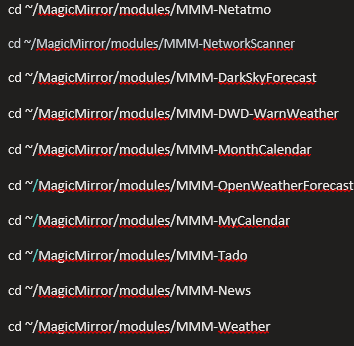
I would now like to know whether I can install my modules normally like before, or whether there are still difficulties with calendar modules (I have often read this week that calendar modules cause problems)?I had these modules on it before and would install everything again, or should I leave some out because there are problems with the new MM update/version?
Edit: After I rebooted, Magic Mirror doesn’t start automatically, then I entered this command:
bash -c “$(curl -sL https://raw.githubusercontent.com/sdetweil/MagicMirror_scripts/master/fixuppm2.sh)”
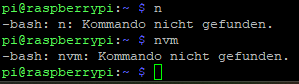
It then starts immediately, but after restarting the Pi starts without MM.
Hello! It looks like you're interested in this conversation, but you don't have an account yet.
Getting fed up of having to scroll through the same posts each visit? When you register for an account, you'll always come back to exactly where you were before, and choose to be notified of new replies (either via email, or push notification). You'll also be able to save bookmarks and upvote posts to show your appreciation to other community members.
With your input, this post could be even better 💗
Register Login