Read the statement by Michael Teeuw here.
Calendar
-
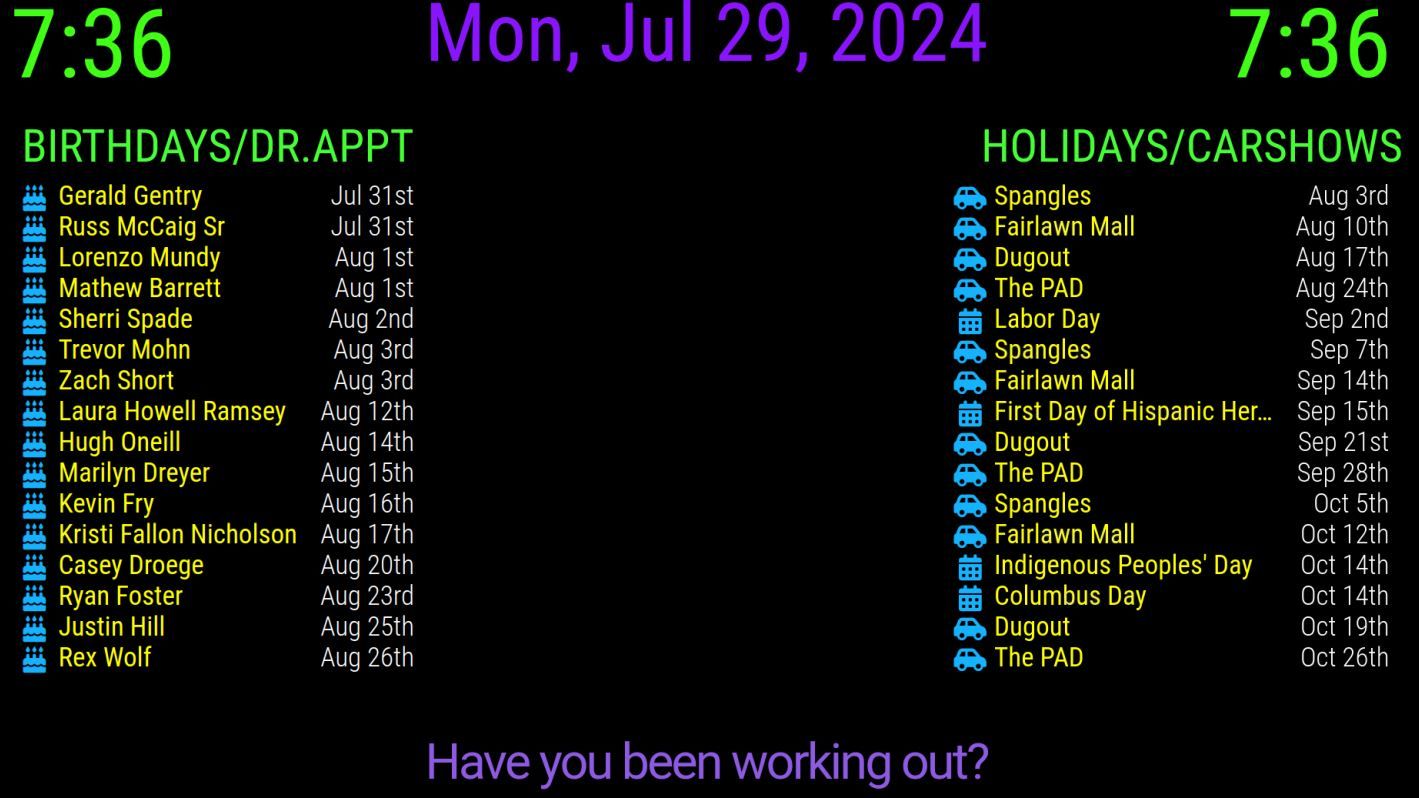
I have 4 calendars setup in the default calendar, the symbols where all different in color and symbol I have cake (blue), car(green), briefcase (red), and a calendar (yellow). BUT all of them are showing up blue instead of the individual colors assigned in the config.js
-
@plainbroke what is in custom.css for these? it will override config.js
now you have 4 instances so you need 4 different selectors… css ALWAYS SELECTS ALL ELEMENTS THAT MATCH
use the moduke id, or add a classes:“…” after module:“calendar” so you can tell them apart
-
This is what I have for my css and my js . I think I need to somehow put the colors in the css, but I can not figure it out again. I probably have the config somewhere just have not had the “want to” to find it again. Having a bunch of issues since having Covid last month… Hopefully it will clear up soon…
CUSTOM CSS: .calendar .symbol { Margin-left: 10px; Text-align: left; Color: #15b1fd; Font-size: 34px; Line-Height: 35px; CONFIG JS { module: "calendar", header: "Birthdays/Dr.Appt", position: "top_left", config: { fade: false, maximumEntries: 16, timeFormat: "absolute", urgency: 3, getRelative: 24, calendars: [ { symbol: "birthday-cake", name: "Birthdays", url: "https://calendar.google.com/calendar/ical$ color: "#09a6f3" }, { symbol: "briefcase-medical", name: "DrAppt", url: "https://calendar.google.com/calendar/ical$ color: "#f30819" }, ] } }, -
@plainbroke I hear that on Covid. Spent 8 weeks in hospital myself in 21, quite a scare, a little over a year til I was 100% recovered
Anyhow,
You also need
colored:true,in the module config, before the calendars list
But the css will override that
So take the color out of the css, then the color in the cal entry should work. I think -
Thank you for the help Sam.
You are the man…

Hello! It looks like you're interested in this conversation, but you don't have an account yet.
Getting fed up of having to scroll through the same posts each visit? When you register for an account, you'll always come back to exactly where you were before, and choose to be notified of new replies (either via email, or push notification). You'll also be able to save bookmarks and upvote posts to show your appreciation to other community members.
With your input, this post could be even better 💗
Register Login