Read the statement by Michael Teeuw here.
MMM-CalendarExt3 no Entries since last update
-
Hi together,
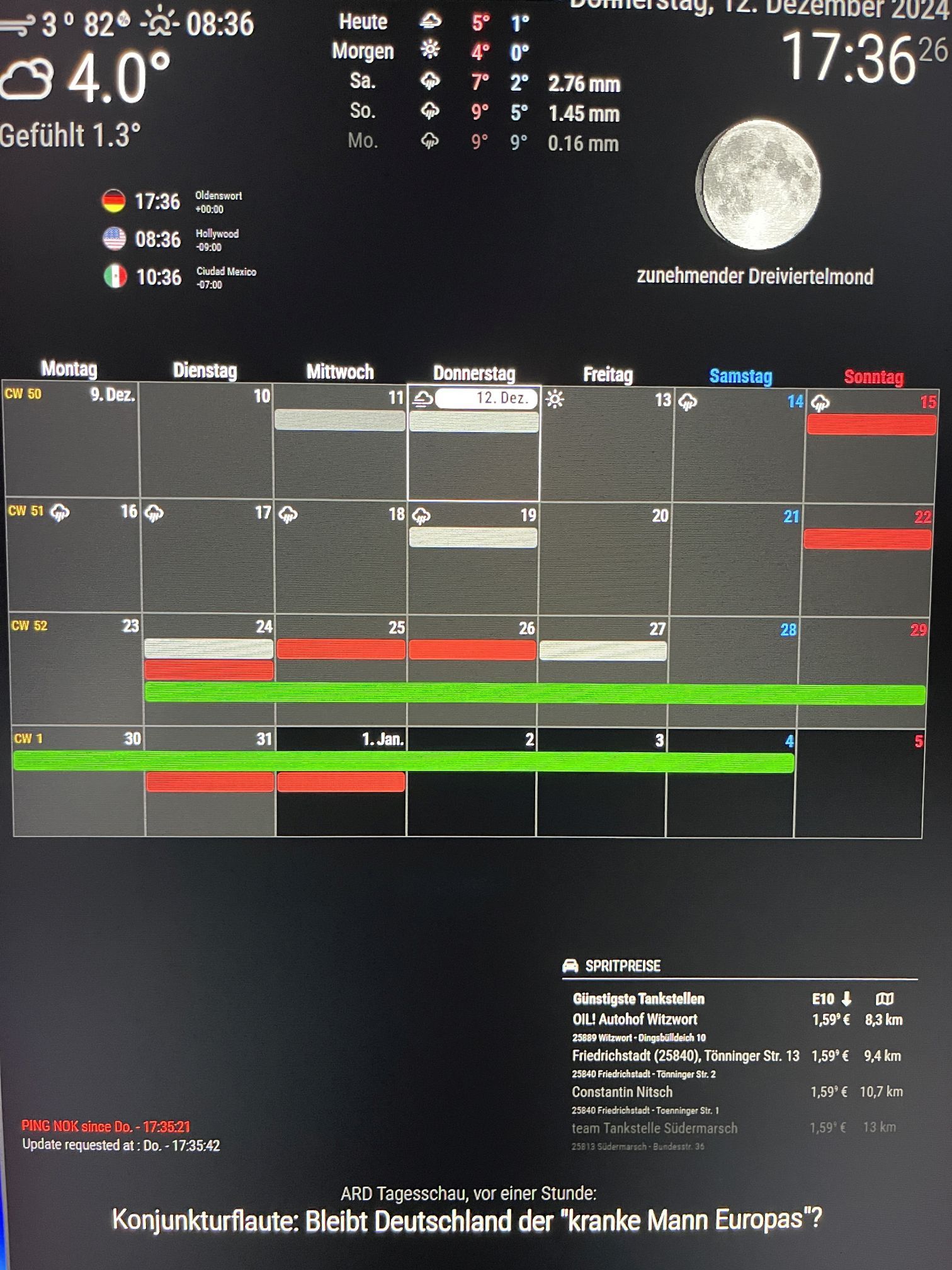
since this afternoon, after updated Calendar and MM, Calendar looks like this no text in the colored appointments.
Any idea? thanks
-
@MMRIZE said in MMM-CalendarExt3 no Entries since last update:
@Andreas1956
You are clicking the day cell, not event.ok, found the event cells now.
think the problem comes from the font-awesome symbols. i removed the symbol property from all 5 calendar entries, then everything was ok but no symbols (only the standard calendar symbol)
then i added symbol:[“trash”] to the calendar garbage again - title disappeared again.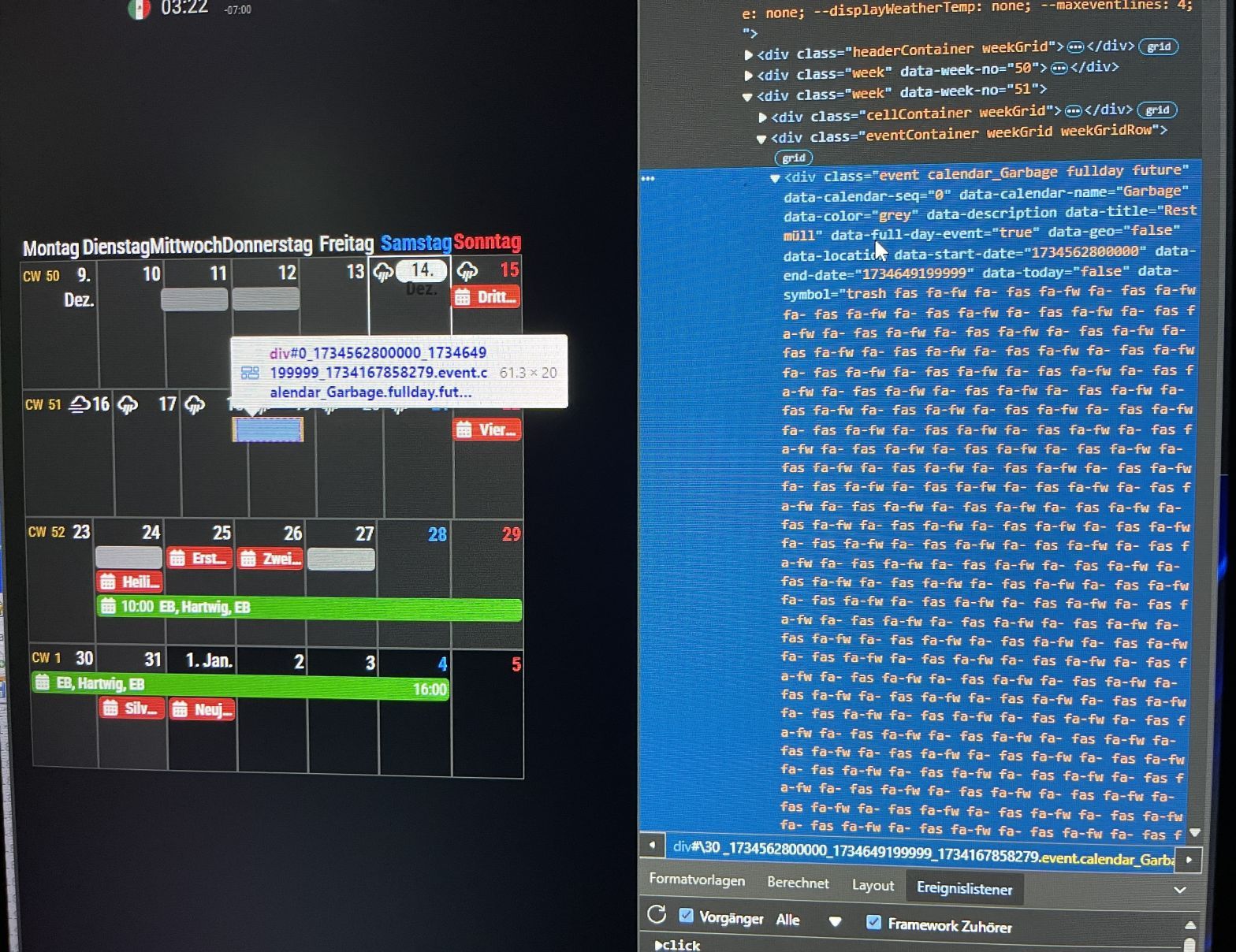
-
@Andreas1956 you mean you updated MMM-CalendarExt3??
did you npm install after git pull?
-
@sdetweil
yes i did, no errors -
@Andreas1956
Share me the config and custom.css. -
@MMRIZE said in MMM-CalendarExt3 no Entries since last update:
@Andreas1956
Share me the config and custom.css.
custom.css all linesbody { /* margin: 60px;*/ margin: 20px; position: absolute; /*height: calc(100%-120px); width: calc(100%-120px);*/ height: calc(100%-60px); width: calc(100%-60px); } .CX2 .luett { background-color: #FF4500; color: #FFFFFF; } .CX2 .luett.fullday { background-color: #FF4500; color: #FFFFFF; } .CX2 .mueller { background-color: #7CFC00; color: #000000; } .CX2 .mueller.fullday { background-color: #7CFC00; color: #000000; } .MMM-Fuel .xsmall { font-size: 10px; line-height: 15px; } .MMM-Fuel .small { font-size: 15px; line-height: 20px; } .MMM-Fuel .medium { font-size: 25px; line-height: 30px; } .MMM-Fuel .large { font-size: 55px; line-height: 55px; } .MMM-Fuel .xlarge { font-size: 65px; line-height: 65px; } .MMM-RTSPStream .innerWrapper { position: relative; width: 352px; /* Video width + 2*border + 2*padding */ height: 242px; border: 0px solid white; }config.js only lines of calendar module
{ module: "calendar", // position: "top_left", config: { maximumEntries: 100, fetchInterval:600000, broadcastPastEvents: true, calendars: [ { name: "Luett", //className: "luett", url: "https://calendar.google.com/calendar/ical/TOPSECRET/basic.ics", color: "red", //calendarSeq: 1, symbol: ["house"] }, { name: "Mueller", //className: "mueller", url: "https://calendar.google.com/calendar/ical/TOPSECRET/basic.ics", color: "green", //calendarSeq: 2, symbol: ["bed"] }, { name: "Termine", url: "https://calendar.google.com/calendar/ical/TOPSECRET/basic.ics", color: "blue", //calendarSeq: 3, symbol: ["clock"] }, { name: "Garbage", url: "https://calendar.google.com/calendar/ical/TOPSECRET/basic.ics", color: "grey", //calendarSeq: 4, symbol: ["trash-alt"] }, { name: "Gezeiten", url: "https://calendar.google.com/calendar/ical/TOPSECRET/basic.ics", //color: "blue", //calendarSeq: 5, symbol: ["water"] }, { name: "Feiertage", url: "https://calendar.google.com/calendar/ical/TOPSECRET/basic.ics", color: "brown", symbol: ["tree"] }, ] } }, { module: "MMM-CalendarExt3", position: "middle_center", title: "", config: { mode: "week", weekIndex: 0, weeksInView: 4, instanceId: "basicCalendar", locale: 'de-DE', //useSymbol: false, maxEventLines: 4, firstDayOfWeek:1, //CalendarSet: ["Luett", "Mueller", "Termine", "Garbage", "Gezeiten", "Feiertage" ], CalendarSet: [], } }, { -
@Andreas1956
Not tested yet… but.CX2in css/custom.css ??? -
@Andreas1956
I checked your config and css but nothing seems wrong.
From which version were you updated to new one? (I think you cannot remember, but how long has it been since the previous update?)
Anyway, I think you may have missed something in the last update.- Go to the CX3 module directory, then;
git pull
npm update
I doubt you may miss
npm updatepart in your last update process.- If it still does not work, do this in your CX3 module directory
git submodule update --init --recursive-
Still not working; remove the CX3 directory and then reinstall again.
-
Still not working; let’s discuss deeper.
-
@MMRIZE
ok, thanks
if i have an updatenotification, i do it same or next day
now- did Points 1.-3.,
- changed .cx2 to .cx3 in css
- updated magicmirror too
- startet all new
- checked my google calendars - everything ok. on iPhone and iPad
- tried to remove the color property from one calendar entry
what i forgot to say, it’s running under windows11 (but since end of March 2023 without any problems)
Same as in screenshot, no text, only colored blocks for appointments
-
@Andreas1956
OK. Look inside deeper.- Execute MM as dev mode.
- If you are using
pm2, stop it first. - In your MM directory, run this script.
npm run start:dev-
Or alternatively, After MM’s normal execution, Ctrl + Shift + i (Or Alt+F12, it could be different by your system environment), Anyway, open the
dev-consoleon the browser/client with hotkeys. -
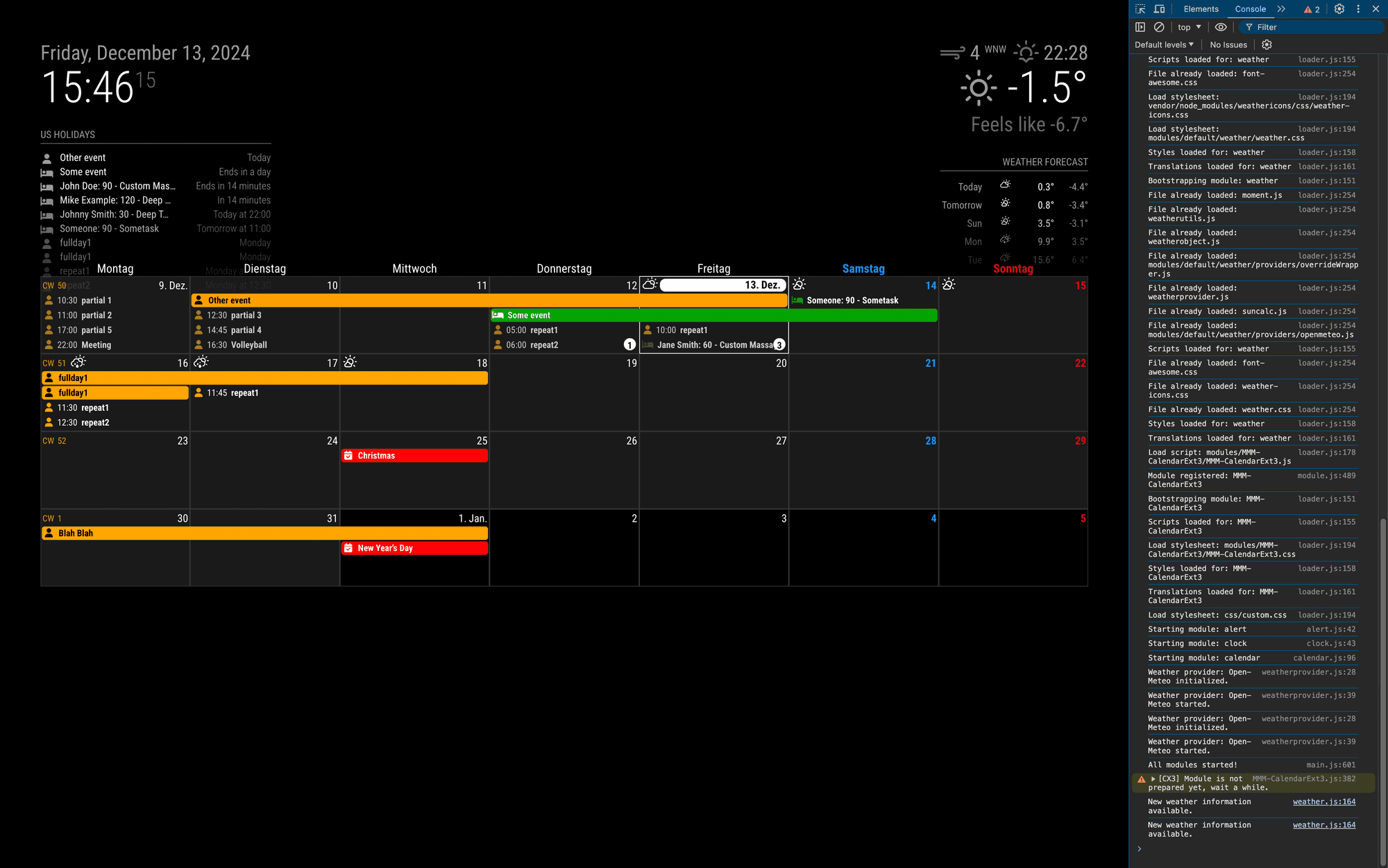
It will open this kind of dev-console as a side panel.
- At the panel, you can see
ElementsorConsoletab. Go toElementsTab.
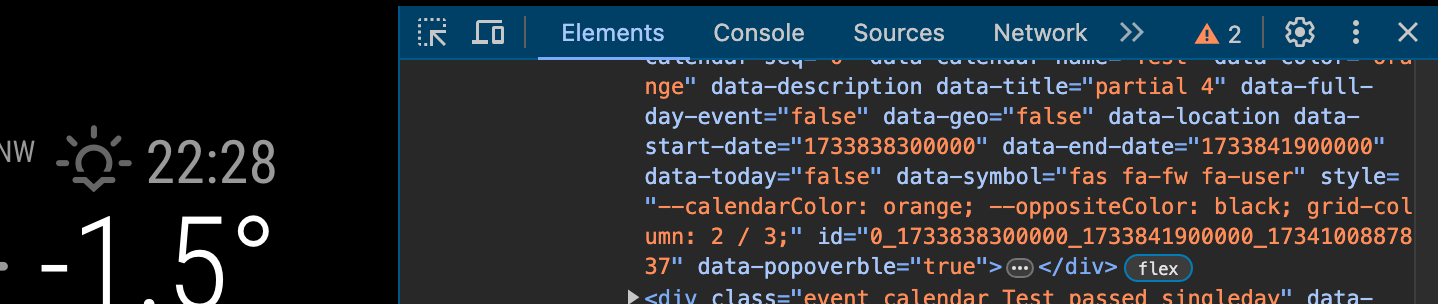
- There would also be
cursoricon (left side of theElementsTab mark); select it and click to any event element
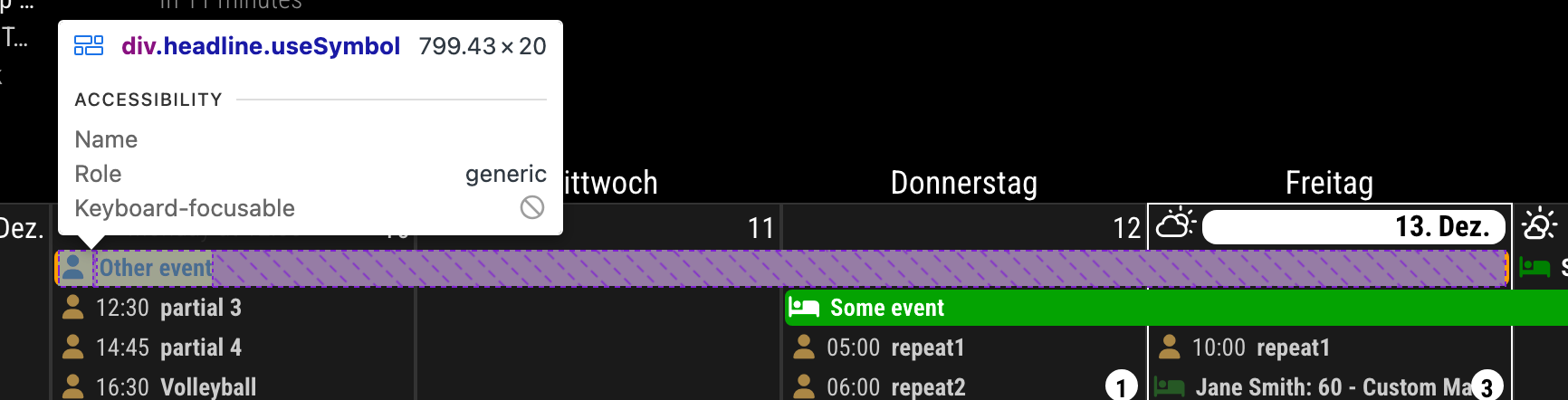
-
Now, the side
Elementstab will focus on the HTML code for the element you clicked.
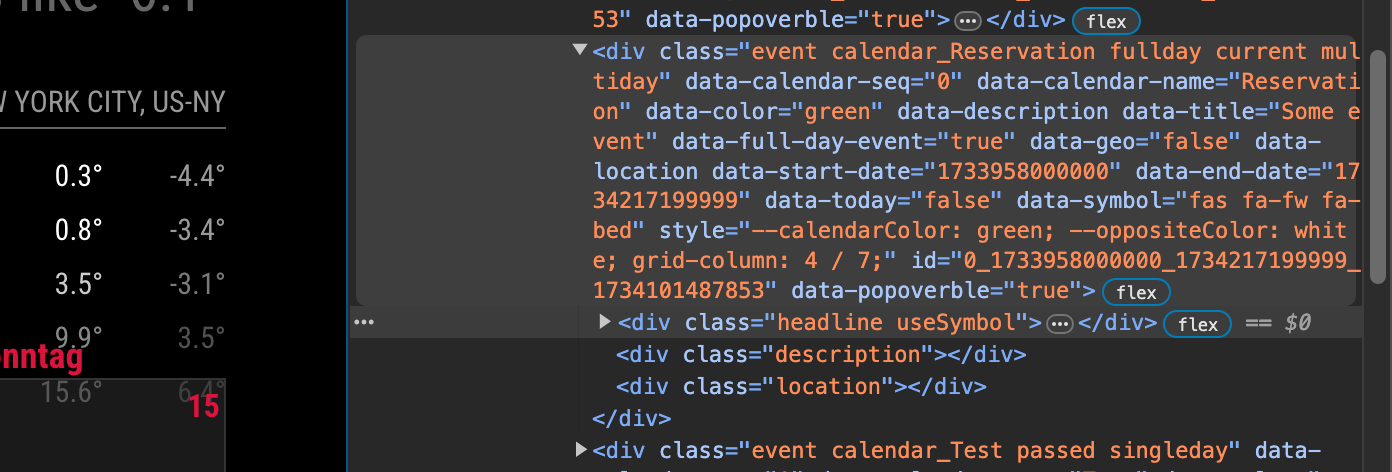
-
navigate into the
titleelement

- Check whether proper text exists there.

- And See the
Stylestab.(Somewhere in the side panel. Usually below theElementswindow)
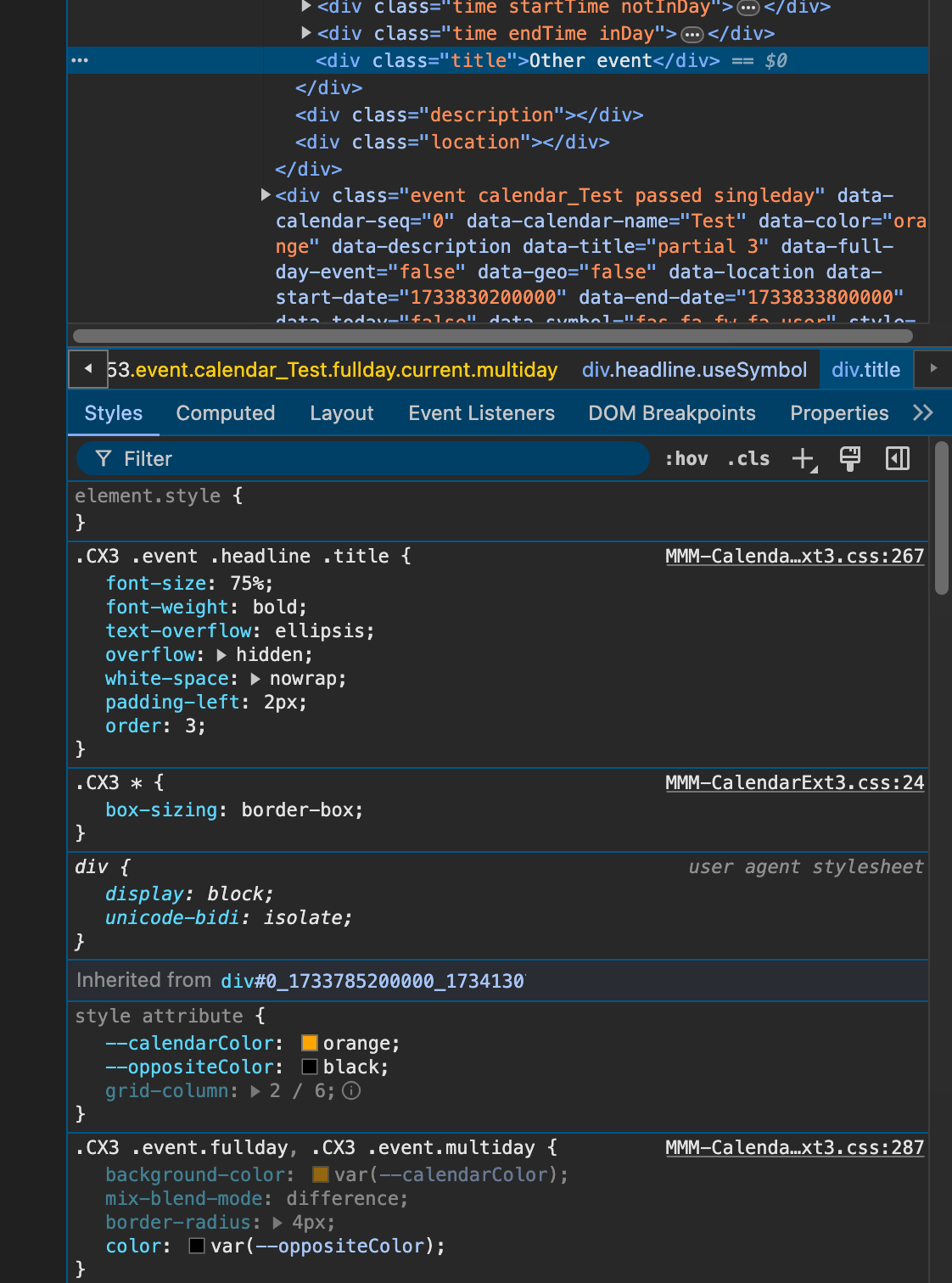
You can see there are
--calendarColorandoppositeColorattributes there. And there is no other overridden colors.- Or you can check this in
Computedtab.
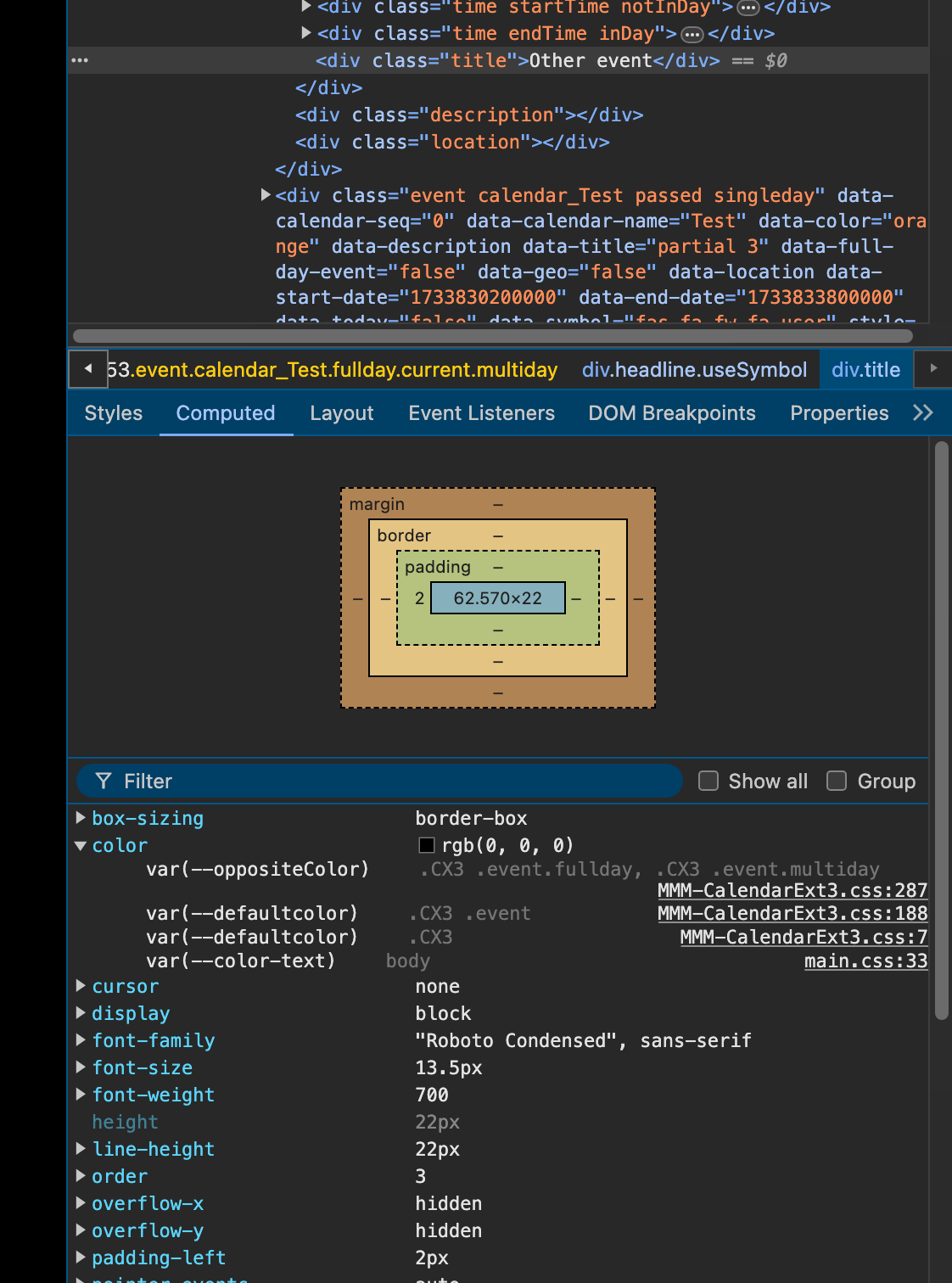
There are some
calculatedresults for the style.Could you find any suspicious things on watching your case?
-
@MMRIZE
Thanks, a lot of Information event =true on 19th but nothing like title
I will check for warnings or errors tomorrow
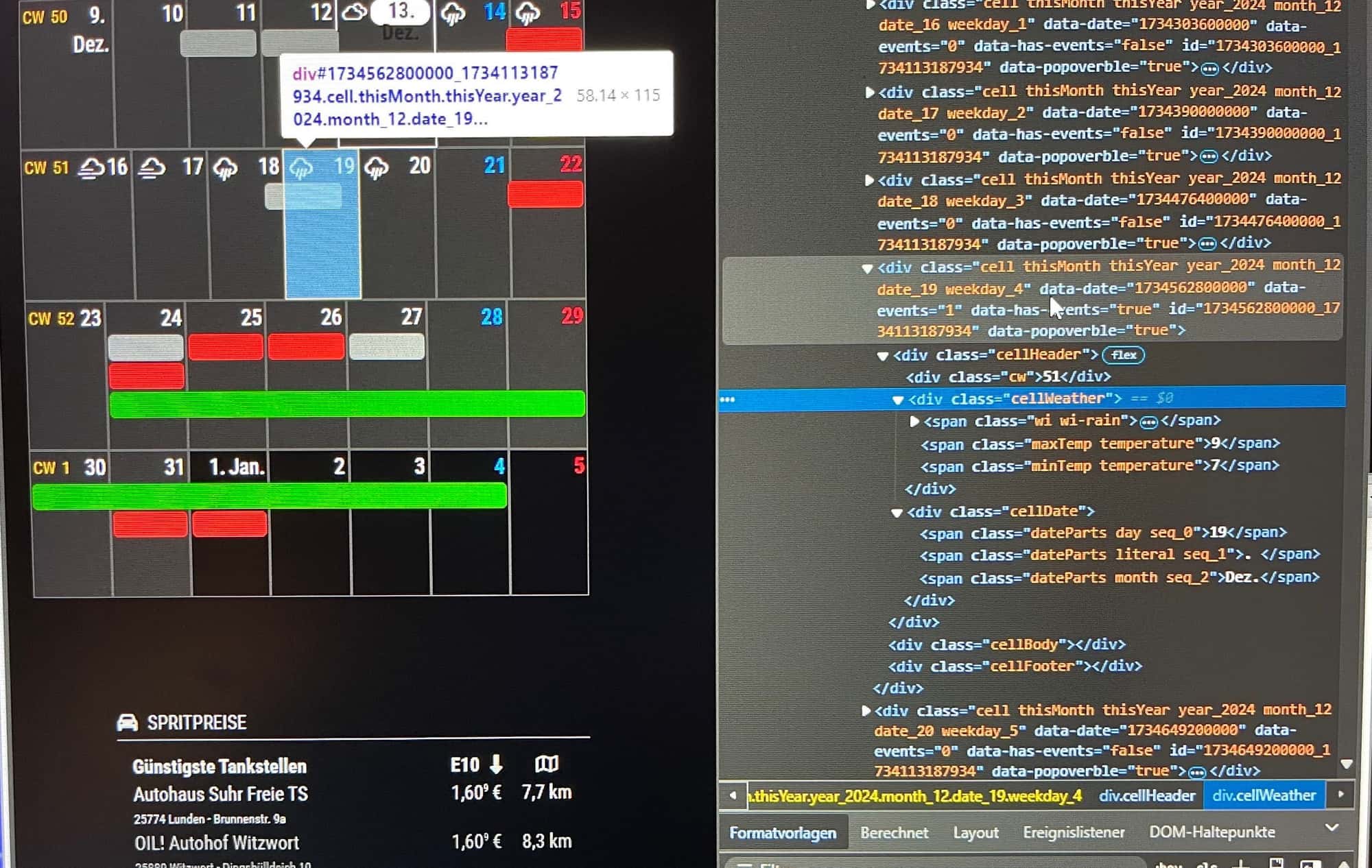
-
@Andreas1956
You are clicking the day cell, not event. -
@MMRIZE
I would, but there is no event cell under the day … i think this is the Problem -
@Andreas1956
there is an event cell that spans into the 19th (pink arrow)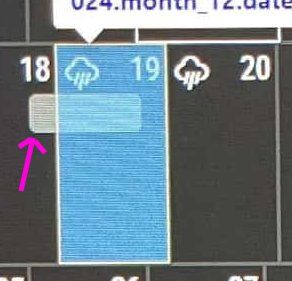
-
@sdetweil
Yes, but this Screenshot is shrinkt, cause of the debug window on the right side.
And until last update begin of the week, everything was ok. I didnd change anything on my config files since months. -
@Andreas1956 yes, but its the event bubbles that are empty. and he wanted to see that
-
@MMRIZE said in MMM-CalendarExt3 no Entries since last update:
@Andreas1956
You are clicking the day cell, not event.ok, found the event cells now.
think the problem comes from the font-awesome symbols. i removed the symbol property from all 5 calendar entries, then everything was ok but no symbols (only the standard calendar symbol)
then i added symbol:[“trash”] to the calendar garbage again - title disappeared again. -
@Andreas1956
ok, got it. i removed the square bracket from the symbol property like - symbol: “trash” ans everything works fine.
Screenshot is from your github Page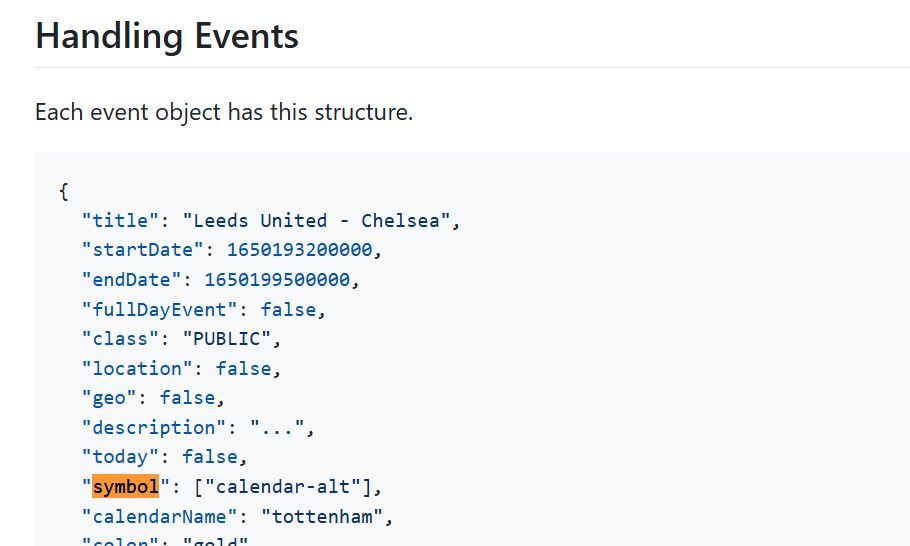
-
S sdetweil has marked this topic as solved on
Hello! It looks like you're interested in this conversation, but you don't have an account yet.
Getting fed up of having to scroll through the same posts each visit? When you register for an account, you'll always come back to exactly where you were before, and choose to be notified of new replies (either via email, or push notification). You'll also be able to save bookmarks and upvote posts to show your appreciation to other community members.
With your input, this post could be even better 💗
Register Login