Read the statement by Michael Teeuw here.
Error in the calendar module check logs for more details
-
Hello,
I have a problem related to the basic calendar module.
I use the private.ics from google but sometimes it can’t fetch data.
It doesn’t happen regularly, only sometimes but this error keep me to keep the keyboard connected for use the CTRL+R function everytime it happen.
It’s annoying because I hope to forget it completely and just using MM.
I can reproduce the issue with CTRL+R, every 7/8 refreshes it happen.
I could not refresh it forever but MM turn off and on every day so… it happen.My question is: is it a normal behaviour from google or is there something I did that cause the behaviour?
I checked pihole also, thinking it could cause issues but it seem not related to it.As calendar I use the basic one and the EXT3
Here is the log, thanks
/home/MYMM/.pm2/logs/MagicMirror-error.log last 15 lines:
0|mm | }
0|mm | }
0|mm | [2025-06-24 12:47:20.521] [ERROR] Calendar Error. Could not fetch calendar: https://calendar.google.com/calendar/ical/MYCAL.ics TypeError: fetch failed
0|mm | at node:internal/deps/undici/undici:13502:13
0|mm | at process.processTicksAndRejections (node:internal/process/task_queues:105:5) {
0|mm | [cause]: AggregateError [ETIMEDOUT]:
0|mm | at internalConnectMultiple (node:net:1139:18)
0|mm | at internalConnectMultiple (node:net:1215:5)
0|mm | at Timeout.internalConnectMultipleTimeout (node:net:1739:5)
0|mm | at listOnTimeout (node:internal/timers:596:11)
0|mm | at process.processTimers (node:internal/timers:529:7) {
0|mm | code: ‘ETIMEDOUT’,
0|mm | [errors]: [ [Error], [Error] ]
0|mm | }
0|mm | } -
@sdetweil Today everything is working normally. I don’t know what happend yesterday.
-
@nowayto what version of MagicMirror are you using.
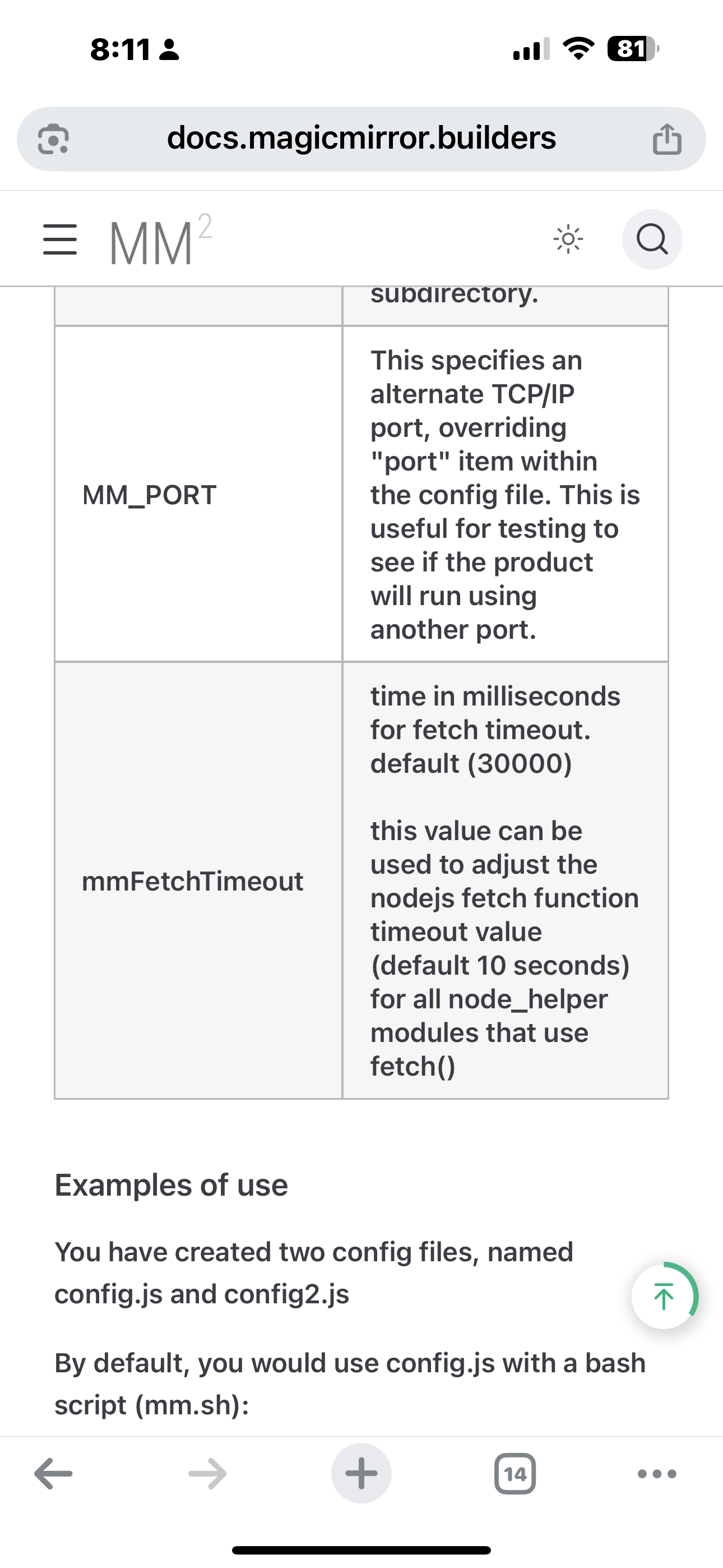
I added a feature to be able to control that timeout, but set the default at 30 secondsSee the doc, configuration, mm FetchTimeout environment variable
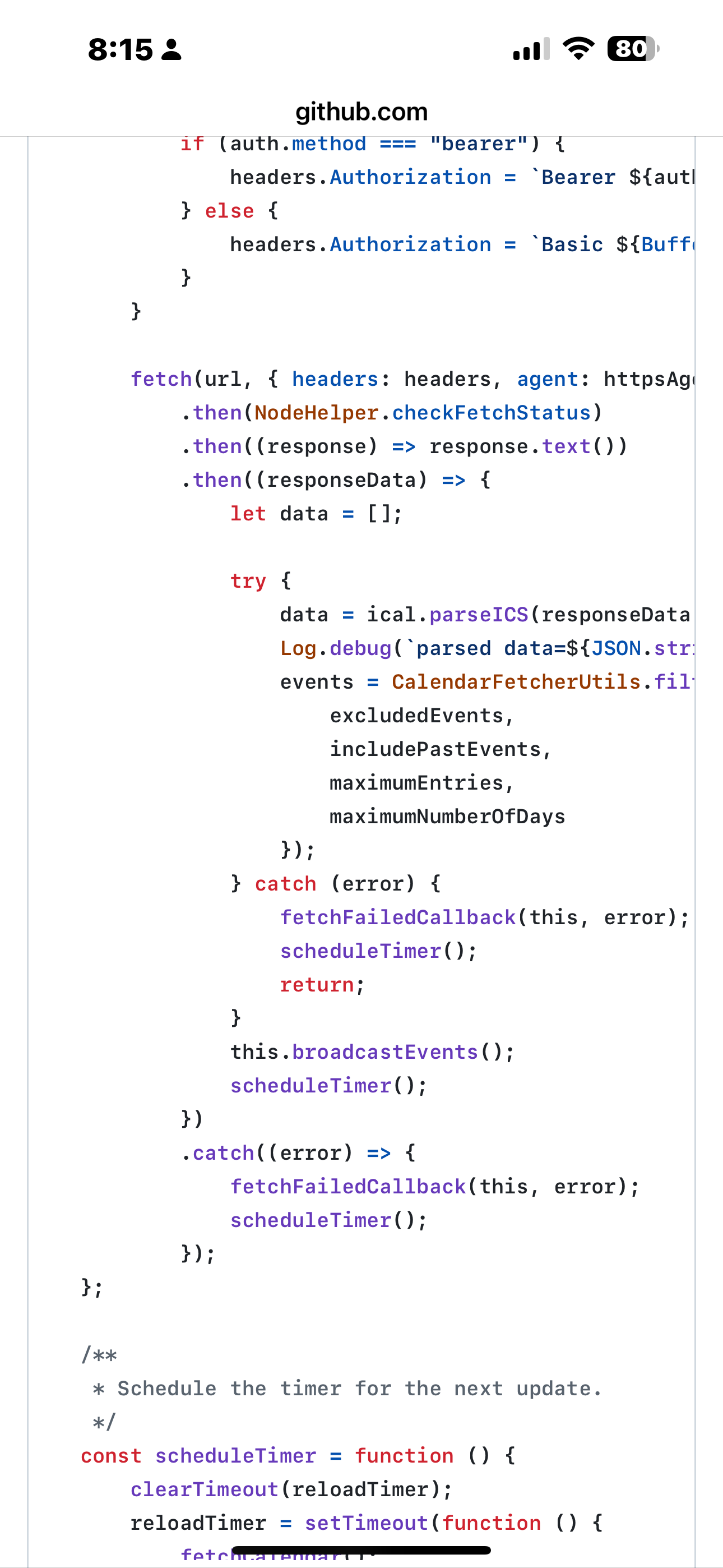
But the code should recover by itself.
-
-
@sdetweil I’ve got the same issue since today. Any other solutions? To change the fetchtimeout doesn’t help.
-
@Niggich but it should recover and fetch again
-
@sdetweil later I’ll try. The version is the last one
-
@sdetweil Today everything is working normally. I don’t know what happend yesterday.
-
@Niggich network congestion probably… there have been some severe DNS denial of service (hacking) storms in the last few days
-
@sdetweil Ok, maybe. For me the problem is solved.
-
S sdetweil has marked this topic as solved on
-
@sdetweil
I’m sorry Sam, I didn’t figure out where I have to configure the
mmFetchTimeout. Where is it located? Thanks -
I put it here in config.js
module: "calendar", header: "Our Calendar", position: "bottom_right", config: { mmFetchTimeout: 60000, calendars: [ -
@nowayto it is an environment variable
So you add it to the script used to launch MagicMirror
If using my installer and select pm2 then its
~/MagicMirror/installers/mm.shBefore the npm start line
For 45 secondsexport mmFetchTimeout=45000 -
@sdetweil Did it. Hope it solve my issue. Thanks
-
@nowayto if the network is busy, all kinds of problems
Hello! It looks like you're interested in this conversation, but you don't have an account yet.
Getting fed up of having to scroll through the same posts each visit? When you register for an account, you'll always come back to exactly where you were before, and choose to be notified of new replies (either via email, or push notification). You'll also be able to save bookmarks and upvote posts to show your appreciation to other community members.
With your input, this post could be even better 💗
Register Login