Read the statement by Michael Teeuw here.
Disable header in MMM-MieleAtHome and MMM-Homeconnect
-
@OberfragGER said in Disable header in MMM-MieleAtHome and MMM-Homeconnect:
MMM-Homeconnect
can you show the config of both modules, xxx out any personal info
-
this
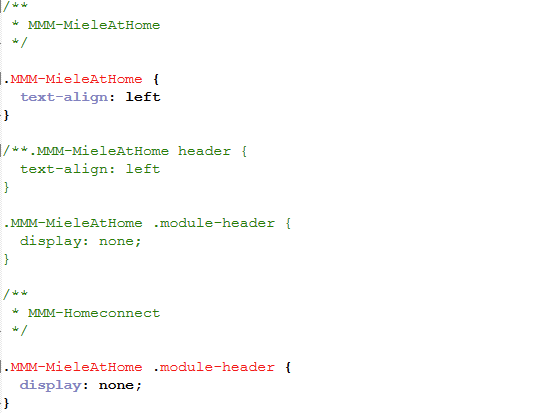
.MMM-MieleAtHome .module-header {
  display: none;
}
should have worked for that module
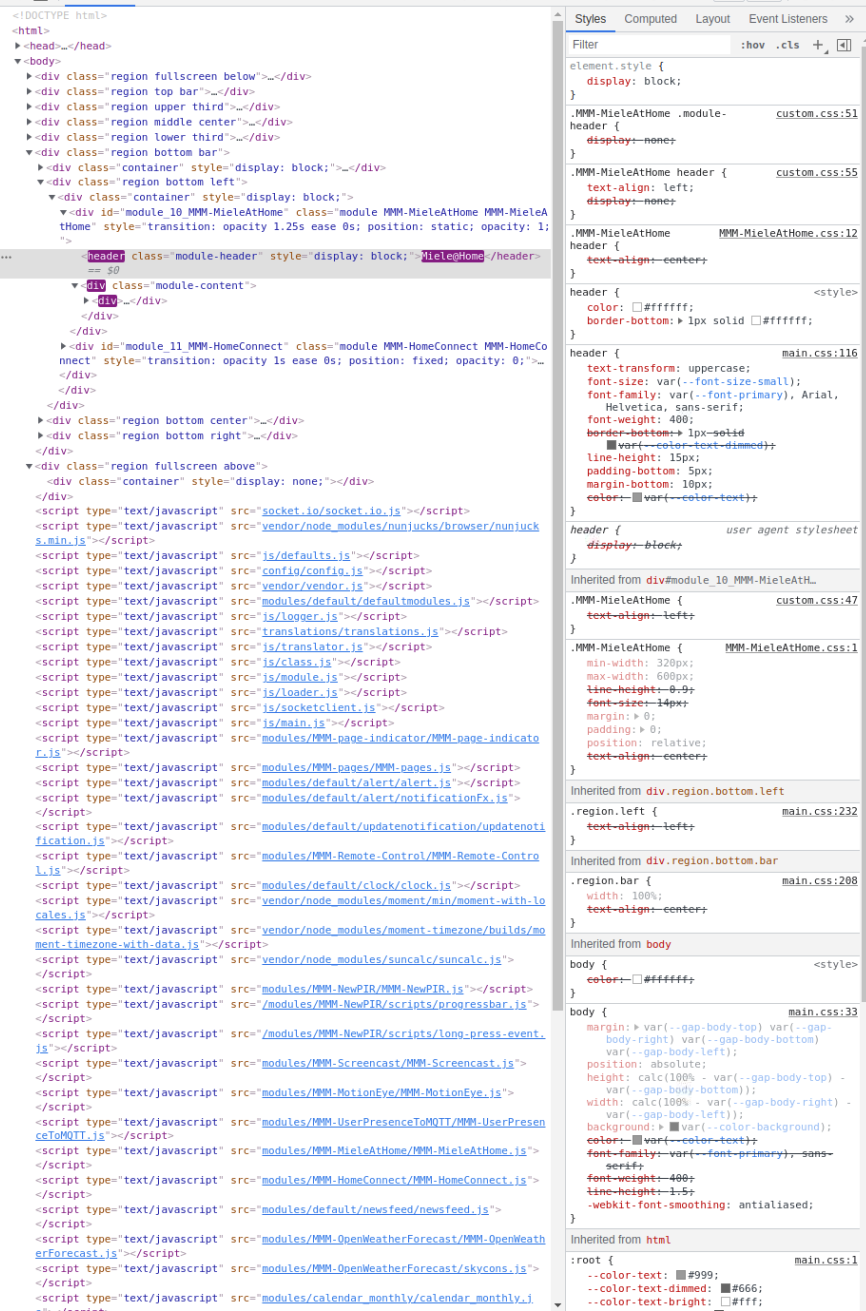
have you opened the developer window elements tab to look at the css applied?
see the second link in my signature below
-
@sdetweil Thanks for your help.
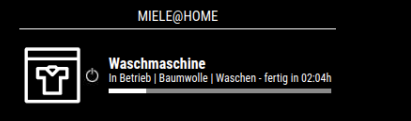
But its still not working.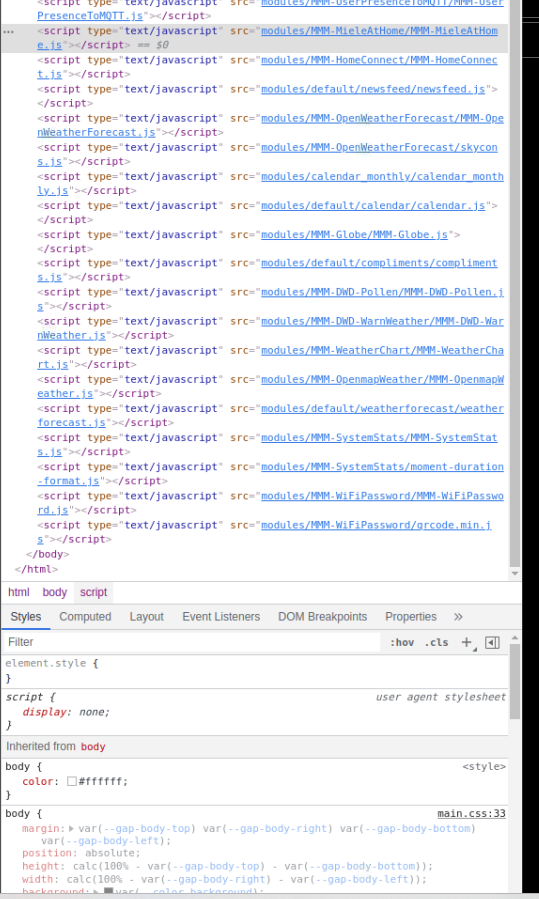
```{
module: “MMM-MieleAtHome”,
position: “bottom_left”,
showDeviceIfDoorIsOpen: false,
showHeader: false,
config: {
userName: “xxx”,
password: “xxx”,
client_ID: “xxx”,
client_Secret: “xxx”,
vg: ‘de-DE’, // Your country code from the list above
language: ‘de’, // Language supported from list above
showAlwaysAllDevices: false //always display component
}
},I even tried display: none without ";". I doesnt work... -
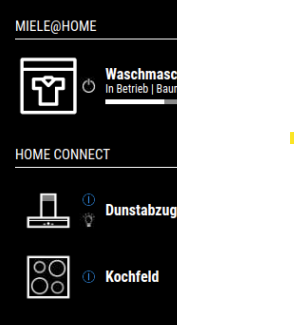
Is there any chance to scale both styles that the icons are looking the same height and style?
-
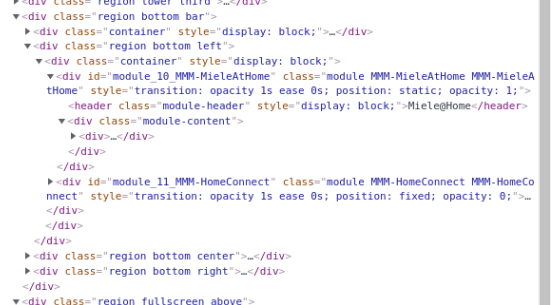
@OberfragGER you are looking at the header part of the page Dom
You need the body part where the html is
Use the elements tab , click the pointer to left, mouse ver the module til it’s highlighted and click to
Open the html view there -
this should work, but MMM-MieleAtHome and therefore MMM-Homeconnect as a fork do override the header…
{ module: “MMM-MieleAtHome”, header: "", position: “bottom_left”, }, -
@HeikoGr said in Disable header in MMM-MieleAtHome and MMM-Homeconnect:
this should work, but MMM-MieleAtHome and therefore MMM-Homeconnect as a fork do override the header…
{
  module: “MMM-MieleAtHome”,
  header: "",
  position: “bottom_left”,

},
Thata not working on both modules :(
-
-
i found 2-3 ways for you to get rid of the header:
1.: you add “!important” to force the css rule
.MMM-MieleAtHome .module-header { display: none !important; }- fork MMM-MieleAtHome and get rid of
	// you have to delete this function at MMM-MietAtHome.js line 92-95
	getHeader: function() {
		return "Miele@Home";
	},
MMM-HomeConnect is similar. But here you have a third option: take my fork: https://github.com/heikogr/MMM-HomeConnect2 (only thing: it has an different styling)
-
@HeikoGr shouldn’t need the !important as no other class is specified AFTER the , module-header
-
@OberfragGER the second… and you can do it a couple ways
// using classes
.MMM-MieleAtHome .module-header  {
     display:none;
}
or using html element
.MMM-MieleAtHome header { display:none; } -
@HeikoGr Thanks a lot!
your tip with !important was working.I´ll take a look into yout module too. Especially the Headless Device Flow is very interesting!
-
@sdetweil Sorry. Both ways did´nt work. Only the “display: none !important;” did the trick.
Thank you for you support…as always! -
S sdetweil has marked this topic as solved on
Hello! It looks like you're interested in this conversation, but you don't have an account yet.
Getting fed up of having to scroll through the same posts each visit? When you register for an account, you'll always come back to exactly where you were before, and choose to be notified of new replies (either via email, or push notification). You'll also be able to save bookmarks and upvote posts to show your appreciation to other community members.
With your input, this post could be even better 💗
Register Login