@MMRIZE haha all good. Any feedback still welcome. :)
B
Offline
A New Chapter for MagicMirror: The Community Takes the Lead
Read the statement by Michael Teeuw here.
Read the statement by Michael Teeuw here.
Posts
-
RE: Apple Calendar integration
-
RE: Apple Calendar integration
@MMRIZE I’m not sure I understand your comment.
The calendars work well and have many different uses for my family. What part of it looks hideous to you? Certainly welcome to take on board any thoughts as this is my first MM setup.
-
RE: Apple Calendar integration
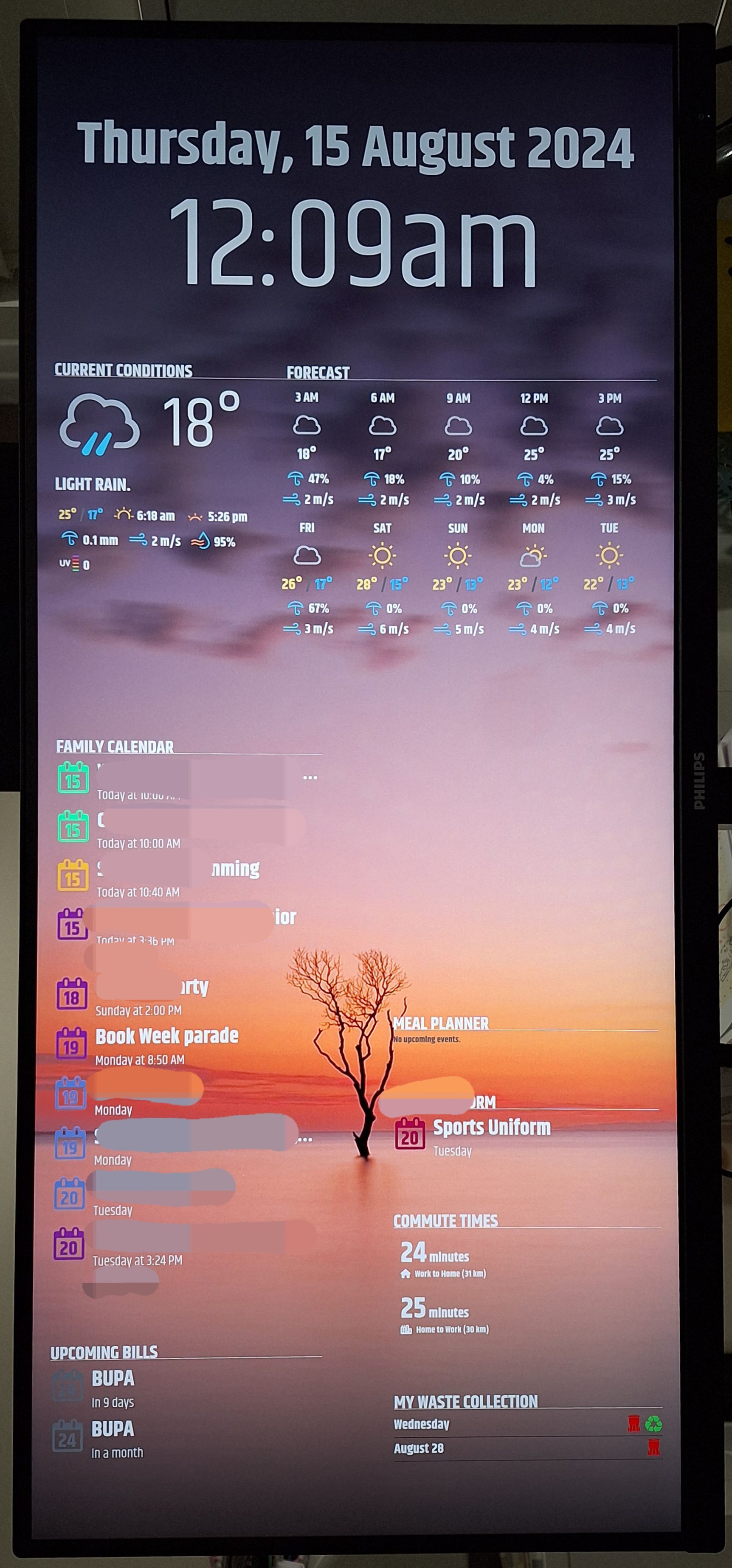
This is the second page of my setup. A couple of MMM-MyCalendar in use here as well as the default clock,and mmm-OpenWeatherForecast
All on a 34inch UWQHD monitor.
-
RE: MMM-Carousel & basic KeyBindings not working
@sdetweil I have now got it set with MMM-Remote-Control and can turn anything on and off via my mobile.
This is certainly a good start to being able to control what I want to see and when.
Thank you for the help.
Brent.
-
RE: MMM-Carousel & basic KeyBindings not working
@sdetweil I have switched back to MMM-pages as it is much cleaner. I will see what other options I have in the notification sending arena to suit me.
Any simple suggestions welcome.
-
RE: MMM-Carousel & basic KeyBindings not working
@sdetweil I just managed to jump on. I may have to upgrade my mirror as I saw a minimum requirements and my current version of MM was under that. I am trying to find your update scripts at the moment.
-
RE: MMM-Carousel & basic KeyBindings not working
@sdetweil I am unable to jump on the computer tonight.
Would the pages module work with keybindings to move through the pages? Or to the hidden page. Essentially want the main page and a second or hidden page that only comes up with a button click.
Also considering the remote module to have the toggle switch to just turn on the extra modules I have shown on the second page when needed.
-
RE: MMM-Carousel & basic KeyBindings not working
@sdetweil I will check it out tonight and see if I can find any errors.
-
RE: MMM-Carousel & basic KeyBindings not working
@sdetweil There are no notifications being sent when I hit the keyboard buttons.
-
MMM-Carousel & basic KeyBindings not working
Hi all,
I had set up MMM-Carousel and MMM-KeyBindings with the default suggestions on the module pages for running these two together with a regular keyboard, however the arrow keys are not changing the slides. Please see below, any help would be great.
{ module: "MMM-KeyBindings", config: { evdev: {enabled: false}, enableKeyboard: true, } }, { module: "MMM-Carousel", disabled: false, position: "bottom_bar", // Required only for navigation controls config: { transitionInterval: 10000, //20000, ignoreModules: ['alert', 'updatenotification', 'MMM-KeyBindings'], mode: "slides", showPageIndicators: true, showPageControls: true, slides: { main: ['clock', 'MMM-OpenWeatherForecast', 'MMM-WOTD', 'MMM-BackgroundSlideshow'], "Slide 2": ['clock', 'MMM-OpenWeatherForecast', 'MMM-MyCalendar', 'MMM-TomTomCalculateRouteTraffic', 'MMM-MyWastePickup', 'MMM-BackgroundSlideshow'], "Slide 3": ['clock', 'MMM-OpenWeatherForecast', 'MMM-WOTD', 'MMM-BackgroundSlideshow'], }, keyBindings: { enabled: true, map: { NextSlide: "ArrowRight", PrevSlide: "ArrowLeft", Pause: "ArrowDown", Slide0: "Home" }, mode: "DEFAULT" } }, -
RE: Top 5 unseen modules
@sdetweil so I would put this bit as a stand alone module just with no position.
{ module: 'MMM-KeyBindings', config: { evdev: { enabled: false }, enableKeyboard: true, } }, -
RE: Top 5 unseen modules
@brentmatthews Hi Sam,
I seem to be missing something with KeyBindings as the arrow keys are not making the pages change. Would you mind advising if you have the time.
{ module: "MMM-Carousel", disabled: false, position: "bottom_bar", // Required only for navigation controls config: { transitionInterval: 0, //20000, showPageIndicators: true, showPageControls: true, ignoreModules: ['alert', 'updatenotification', 'MMM-KeyBindings'], mode: "slides", slides: { main: ['clock', 'MMM-OpenWeatherForecast', 'MMM-WOTD', 'MMM-BackgroundSlideshow'], "Slide 1": ['clock', 'MMM-OpenWeatherForecast', 'MMM-MyCalendar', 'MMM-TomTomCalculateRouteTraffic', 'MMM-MyWastePickup', 'MMM-BackgroundSlideshow'], }, keyBindings: { enabled: true, map: { NextSlide: "ArrowRight", PrevSlide: "ArrowLeft", }, mode: "DEFAULT" } }, }, -
RE: Top 5 unseen modules
@sdetweil Thanks Sam, I did have a look at both MMM-Pages and MMM-Carousel.
I basically only have two pages I want to display on my MM.
The main page is just the background image rotating, with the clock and weather module.
The second page is those two modules in exactly the same place, but all my other calendar based modules, bin collection and commute modules in position underneath as per the photos I will post shortly.I want the screen to remain off when we aren’t in the room and only come on to the main page when someone triggers it either by a mouse click (I have a bluetooth mini mouse and keyboard at the ready), or by pir when it detects motion… and turn off after … mins of inactivity.
The second pagr with the calendars etc will only ever come on when a button is clicked on the mouse or keyboard. Otherwise these will not be shown any other time… as the MM will be used as a wall clock/weather app.
I was just wondering if I need to be concerned about screen burn in, which module or way to switch between the two pages etc. I am quite the novice and the whole send notifications thing I don’t quite understand.
Brent.
-
Top 5 unseen modules
Hi,
I was just wanting to get everyone’s top 5 unseen modules, ones that run in the background to help your MM run smoothly.
Whether it’s carousel, keybindings, a screen burn in saver or background module.
What are your recommendations to run behind the scenes…?
Cheers,
Brent -
RE: Recommend a Word of the Day module? (English)
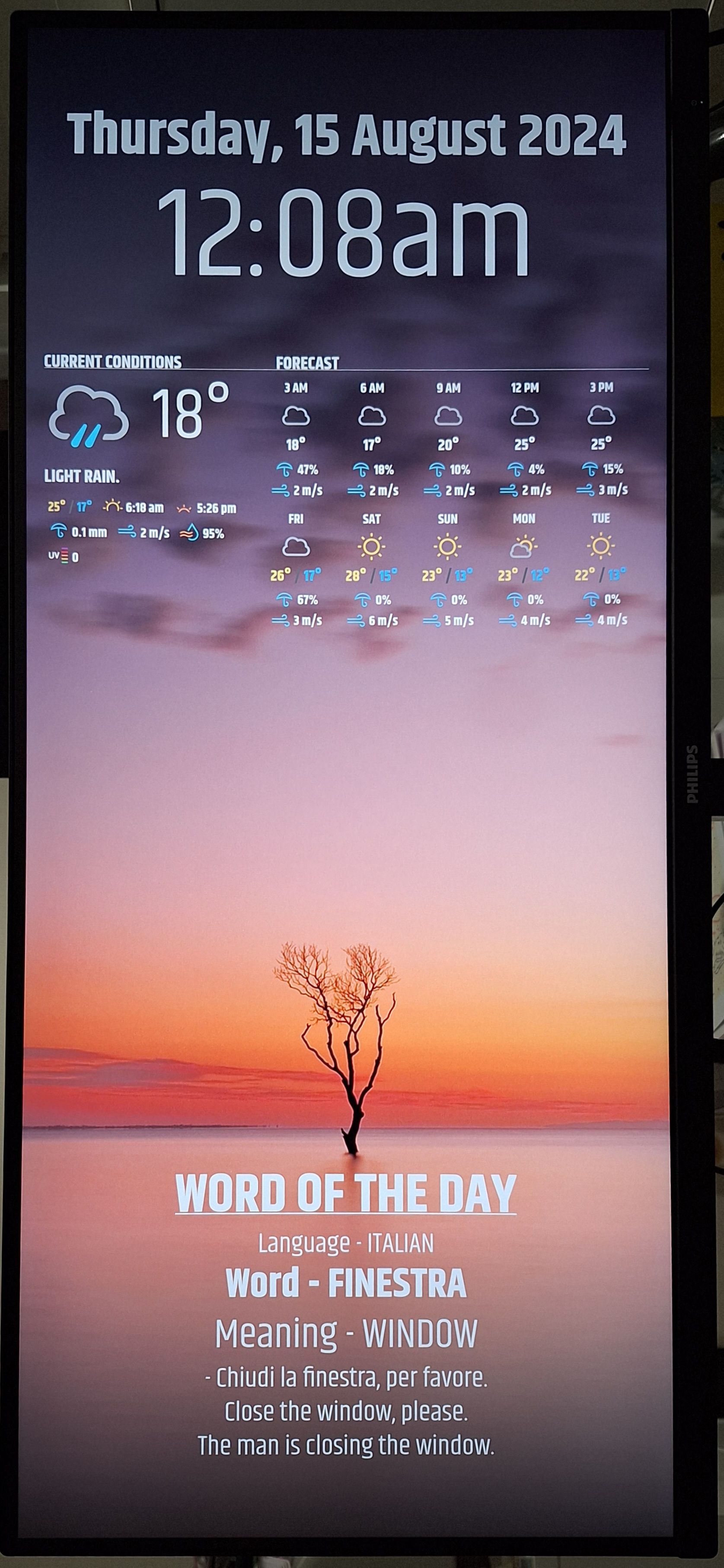
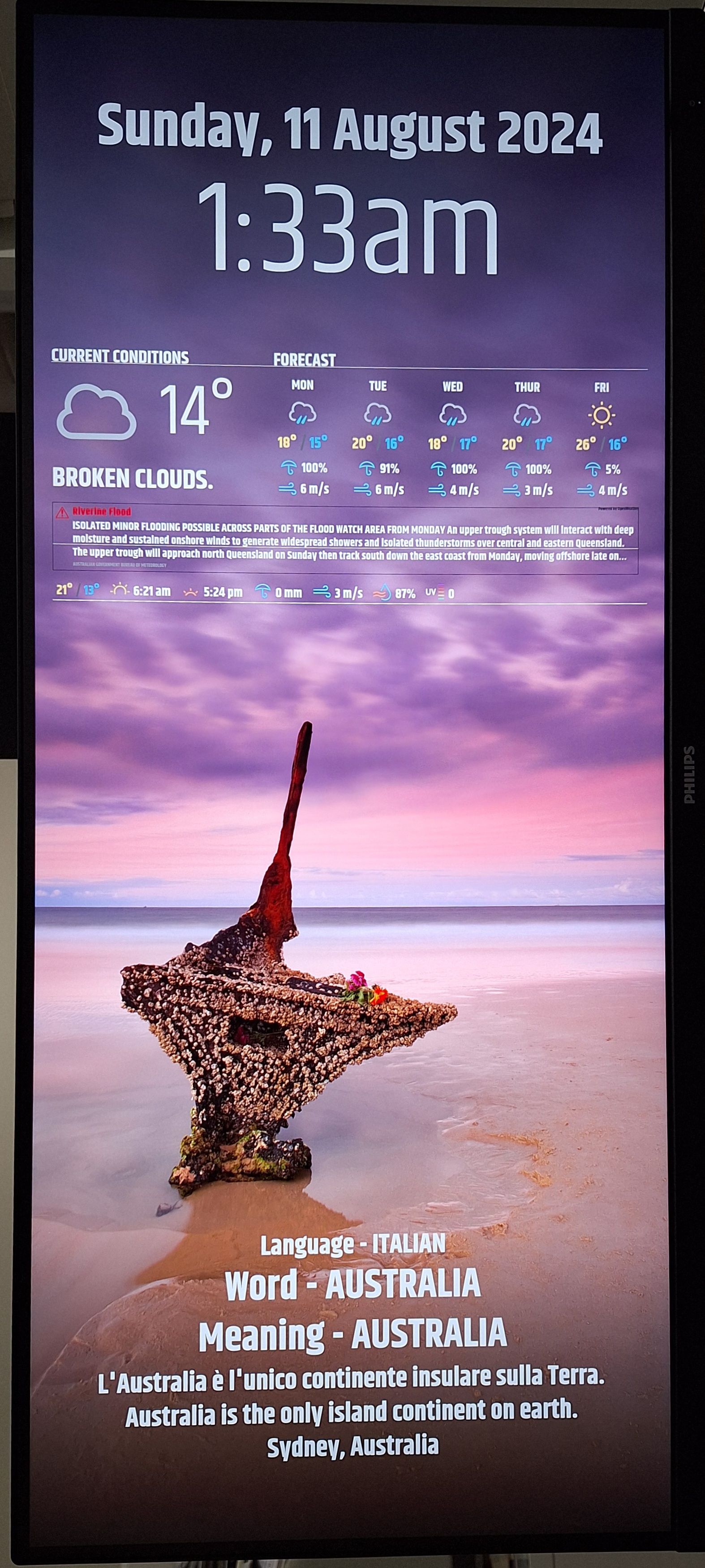
@sdetweil I just found the scaling code for css and did it that way with a few position adjustments. Going to play with the fonts a little to maybe make it a touch cleaner looking and not all bold. Photo included.
Still playing around with the weather module at the top to get it exactly how I want it also. This css is fun.
-
RE: Recommend a Word of the Day module? (English)
@sdetweil Thank you. I had seen that in passing when first on this forum, but certainly have a bit more understanding on that post now so I shall utilise it as best I can.
-
RE: Recommend a Word of the Day module? (English)
@mumblebaj thank you. I have very little experience in actually creating a css, let alone doing a pull request.
I’ll have to do some research and see if I can work it out.
-
RE: Recommend a Word of the Day module? (English)
@mumblebaj, is there a way to resize your WOTD module?
I would like to put it in the bottom bar centre across the entire screen and large enough to be seen from a distance.
I notice there isn’t a css file, would this be the only way to do it?
 ![20240815_000938.jpg]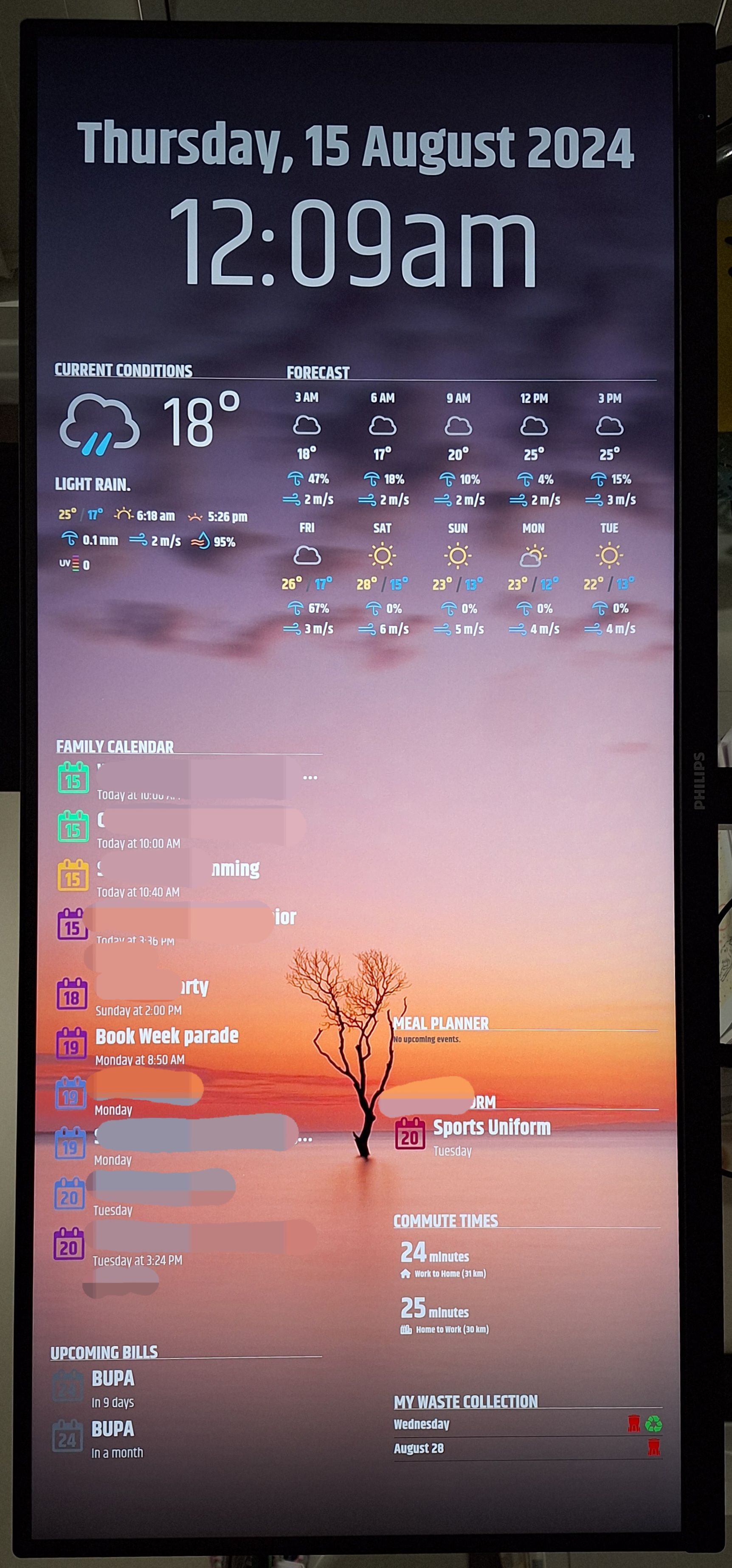
 I
I