@BJ-Duncan What Mic do you use mate? I might just buy same one.lol
J
Offline
A New Chapter for MagicMirror: The Community Takes the Lead
Read the statement by Michael Teeuw here.
Read the statement by Michael Teeuw here.
Posts
-
RE: MMM-AssistantMk2 / MMM-Hotword Issue
-
RE: MMM-AssistantMk2 / MMM-Hotword Issue
@JonoGee I mean I supposedly I have to set both IDs in config file to hw:0,0.
-
RE: MMM-AssistantMk2 / MMM-Hotword Issue
@BJ-Duncan
I realise both Speaker & Mic are on same Hat but does it make sense to you that the ID for aplay and arecord are exactly the same. Code included below…pi@raspberrypi:~ $ aplay -l **** List of PLAYBACK Hardware Devices **** card 0: sndrpigooglevoi [snd_rpi_googlevoicehat_soundcar], device 0: Google voiceHAT SoundCard HiFi voicehat-codec-0 [] Subdevices: 1/1 Subdevice #0: subdevice #0 pi@raspberrypi:~ $ arecord -l **** List of CAPTURE Hardware Devices **** card 0: sndrpigooglevoi [snd_rpi_googlevoicehat_soundcar], device 0: Google voiceHAT SoundCard HiFi voicehat-codec-0 [] Subdevices: 1/1 Subdevice #0: subdevice #0 pi@raspberrypi:~ $ -
RE: MMM-AssistantMk2 / MMM-Hotword Issue
@BJ-Duncan
The Mic is a combined Speaker / Mic HAT as see here… https://www.raspiaudio.com/raspiaudio-aiyI am running Raspberry Pi3+
Version…pi@raspberrypi:~ $ lsb_release -a No LSB modules are available. Distributor ID: Raspbian Description: Raspbian GNU/Linux 9.9 (stretch) Release: 9.9 Codename: stretch pi@raspberrypi:~ $ -
RE: MMM-AssistantMk2 / MMM-Hotword Issue
@JonoGee If devices are set as…
hw:0,0The mirror works, but Assistant/Hotword doesm’t. I just changed to …```
plughw:0and it crashes -
RE: MMM-AssistantMk2 / MMM-Hotword Issue
@JonoGee I recognised both devices as 0 so I changed accordingly. Now i get this error message. Mirror opens but closes immediately…
[MMM-PushBulletNotifications][Info] 13:58:15.164 - PushBullet connected [HOTWORD] begins. [HOTWORD] Detector starts listening. /home/pi/MagicMirror/node_modules/electron/dist/electron js/electron.js: symbol lookup error: /home/pi/MagicMirror/modules/MMM-Hotword/snowboy/lib/node/binding/Release/electron-v3.0-linux-arm/snowboy.node: undefined symbol: cblas_sdot npm ERR! file sh npm ERR! code ELIFECYCLE npm ERR! errno ENOENT npm ERR! syscall spawn npm ERR! magicmirror@2.7.1 start: `sh run-start.sh` npm ERR! spawn ENOENT npm ERR! npm ERR! Failed at the magicmirror@2.7.1 start script. npm ERR! This is probably not a problem with npm. There is likely additional logging output above. npm ERR! A complete log of this run can be found in: npm ERR! /home/pi/.npm/_logs/2019-07-01T12_58_15_977Z-debug.log pi@raspberrypi:~/MagicMirror $ -
RE: MMM-AssistantMk2 / MMM-Hotword Issue
@BJ-Duncan said in MMM-AssistantMk2 / MMM-Hotword Issue:
arecord -l
I get this…
pi@raspberrypi:~ $ arecord -l **** List of CAPTURE Hardware Devices **** card 0: sndrpigooglevoi [snd_rpi_googlevoicehat_soundcar], device 0: Google voiceHAT SoundCard HiFi voicehat-codec-0 [] Subdevices: 1/1 Subdevice #0: subdevice #0 pi@raspberrypi:~ $ -
RE: MMM-AssistantMk2 / MMM-Hotword Issue
Just tested. Recording & playing back fine with arecord and aplay. No problems and no error messages. Thanks for taking the time for getting in touch anyway. I’d almost given up on this.
-
RE: MMM-AssistantMk2 / MMM-Hotword Issue
@sdetweil As far as I am aware, I have used the latest released versions of each. I guess I’ll just have to wait and see if someone updates it or fixes problem or something. Thanks anyway for your time and help. I have made a bit of progress though. It just seems to be Snowboy now.
-
RE: MMM-AssistantMk2 / MMM-Hotword Issue
@JonoGee
Error message I am getting now in console is as so…MMM-GoogleTasks received a module notification: HOTWORD_SLEEPING from sender: MMM-Hotword module.js:154 MMM-WatchDog received a module notification: HOTWORD_SLEEPING from sender: MMM-Hotword module.js:154 MMM-Cursor received a module notification: HOTWORD_SLEEPING from sender: MMM-Hotword null:1 GET http://0.0.0.0:8080/modules/MMM-Hotword/null 404 (Not Found) module.js:154 MMM-Tools received a module notification: CALENDAR_EVENTS from sender: calendar module.js:154 clock received a module notification: CALENDAR_EVENTS from sender: calendarI have managed to get AssistantMk2 talking to me now in mirror but Hotword/Mic is still not functioning
-
RE: MMM-AssistantMk2 / MMM-Hotword Issue
@sdetweil Hi good morning. I am running Raspian.
-
RE: MMM-AssistantMk2 / MMM-Hotword Issue
@sdetweil No. its a Pi3 B+
How do i install openblas then? -
RE: MMM-AssistantMk2 / MMM-Hotword Issue
@JonoGee There is discussion about this here…
https://github.com/Kitt-AI/snowboy/issues/126
But i don’t understand what commands I need to run. It doesn’t read very clear to my only being an absolute amateur and all. Does it make sense to you? -
RE: MMM-AssistantMk2 / MMM-Hotword Issue
@sdetweil Just. Still crashing with the same error message
-
RE: MMM-AssistantMk2 / MMM-Hotword Issue
@sdetweil I get this error message…
pi@raspberrypi:~/MagicMirror $ sudo apt-get install libatlas-base-dev libatlas3gf-base Reading package lists... 0% Reading package lists... Done Building dependency tree Reading state information... Done E: Unable to locate package libatlas3gf-base -
RE: MMM-AssistantMk2 / MMM-Hotword Issue
@sdetweil Is it the LAPACK I need to install then?
-
MMM-AssistantMk2 / MMM-Hotword Issue
I wonder if there is someone who can help me with this issue. I have been working with eouia to trying and get these modules working together. Unfortunately without any success. I am led to believe that the Snowboy module is not compatible with my system. The Mirror opens and then crashes immediately with the following error messages…
[HOTWORD] Detector starts listening.
/home/pi/MagicMirror/node_modules/electron/dist/electron js/electron.js: symbol lookup error: /home/pi/MagicMirror/modules/MMM-Hotword/snowboy/lib/node/binding/Release/electron-v3.0-linux-arm/snowboy.node: undefined symbol: cblas_sdot
npm ERR! file sh
npm ERR! code ELIFECYCLE
npm ERR! errno ENOENT
npm ERR! syscall spawn
npm ERR! magicmirror@2.7.1 start: `sh run-start.sh`
npm ERR! spawn ENOENT
npm ERR!
npm ERR! Failed at the magicmirror@2.7.1 start script.
npm ERR! This is probably not a problem with npm. There is likely additional logging output above.

npm ERR! A complete log of this run can be found in:
npm ERR!     /home/pi/.npm/_logs/2019-06-26T15_09_51_093Z-debug.log
I really hope someone can help me with this.
Regards
Jonathan -
RE: MMM-AssistantMk2 Mic/Hotword Sensitivity
@sdetweil I am very jealous!! I have being working on this module for weeks now. I have finally got to this stage…
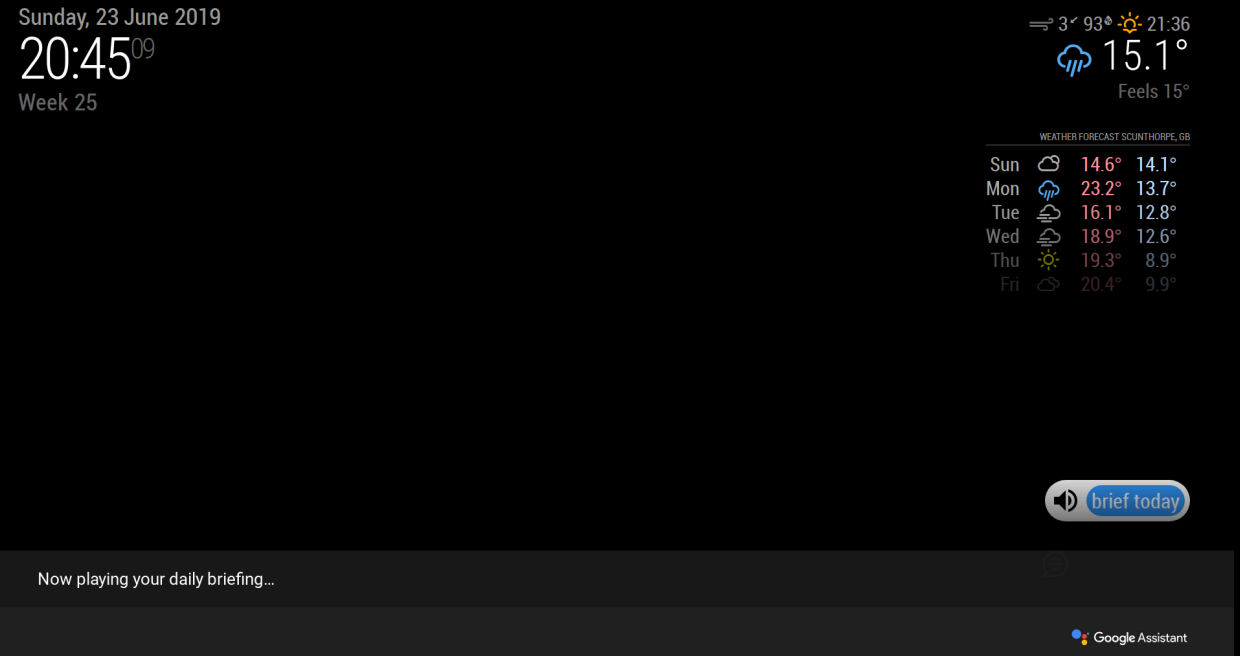
I get Chimes when MM first start up.
Its just now I can’t get to prove that my mic is working or get Assistant to output any sound or answer/recognise any voice commands. Clearly you got to this stage. What would you advise my next actions be please?
Sounds like youre doing a great job anyway. Would love to see it.
Jonathan -
RE: ConfigParser vs, Configparser Nightmare!!
@JonoGee Typical. I think i just found a solution…
the root cause of your apt problems is python-lockfile, try to reinstall it with the following command:
sudo apt-get clean
sudo apt-get update
sudo apt-get install --reinstall python-minimal python-lockfile
EDIT: -
ConfigParser vs, Configparser Nightmare!!
Hi all,
Has anyone got any ideas for this issue. Whether I try to install Alexa or AssistantMk2 I get the following error messages during setup…
  File "/usr/bin/pycompile", line 35, in <module>
    from debpython.version import SUPPORTED, debsorted, vrepr, \
  File "/usr/share/python/debpython/version.py", line 24, in <module>
    from ConfigParser import SafeConfigParser
ImportError: No module named 'ConfigParser'
dpkg: error processing package python-pyaudio (--configure):
 subprocess installed post-installation script returned error exit status 1
Errors were encountered while processing:
 python-pyaudio
E: Sub-process /usr/bin/dpkg returned an error code (1)
I have searched all over and the only real comments i noticed was that ConfigParser change to Configparser in Python3 but I havent been able to find a solution anywhere. I hope there is an expert/magician out there that can help me out.
Regards
A hopeful desperate soul.