Possibly it is a browser cache problem, I use an Android tablet and a full screen browser within my mirror (http://192.168.2.xxx:8080). In that case there must be a way to refresh the MM tablet page, preferable from the MM install on the RPi. Something with “nocache”? I’m not sure…
M
Offline
A New Chapter for MagicMirror: The Community Takes the Lead
Read the statement by Michael Teeuw here.
Read the statement by Michael Teeuw here.
Posts
-
RE: Translation "After one month" in Calendar Module
-
RE: Translation "After one month" in Calendar Module
Thanks for your posting. When an event is over, let’s say, five weeks MM displays “één maand”. But in my opinion “één” means more exactly one month and not “een maand”. In English “one month” vs. “a month”. So I would like to change it. I have found two installs of moment.js and translated in both “één” to “een” but after rebooting and power off several times it was not translated on the mirror so far.
-
RE: Translation "After one month" in Calendar Module
Thanks Stefan, I appreciate your help!
-
RE: Translation "After one month" in Calendar Module
Thanks! And yes you’re right, it is Dutch. But what is the path to moment.js? I guess it is outside MagicMirror but could not find it :-(
-
Translation "After one month" in Calendar Module
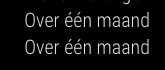
Can someone tell me where I can change the text “Over één maand” in the Calendar Module? It is my intention to replace it with “Over een maand” (in English something like “After one month”).
-
RE: VNC Viewer disconnects
@broberg Well, I appreciate your advice it was very helpful. It was my intention to separate the RPi from the display and build a small mirror using a relatively cheap tablet. After editing the config.js file all works fine now with a fullscreen browser app. Besides using a tablet makes it easy to use the front camera as a motion detector to switch the mirror. Thanks again!
-
RE: VNC Viewer disconnects
@broberg Thanks for your advice, did not know this was possible. But, when I enter the MM/RPi IP-address in my browser, there is no connection.
-
VNC Viewer disconnects
MM works fine with an Android tablet and Real VNC viewer. There is only one problem… Real VNC viewer app disconnects due to inactivity after some time so I can’t use the tablet for MM. Within the VNC app there is no option to change the idle time or to set it to infinity. Does anyone know another VNC viewer which has more settings? Or can I keep the connection idle from RPi settings?
-
RE: Exchange SD-card RPi with Zero W
@Ultimatum22 Thanks, just gave up and use my RPi 3 ;-)
-
RE: Exchange SD-card RPi with Zero W
@Ultimatum22 Thanks but it looks Zero is not supported. When I try to install directly on it the MM2 auto installation reports:
“Sorry, your Raspberry Pi is not supported. Please run MagicMirror on a Raspberry Pi 2 or 3. If this is a Pi Zero, you are in the same boat as the original Raspberry Pi. You must run in server only mode.”
-
RE: Exchange SD-card RPi with Zero W
@Mykle1
It is not my intention to re-install on Zero but use my RPi3 installation via card swap. Reading your answer I understand this is not possible. When I enter “~/MagicMirror $ npm start” there is a segmentaion fault message shown. -
Exchange SD-card RPi with Zero W
MM installed on Raspberry Pi 3 works fine but when I take out the SD card and put it in a Raspberry Pi Zero W the MM will not start and reports there is something wrong within the config file. Is this a well known issue?
-
RE: Module update
Thank you for your advice, after following your instructions (git pull AND npm install) everything looks okay now and my mirror is up to date :-)
-
Module update
I’m afraid this is a newbie question but after long time searching and nothing found I need to ask. My MagicMirror shows there is an update for the MMM-Traffic module but I don’t know how to update this module. Does anyone have an advice or the correct SSH command to update?