@Cliff365 MMM-GooglePhotos
M
Offline
A New Chapter for MagicMirror: The Community Takes the Lead
Read the statement by Michael Teeuw here.
Read the statement by Michael Teeuw here.
Posts
-
RE: MMM-GooglePhotos+MMM-NFL=WTF-Refresh Rates?
@JeffreyDaro
To save the daily quota,- Specify the album to scan, not whole or many albums. Scanning will consume your Quota, And the number of files in target albums will also affect consumption.
- You can only show 8640 pictures in a day at most, even with 10 seconds. With 60 seconds, you can show around 1400 pictures per day. If you have thousands of pictures in the album, unused pictures would also scanned. (scan 50 pictures would consume 1 call) It could be more efficient.
- Let’s compute: If you have 5000 pictures in your target album, you will consume 100 calls per scan, and to serve each image, at least 1 call per image would be consumed. But most of the scanned pictures would not be used at all.
- So, optimise your album. Carefully collect/select pictures to be shown with a proper number. Gather the pictures in one album like 'MM Wallpaper". Keep the number as low as possible, and assign longer
updateIntervalas some minutes, not seconds. It will help your quota consumption.
-
RE: Help with date format MMM-CalendarExt3
@1a2a3a I think you’d better repost this as another new topic. (“Setting 2 default calendar modules; but weird represent”)
We are out of the original topic; ppl who don’t have an interest in CX3 will not see this thread. -
RE: Help with date format MMM-CalendarExt3
Remove
position: "...",from the config of the target module to hide. It will not be rendered. In your case, maybe the 1st default calendar. -
RE: Help with date format MMM-CalendarExt3
@1a2a3a Have no idea. Maybe another reason.
I recommend re-setup from the default config file cleanly. Change one by one. -
RE: Help with date format MMM-CalendarExt3
/* default calendar config */ { module: "calendar", position: "top_left", config: { timeFormat: "absolute", dateFormat: "Do. MMM, HH:mm", fulldayEventDateFormat: "Do. MMM", urgency: 0, getRelative: 0, ... -
RE: MMM-GooglePhotos+MMM-NFL=WTF-Refresh Rates?
@JeffreyDaro
As an original author of GP,(I delegated the ownership a few years ago) if not many things changed;- the default
updateIntervalwould be 1000 * 30. If you setrefreshInterval, the wrong term, so would be ignored. updateInterval:30_000doesn’t mean that displaying a new photo every 30 seconds. The exact meaning is “After 30 seconds, requesting a new photo” , So the internet speed and the filesize to transfer affect the real taken time for new image.- undocumented
scanIntervalmay affect your certain weird too-short-life of the image symptom. Due to Google Photo’s API condition, each image only has short-life url to be used. To prevent lost its validity, the module needs to rescan repeatedly. The issue may lay on this; After rescan and initialize the list of image, previous list might be replaced with new one, at that time your symptom might happen. Sorry, not clear solution at this moment.
For MMM-NFL things, I have no idea.
- the default
-
RE: Help with date format MMM-CalendarExt3
@1a2a3a
The default calendar is not part of mine. My module just use it’s broadcasted event list. So mines are dependent to that module, but its working is not my responsibility.To hide some module, set CSS as
display:nonefor that module, or just removepositionfrom config. -
RE: Help with date format MMM-CalendarExt3
@1a2a3a
dateFormat : "Do MMM",for the default calendar config, maybe. I hope so… -
RE: Help with date format MMM-CalendarExt3
@1a2a3a
You can set a locale as “en-GB” to get English, DD MM.
Then to get Week starting from Sunday, you can adjust “firstDayOfWeek:0". -
RE: Help with date format MMM-CalendarExt3
@1a2a3a
What is your locale? I mean Which country are you living in? Or what cultural or lingual base?
For example I’m a Korean living in Germany but cannit speak German.
So in my case, I set MM’s default language as “en” but, with the “en” locale, calendar system of CX3 will follow US style, not International standard.(In the US, The week will start from Sunday, The first week of year will start from 1.Jan. General date format will be mm dd yyyy)
Therefore I set the locale of CX3 as “en-GB”, because I need English version ISO type calendar (The week will start from Monday, first week of year should include 4. Jan. and General date format will be dd mm yyyy.) -
RE: Turning system on and off
@Michelle-H2020
You should shutdown RPI before power off of outlet. I think 5 minutes would be enough before cut the power off.
For example, you can set 00:00 to turn off for outlet, and you have to shutdown on RPI by cron(or that module) at 23:55. -
RE: Turning system on and off
@Michelle-H2020
If you are not familiar with CRON or Linux things, I think you can use this module instead. It implements CRON features as MagicMirror module.
https://github.com/ralberth/MMM-ScriptScheduler
I didn’t test personally. -
RE: Turning system on and off
@Michelle-H2020
RPI has no rtc so it cannot be turned on alone.
The easiest solution I think is a smart outlet(socket) with timer. Set the timer to switch on/off the RPI. Before turning off every night, you can shutdown RPI with CRON setup. -
RE: What is the minimum required and recommended Raspberry Pi to use?
@Kelemvor
It depends on what you expect for MM or RPI.The only thing you want is to show MM with relatively light modules - default modules and some light 3rd parties in a small screen (<= FHD),
But in these cases, you may need a powerhouse than old legacy RPI;
- Bigger screen(e.g. 4K) or dual/triple(if possible) screens.
- Playing with some heavy modules (Video playing, heavy animation effects, …)
- Besides MM, you want to run some heavy stuff together on the same device (Home server, Other IOT related functions, Other interesting projects, …)
Sometimes, even RPI4 or RPI5 would not be enough for the purpose. You can consider other ARM sbcs, X86 sbcs, Mac, Windows PC, Linux pc, NAS server, or RISC-V sbcs, as far as nodeJS could be installed and GUI environment is possible. (and WIFI and connection to screen, …)
-
RE: All White MMM-CalendarExt3 & Agenda
@DarkHelmet1
Gold is dedicated for today or current moment.
Blue(dodgerblue) is for weekend_1
Red(crimson) is for weekend_2You can find those colors in module’s css.
So; you can override like this;.CX3A .cell.today .cellDay { color: white; /* It was var(--todayColor) */ } .CX3A .cell.weekend_1 .cellDay { color: white; /* It was dodgerblue */ } .CX3A .cell.weekend_2 .cellDay color: white; /* It was crimson */ }The reason why your selector
.CX3A .cellheader .cellHeaderMain .cellDatedidn’t work, is this;.cellHeaderis right, not.cellheader. -
MMM-CalendarExt3Journal
MMM-CalendarExt3Journal
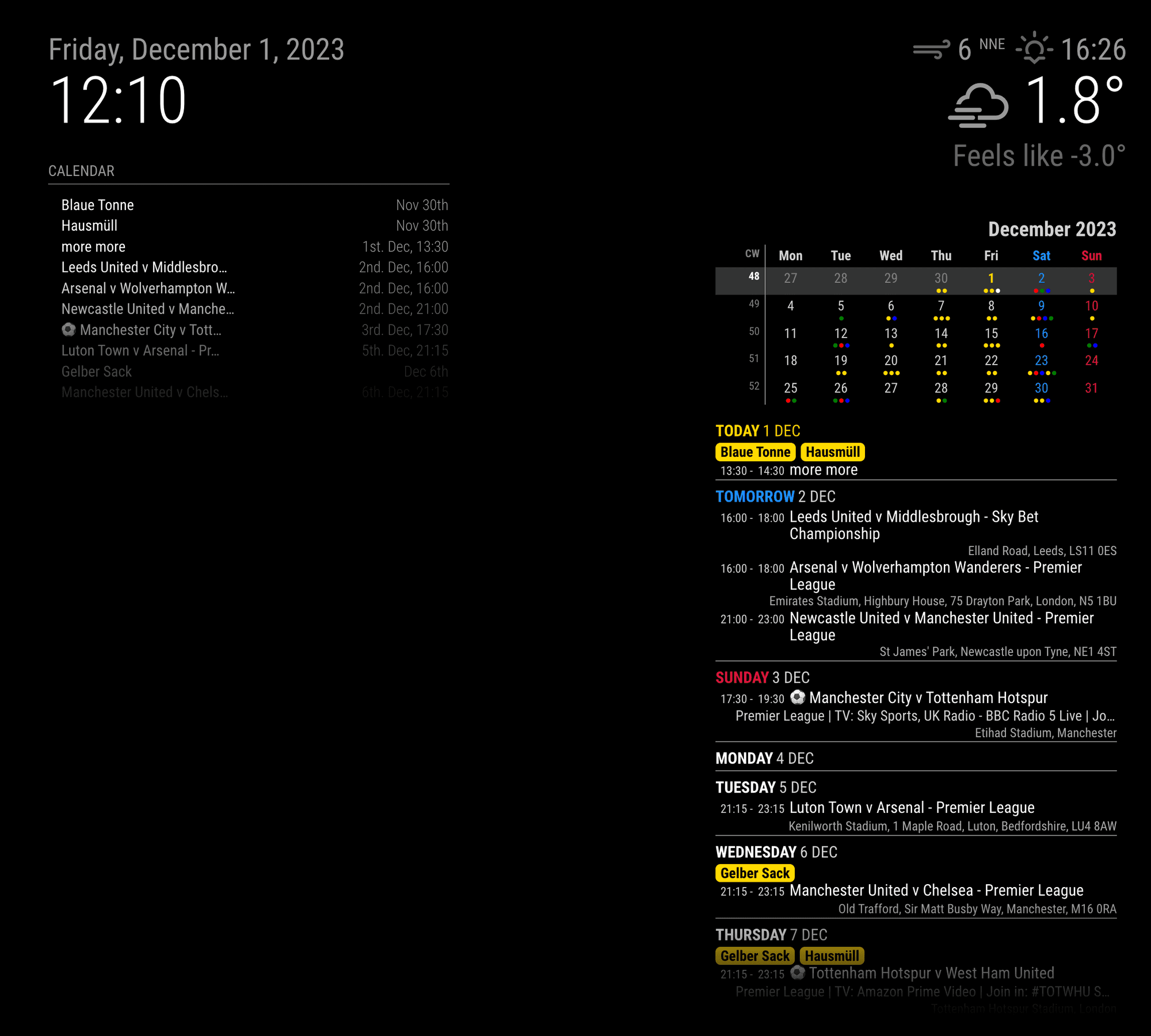
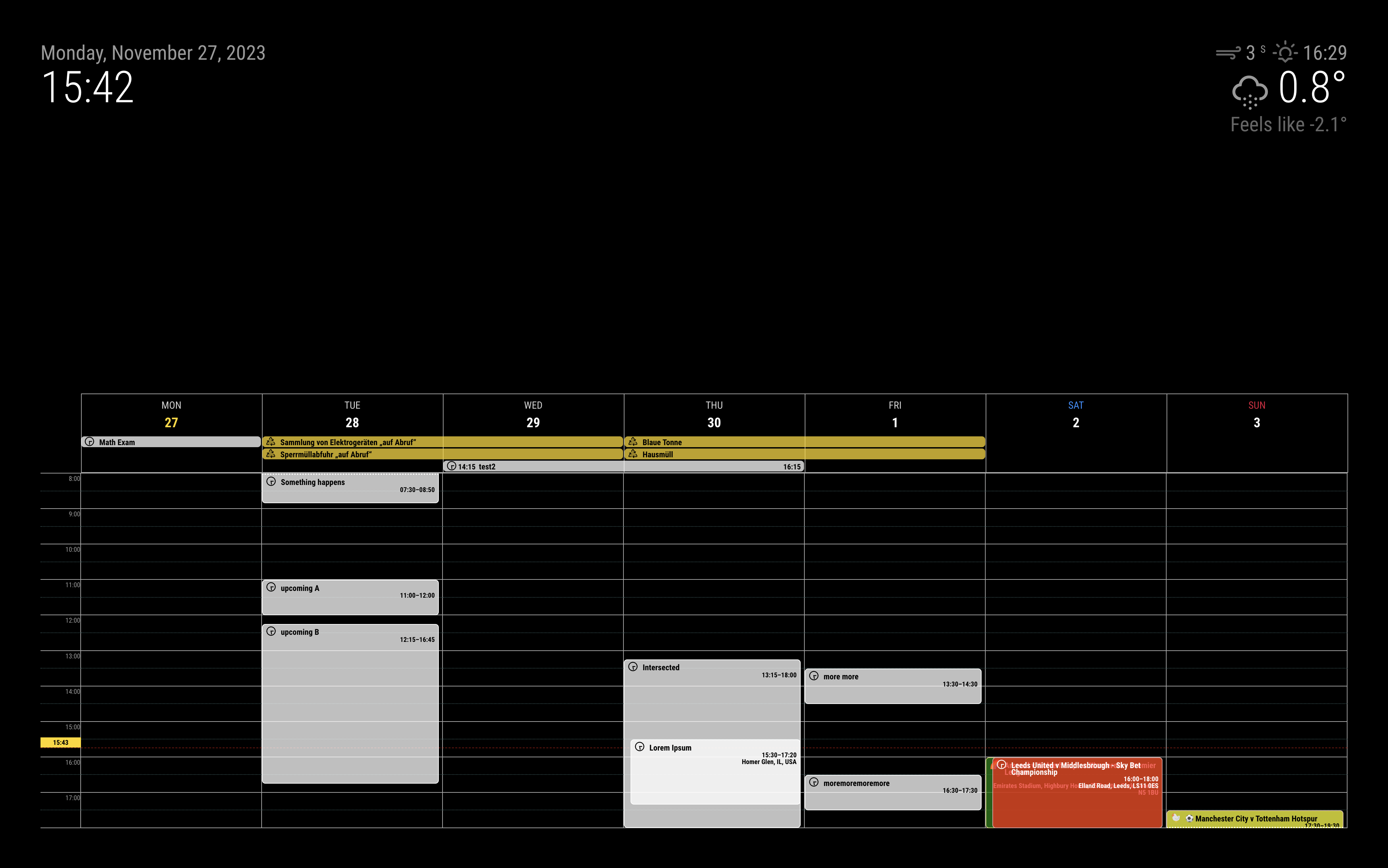
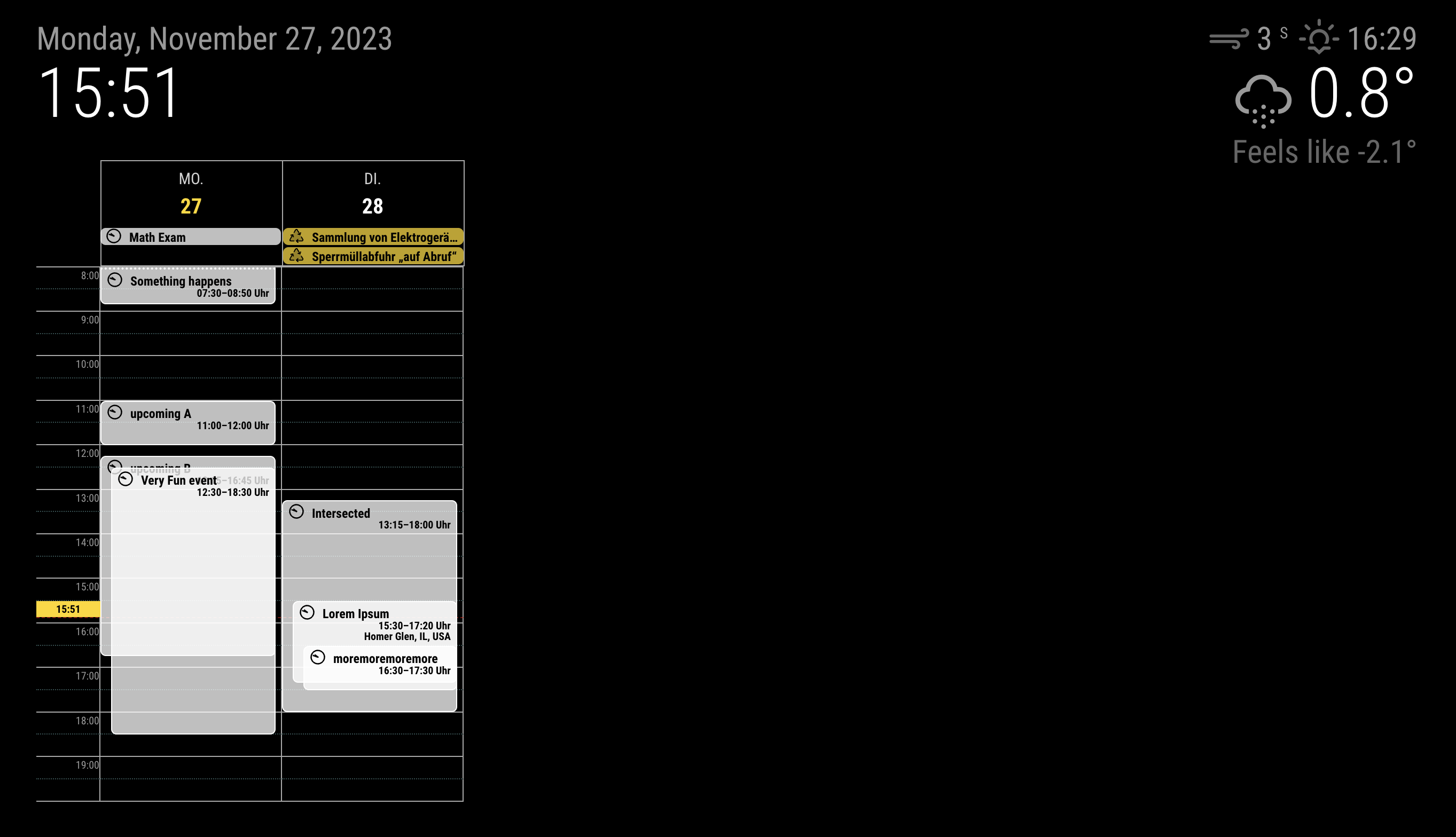
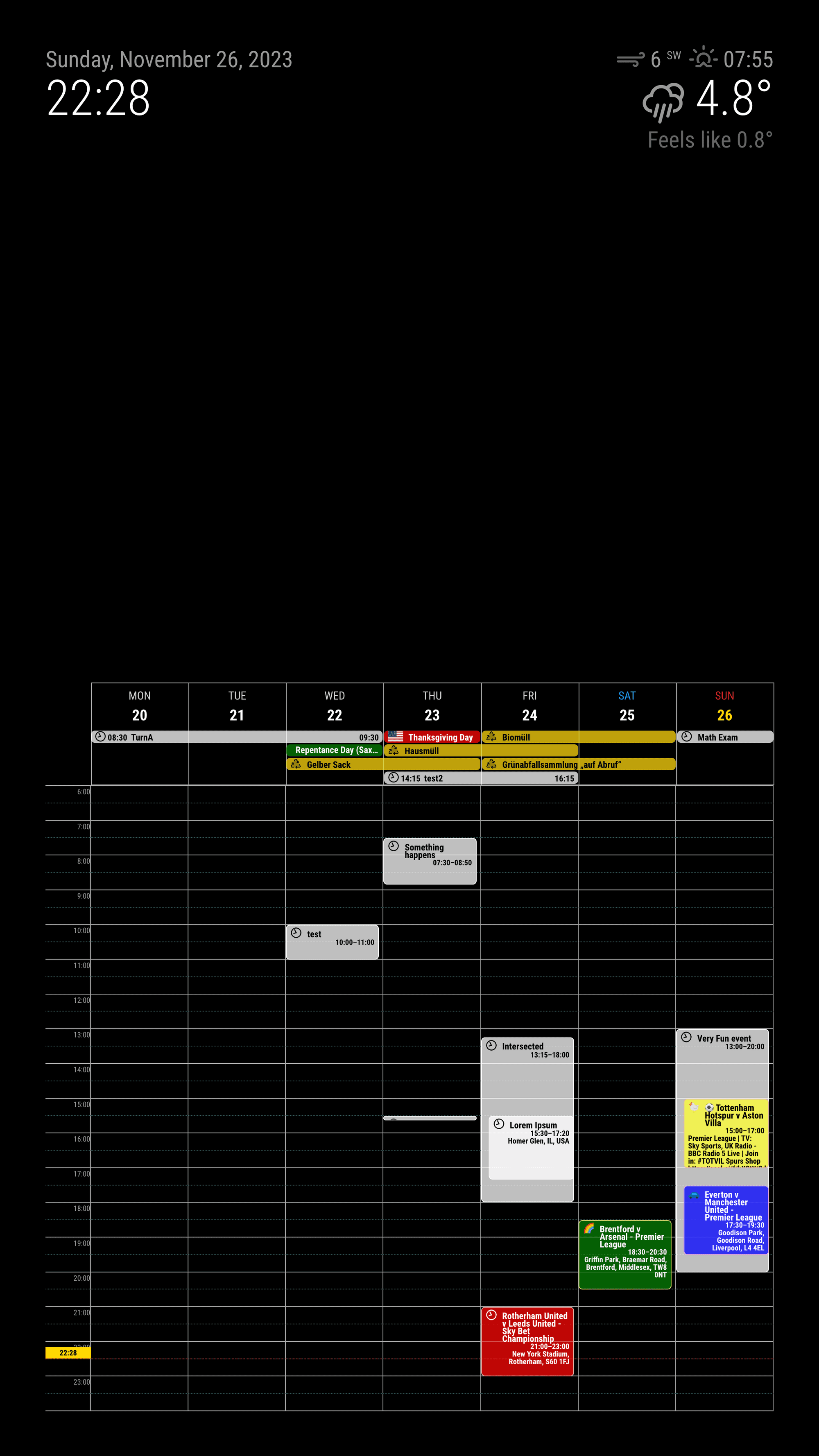
Magic mirror module for presenting events as daily/weekly journal style.
Screenshot
Features
Main Features
- More detailed view of events by day/week with specific time ranges.
- locale-aware calendar
- customizing events: filtering, sorting, transforming
- multi-instance available. You don’t need to copy and rename the module. Just add one more configuration in your
config.js.
-
RE: mmm googlephoto quota reached
@1a2a3a
I wrote this module several years ago but I delegated the ownership to other. Anyway if not many things have changed, each startup(including by refresh of MM) will start a new scan. On each scan, it will consume a few calls to prepare scanning, and scanning itself will consume (the number of target pictures / 50) calls. Then each image may consume 1 call to be displayed.
So if you repeatedly refresh MM, that would be probably the reason.
Tomorrow, you will get the quota again. So just disable this module today, then reactivate it again tomorrow. -
RE: mmm googlephoto quota reached
@1a2a3a
The free tier of Google Photos API allows 10,000 calls in a day.-
Enlarge updateInterval
-
You probably have tons of pictures in your Google Fotos. Make a dedicated album to be used for this module then move selected pictures into it. This will prevent unnecessary scanning whole pictures on each roundup.
-
Remember this; If each photo is displayed in 10seconds, only 8640 pictures could be shown in a day. It will consume 8640calls. With 30 seconds, under 3000 images and 3000calls.
-
Scanning also consumes API calls. Your target album(s) may have 10,000 pictures. In this case just one time scanning will consume 200 API quota. If the module repeatedly scan every 30mins, 9600API would be consumed in 24 hours.
-
Or you can pay to Google to enlarge quota.
-
-
RE: Modules duplicate themselves and move in and out
@sil3ntstorm
I have never seen that symptom and have no idea to guess what happened.Here are general methods to deal with the error;
- Backup your current config.js
- Try the original config. You can restore it from
config.js.example
- If you still have an issue even with the original config, one of MM/OS/HW might be the reason.
- Remove MM, then reinstall clearly again;
- Not solved with newly installed MM; Format your SD card and reinstall OS. Then, reinstall MM.
- Still not solved; your HW might have some issues.
- If you have no issue with the original, the issue probably came from one of the 3rd party modules;
- Try adding the module one-by-one on the original config / Or you can remove the suspicious module one-by-one from your config.