Did you try running sudo raspi-config and enabling the camera?
 M
Offline
M
Offline
A New Chapter for MagicMirror: The Community Takes the Lead
Read the statement by Michael Teeuw here.
Read the statement by Michael Teeuw here.
Posts
-
RE: "phyton capture.py" error
-
RE: Config for clock not working
@strawberry-3-141 Try
timeFormat: 12,instead oftimeformat: 12,.Capitalization has gotten me more times that I can count.
-
RE: Alexa or Jasper?
@Mitchfarino Yeah, I’m going to have to tweak the code for the the swipe module though. Right now it puts out a press for 1 second. Alexa needs you to hold down the button for your entire question.
-
RE: MMM-Swipe - Sensor
You don’t have to, if you just want to use a jumper cable like this one:
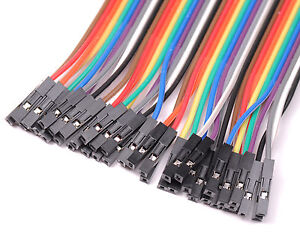
It should connect the raspberry pi to the sonic device. -
RE: Alexa or Jasper?
@Mitchfarino I set up my pi like in the video from this post.
I used this switch, since it has a RGB led built into the ring for display indications. Alexa works pretty well, but I haven’t tried to integrate that into the magicmirror program. I’m just using it as a separate feature.
There is another post that talks about voice control. Near the end they have a link with someone setting up Jasper on their raspberry pi.
Obviously they’re two different services. I like Alexa since it’s not always listening (Hence the button). Some people like the Jasper “always on” feature much like “ok google” or whatever you say to start siri. I recommend taking a look at both to see which better suits you.
-
RE: MMM-Swipe - Sensor
@Mitchfarino I will once I do wire everything up. I’m in the middle of a move, so when I get settled into my new place I can start building.
-
RE: MMM-PIR-Sensor does not start
@firesgc Did the installation go without errors for you?
If you start magicmirror with sudo and it works, it looks like it’s a permission problem.
-
RE: MMM-Swipe - Sensor
No, but I did test it behind a mesh speaker screen. They work just fine behind that, so I’ll just mount them where I mount the speakers.
-
RE: MMM-Swipe - Hand gestures
I updated the module to also let you use it as a physical button. Besides sending notification, you can also have it activate another GPIO pin as a momentary press. I’m thinking about integrating it with either Alexa (which looks for a button press) or @EoF’s Hide All Module.
-
RE: Weather based on another provider..
@cowboysdude said in Weather based on another provider..:
@mochman said in Weather based on another provider..:
Or just get the new MagicMirror 2.0.2 that was released today. It has those changes incorporated.
That’s awesome! Thank you but I just got weather underground working and I like it :)
Yeah it does, that’s the one I use too.
-
RE: Weather based on another provider..
Or just get the new MagicMirror 2.0.2 that was released today. It has those changes incorporated.
-
RE: Weather based on another provider..
@cowboysdude Since the default weather forecast and current weather pull from the same place, you can make the same changes as you did on the
currentweathermodule to theforecastweathermodule andconfig.js.Replace your current
weatherforecast.jswith the one here.
Yourcurrentweather.jsshould look like the one here.Don’t forget to edit your
config.jsto put the locationID in both. -
RE: Weather based on another provider..
@cowboysdude Take at look at this post. I added a locationID which gives you the ability to put the exact city in you want weather for. It helps get rid of the ambiguity of having multiple cities with the same name.
-
RE: MMM-Swipe - Hand gestures
@paviro Does that only work with setting pins directly? I am using a helper_node that takes care of all of the pin setting and timing for the sensors. It looks like your code sets pins directly with the exec command. I’m not sure how to do that with the npm usonic functions.
-
RE: Voice/motion control
@coolbotic I just made a motion control module. It’s no where near as intricate as leapmotion though. It just detects hand movements, using 2 ultrasonic sensors and give you a swipe left, right, and press notification. If you have any ideas on how to improve it, please let me know.
-
MMM-Swipe - Hand gestures
Description
I was tinkering around with the HC-SR04 Ultrasonic Rangers and I figured I’d use them to try and detect hand motion in the form of “swipe” gestures. In the module’s current form it allows you to detect swiping left or right along with a “press” (when both sensors are covered). The module then sends a notification & payload to other modules for their usage.
It has a calibration mode which allows you to see the raw distance data from each sensor so you can determine what a good “detection” distance is. I use 20cm for mine. There is also a “verbose” mode which will show you the “swipes” on the screen so you can see if it works for you. The normal mode is invisible, since it is used to send data to other modules for their use.
The issue I ran into was permissions. I couldn’t figure out a way to use the GPIO portion of the pi without running MagicMirror using
sudo npm startScreenshots
Calibrate Mode
This will constantly update with both sensor’s distances. You can see that I put my hand in front of the right sensor. This is used to tweak the initial trigger distance (how far out from the sensors you want to have your hand to register a movement).Verbose Mode
This will show you when you perform a swipe or press movement. The program waits for a trigger by you putting your hand in front of a sensor, then it looks to see if you move it away and put it in front of the other sensor. This will give you a swipe. If you put your hand in front of both sensors at the same time, it give you a press.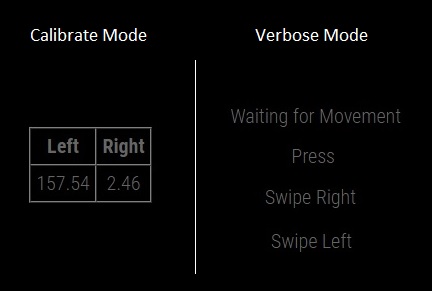
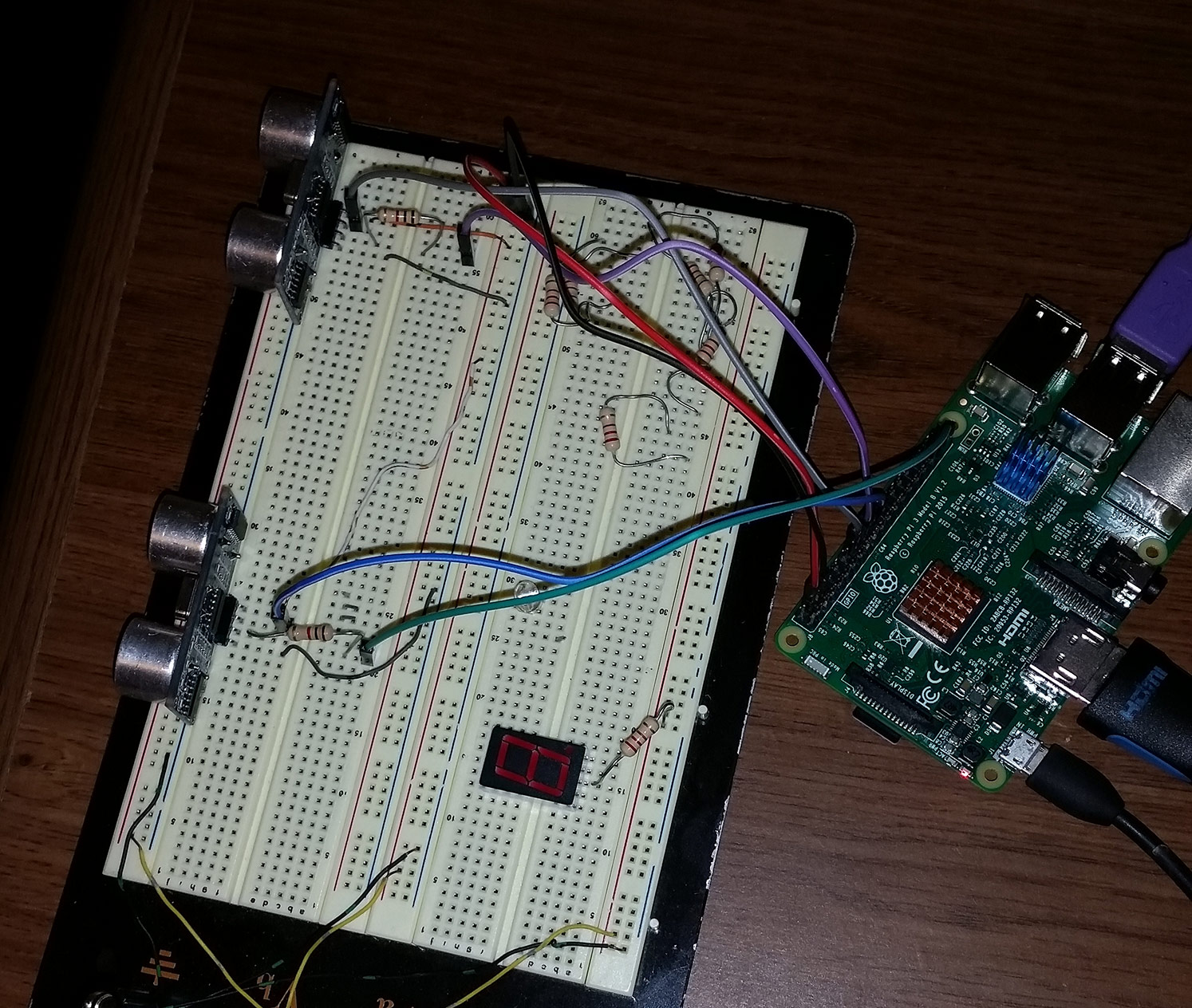
Here’s the testbed so you can see the wiring.
Download
[card:mochman/MMM-Swipe]
-
RE: MMM-Nest
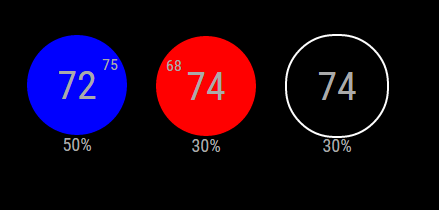
Here is the current display for the module.
The first show that the current temp is 75 and the system is cooling to 72. The second shows it’s 68 and heating to 74. The last is just that it’s 74 with the HVAC off. The humidity is displayed at the bottom.
-
MMM-Nest
https://github.com/mochman/MMM-Nest
I just took a wack at making a Nest Module. It works, but it’s a pain to set up.
Nest has you walk through a bunch of hoops to get an account so you can get a token for your nest. I made a simple script that walks you through it in the root folder. The Module is very basic right now. It just displays your current temp, requested temp, and humidity.
I am using the REST format to get all the data. If someone knows how to use firebase, please contribute. -
RE: Nest Thermostat & Protect
I just took a wack at making a Nest Module. It works, but it’s a pain to set up. Nest has you walk through a bunch of hoops to get an account so you can get a token for your nest. I made a simple script that walks you through it in the root folder. The Module is very basic right now. It just displays your current temp, requested temp, and humidity. I will try to change it in a little bit to make it look like the Nest (Have a blue background around your Temp to indicate it’s cooling, etc…). If you want to take a hand at making it look better, please go right ahead.
I am using the REST format to get all the data. If someone knows how to use firebase, that’s what Nest prefers you use to get all the info.