Is it steel working? I need some help please?
N
Offline
A New Chapter for MagicMirror: The Community Takes the Lead
Read the statement by Michael Teeuw here.
Read the statement by Michael Teeuw here.
Posts
-
RE: mmm-googleassistant ou réglage son
-
RE: Help I need the MMM-MplayerRadio recipe for GA
Yes please @Ray ,
I will be very grateful if you give me a copy. Thank you very much in advance.Kind regards,
Negrito -
RE: Help I need the MMM-MplayerRadio recipe for GA
I’ve been busy making something like that, using the recipe.template.js. But I’m not a programmer. This is what I made. The MMM-MPlayerRadio module works fine with controls from the screen, but I want to call it with GA. for example: Jarvis “play radio latina”, Jarvis…“play next”, Jarvis…“stop radio”, Jarvis…“previous radio”. Put the recipe in the GA recipe folder and added it to the config.js at GA recipe. But I need help with this? :downcast_face_with_sweat:
/** GoogleAssistant for MMM-MplayerRadio **/ /** recipe.template.js **/ /** @negrito **/ var recipe = { transcriptionHooks: { /* EN Language */ "START_RADIO" : { pattern : "music play", command: "RADIO_PLAY" }, "STOP_RADIO" : { pattern : "radio stop", command: "RADIO_STOP" }, "RADIO_PAUSE" : { pattern: "radio pause", command: "RADIO_PAUSE" }, "RADIO_NEXT" : { pattern: "radio next", command: "RADIO_NEXT" }, "RADIO_PREVIOUS": { pattern: "radio previous", command: "RADIO_PREVIOUS" }, }, commands: { "START_RADIO": { notificationExec: { notification: "MMM_RADIO-PLAY" }, soundExec: { chime: "open" } }, "STOP_RADIO": { notificationExec: { notification: "MMM_RADIO-STOP" }, soundExec: { chime: "close" } }, "PAUSE_RADIO": { notificationExec: { notification: "MMM_RADIO-PAUSE" } }, "NEXT_RADIO": { notificationExec: { notification: "MMM_RADIO-NEXT" }, }, "PREVIOUS_RADIO": { notificationExec: { notification: "MMM_RADIO-PREVIOUS" } } } } exports.recipe = recipe -
Help I need the MMM-MplayerRadio recipe for GA
I would like to use MMM-GoogleAssistant to command MMM-MplayerRadio,.
Does anyone happen to have a recipe for GoogleAssistant?
Thanks you in advance. -
RE: Current Weather and Weather Forecast looks grey out.
I don’t have any reference to the custom.css in my config.js I feel bad al ready:disappointed_face:
-
RE: Current Weather and Weather Forecast looks grey out.
Yes, the rest of the custom.css is working an here is the config.js part for that:
{ module: "currentweather", position: "top_right", config: { location: "Heemskerk", locationID: "2754696", appid: "key removed" } }, { module: "weatherforecast", position: "top_right", header: "", config: { location: "Heemskerk", locationID: "2754696", appid: "key removed", fade: false } }, -
RE: Current Weather and Weather Forecast looks grey out.
first of all I would like to emphasize that I really appreciate your help. I’ve tried both, but no change. I cleared the settings for color icons to see if it worked, but nothing. See my custom.css here…
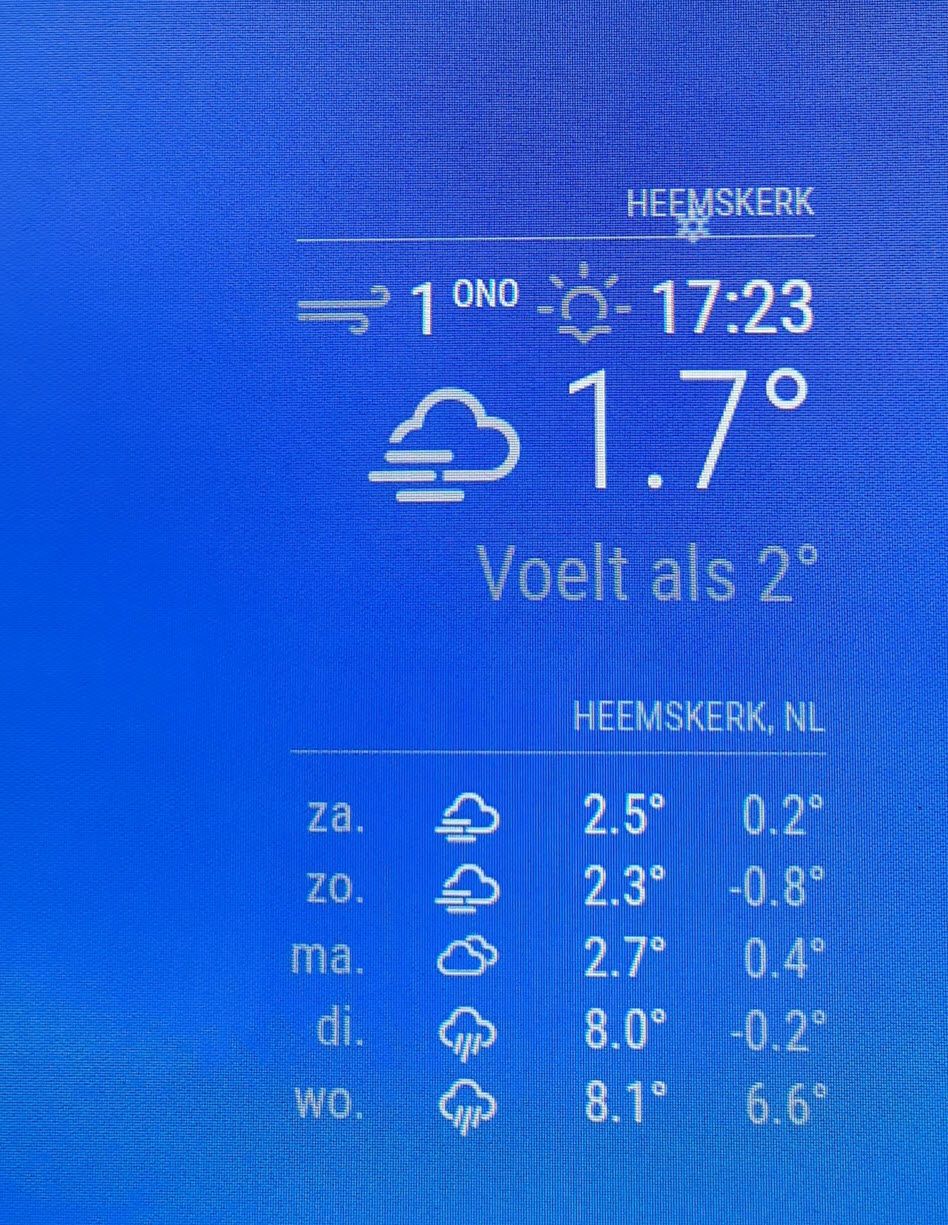
.newsfeed .small { font-size: 30px; line-height: 25px; } .newsfeed .medium { font-size: 35px; line-height: 30px; } .clock .date { color: #fff; } .calendar td { color: #fff; } .calendar .header { color: #fff; } .MMM-COVID19-SPARKLINE{ color:#fff; } .calendar .time { color:#fff; } .normal { color: white !important; } -
RE: Current Weather and Weather Forecast looks grey out.
Do I need to specify something about the Current Weather and Weather Forecast? Because only adding that to the custom.css makes no difference it stays gray.
-
Current Weather and Weather Forecast looks grey out.
I need help? What do I need to put in to the custom.css or config.js to get all the in red circled text in white colour, because it looks gray out. Thank you in advance.
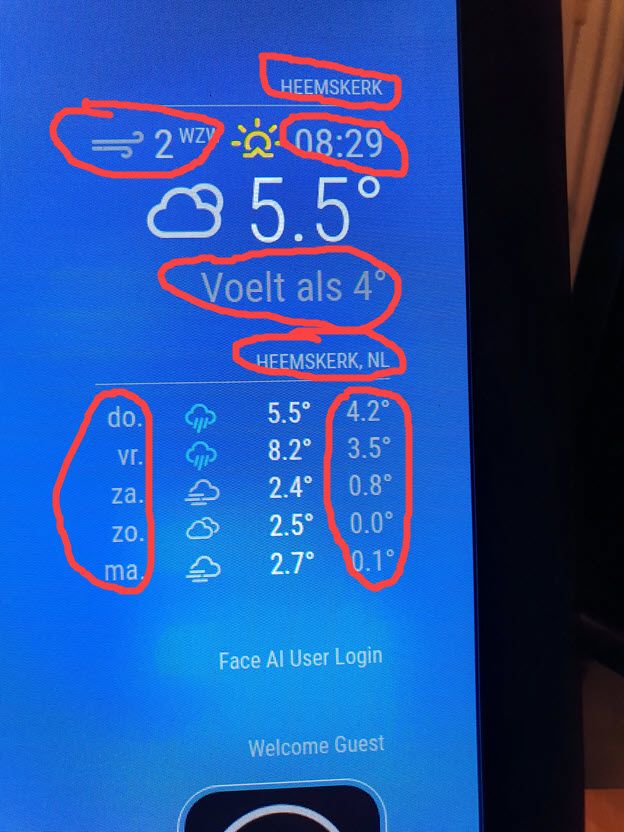
-
Calendar text alignment
Re: Standard calendar Determine text alignment
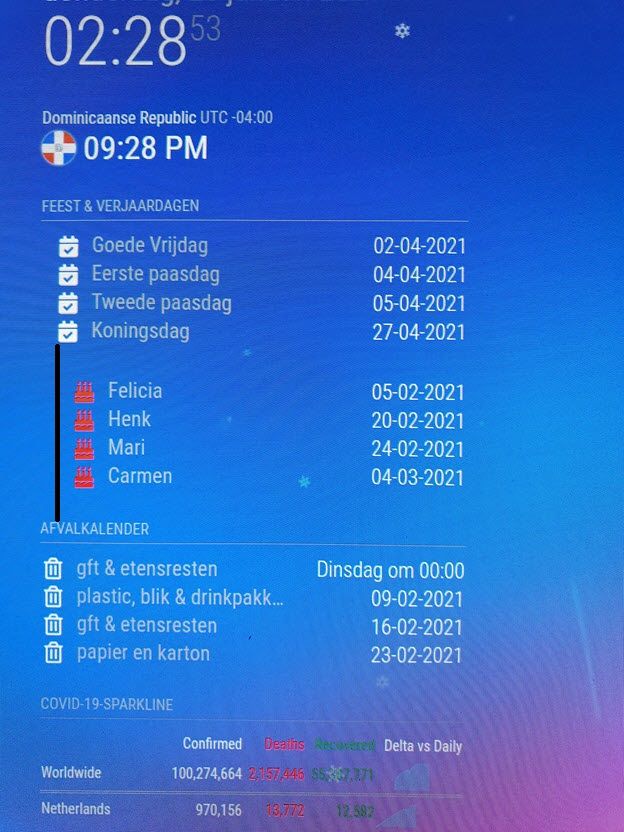
I need some help, to fix one of the calendars not aligning with the other two on the left side.
What do I need to set into the config.js or custom.css to get this done. Thank you in advance.Kind regards,
-
Worldclock setup help?
Dear MagicMirror enthusiasts, I have a problem with the Worldclock. There are two clocks displayed at the moment, but I just want the clock with the flag. I tried everything and googled an answer, but I couldn’t figure it out. What should I change in the config.js to remove the Undefined UTC +01:00
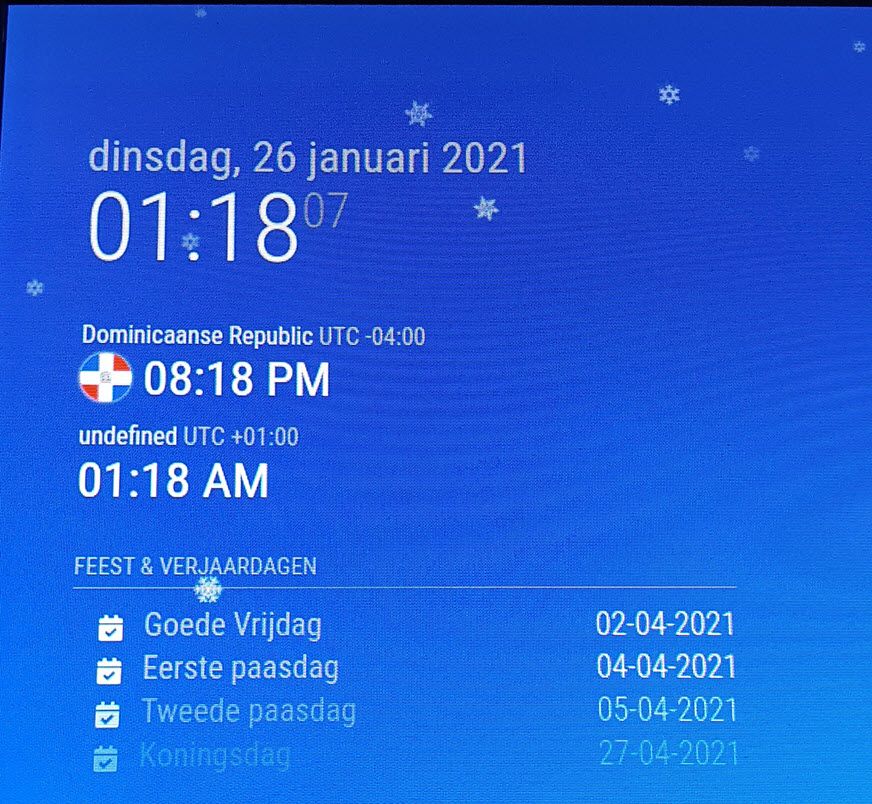
See my config.js file here:
		{
  			module: 'worldclock',
  			position: 'top_left',
  			config: {

    			timeFormat: 'hh:mm A',
    			style: 'top',
   			offsetTimezone: null,
    			clocks: [
      		{
        		title: "Dominicaanse Republic",
        		timezone: "America/Santo_Domingo",
        		flag: "do",
    		 },
Thank you in advance.