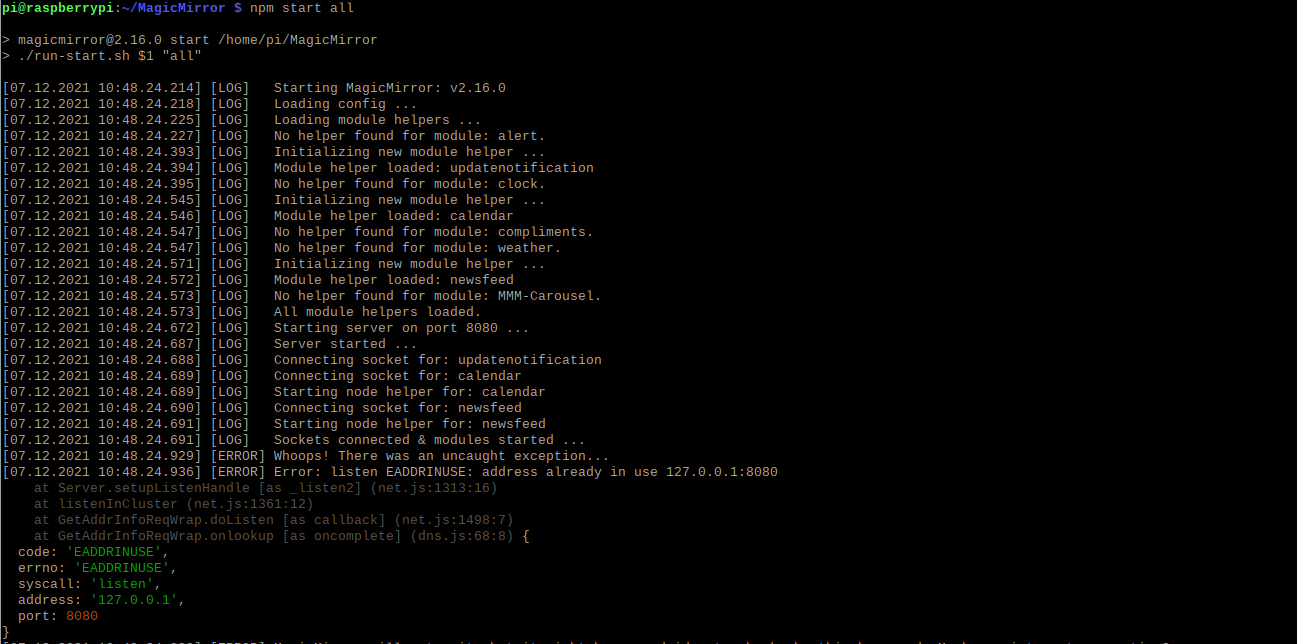
@pastormingle getting the following error in the dev windows now.
TypeError: Failed to execute ‘appendChild’ on ‘Node’: parameter 1 is not of type ‘Node’.
at updateModuleContent (main.js:215)
at main.js:142
at new Promise ()
at updateDomWithContent (main.js:140)
at main.js:122
A New Chapter for MagicMirror: The Community Takes the Lead
Read the statement by Michael Teeuw here.
Read the statement by Michael Teeuw here.
P
Offline
Posts
-
RE: MMM-Carousel not displaying
-
RE: MMM-Carousel not displaying
@sdetweil ```
So now is gets an Undefined displayed at the bottom of the display.. }, { module: 'MMM-Carousel', position: 'bottom_bar', config: { transitionInterval: 10000, ignoreModules: [], mode: 'global' } }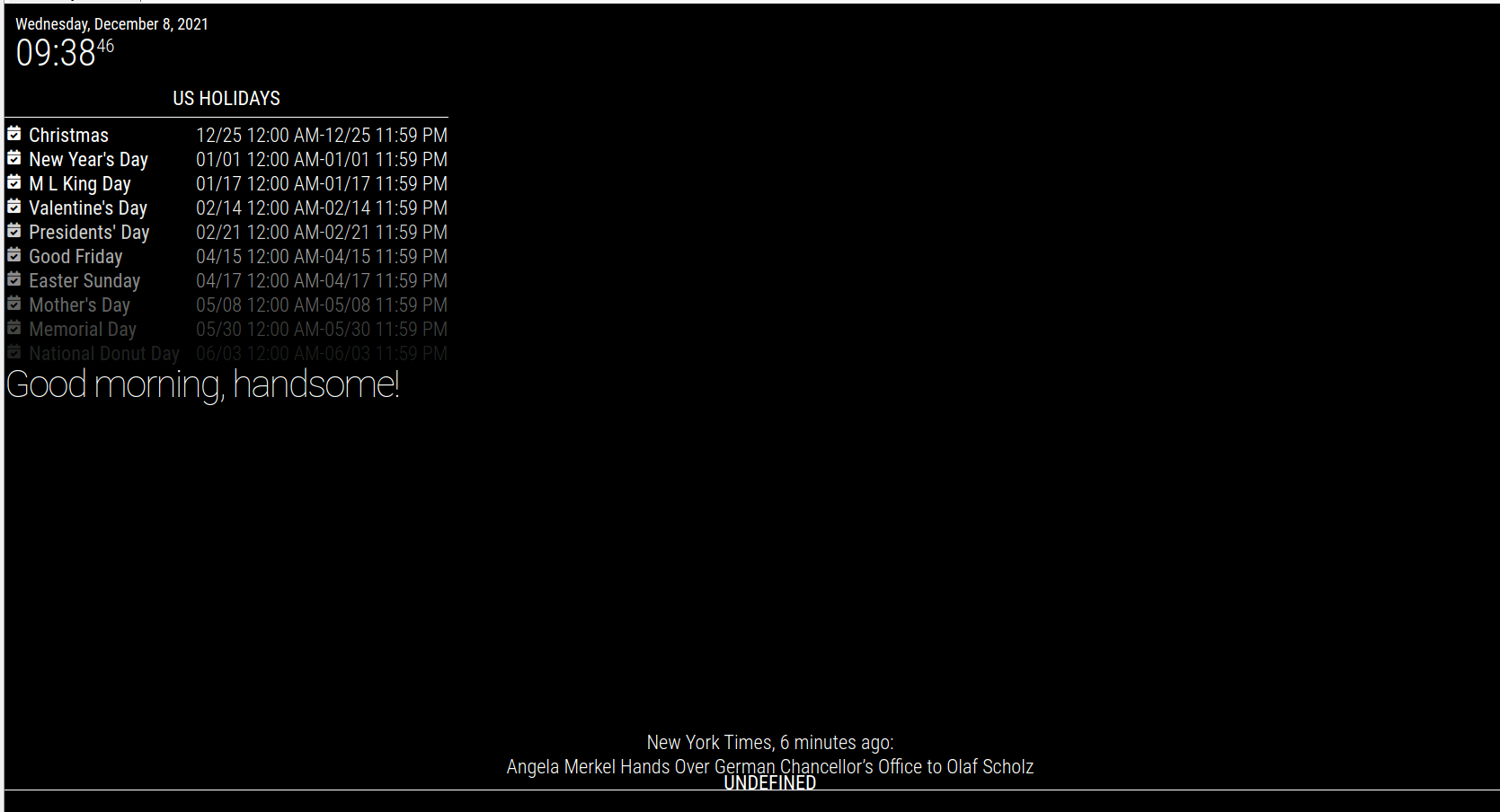 -
RE: MMM-Carousel not displaying
@sdetweil said in MMM-Carousel not displaying:
position: ‘bottom_bar’
so that would be in the config.js file or the www-Carousel.js file?
-
RE: MMM-Carousel not displaying
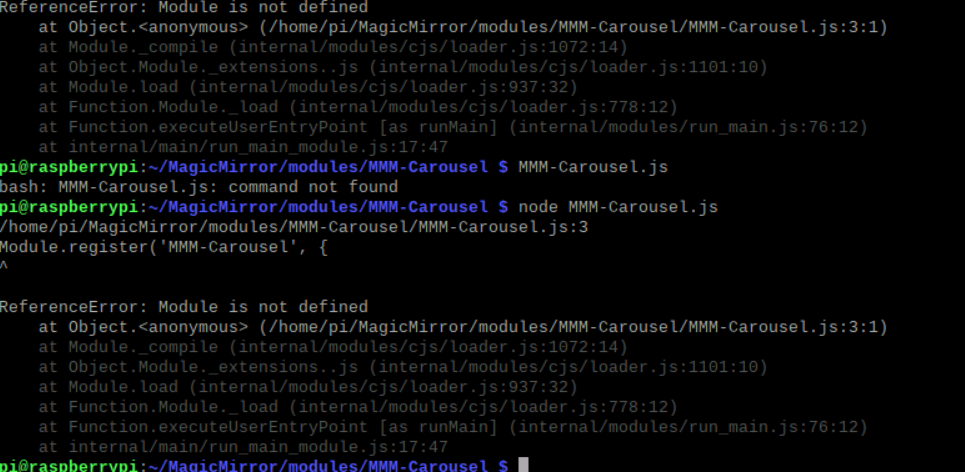
@sdetweil I tried to manual run the MMM-Carousel.js but returned the following.
 MMM-
MMM-
-
RE: MMM-Carousel not displaying
@sdetweil ```
Here is what is in my developer window under the console tab… I don’t see anything that stands out.loader.js:164 Translations loaded for: clock
loader.js:184 Load script: modules/default/calendar/calendar.js
module.js:501 Check MagicMirror version for module ‘calendar’ - Minimum version: 2.1.0 - Current version: 2.16.0
module.js:503 Version is ok!
module.js:509 Module registered: calendar
loader.js:155 Bootstrapping module: calendar
loader.js:244 File already loaded: moment.js
loader.js:160 Scripts loaded for: calendar
loader.js:203 Load stylesheet: modules/default/calendar/calendar.css
loader.js:244 File already loaded: font-awesome.css
loader.js:162 Styles loaded for: calendar
loader.js:164 Translations loaded for: calendar
loader.js:184 Load script: modules/default/compliments/compliments.js
module.js:509 Module registered: compliments
loader.js:155 Bootstrapping module: compliments
loader.js:244 File already loaded: moment.js
loader.js:160 Scripts loaded for: compliments
loader.js:162 Styles loaded for: compliments
loader.js:164 Translations loaded for: compliments
loader.js:184 Load script: modules/default/newsfeed/newsfeed.js
module.js:509 Module registered: newsfeed
loader.js:155 Bootstrapping module: newsfeed
loader.js:244 File already loaded: moment.js
loader.js:160 Scripts loaded for: newsfeed
loader.js:203 Load stylesheet: modules/default/newsfeed/newsfeed.css
loader.js:162 Styles loaded for: newsfeed
loader.js:164 Translations loaded for: newsfeed
loader.js:184 Load script: modules/MMM-Carousel/MMM-Carousel.js
module.js:501 Check MagicMirror version for module ‘MMM-Carousel’ - Minimum version: 2.3.0 - Current version: 2.16.0
module.js:503 Version is ok!
module.js:509 Module registered: MMM-Carousel
loader.js:155 Bootstrapping module: MMM-Carousel
loader.js:160 Scripts loaded for: MMM-Carousel
loader.js:203 Load stylesheet: modules/MMM-Carousel/MMM-Carousel.css
loader.js:162 Styles loaded for: MMM-Carousel
loader.js:164 Translations loaded for: MMM-Carousel
loader.js:203 Load stylesheet: css/custom.css
:8080/modules/default/alert/alert.js:165 Starting module: alert
:8080/modules/defaul…enotification.js:21 Starting module: updatenotification
:8080/modules/default/clock/clock.js:46 Starting module: clock
:8080/modules/defaul…ndar/calendar.js:87 Starting module: calendar
:8080/modules/defaul…s/compliments.js:38 Starting module: compliments
:8080/modules/defaul…feed/newsfeed.js:63 Starting module: newsfeed
main.js:499 All modules started!
9
XHR finished loading: GET “”.
-
RE: MMM-Carousel not displaying
/* Magic Mirror Config Sample * * By Michael Teeuw https://michaelteeuw.nl * MIT Licensed. * * For more information on how you can configure this file * see https://docs.magicmirror.builders/getting-started/configuration.html#general * and https://docs.magicmirror.builders/modules/configuration.html */ let config = { address: "localhost", // Address to listen on, can be: // - "localhost", "127.0.0.1", "::1" to listen on loopback interface // - another specific IPv4/6 to listen on a specific interface // - "0.0.0.0", "::" to listen on any interface // Default, when address config is left out or empty, is "localhost" port: 8080, basePath: "/", // The URL path where MagicMirror is hosted. If you are using a Reverse proxy // you must set the sub path here. basePath must end with a / ipWhitelist: ["127.0.0.1", "::ffff:127.0.0.1", "::1"], // Set [] to allow all IP addresses // or add a specific IPv4 of 192.168.1.5 : // ["127.0.0.1", "::ffff:127.0.0.1", "::1", "::ffff:192.168.1.5"], // or IPv4 range of 192.168.3.0 --> 192.168.3.15 use CIDR format : // ["127.0.0.1", "::ffff:127.0.0.1", "::1", "::ffff:192.168.3.0/28"], useHttps: false, // Support HTTPS or not, default "false" will use HTTP httpsPrivateKey: "", // HTTPS private key path, only require when useHttps is true httpsCertificate: "", // HTTPS Certificate path, only require when useHttps is true language: "en", locale: "en-US", logLevel: ["INFO", "LOG", "WARN", "ERROR"], // Add "DEBUG" for even more logging timeFormat: 24, units: "metric", // serverOnly: true/false/"local" , // local for armv6l processors, default // starts serveronly and then starts chrome browser // false, default for all NON-armv6l devices // true, force serveronly mode, because you want to.. no UI on this device modules: [ { module: "alert", }, { module: "updatenotification", position: "top_bar" }, { module: "clock", position: "top_left" }, { module: "calendar", header: "US Holidays", position: "top_left", config: { calendars: [ { symbol: "calendar-check", url: "webcal://www.calendarlabs.com/ical-calendar/ics/76/US_Holidays.ics" } ] } }, { module: "compliments", position: "top_left" }, { module: "newsfeed", position: "bottom_bar", config: { feeds: [ { title: "New York Times", url: "https://rss.nytimes.com/services/xml/rss/nyt/HomePage.xml" } ], showSourceTitle: true, showPublishDate: true, broadcastNewsFeeds: true, broadcastNewsUpdates: true } }, { module: 'MMM-Carousel', config: { transitionInterval: 1000, ignoreModules: [], mode: 'global' } } ] }; /*************** DO NOT EDIT THE LINE BELOW ***************/ if (typeof module !== "undefined") {module.exports = config;} -
RE: MMM-Carousel not displaying
@mumblebaj sorry mumblebaj that was a typo it’s not working… Any other suggestions?
-
RE: MMM-Carousel not displaying
@mumblebaj The IP conflict is due to me ssh into the pi and starting magic mirror… I am referring to the commits from sdetweil that said “please use code block around config info” So still not working… But it looks like the carousel module is working…
-
RE: MMM-Carousel not displaying
@mumblebaj hum… this is my config…
/• * * By Michael Teeuw https://michaelteeuw.nl * MIT Licensed. * * For more information on how you can configure this file * see https://docs.magicmirror.builders/getting-started/configuration.html#general * and https://docs.magicmirror.builders/modules/configuration.html */ let config = { address: "localhost", // Address to listen on, can be: // - "localhost", "127.0.0.1", "::1" to listen on loopback interface // - another specific IPv4/6 to listen on a specific interface // - "0.0.0.0", "::" to listen on any interface // Default, when address config is left out or empty, is "localhost" port: 8080, basePath: "/", // The URL path where MagicMirror is hosted. If you are using a Reverse proxy // you must set the sub path here. basePath must end with a / ipWhitelist: ["127.0.0.1", "::ffff:127.0.0.1", "::1"], // Set [] to allow all IP addresses // or add a specific IPv4 of 192.168.1.5 : // ["127.0.0.1", "::ffff:127.0.0.1", "::1", "::ffff:192.168.1.5"], // or IPv4 range of 192.168.3.0 --> 192.168.3.15 use CIDR format : // ["127.0.0.1", "::ffff:127.0.0.1", "::1", "::ffff:192.168.3.0/28"], useHttps: false, // Support HTTPS or not, default "false" will use HTTP httpsPrivateKey: "", // HTTPS private key path, only require when useHttps is true httpsCertificate: "", // HTTPS Certificate path, only require when useHttps is true language: "en", locale: "en-US", logLevel: ["INFO", "LOG", "WARN", "ERROR"], // Add "DEBUG" for even more logging timeFormat: 24, units: "metric", // serverOnly: true/false/"local" , // local for armv6l processors, default // starts serveronly and then starts chrome browser // false, default for all NON-armv6l devices // true, force serveronly mode, because you want to.. no UI on this device modules: [ { module: "alert", }, { module: "updatenotification", position: "top_bar" }, { module: "clock", position: "top_left" }, { module: "calendar", header: "US Holidays", position: "top_left", config: { calendars: [ { symbol: "calendar-check", url: "webcal://www.calendarlabs.com/ical-calendar/ics/76/US_Holidays.ics" } ] } }, { module: "compliments", position: "lower_third" }, { module: "weather", position: "top_right", config: { weatherProvider: "openweathermap", type: "current", location: "New York", locationID: "5128581", //ID from http://bulk.openweathermap.org/sample/city.list.json.gz; unzip the gz file and find your city apiKey: "YOUR_OPENWEATHER_API_KEY" } }, { module: "weather", position: "top_left", header: "Weather Forecast", config: { weatherProvider: "openweathermap", type: "forecast", location: "New York", locationID: "5128581", //ID from http://bulk.openweathermap.org/sample/city.list.json.gz; unzip the gz file and find your city apiKey: "YOUR_OPENWEATHER_API_KEY" } }, { module: "newsfeed", position: "bottom_bar", config: { feeds: [ { title: "New York Times", url: "https://rss.nytimes.com/services/xml/rss/nyt/HomePage.xml" } ], showSourceTitle: true, showPublishDate: true, broadcastNewsFeeds: true, broadcastNewsUpdates: true } }, { module: 'MMM-Carousel', config: { transitionInterval: 10000, ignoreModules: [], mode: 'global' } } ] }; /*************** DO NOT EDIT THE LINE BELOW ***************/ if (typeof module !== "undefined") {module.exports = config;} -
RE: MMM-Carousel not displaying
@pastormingle I sent my weather module to use the same as the clock position but still nothing…
-
RE: MMM-Carousel not displaying
@mumblebaj said in MMM-Carousel not displaying:
npm install
not a silly question as it’s not in the install readme file…
Installation
Run these commands at the root of your magic mirror install.
cd modules
git clone https://github.com/shbatm/MMM-Carousel
Using the module
To use this module, add the following configuration block to the modules array in the
config/config.jsfile: -
RE: MMM-Carousel not displaying
@mumblebaj So I’ve loaded the default config.js just to see if the course module is working at all. I’ve sent to use the global function and still, I see nothing changing on the screen.
/* Magic Mirror Config Sample
 *
 * By Michael Teeuw https://michaelteeuw.nl
 * MIT Licensed.
 *
 * For more information on how you can configure this file
 * see https://docs.magicmirror.builders/getting-started/configuration.html#general
 * and https://docs.magicmirror.builders/modules/configuration.html
 */
let config = {
	address: "localhost", 	// Address to listen on, can be:
							// - "localhost", "127.0.0.1", "::1" to listen on loopback interface
							// - another specific IPv4/6 to listen on a specific interface
							// - "0.0.0.0", "::" to listen on any interface
							// Default, when address config is left out or empty, is "localhost"
	port: 8080,
	basePath: "/", 	// The URL path where MagicMirror is hosted. If you are using a Reverse proxy
					// you must set the sub path here. basePath must end with a /
	ipWhitelist: ["127.0.0.1", "::ffff:127.0.0.1", "::1"], 	// Set [] to allow all IP addresses
															// or add a specific IPv4 of 192.168.1.5 :
															// ["127.0.0.1", "::ffff:127.0.0.1", "::1", "::ffff:192.168.1.5"],
															// or IPv4 range of 192.168.3.0 --> 192.168.3.15 use CIDR format :
															// ["127.0.0.1", "::ffff:127.0.0.1", "::1", "::ffff:192.168.3.0/28"],

	useHttps: false, 		// Support HTTPS or not, default "false" will use HTTP
	httpsPrivateKey: "", 	// HTTPS private key path, only require when useHttps is true
	httpsCertificate: "", 	// HTTPS Certificate path, only require when useHttps is true

	language: "en",
	locale: "en-US",
	logLevel: ["INFO", "LOG", "WARN", "ERROR"], // Add "DEBUG" for even more logging
	timeFormat: 24,
	units: "metric",
	// serverOnly:  true/false/"local" ,
	// local for armv6l processors, default
	//   starts serveronly and then starts chrome browser
	// false, default for all NON-armv6l devices
	// true, force serveronly mode, because you want to.. no UI on this device

	modules: [
		{
			module: "alert",
		},
		{
			module: "updatenotification",
			position: "top_bar"
		},
		{
			module: "clock",
			position: "top_left"
		},
		{
			module: "calendar",
			header: "US Holidays",
			position: "top_left",
			config: {
				calendars: [
					{
						symbol: "calendar-check",
						url: "webcal://www.calendarlabs.com/ical-calendar/ics/76/US_Holidays.ics"					}
				]
			}
		},
		{
			module: "compliments",
			position: "lower_third"
		},
		{
			module: "weather",
			position: "top_right",
			config: {
				weatherProvider: "openweathermap",
				type: "current",
				location: "New York",
				locationID: "5128581", //ID from http://bulk.openweathermap.org/sample/city.list.json.gz; unzip the gz file and find your city
				apiKey: "YOUR_OPENWEATHER_API_KEY"
			}
		},
		{
			module: "weather",
			position: "top_right",
			header: "Weather Forecast",
			config: {
				weatherProvider: "openweathermap",
				type: "forecast",
				location: "New York",
				locationID: "5128581", //ID from http://bulk.openweathermap.org/sample/city.list.json.gz; unzip the gz file and find your city
				apiKey: "YOUR_OPENWEATHER_API_KEY"
			}
		},
		{
			module: "newsfeed",
			position: "bottom_bar",
			config: {
				feeds: [
					{
						title: "New York Times",
						url: "https://rss.nytimes.com/services/xml/rss/nyt/HomePage.xml"
					}
				],
				showSourceTitle: true,
				showPublishDate: true,
				broadcastNewsFeeds: true,
				broadcastNewsUpdates: true
			}
		},
        {
            module: 'MMM-Carousel',
            config: {
                transitionInterval: 10000,
                ignoreModules: [''],
                mode: 'global'
            }
        }
 	]
};

/*************** DO NOT EDIT THE LINE BELOW ***************/
if (typeof module !== "undefined") {module.exports = config;}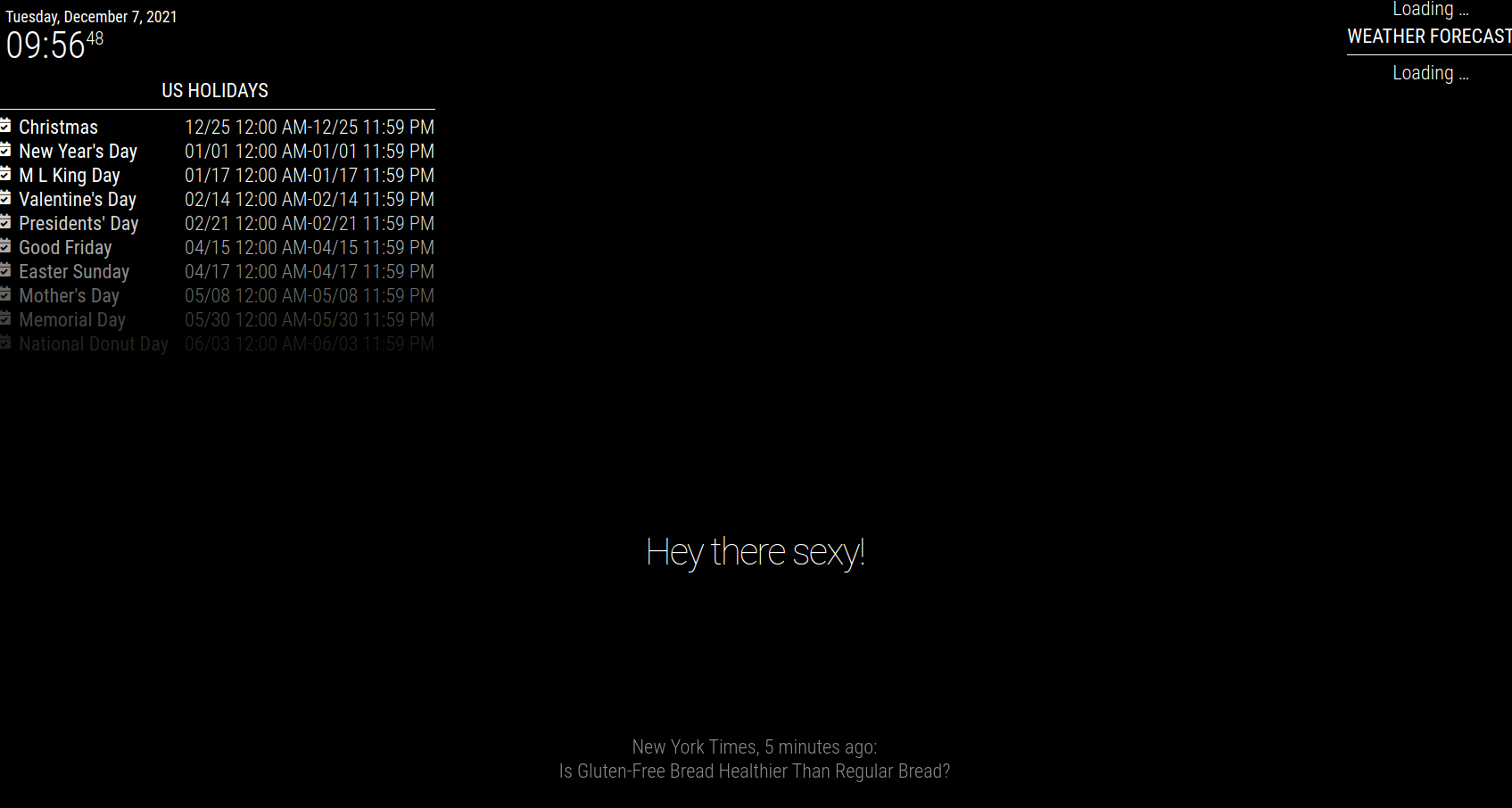
-
RE: MMM-Carousel not displaying
@sdetweil i have a calendar listed but i have multiple calendars.
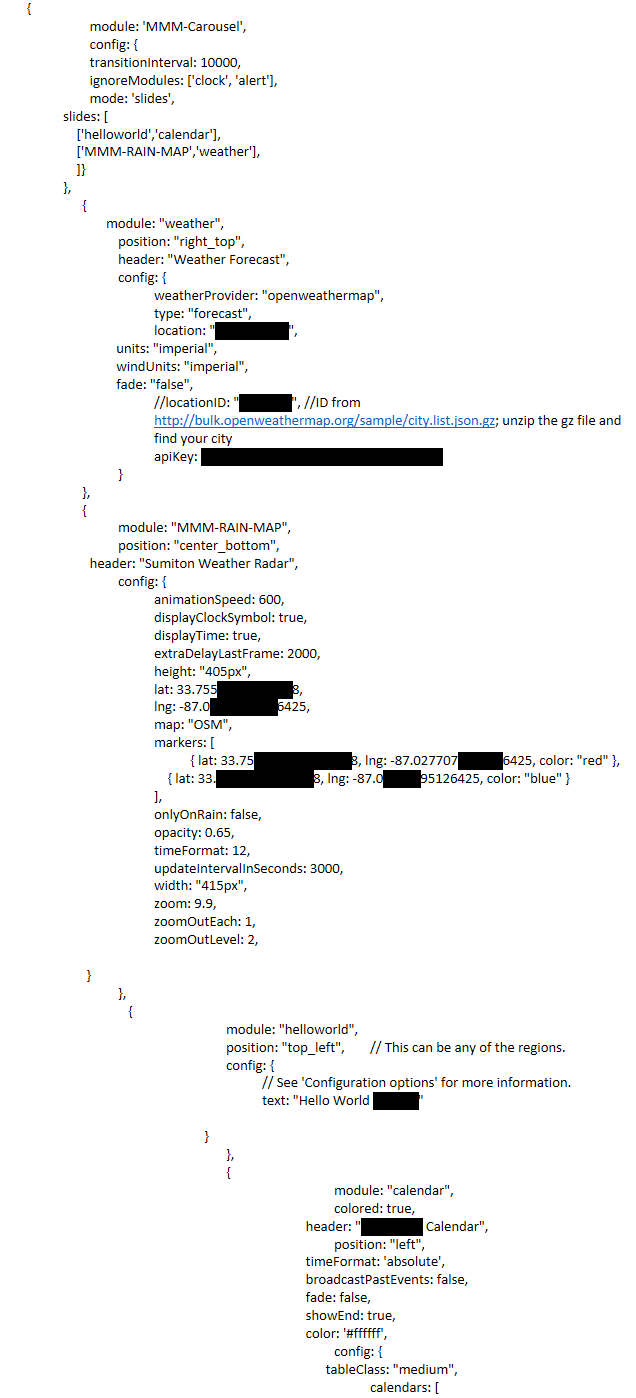 {
{
module: ‘MMM-Carousel’,
config: {
transitionInterval: 10000,
ignoreModules: [‘clock’, ‘alert’],
mode: ‘slides’,
slides: [
[‘helloworld’,‘calendar’],
[‘MMM-RAIN-MAP’,‘weather’],
]}
},
{
module: “weather”,
position: “right_top”,
header: “Weather Forecast”,
config: {
weatherProvider: “openweathermap”,
type: “forecast”,
location: “Sumiton, US”,
units: “imperial”,
windUnits: “imperial”,
fade: “false”,
//locationID: “5128581”, //ID from http://bulk.openweathermap.org/sample/city.list.json.gz; unzip the gz file and find your city
apiKey: “2f0339fa6aa1b719849a3562a0c18d11”
}
},
{
module: “MMM-RAIN-MAP”,
position: “center_bottom”,
header: “Sumiton Weather Radar”,
config: {
animationSpeed: 600,
displayClockSymbol: true,
displayTime: true,
extraDelayLastFrame: 2000,
height: “405px”,
lat: 33.75563027313188,
lng: -87.02770795126425,
map: “OSM”,
markers: [
{ lat: 33.7556305527313188, lng: -87.0277075595126425, color: “red” },
{ lat: 33.75563027313188, lng: -87.02770795126425, color: “blue” }
],
onlyOnRain: false,
opacity: 0.65,
timeFormat: 12,
updateIntervalInSeconds: 3000,
width: “415px”,
zoom: 9.9,
zoomOutEach: 1,
zoomOutLevel: 2,} }, { module: "helloworld", position: "top_left", // This can be any of the regions. config: { // See 'Configuration options' for more information. text: "Hello World 123345" } }, { module: "calendar", colored: true, header: "Charlottes Calendar", position: "left", timeFormat: 'absolute', broadcastPastEvents: false, fade: false, showEnd: true, color: '#ffffff', config: { tableClass: "medium",calendars: [
-
RE: MMM-Carousel not displaying
Heres my config…
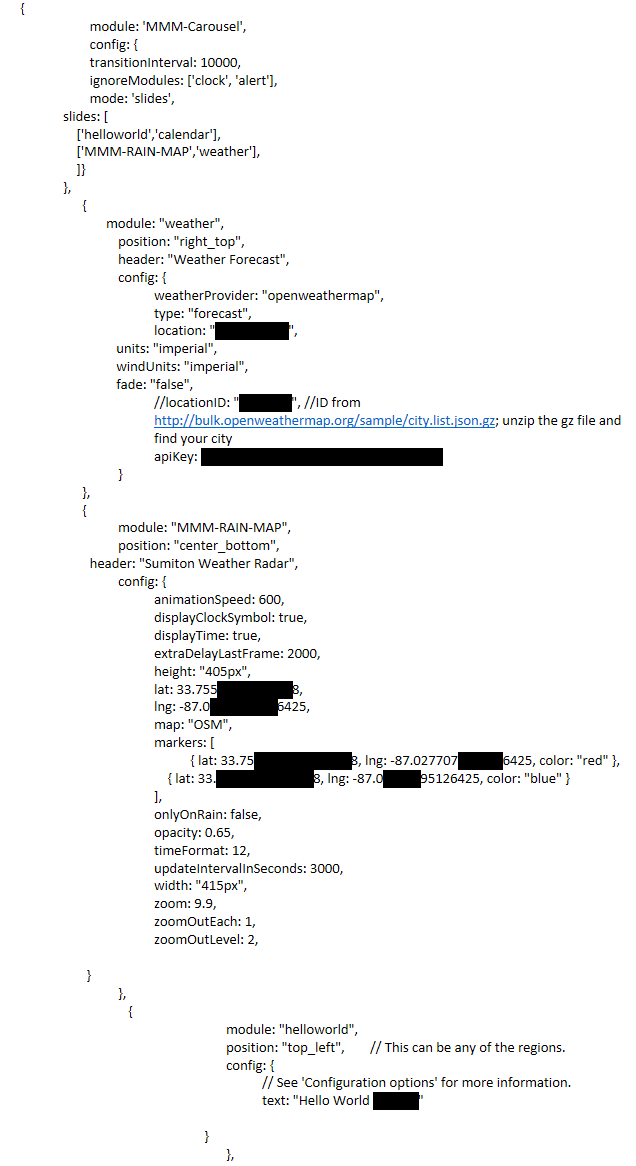
{ module: 'MMM-Carousel', config: { transitionInterval: 10000, ignoreModules: ['clock', 'alert'], mode: 'slides', slides: [ ['helloworld','calendar'], ['MMM-RAIN-MAP','weather'], ]} }, { module: "weather", position: "right_top", header: "Weather Forecast", config: { weatherProvider: "openweathermap", type: "forecast", location: "Sumiton, US", units: "imperial", windUnits: "imperial", fade: "false", //locationID: "5128581", //ID from http://bulk.openweathermap.org/sample/city.list.json.gz; unzip the gz file and find your city apiKey: "2f0339fa6aa1b719849a3562a0c18d11" } }, { module: "MMM-RAIN-MAP", position: "center_bottom", header: "Sumiton Weather Radar", config: { animationSpeed: 600, displayClockSymbol: true, displayTime: true, extraDelayLastFrame: 2000, height: "405px", lat: 33.75563027313188, lng: -87.02770795126425, map: "OSM", markers: [ { lat: 33.7556305527313188, lng: -87.0277075595126425, color: "red" }, { lat: 33.75563027313188, lng: -87.02770795126425, color: "blue" } ], onlyOnRain: false, opacity: 0.65, timeFormat: 12, updateIntervalInSeconds: 3000, width: "415px", zoom: 9.9, zoomOutEach: 1, zoomOutLevel: 2, } }, { module: "helloworld", position: "top_left", // This can be any of the regions. config: { // See 'Configuration options' for more information. text: "Hello World 123345" } }, -
RE: MMM-Carousel not displaying
@wenike this is what i have in my config.js but it’s still not displaying.
{ module: 'MMM-Carousel', config: { transitionInterval: 10000, ignoreModules: ['clock', 'alert'], mode: 'slides', slides: [ ['helloworld','calendar'], ['weatherforecast','weather'], ]} }, -
MMM-Carousel not displaying
I’ve read through the documentation on the setting up MMM-Carousel but I can’t seem to get it to work…
 {
                module: 'MMM-Carousel',
                config: {
                        transitionInterval: 10000,
                        ignoreModules: ['clock', 'alert'],
                        mode: 'slides',
                slides: [
                    ['helloworld','calendar'],
                    ['weatherforecast', 'MMM-Trello', 'planetrise', 'newsfeed'],
                    ['MMM-fitbit']
                ]
              }
},