yes great it works very well thanking you for your sympathy and your patience
Sincerely
P
Offline
A New Chapter for MagicMirror: The Community Takes the Lead
Read the statement by Michael Teeuw here.
Read the statement by Michael Teeuw here.
Posts
-
RE: module update
-
RE: module update
sorry it doesn’t restart
pi@raspberrypi:~ $ cd ~/MagicMirror/modules
pi@raspberrypi:~/MagicMirror/modules $ sudo rm -rf node_modules
pi@raspberrypi:~/MagicMirror/modules $ npm installmagicmirror@2.26.0 postinstall
npm run install-vendor && npm run install-fonts && echo "MagicMirror² installation finished successfully!
"magicmirror@2.26.0 install-vendor
echo "Installing vendor files …
" && cd vendor && npm install --loglevel=error --no-audit --no-fund --no-update-notifierInstalling vendor files …
up to date in 3s
magicmirror@2.26.0 install-fonts
echo "Installing fonts …
" && cd fonts && npm install --loglevel=error --no-audit --no-fund --no-update-notifierInstalling fonts …
up to date in 2s
MagicMirror² installation finished successfully!magicmirror@2.26.0 prepare
[ -f node_modules/.bin/husky ] && husky install || echo no husky installed.husky - Git hooks installed
up to date in 33s
196 packages are looking for funding
runnpm fundfor details
pi@raspberrypi:~/MagicMirror/modules $ pm2 start mm
[PM2] Applying action restartProcessId on app [mm](ids: [ 0 ])
[PM2] mm ✓
[PM2] Process successfully started
┌─────┬────────────────┬─────────────┬─────────┬─────────┬──────────┬────────┬──────┬───────────┬──────────┬──────────┬──────────┬──────────┐
│ id │ name │ namespace │ version │ mode │ pid │ uptime │ ↺ │ status │ cpu │ mem │ user │ watching │
├─────┼────────────────┼─────────────┼─────────┼─────────┼──────────┼────────┼──────┼───────────┼──────────┼──────────┼──────────┼──────────┤
│ 1 │ MagicMirror │ default │ 2.26.0 │ fork │ 911 │ 3m │ 0 │ online │ 0% │ 2.5mb │ pi │ enabled │
│ 0 │ mm │ default │ N/A │ fork │ 1697 │ 0s │ 0 │ online │ 0% │ 2.4mb │ pi │ disabled │
└─────┴────────────────┴─────────────┴─────────┴─────────┴──────────┴────────┴──────┴───────────┴──────────┴──────────┴──────────┴──────────┘
pi@raspberrypi:~/MagicMirror/modules $ -
RE: module update
Thanks for your feedback but it won’t restart.
pi@raspberrypi:~ $ cd ~/MagicMirror/modules/MMM-GooglePhotos
pi@raspberrypi:~/MagicMirror/modules/MMM-GooglePhotos $ npm instal
npm ERR! code ENOTEMPTY
npm ERR! syscall rename
npm ERR! path /home/pi/MagicMirror/modules/MMM-GooglePhotos/node_modules/axios
npm ERR! dest /home/pi/MagicMirror/modules/MMM-GooglePhotos/node_modules/.axios-r4bdKtOS
npm ERR! errno -39
npm ERR! ENOTEMPTY: directory not empty, rename ‘/home/pi/MagicMirror/modules/MMM-GooglePhotos/node_modules/axios’ -> ‘/home/pi/MagicMirror/modules/MMM-GooglePhotos/node_modules/.axios-r4bdKtOS’npm ERR! A complete log of this run can be found in: /home/pi/.npm/_logs/2024-03-13T15_20_28_109Z-debug-0.log
pi@raspberrypi:~/MagicMirror/modules/MMM-GooglePhotos $
pi@raspberrypi:~/MagicMirror/modules/MMM-GooglePhotos $ pm2 restart MagicMirror
Use --update-env to update environment variables
[PM2] Applying action restartProcessId on app [MagicMirror](ids: [ 1 ])
[PM2] MagicMirror ✓
┌────┬────────────────────┬──────────┬──────┬───────────┬──────────┬──────────┐
│ id │ name │ mode │ ↺ │ status │ cpu │ memory │
├────┼────────────────────┼──────────┼──────┼───────────┼──────────┼──────────┤
│ 1 │ MagicMirror │ fork │ 2 │ online │ 0% │ 2.4mb │
│ 0 │ mm │ fork │ 0 │ stopped │ 0% │ 0b │
└────┴────────────────────┴──────────┴──────┴───────────┴──────────┴──────────┘
pi@raspberrypi:~/MagicMirror/modules/MMM-GooglePhotos $ -
module update
hello following update of google photo with remotre control my mirror starts more than to do thank you.
pi@raspberrypi:~ $ node -v
v18.18.0
pi@raspberrypi:~ $ npm -v
9.8.1
pi@raspberrypi:~ $ lsb_release -a
Aucun module LSB n’est disponible.
ID du distributeur : Raspbian
Description : Raspbian GNU/Linux 10 (buster)
Version : 10
Nom de code : buster
pi@raspberrypi:~ $ uname -a
Linux raspberrypi 5.10.103-v7+ #1529 SMP mar. 8 mars 12:21:37 GMT 2022 armv7l GNU/Linux
pi@raspberrypi :~ $pi@raspberrypi:~ $ cd ~/MagiMirror/modules
bash: cd: /home/pi/MagiMirror/modules: Aucun fichier ou dossier de ce type
pi@raspberrypi:~ $ cd ~/MagicMirror/modules
pi@raspberrypi:~/ MagicMirror/ modules $ npm install node-ical@0.16.1à jour dans 16s
196 packages recherchent un financement,
exécuteznpm fundpour plus de détails
pi@raspberrypi:~/MagicMirror/ modules $ pm2 stop all
[PM2] Application de l’action stopProcessId sur l’application [tous](identifiants : [ 0, 1 ])
[PM2] mm ✓
[PM2] MagicMirror ✓
┌────┬────────── ──────────┬─── ───────┬──────┬─────────── ┬─── ────── ─┬──────────┐
│ identifiant │ nom │ mode │ ↺ │ état │ CPU │ mémoire │
├────┼─────── ───────── ────┼─── ───────┼──────┼───────────┼─── ── ─────┼──── ──────┤
│ 1 │ MagicMirror │ fourche │ 0 │ arrêté │ 0% │ 0b │
│ 0 │ mm │ fourche │ 0 │ arrêté │ 0% │ 0b │ └
────┴───── ───────────────┴─── ───────┴──────┴─── … ─────┴─── ─ ──────┴──────────┘
pi@raspberrypi:~/MagicMirror/ modules $ cd ~/MagicMirror
pi@raspberrypi:~/MagicMirror $ npm startmagicmirror@2.26.0 start
DISPLAY=“${DISPLAY:=:0}” ./node_modules/.bin/electron js/electron.js[12.03.2024 14:00.17.851] [LOG] Démarrage de MagicMirror : v2.26.0
[12.03.2024 14 : 00.17.864] [LOG] Chargement de la configuration…
[12.03.2024 14:00.17.880] [DEBUG] Le fichier de modèle de configuration n’existe pas, pas d’envsubst
[12.03.2024 14:00.17.892] [LOG] Chargement des assistants du module. …
[12.03.2024 14:00.18.213] [LOG] Initialisation du nouveau module d’assistance …
[12.03.2024 14:00.18.216] [LOG] Module d’assistance chargé : MMM-Remote-Control
[12.03.2024 14 : 00.18.217] [LOG] Aucune aide trouvée pour le module : alerte.
[12.03.2024 14:00.18.244] [LOG] Initialisation du nouvel assistant de module …
[12.03.2024 14:00.18.245] [LOG] Assistant de module chargé : notification de mise à jour
[12.03.2024 14:00.18.252] [LOG ] Initialisation du nouveau module helper…
[12.03.2024 14:00.18.254] [LOG] Module helper chargé : MMM-Saint
[12.03.2024 14:00.18.259] [LOG] Initialisation du nouveau module helper…
[12.03 .2024 14:00.18.261] [LOG] Assistant de module chargé : MMM-BME280
[12.03.2024 14:00.18.264] [LOG] Aucun assistant trouvé pour le module : MMM-FlipClock.
[12.03.2024 14:00.18.384] [LOG] Initialisation du nouveau module d’assistance…
[12.03.2024 14:00.18.385] [LOG] Module d’assistance chargé : MMM-network-signal
[12.03.2024 14:00.18. 779] [LOG] Initialisation du nouveau module d’assistance…
[12.03.2024 14:00.18.780] [LOG] Module d’assistance chargé : calendrier
[12.03.2024 14:00.18.794] [ERREUR] (nœud : 1791) UnhandledPromiseRejectionWarni ng : Erreur : Impossible de trouver le module ‘re2-wasm’
Exiger la pile :- /home/pi/MagicMirror/modules/ MMM-GooglePhotos/node_helper. js
- /home/pi/MagicMirror/js/app.js
- /home/pi/MagicMirror/js/ electronic.js
- /home/pi/MagicMirror/node_ modules/electron/dist/ resources/default_app.asar/ main. js
- sur node:internal/modules/cjs/ loader:1084:15
sur Function. (node:electron/js2c/browser_ init:2:116646)
sur Module.resolveFilename (/home/pi/MagicMirror/node modules /module-alias/index.js : 49:29)
sur node:internal/modules/cjs/ loader:929:27
sur Function.load (node:electron/js2c/asar bundle:2:13327)
sur Module.require ( node:internal/modules/cjs/ loader:1150:19)
à require (node:internal/modules/cjs/ helpers:121:18)
à Object. (/home/pi/MagicMirror/modules/ MMM-GooglePhotos /node_helper.js:9:17 )
dans Module.compile (node:internal/modules/cjs/ loader:1271:14)
dans Object…js (node:internal/modules/cjs/ loader:1326:10)
dans Module .load (node:internal/modules/cjs/ loader:1126:32)
sur node:internal/modules/cjs/ loader:967:12
sur Function.load (node:electron/js2c/asar bundle:2:13327)
sur Module.require (node:internal/modules/cjs/ loader:1150:19)
sur require (node:internal/modules/cjs/ helpers:121:18)
sur loadModule (/home/pi/MagicMirror/js/app. js:181:19)
(Utilisezelectron --trace-warnings ...pour montrer où l’avertissement a été créé)
[12.03.2024 14:00.18.796] [ERREUR] (nœud : 1791) UnhandledPromiseRejectionWarni ng : promesse non gérée rejet. Cette erreur est survenue soit en lançant une fonction asynchrone sans bloc catch, soit en rejetant une promesse qui n’a pas été gérée avec .catch(). Pour terminer le processus de nœud en cas de rejet de promesse non géré, utilisez l’indicateur CLI--unhandled-rejections= strict(voir https://nodejs.org/api/cli. html#cli_unhandled_rejections mode ). (ID de rejet : 1)
Avertissement : vkCreateInstance : aucun pilote trouvé !
Avertissement : vkCreateInstance a échoué avec VK_ERROR_INCOMPATIBLE_DRIVER
à CheckVkSuccessImpl (…/…/third_party/dawn/src/ dawn/native/vulkan/ VulkanError.cpp:88)
à CreateVkInstance (…/…/third_party/dawn/src/ dawn/ natif/vulkan/BackendVk.cpp:458)
lors de l’initialisation (…/…/third_party/dawn/src/dawn/native/vulkan/BackendVk . cpp:344) lors de
la création (…/…/third_party/dawn/src/dawn/native/ vulkan/BackendVk. cpp:266)
à l’opérateur() (…/…/third_party/dawn/src/ dawn/native/vulkan/BackendVk. cpp:521)
-
update
Good morning
in order not to make an odd mistake how to update my following message 1commit late on the master branch
Sincerely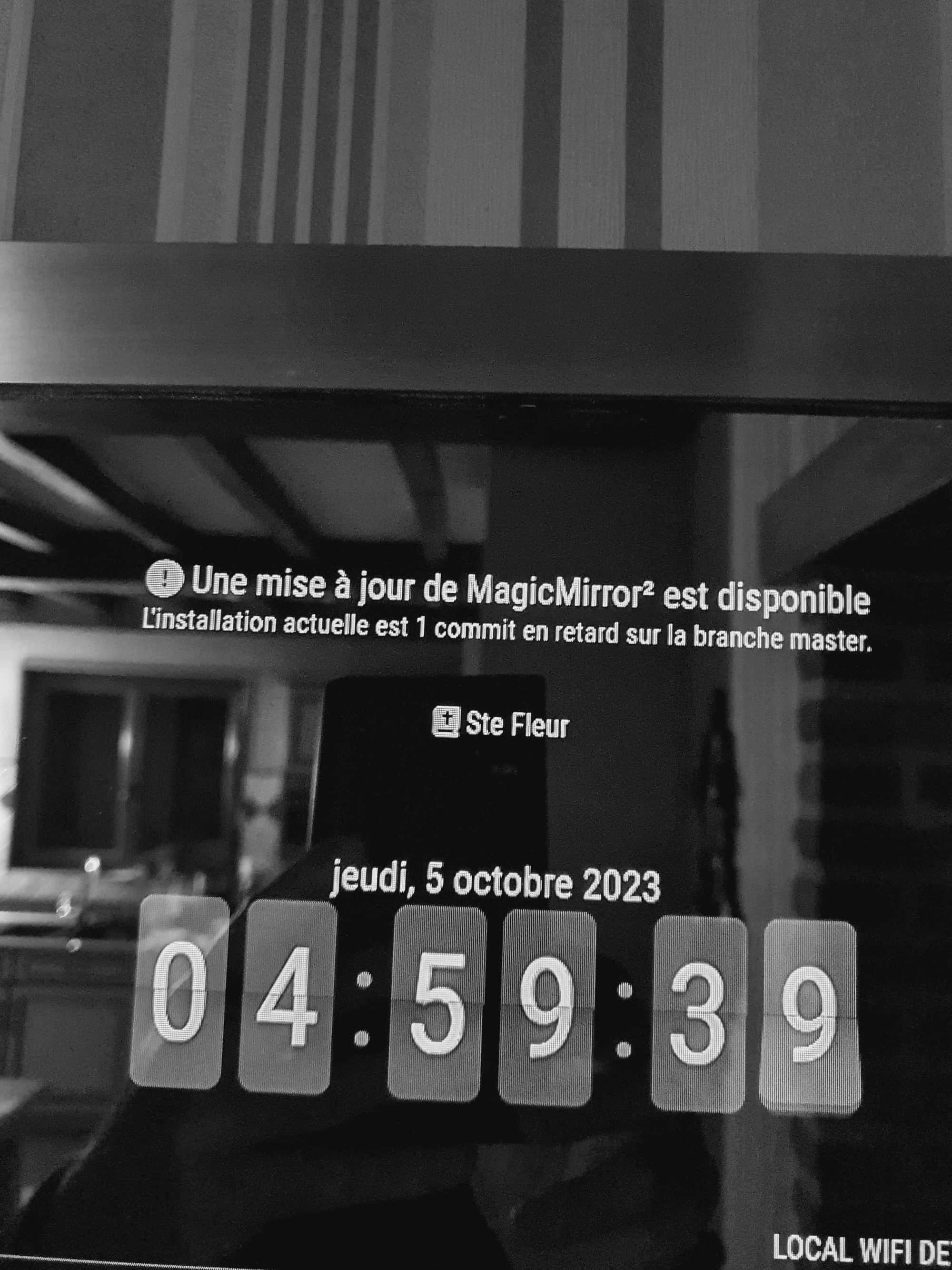
-
RE: npm install
Hello thank you
I actually clicked on the link for the update nothing to change I will see thank you -
npm install
hello I can’t install npm install I still have this error message.
patrick@raspberrypi:~/MagicMirror $ npm install
npm WARN npm npm does not support Node.js v20.6.1
npm WARN npm You should probably upgrade to a newer version of node as we
npm WARN npm can’t make any promises that npm will work with this version.
npm WARN npm Supported releases of Node.js are the latest release of 6, 8, 9, 10, 11, 12.
npm WARN npm You can find the latest version at https://nodejs.org/
npm ERR! cb.apply is not a functionnpm ERR! A complete log of this run can be found in:
npm ERR! /home/patrick/.npm/_logs/2023-09-18T06_33_42_489Z-debug.log -
RE: committee update
I did not pay attention for which module I wanted to update with remotte controle and nothing restarted
-
RE: committee update
update of a module 1 delay comit with remote control
-
committee update
Good morning
after an update of a committee with remot control my screen does not restart thank you -
RE: modules
Good morning
good here everything works thanking you for your help and your patience. Thank you again my friend -
RE: modules
Hello my friend
I returned to the googe console I managed to move on to the next stage, I copied the module in config.js I placed a photo in the album, it downloaded but nothing happened, it was looking for loading, what to do, thank you.
I did shift control. I went to console, nothing written in red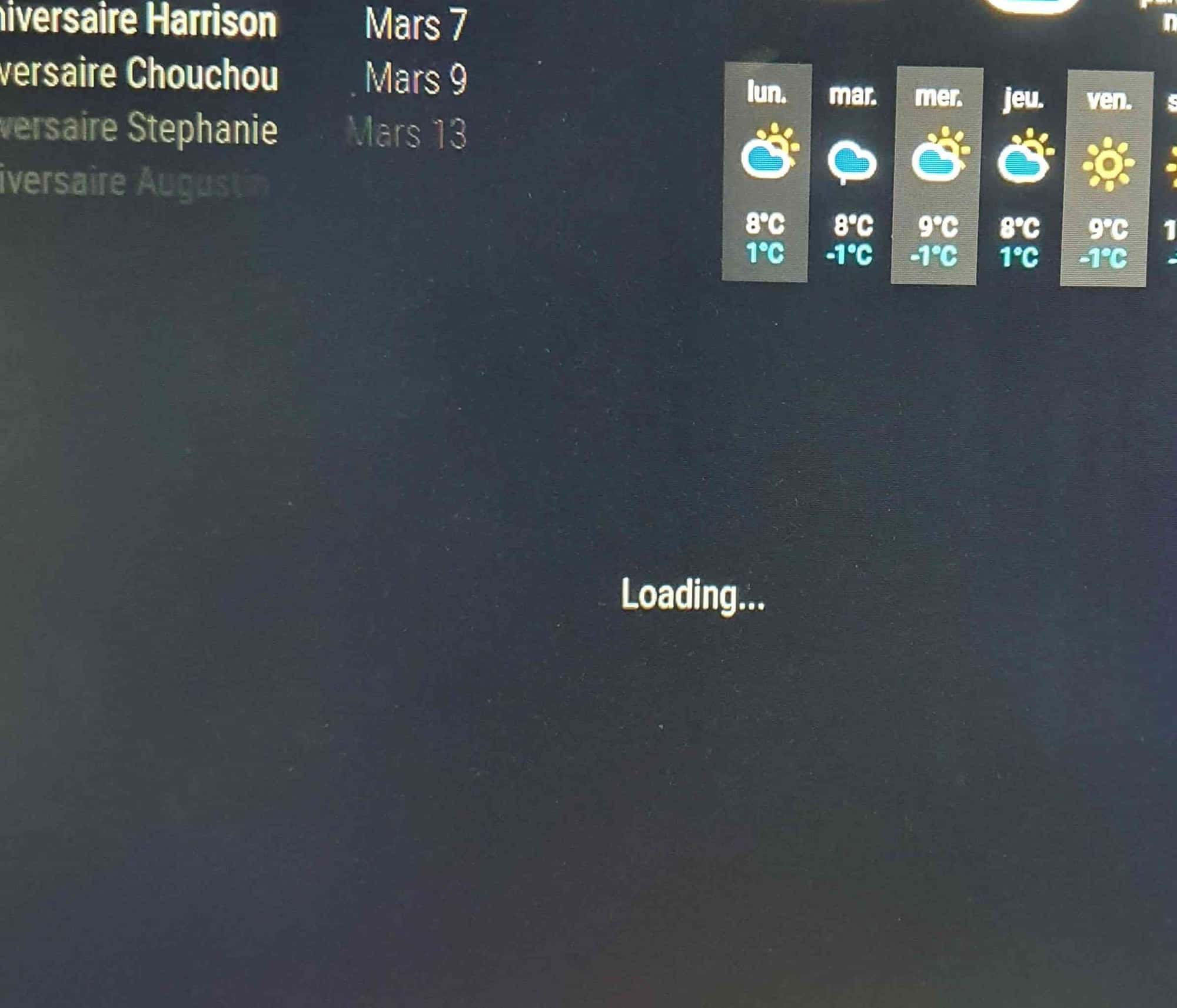
-
RE: modules
Good morning .
does the location of the https://localhost redirect uri have a specific place in the API key, thank you
Cordially -
RE: modules
Good morning
ok I will look at this during the day, I would say thank you again for your patience.
thank you my friend -
RE: modules
I understand that it is necessary to modify the credential.js key by adding redirect_uris but I do not see where the site is.
{“installed”:{“client_id”:“315406544684-crlbfk6kon4bel61nkcpj59dt6s352dm.apps.googleusercontent.com”,“project_id”:“magicmirror-376414”,“auth_uri”:“https://accounts.google.com/o/oauth2 /auth”,“token_uri”:“https://oauth2.googleapis.com/token",“auth_provider_x509_cert_url”:“https://www.googleapis.com/oauth2/v1/certs”,“client_secret”:"GOCSPX -nqP06oYf_sZqPBlPJEw_hceNZhy2”}} -
RE: modules
no, I haven’t changed anything. Simply downloaded client ID and client secret code then placed in the googlephotos module.
I will try to find by searching and come back to you if I do not find I thank you in advance thank you my friend -
RE: modules
yes, I did download a file that I renamed credential.js and placed in the googlePhotos module of the magicmirror.
that’s good what you’re talking about thank you