I use this mirror for a little time. and I did some trouble shooting.
Sometime after some posts to the mirror the mirror crash.
it just shutdown.
has anyone a idea?
I use this mirror for a little time. and I did some trouble shooting.
Sometime after some posts to the mirror the mirror crash.
it just shutdown.
has anyone a idea?
Hello,
i heave a magic mirror running ( https://magicmirror.builders ).
and I heave a Homey. A domotica house controller.
Wenn i start the magic mirror I see the Philips Hue crashing in the homey controller. ( see below )
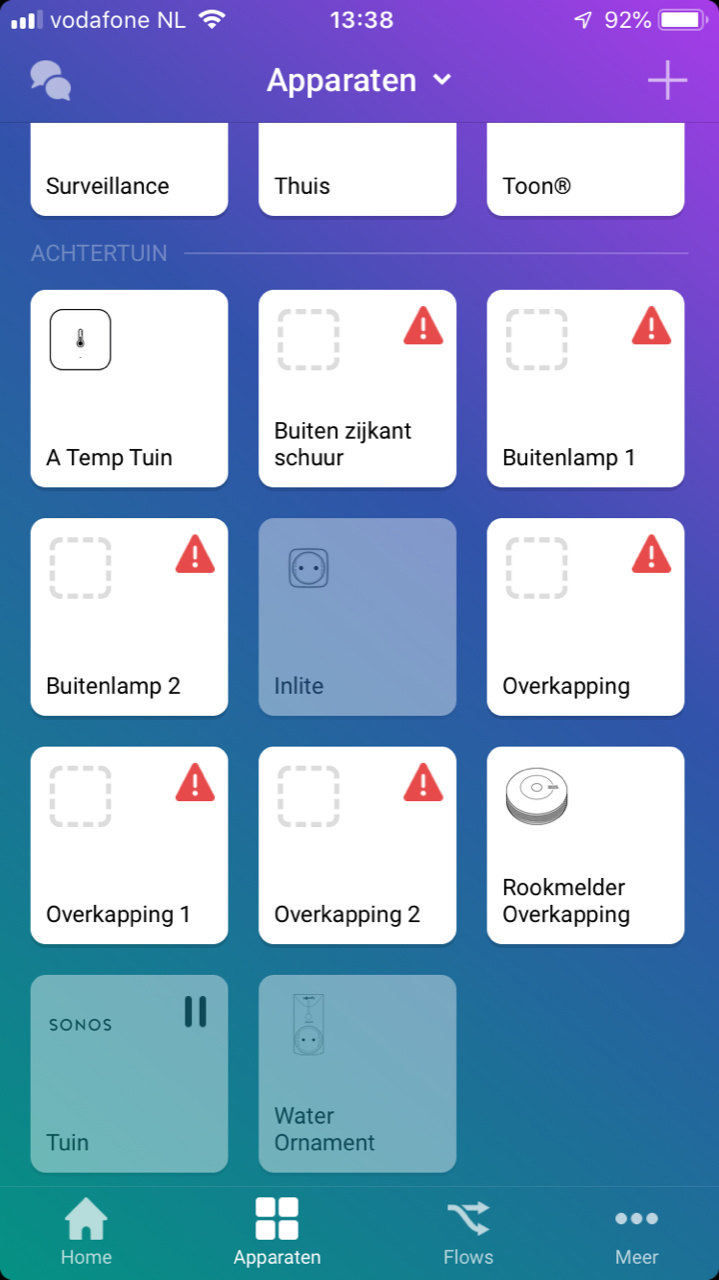
I try with some log to discuss with homey to fix this. They say that some device is interrupt the connection with hue bridge.
It must be the mirror. because is see the hue app in homey crash Wenn I start the mirror.
Please let me know what to fix.
@sdetweil
Hello
It is not fixed but I add a filter to get more detailed information.
this is workable for now.
Re: Python in to the magic mirror.
Hello Guys,
it is running good for some time.
what i see is that the mirror runs smooth for a couple of hours.
after that its freezes…
wenn i use CRTL Q nothing happed and after som minutes the mirror is stopping.
Ill still see the buffer filling from the python project.
Please help
@sdetweil
Yes one time start the python and it will run.
@sdetweil @Sean
Hello Guys Thank you for your vallueed help!
I found out that the spawn function is called every time. so in a couple of minuts the spawn function has called 100 python projects. and this is blocking the raspberry
I changed is to this: and now im going to Import the project of sdetweil in the software. But it is no more blocking.
thank you guys
/// node_helper.js


const spawn = require("child_process").spawn


var NodeHelper = require("node_helper")


var process = spawn("python", ["/home/pi/src/P2000.py"])


module.exports = NodeHelper.create({


  socketNotificationReceived: function(notification, payload) {


    switch(notification) {


      case "GIVE_ME_DATA":


        this.job()


        break


    }


  },


  job: function() {


    process.stdout.on("data", (data)=>{

      console.log(data)

      var result = String.fromCharCode.apply(null, new Uint16Array((data)))

      this.sendSocketNotification("HERE_IS_DATA", result)


    })


  }


})
@sdetweil
it is almost 50 char long. Im making a screen movie to let you see what I meen so it will become clear.
Send it you in a couple of minutes
Please see the full movie and notice the fail at 1:41
https://www.youtube.com/watch?v=VBYL1j4p2aI&feature=youtu.be
@sdetweil
hello ! Thank you for your help so far.
The python project is running fine on it selfs.
But wenn I use it with the magic mirror the buffer of the magic mirror is filling. And freezes.
the python project is made in combination with a Antenna.
Setup looks like https://nl.oneguyoneblog.com/2016/08/09/p2000-ontvangen-decoderen-raspberry-pi/#comment-488
so you’ll need to have data from the Multimom to get different information to send to the mirror
@sean
Hello Sean,
The problem is not the python project. But I think the buffer is filling up ore something.
At this point all the massages are displayed on the mirror and after 15 min the mirror is freeze.
So im looking in to it.
@sdetweil
Hallo Thank you for you’re Replay
I managed to upload the project on git hub ( new experience for me )
I uploaded the magic mirror Module ( P2000) I made and the node helper.
And I added the Python project.
The python project works fine on it self. But wenn I call ( spawn ) the python. The magic mirror application stops and freezes.
I think the flush/write fills the buffer and wenn it is it full the application is stoped.
https://github.com/paulvanderheijden90/MMM-P2000-python-connect
Here is the link
@sean
Hello Sean,
like I posted yesterday the app is running now. And it is showing wat I need to display. So im very happy.
But…
After a time ( more after a couple of runs ) the magic mirror app is crashed and freezed. So noting is updating any more.
My feeling is telling that the buffer were I put in the string value is filling up.
wenn i run the python script without the mirror it is running fine.
Please can you give me a help?
Hello @Sean,
Again thank you for the help. As I say after your help it was possible for me to “print” a string variable on the magic mirror module through python.
But is was not able to put my P2000 alarm from the fire department on my screen. I noticed that it was a problem in the python script of the alarm.
I used the stdout.write function again. like you told me. but I needed to add the flush function as wel.
so now it is
sys.stdout.write("hallo ik ben Paul")
sys.stdout.flush()
And then it was working !
so thank you and here the result:
@sean So sorry you’re totally right… I was little bit confused by all the “at” conclusens.
Im sorry I could had fixed that. And I did !
Now it is working !!!
So very nice ! im going to put this in my P2000 Raspberry python Programma. and will heave a lot of play with it.
I will post/ show you the and result !
@sean said in Python in to the magic mirror.:
Crashing? show me th
App threw an error during load
/home/pi/MagicMirror/modules/MMM-P2000/node_helper.js:76
}.call(this, exports, require, module, __filename, __dirname); });
                                                            ^

SyntaxError: missing ) after argument list
    at createScript (vm.js:80:10)
    at Object.runInThisContext (vm.js:139:10)
    at Module._compile (module.js:606:28)
    at Object.Module._extensions..js (module.js:653:10)
    at Module.load (module.js:561:32)
    at tryModuleLoad (module.js:504:12)
    at Function.Module._load (module.js:496:3)
    at Module.require (module.js:586:17)
    at require (internal/module.js:11:18)
    at loadModule (/home/pi/MagicMirror/js/app.js:127:17)
Whoops! There was an uncaught exception...
/home/pi/MagicMirror/modules/MMM-P2000/node_helper.js:76
}.call(this, exports, require, module, __filename, __dirname); });
                                                            ^

SyntaxError: missing ) after argument list
    at createScript (vm.js:80:10)
    at Object.runInThisContext (vm.js:139:10)
    at Module._compile (module.js:606:28)
    at Object.Module._extensions..js (module.js:653:10)
    at Module.load (module.js:561:32)
    at tryModuleLoad (module.js:504:12)
    at Function.Module._load (module.js:496:3)
    at Module.require (module.js:586:17)
    at require (internal/module.js:11:18)
    at loadModule (/home/pi/MagicMirror/js/app.js:127:17)
MagicMirror will not quit, but it might be a good idea to check why this happened. Maybe no internet connection?
If you think this really is an issue, please open an issue on GitHub: https://github.com/MichMich/MagicMirror/issues
Launching application.
@Sean Hello Sean,
I was thinking somting was wrong because I see the buffer printing in the terminal showing:
Buffer 48 61 6c 6c 6f 20 49 6b 20 62 65 6e 20 50 61 75 6c>
i was trying to figure out the text line that it was representing but it was not showing something.
So im happy you came up with the solution for the buffer.
Unfortunly wenn at the var result code the magic mirror is crashing again and im not able to debug.
Can you please heave a look at it
/// node_helper.js

const spawn = require("child_process").spawn

var NodeHelper = require("node_helper")


module.exports = NodeHelper.create({

  socketNotificationReceived: function(notification, payload) {

    switch(notification) {

      case "GIVE_ME_DATA":

        this.job()

        break

    }

  },

  job: function() {

    var process = spawn("python", ["/home/pi/src/test.py"])

    process.stdout.on("data", (data)=>{

      console.log(data)

      var result = String.fromCharCode.apply(null, new Uint16Array((data))

      this.sendSocketNotification("HERE_IS_DATA", result)

    })

  }
@sean
Hello Sean, Again thank you very much for you’re valued help!.
I spend yesterday after midday and evening with a friend figure out how you’re code is working. and we did some tests to send also somthing back to the Node helper and alote came clear by you’re example.
So realy thank u very much.
To day I spend my morning figure out one last problem the text on the screen is [ Object ArrayBuffer] and not the string I put true the stdout.write.
The text that is displayed on the screen is : 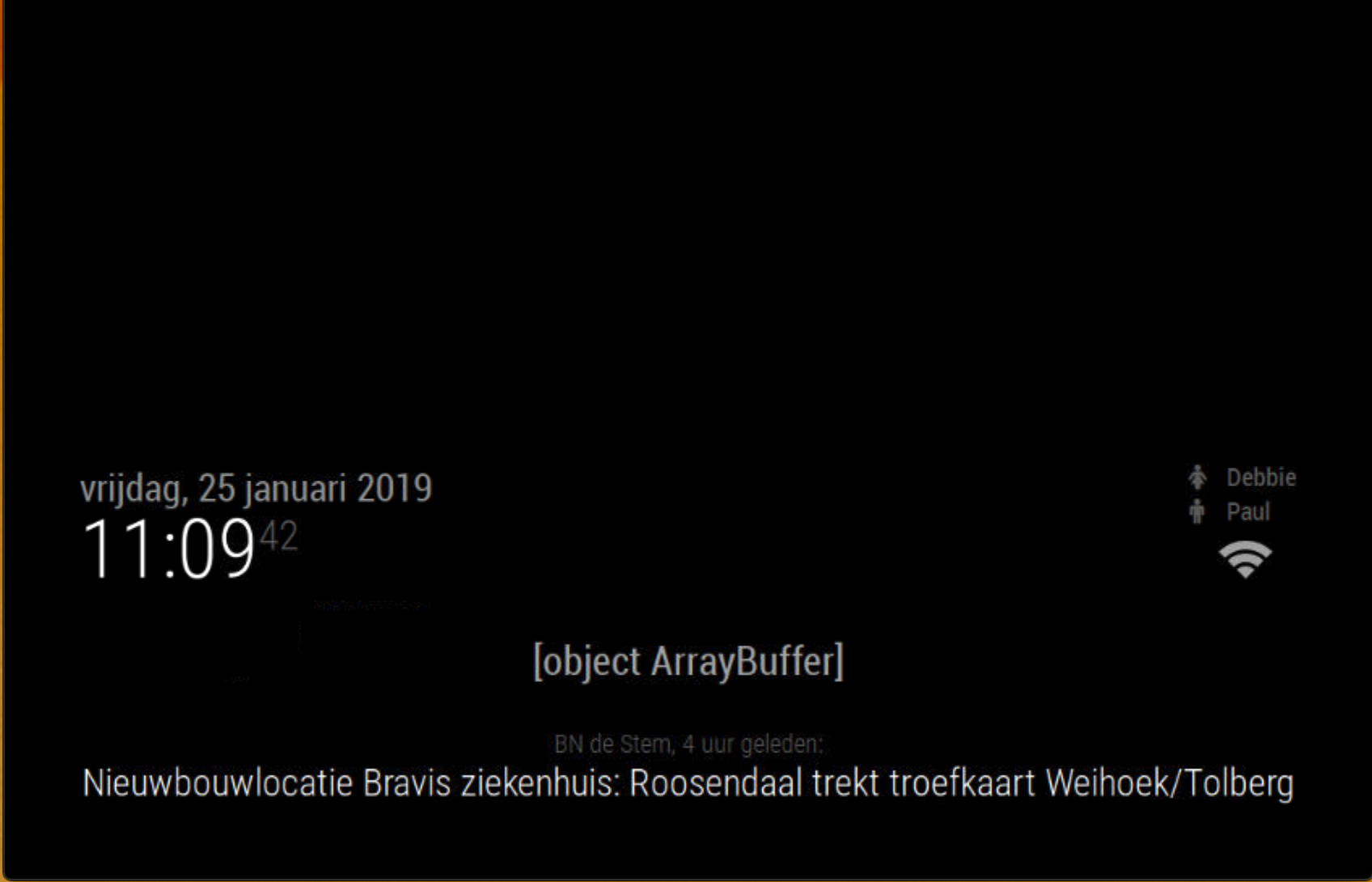
I did some debugging of my own. and wenn I override the data in the node helper just after it come from the spawn function this is displayed on the mirror. so the code is working until the spawn function.
/// node_helper.js

const spawn = require("child_process").spawn

var NodeHelper = require("node_helper")


module.exports = NodeHelper.create({

  socketNotificationReceived: function(notification, payload) {

    switch(notification) {

      case "GIVE_ME_DATA":

        this.job()

        break

    }

  },

  job: function() {

    var process = spawn("python", ["/home/pi/src/test.py"])

    process.stdout.on("data", (data)=>{
	data= "test hello World"
      console.log(data)

      this.sendSocketNotification("HERE_IS_DATA", data)

    })

  }

})
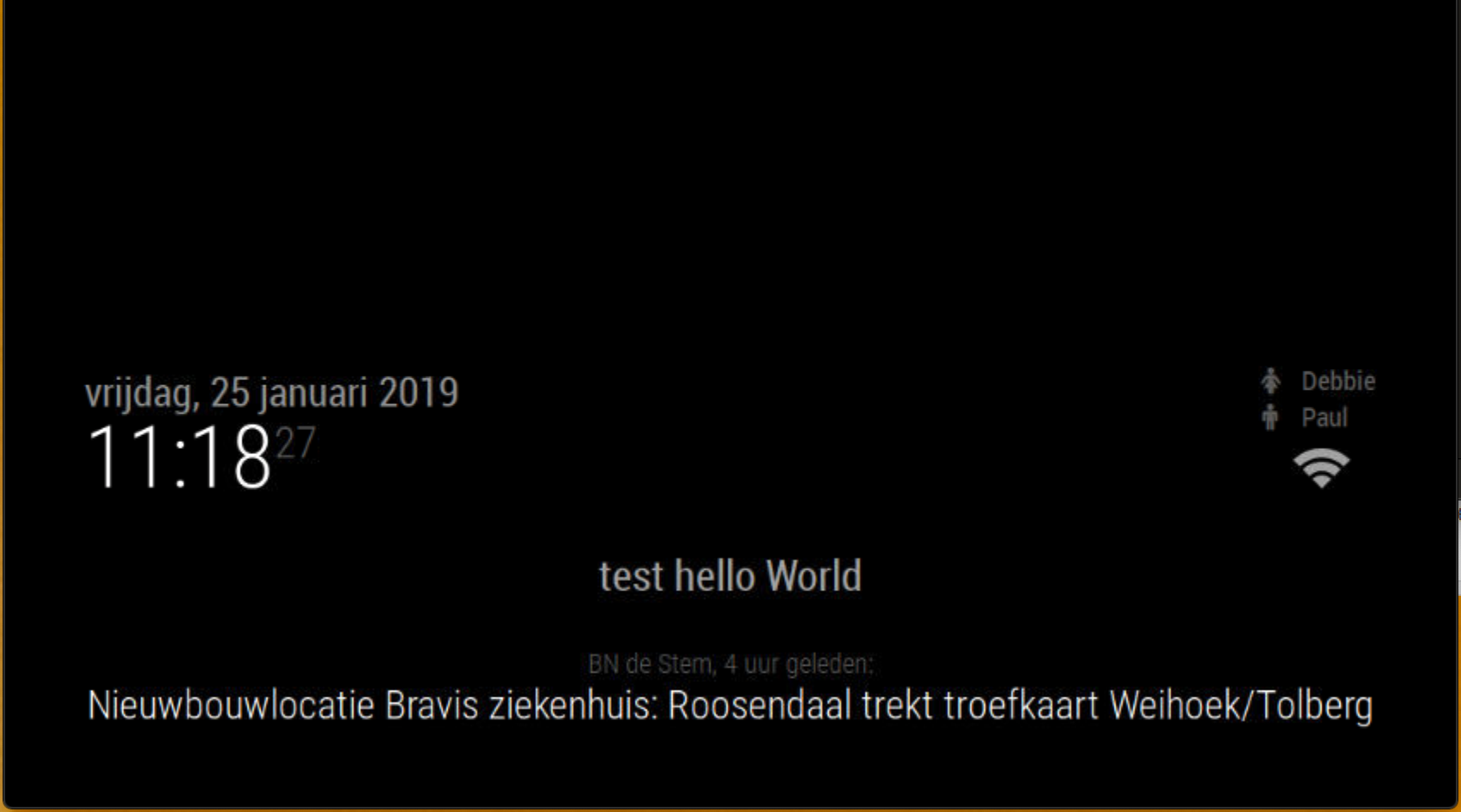
So i tested also the python test project. and wenn I run it in the terminal it give no error. so the python project is fine aswell I think.
import sys


sys.stdout.write("Hallo Ik ben Paul")
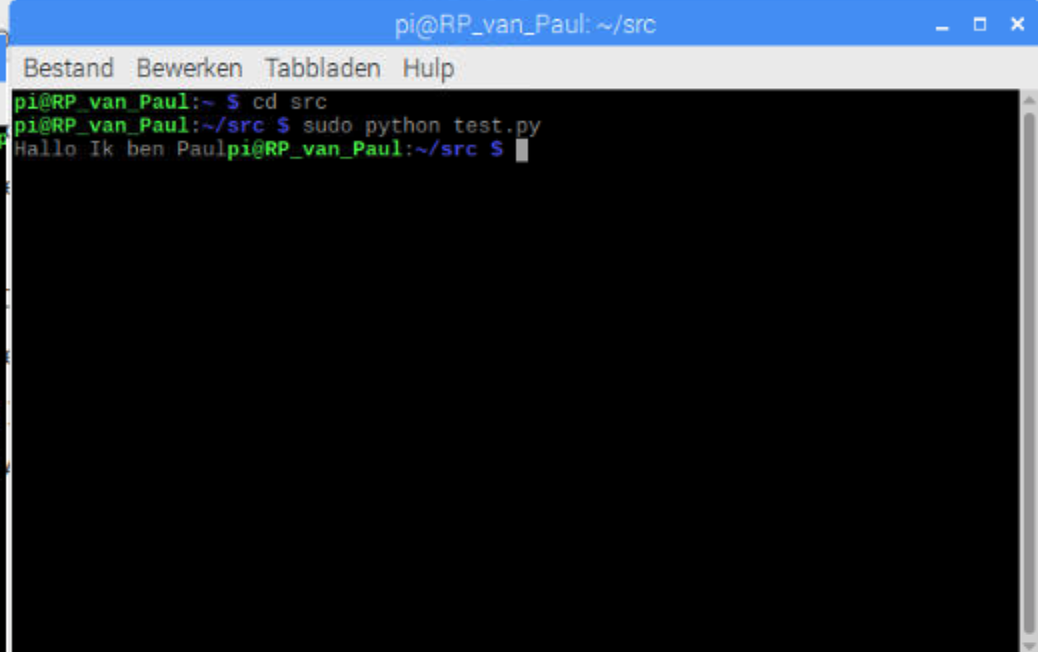
So I think the spawn function is not correct at this time?
Can you help me out one more time please?
@Sean Thank you very much im going to check the code and see if I can implement it in the magic mirror.
Thank you I will let you know
@sdetweil Thank you for you’re information.
I changed it like you said but unfortunly still get the With screens.
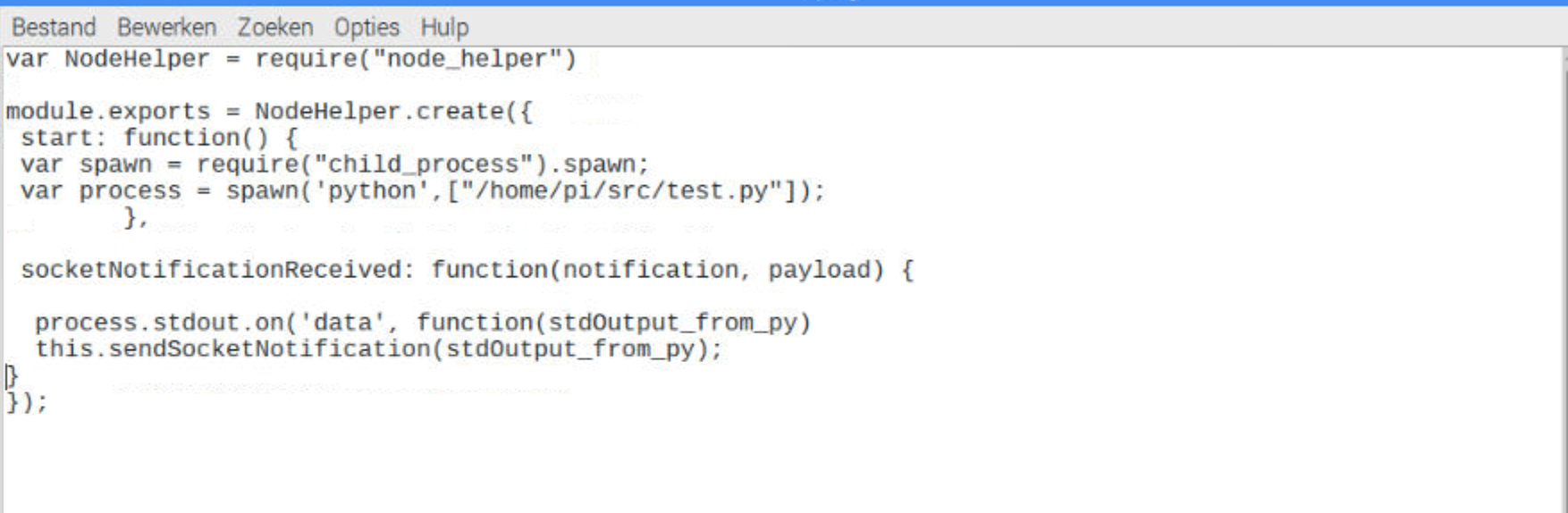
I changed the Node_helper.js:
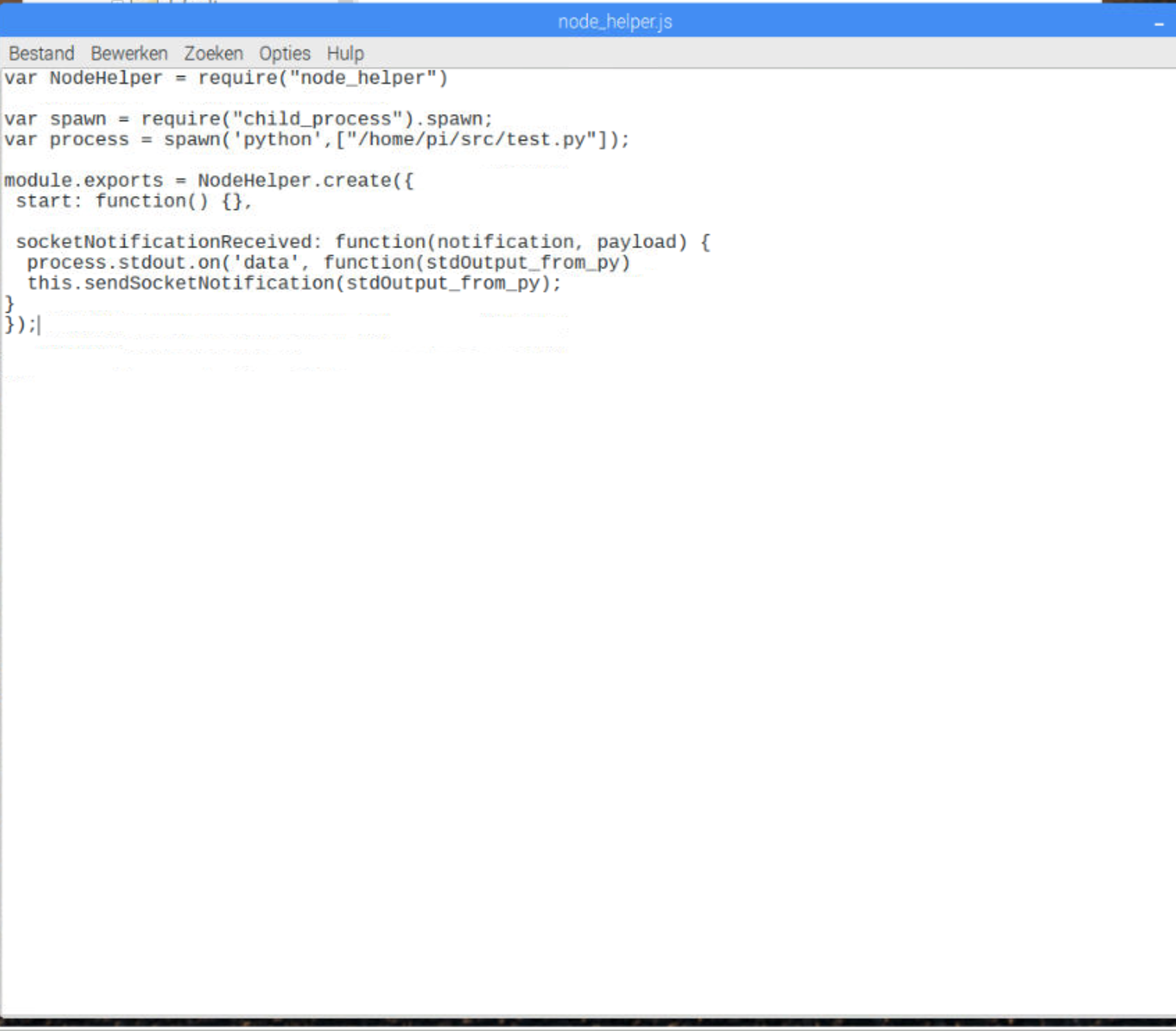
But the minute I run the Start dev I get white screens. so im not able to debug anything.
Can I get a hand ?