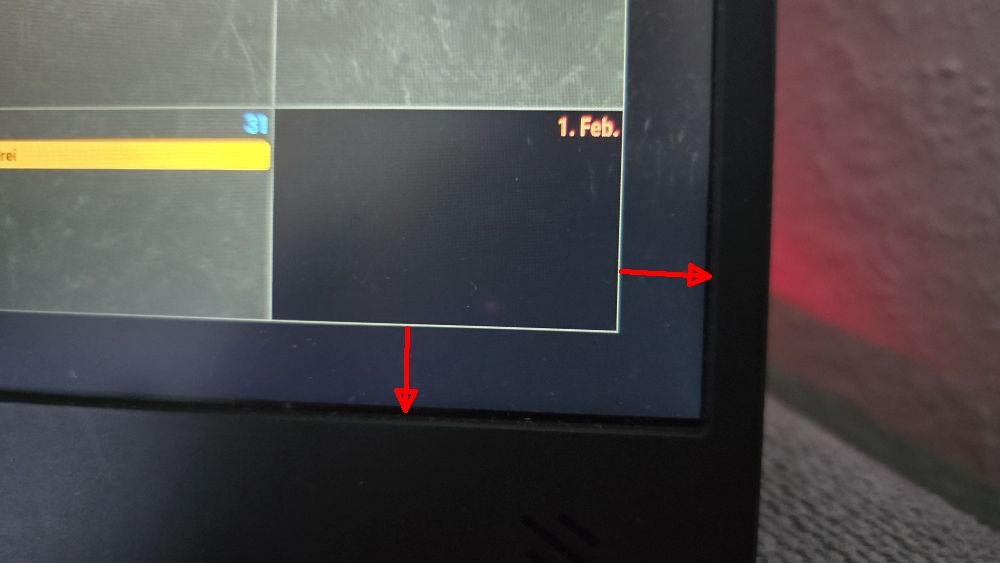
@sdetweil I found the solution. See photo.
custom.css
:root {
–gap-body-top: 10px;
–gap-body-right: 10px;
–gap-body-bottom: 10px;
–gap-body-left: 10px;
}
Thanks
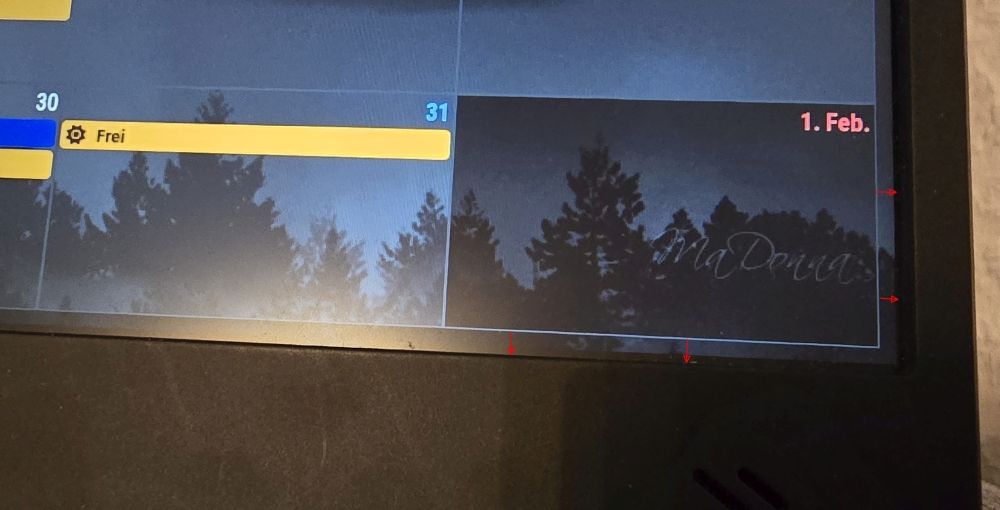
@sdetweil I found the solution. See photo.
custom.css
:root {
–gap-body-top: 10px;
–gap-body-right: 10px;
–gap-body-bottom: 10px;
–gap-body-left: 10px;
}
Thanks
@sdetweil I found the solution. See photo.
custom.css
:root {
–gap-body-top: 10px;
–gap-body-right: 10px;
–gap-body-bottom: 10px;
–gap-body-left: 10px;
}
Thanks
Hello,
How can I reduce the distance between the module,
in this case MMM-CalendarExt3 view week,
and the edge of the screen? See photo.
Thanks
@sdetweil
So, I gave the calendars names in the Config block, but nothing changes.
I’ve now given the appointments in my calendar different names.
My calendar: Early
My wife’s calendar: Early +
That’s how it works for me.
Thanks again!
@sdetweil Ahhhhhh…
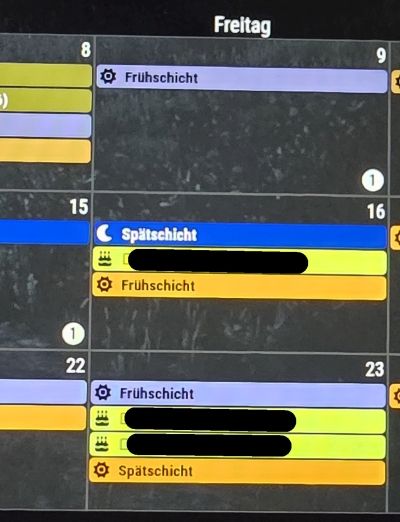
I found the problem. It’s a duplicate appointment. They’re two different calendars, but both have the same appointment.
My calendar is labeled “Early Shift,” and my wife’s is also labeled “Early Shift.” Since both calendars have the entry “Early Shift,” only one is displayed.
Is it possible to configure the settings to also display duplicate appointments?
Thank you so much for your help. You put me on the right track.
Have a nice Sunday.
@sdetweil Thanks
With the position set to “bottom bar”, the result is the same. However, the module is now no longer anchored at the bottom but in the center of the screen.
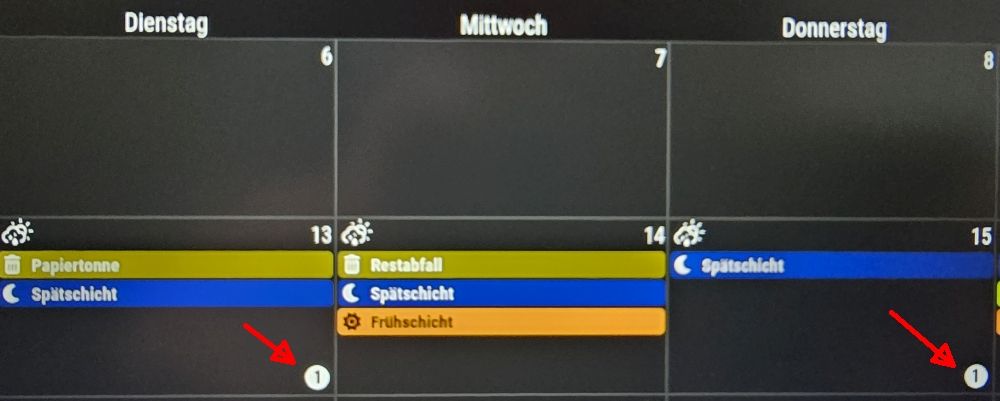
The strange thing is that most cells display everything correctly, even with four appointments. Only the cells with the number (1) are missing one appointment. There’s still plenty of space in the cell.
I’m feeling a bit helpless now. I’ve tried everything I could think of, unfortunately without success.
  module: "MMM-CalendarExt3",
  position: "bottom_bar",
  title: "Mein Kalender",
  config: {
    mode: "week",
    instanceId: "basicCalendar",
    locale: 'de-DE',
    weeksInView: 3,
    weekIndex: 0,
    maxEventLines: 5,
    firstDayOfWeek: 1,
    calendarSet: [],
Hello,
Can someone explain what this number means?
config: maxEventLines: 5
Thanks