That looks neat,
how do you find the brightness in the bedroom of a night. I made a clock out of and Iphone but found the backlight was way too bright.
do you have absolute control over your back light?
That looks neat,
how do you find the brightness in the bedroom of a night. I made a clock out of and Iphone but found the backlight was way too bright.
do you have absolute control over your back light?
@cowboysdude Thankyou.
Ive started looking at adding horizontal display of data - so hopefully there wil lbe an update coming soon.
Its a good learning experience
@mitch1138 At this stage no. But Ill see what I can do.
Ive started a Thread just for the “new” module which might be a good place to shift discussion about it to
https://forum.magicmirror.builders/topic/14468/mmm-wunderground-pws-observations
@Mitch1138 Im glad they were worth the effort ;)
Hmm not sure what went wrong with the first post but here is a screen shot.
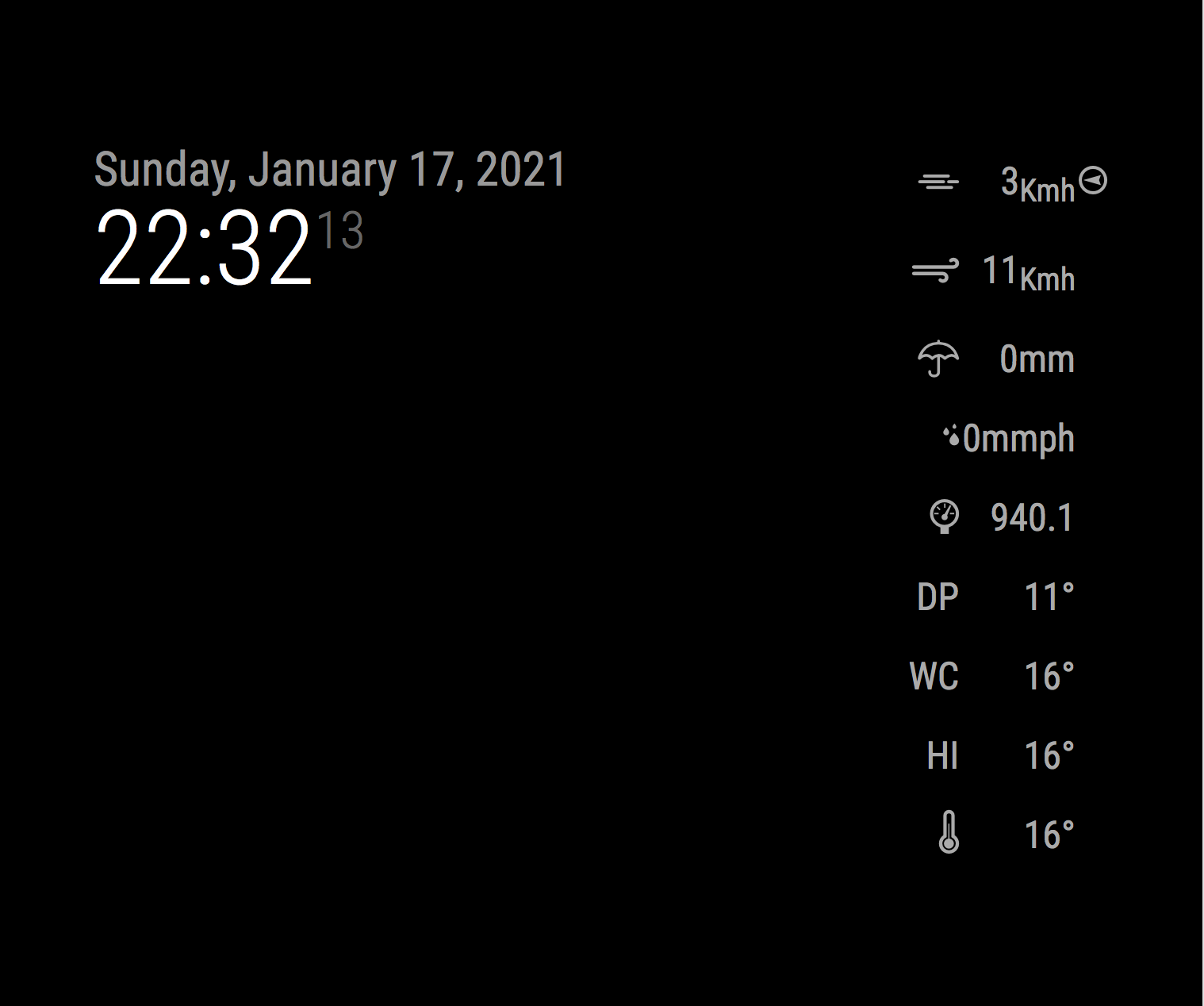
Ive just put together a basic module to display PWS data from Weather Underground since API’s are now only available for free to PWS owners.
https://github.com/saabman/MMM-WunderGround-PWS-Observations/
It just displays the current data from a specified PWS and you can select what data is displayed.

I should mention in the config you can select which parameters to display
OK I think I have got something worth having a look its basic but its there at least.
Ive got some ideas on further customisation ie changeing sizes of the parameters etc. but ill add those as I go.
https://github.com/saabman/MMM-WunderGround-PWS-Observations
 image url)
@c1olli said in Working Weather Underground module?:
The ioBroker module for catching the data from the weatherstation is here (in german): WLAN-Wetterstation
thanks for that, in German explains why I couldn’t find it.
Ive been working on the module just to display the weather station data with no forecast getting the data to display is no problem - getting it to display nicely is another story all together.
So im working through trying to understand how the HTML works and Style sheets etc.
I would encourage anyone to take some time to sit down and have a go at modifying a module. Its not easy when you first look at it but parts of it do start to make sense after a while.
@c1olli Thats good to know there are some options.
Im thinking doing something along the lines of pulling Data from one of those “offline” systems and seeing if it is possible to integrate it into the new MagicMirror weather module.
The last couple of days Ive been re writing and simplifying the Wunderground module to just display the current PWS data pulled from WunderGround. more as an exercise in trying to understand NodeJS and gitHub.
my head is just about exploding :lol: but its getting there. I am not a programer by any stretch of the imagination. Im just sitting down looking at the code and try and work it out.
to start with I pick something obvious like Temperature and just look through the code and find where it appears and then try and work out where it comes from and where it goes.
@chanster I Wasnt aware of that one, That would definantly be another way to go and not rely on an external API that will probably change :lol:
My Weather station is about 20years old and I use a Raspberry pi runnig WEEWX to get the data of it and onto WunderGround and I just had a look and found a MQTT “plugin” for WEEWX so it would be simple enough to do. I already USE MQTT for energy Monitoring so Im half way there.
Thanks for that
Ive been spending some time working out how to use github a bit better. Thanks for the tips sdetweil.
So havent progressed any further on the module.
What I have noticed is the original module MMM-Wunderground has quiet a lot in it - been able to choose different icons/color moon phase etc. which is not stuff that your PWS will provide. So thinking of doing a cut down version that just provides current weather data as provided by your PWS.
@sdetweil Thanks Ill look into it.
Just got the module pulling the forecast info into it - only displays it in the console at the moment but its getting there
@sdetweil Thanks for that I had seen the error but it didnt stop the application from running for me so didn’t look further into it.
@chanster I had forked the orignal version and then only modified the Develop branch.
If you just do a git clone you will get the Master branch not the develop branch - Im only learning my way around Github -so I might be doing something wrong as well. But from what I can work out if you use the following command it should get the the develop branch
git clone --single-branch --branch Develop https://github.com/saabman/MMM-WunderGround.git
OK Ive had a bit of a play with it today and Ive had “some” success.
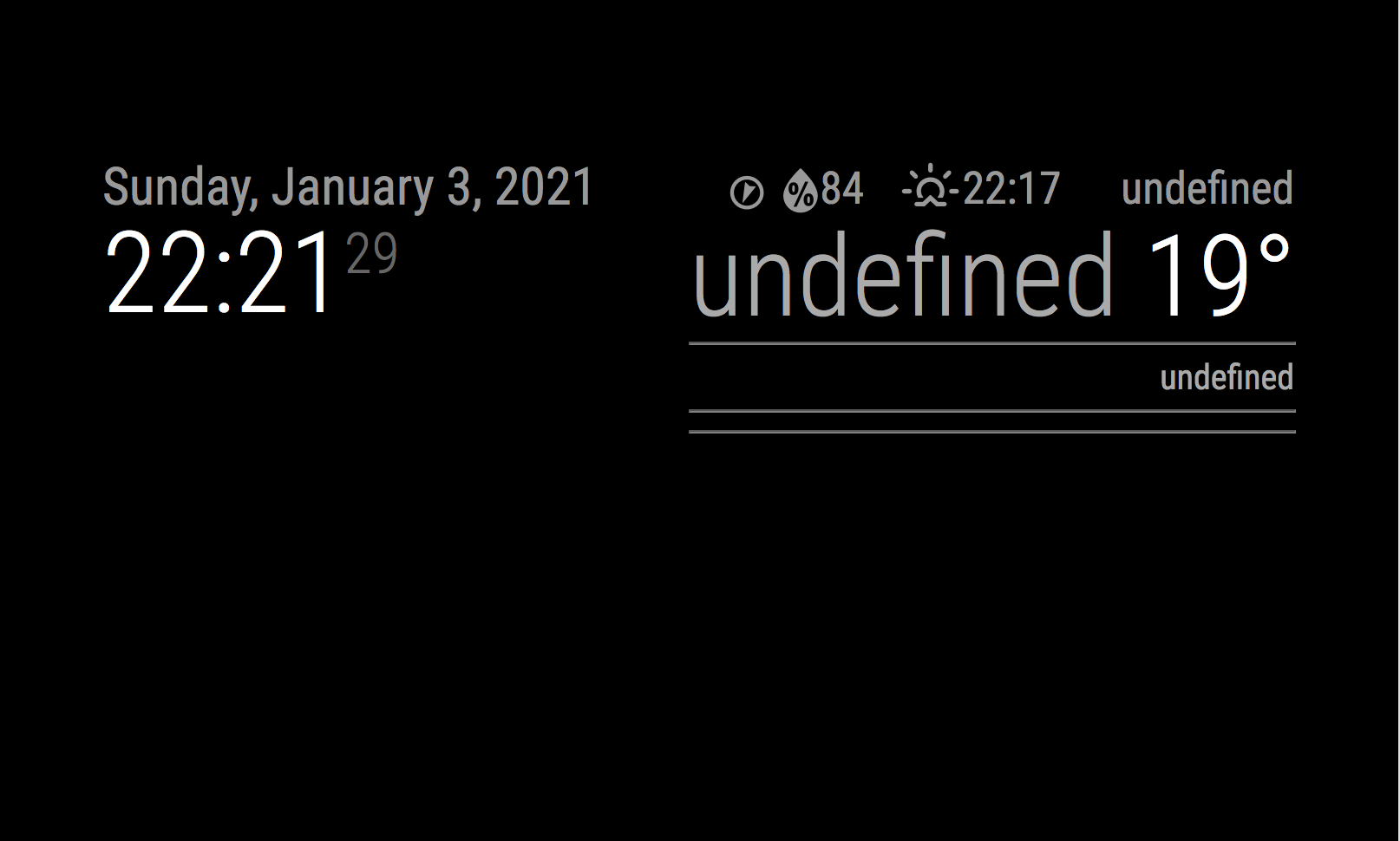
The sunrise/set is broken the icons are broken no rain data (which doesnt seem to be in the original any way) and no forecast.
But it does give current Temp, Humdity and the wind direction icon works.
I haven’t looked at the forecast stuff yet. Just commented it all out for the moment.
If you want to have a play clone the Develop branch https://github.com/saabman/MMM-WunderGround/tree/Develop
git clone --single-branch --branch Develop https://github.com/saabman/MMM-WunderGround.git
copy the Config from the readme.md and add your PWS and API key and it “should” give you something.
cool,
I found some more info about the module and screen shots etc.
That will help piece it all back together
@c1olli I Was looking through the MMM-wunderground.js and relised it handles forecast and current weather. Unfortunately I havent found any screen shots of what the module looked like before the changes. Is it worth trying to mod what is there or just build something new.
Does any one have a screen shot of what it looked like??
@chanster Thats one way to get around it.
Ive just been having a look at it this evening. I found the new API Documentation https://docs.google.com/document/d/1KGb8bTVYRsNgljnNH67AMhckY8AQT2FVwZ9urj8SWBs/edit
I punched my details in along with my API key just into my browser and it returned the data in JSON format which looked good so it shouldnt take too much to modify it to work again.
Ive been wanting to change over to Wundergorund Data just havent got around to looking into it as I also want to display my station data rather than the official observations which are a good 20km from my location.
Im not a coder but have managed to bumble my way through modifying the weather module from the WallberryTheme for MM to work with the Australian BOM data, its not a user friendly implementation but it works.
@chanster I jumped in not knowing anything about Node JS and just started playing with it seeing what did what and eventually got what I wanted out of it.
So… take stab at it clone a Wunderground repository on github and just start looking at the code and and let it speak to you.
But if that doesnt work for you I want to get a Wunderground module working on my MM so will be looking into it shortly. Ive got a pressing project Im working on that I hope to get finished in the next couple of weeks after that I will be looking into it. If you (or anyone else) would like to help out who knows what we will be able to achieve.
You can see what Ive done with the Wallberry theme weather module https://github.com/saabman/BOMAU-weather and keep an eye out for when I get started on the Wunderground module.