MagicMirror Forum
    • Recent
    • Tags
    • Unsolved
    • Solved
    • MagicMirror² Repository
    • Documentation
    • 3rd-Party-Modules
    • Donate
    • Discord
    • Register
    • Login
    1. Home
    2. SdeGeata
    3. Posts
    A New Chapter for MagicMirror: The Community Takes the Lead
    Read the statement by Michael Teeuw here.
    S
    Offline
    • Profile
    • Following 0
    • Followers 0
    • Topics 7
    • Posts 42
    • Groups 0

    Posts

    Recent Best Controversial
    • RE: A module that displays Ring front door camera!

      @anhanyoung91

      MMM-Ring, although not maintained, it still works. I am currently using it. It does indeed work with motion, but your ring needs to be configured for motion alerts. There are a couple of problems though. There is about a 10 second delay before your feed shows up on your mirror, my guests are often already in my place before the feed shows. Also, the authentication key will need to be manually updated every month.

      Have fun with the module though.

      posted in Requests
      S
      SdeGeata
    • RE: CORS, MotionEye & MMM-Remote-Control

      @karsten13 Yeah, I was messing with that a little today. I couldn’t find an iframe that was reliable enough.

      I ended up installing a Home Assistant add-on called go2rtc to serve the video and on the magic mirror, I installed the MMM-WebView module. It works a lot like an iFrame but more stable.

      So far, it seems to be working. I have MotionEye and SecuritySpy sending command line webhooks upon motion triggers to Home Assistant that in turn shows and hides the module on the magic mirror. I would have liked to get MotionEye working, but this actually sems faster and more stable.

      Thanks so much for your help though, to both of you.

      posted in Bug Hunt
      S
      SdeGeata
    • RE: CORS, MotionEye & MMM-Remote-Control

      @sdetweil So what would you suggest? Is there another address I can have MotionEye listen on while leaving the Magic Mirror address on 0.0.0.0? I see an option to configure that in MotionEye.conf. I just don’t know what to set it to.

      posted in Bug Hunt
      S
      SdeGeata
    • RE: CORS, MotionEye & MMM-Remote-Control

      @sdetweil said in CORS, MotionEye & MMM-Remote-Control:

      they check the IP address/name of the client making the request.
      localhost is inside the same system
      192.168 or 10. or 172. are non routablebip addresses, so sekfvcontainedvsyatens like localhost
      0.0.0.0 is undetermined… and is mostly rejected .
      as I said, it’s not a valid IP address, so it should never be sent to the other side as part of the request

      Its funny though, it is only since MM v.2.17 I have been having issues with MMM_MotionEye and the address: "0.0.0.0" issue. It was fine before. I don’t know what changed other than CORS.

      posted in Bug Hunt
      S
      SdeGeata
    • RE: CORS, MotionEye & MMM-Remote-Control

      @sdetweil

      I turned off the ipWhitelist, I was unable to connect MMM-Remote-Control or send any command line to the MM.

      posted in Bug Hunt
      S
      SdeGeata
    • RE: CORS, MotionEye & MMM-Remote-Control

      I did notice that MotionEye and the Mirror are both listening on “0.0.0.0”. Is that normal? Could that be my conflict? Can i set MotionEye to listen on another ip, if so, which one???

      posted in Bug Hunt
      S
      SdeGeata
    • RE: CORS, MotionEye & MMM-Remote-Control

      @sdetweil Hello Sam;

      In playing with the address, I have discovered that MotionEye does seem to display an image using address: "192.168.1.200", (the direct URL of the Magic Mirror, and running MotionEye). However, Motion Webhooks show the image then won’t hide anymore. They just stay onscreen.

      Currently, I have my config set as so:

      address: "0.0.0.0",
      

      …

      ipWhitelist: ["::1", "::ffff:192.168.1.200", "::ffff:192.168.1.1/120", "127.0.0.1", "::ffff:127.0.0.1", "::ffff:192.168.1.42", "::ffff:192.168.1.23", "::ffff:192.168.1.69", "::ffff:192.168.1.100"],
      

      trying to cover all bases here. The Mirror still shows a broken image icon, but if I log into the web portal of the mirror, that show’s the camera feed no problem. How can I fix this??>

      posted in Bug Hunt
      S
      SdeGeata
    • CORS, MotionEye & MMM-Remote-Control

      So this is not so much of a bug as a conflict within the system. It seems that since verson 2.17, CORS is preventing MMM-MotionEye from loading an image. I just get a broken image icon. If I change address: "0.0.0.0", to address: "localhost",, I get an image, but can no-longer run it from the web interface or command line. Further, MMM-Remote-Control requires address: "0.0.0.0", be set in config.js.

      I have messed with all kinds of ip whitelist stuff to no avail, as well as played with all kinds of options in motion.conf and motioneye.conf. Nothing seems to work.

      Does anyone here have a solution or work-around? I can’t get any answer back on the MotionEye Git Hub.

      Any help would be greatly appreciated! I need this module to work!

      posted in Bug Hunt
      S
      SdeGeata
    • RE: MMM-MotionEye - surveillance video stream on your mirror!

      @piwy Salut Piwy;

      Essaye de changer des paramètres dans motion.conf & motioneye.conf. Il ne sont pas accessible de la GUI. Voir avec Terminal; /etc/motioneye/motion.conf et trouve webcontrol_localhost, si c’est “on” change ça pour “off”.

      En /etc/motioneye/motioneye.conf Change motion_control_localhost true pour motion_control_localhost false .

      Essaye ça.

      posted in Utilities
      S
      SdeGeata
    • RE: Glass type?

      @Reif

      I installed Plinkington in mine. Completely satisfied. I did however buy it from a local glass shop, they ordered it in and cut it to my specs. I would suggest you do the same as the shipping alone is twice the cost of the mirror.

      posted in Hardware
      S
      SdeGeata
    • RE: Ring Doorbell Problem

      @Nicoh

      This is a Ring Doorbell authentication issue. You have to go through the process again to generate the Ring Authentication Bearer Token and plug that into your Magic Mirror config file. You will have to repeat this process every month as Ring deactivates that bearer token every 30 days.

      Hope this helps, at least until ring sets up another option for us.

      posted in Troubleshooting
      S
      SdeGeata
    • RE: PIR-Sensor - put your mirror to sleep if not used

      @randomnoise said in PIR-Sensor - put your mirror to sleep if not used:

      exec(“xdotool key space”); //simulate spacebar to disable screensaver. Needs xdotool to be installed

      Hello Randomnoise;

      So you did exactly what I am looking to do. Can you elaborate on how to configure this so my PIR will turn off the screen saver? I’ve already installed Xdotool, but I don’t know where to go from there.

      posted in System
      S
      SdeGeata
    • RE: MMM-Facial-Recognition-OCV3 error at tools.train.py

      @nischi

      Hello again;

      So Open CV 4 installed, as well as all the other stuff specified on your module page, in the same versions.

      I am trying to run the encode script:

      python3 encode.py -i ../dataset/ -e encodings.pickle -d hog
      

      but I keep getting the following error:

      Traceback (most recent call last):
        File "encode.py", line 6, in <module>
          import face_recognition
      ImportError: No module named 'face_recognition'


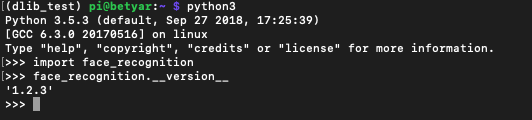
      face_recognition is installed:

      0_1562182513919_Screen Shot 2019-07-03 at 3.32.31 PM.png

      posted in Troubleshooting
      S
      SdeGeata
    • RE: MMM-Facial-Recognition-OCV3 error at tools.train.py

      @nischi

      Hello again;

      I finally got Open CV 4 installed successfully, I am re-installing my mirror modules now.

      I did extend the swap to 2048, and that failed making -j4 and -j1. Finally I boosted the swap to 5000, it still failed on -j1, but it finally worked on -j2… go figure.

      I was pretty tired of f**cking around trying to get that to install, it was pretty discouraging.

      Thanks for your help and I will let you know how it goes once I get your new module installed.

      posted in Troubleshooting
      S
      SdeGeata
    • RE: MMM-Facial-Recognition-OCV3 error at tools.train.py

      Well, since my post yesterday, I’ve not got past building Open CV 4. Hangs at 20%, or 73%, or 100% and eventually freezes. it never finishes the compilation.

      I completely wiped my SD card and did a fresh install of Rasbian - just to see if that would make a difference. So far, no go. I’m losing patience with this thing. It’s been well over a week that i’ve been fiddling around with various face recognition modules that kinda half work. i am anxious to try yours - i just can’t get past the Open CV bugs on install.

      What should I do???

      posted in Troubleshooting
      S
      SdeGeata
    • RE: MMM-Facial-Recognition-OCV3 error at tools.train.py

      That’s great news! I’m gonna install it today and give it a whirl. I’ve spent too much time swearing about the other one not working like it should. I’ll let you know how it goes.

      posted in Troubleshooting
      S
      SdeGeata
    • RE: MMM-MotionEye - surveillance video stream on your mirror!

      @Cato
      So how do we use that Webhook URL to trigger the hidden module. I have been screwing with it for days trying to get it to work. Can you clarify the config for that?

      posted in Utilities
      S
      SdeGeata
    • Facial Recognition OCV3 - Face recognized but Modules don't show

      Hello all;

      Well after two weeks of trying to install Facial Recognition on my MM, it all works. Now one last final bug to squash and I should be able to reap the rewards.

      So Facial Recognition is loading fine and my modules have the appropriate classes assigned. Terminal output reads that I am indeed recognized;

      [MMM-Facial-Recognition-OCV3] User Stiofan with confidence 70.7123926022 logged in.
      

      However, none of the modules with classes assigned to my profile are revealed. The hide fine, but don’t show. Any idea why???

      posted in Troubleshooting
      S
      SdeGeata
    • RE: MMM-Facial-Recognition-OCV3 error at tools.train.py

      @nischi

      Cool. Lemme know.

      posted in Troubleshooting
      S
      SdeGeata
    • RE: MMM-Facial-Recognition with PiCam doesn't start

      After more fiddling, I get this in terminal:

      [MMM-Facial-Recognition-OCV3] Facerecognition started...
      [MMM-Facial-Recognition-OCV3] Loading training data...
      [MMM-Facial-Recognition-OCV3] Training data loaded!
      [MMM-Facial-Recognition-OCV3] --------------------
      [MMM-Facial-Recognition-OCV3] PiCam loaded...
      Whoops! There was an uncaught exception...
      { Error: mmal: mmal_vc_port_enable: failed to enable port vc.null_sink:in:0(OPQV): ENOSPC
      mmal: mmal_port_enable: failed to enable connected port (vc.null_sink:in:0(OPQV))0x6c513840 (ENOSPC)
      mmal: mmal_connection_enable: output port couldn't be enabled
      Exception in thread Thread-1:
      Traceback (most recent call last):
        File "/usr/lib/python2.7/threading.py", line 801, in __bootstrap_inner
          self.run()
        File "/home/pi/MagicMirror/modules/MMM-Facial-Recognition-OCV3/lib/common/picam.py", line 25, in run
          with picamera.PiCamera() as camera:
        File "/usr/lib/python2.7/dist-packages/picamera/camera.py", line 433, in __init__
          self._init_preview()
        File "/usr/lib/python2.7/dist-packages/picamera/camera.py", line 513, in _init_preview
          self, self._camera.outputs[self.CAMERA_PREVIEW_PORT])
        File "/usr/lib/python2.7/dist-packages/picamera/renderers.py", line 558, in __init__
          self.renderer.inputs[0].connect(source).enable()
        File "/usr/lib/python2.7/dist-packages/picamera/mmalobj.py", line 2212, in enable
          prefix="Failed to enable connection")
        File "/usr/lib/python2.7/dist-packages/picamera/exc.py", line 184, in mmal_check
          raise PiCameraMMALError(status, prefix)
      PiCameraMMALError: Failed to enable connection: Out of resources
      
      OpenCV Error: Assertion failed (!buf.empty() && buf.isContinuous()) in imdecode_, file /home/pi/opencv/modules/imgcodecs/src/loadsave.cpp, line 637
      Traceback (most recent call last):
        File "modules/MMM-Facial-Recognition-OCV3/lib/mm/facerecognition.py", line 69, in <module>
          image = camera.read()
        File "/home/pi/MagicMirror/modules/MMM-Facial-Recognition-OCV3/lib/common/picam.py", line 55, in read
          image = cv2.imdecode(data, 1)
      cv2.error: /home/pi/opencv/modules/imgcodecs/src/loadsave.cpp:637: error: (-215) !buf.empty() && buf.isContinuous() in function imdecode_
      
      
          at PythonShell.parseError (/home/pi/MagicMirror/modules/MMM-Facial-Recognition-OCV3/node_modules/python-shell/index.js:190:17)
          at terminateIfNeeded (/home/pi/MagicMirror/modules/MMM-Facial-Recognition-OCV3/node_modules/python-shell/index.js:98:28)
          at ChildProcess.<anonymous> (/home/pi/MagicMirror/modules/MMM-Facial-Recognition-OCV3/node_modules/python-shell/index.js:88:9)
          at ChildProcess.emit (events.js:182:13)
          at Process.ChildProcess._handle.onexit (internal/child_process.js:237:12)
        executable: 'python',
        options: null,
        script:
         'modules/MMM-Facial-Recognition-OCV3/lib/mm/facerecognition.py',
        args:
         [ '{"threshold":80,"useUSBCam":false,"trainingFile":"/home/pi/MagicMirror/modules/MMM-Facial-Recognition-OCV3/training.xml","interval":2,"logoutDelay":15,"users":["Stiofan","Gab"],"defaultClass":"default","everyoneClass":"everyone","welcomeMessage":true}' ],
        exitCode: 1 }
      MagicMirror will not quit, but it might be a good idea to check why this happened. Maybe no internet connection?
      If you think this really is an issue, please open an issue on GitHub: https://github.com/MichMich/MagicMirror/issues
      
      
      posted in Troubleshooting
      S
      SdeGeata
    • 1
    • 2
    • 3
    • 1 / 3