Read the statement by Michael Teeuw here.
MMM-GoogleSheets Not loading
-
Hi,
I am having issues with getting the module working. I have followed the instructions as per https://github.com/ryan-d-williams/MMM-GoogleSheets.
However when loading all it says is “loading…”.
Looking in the log it says:
28.02.2022 21:37.41.094] [LOG] Connecting socket for: MMM-GoogleSheets
[28.02.2022 21:37.41.096] [LOG] ====================== Starting node_helper for module [MMM-GoogleSheets]
[28.02.2022 21:37.41.097] [LOG] Sockets connected & modules started …
[28.02.2022 21:37.41.617] [LOG] Launching application.
[28.02.2022 21:37.44.794] [ERROR] Whoops! There was an uncaught exception…
[28.02.2022 21:37.44.810] [ERROR] SyntaxError: Unexpected token < in JSON at position 1
at JSON.parse ()
at Request._callback (/home/pi/MagicMirror/modules/MMM-GoogleSheets/node_helper.js:47:27)
at Request.self.callback (/home/pi/MagicMirror/node_modules/request/request.js:185:22)
at Request.emit (events.js:315:20)
at Request. (/home/pi/MagicMirror/node_modules/request/request.js:1154:10)
at Request.emit (events.js:315:20)
at IncomingMessage. (/home/pi/MagicMirror/node_modules/request/request.js:1076:12)
at Object.onceWrapper (events.js:421:28)
at IncomingMessage.emit (events.js:327:22)
at endReadableNT (_stream_readable.js:1220:12)
[28.02.2022 21:37.44.815] [ERROR] MagicMirror will not quit, but it might be a good idea to check why this happened. Maybe no internet connection?
[28.02.2022 21:37.44.817] [ERROR] If you think this really is an issue, please open an issue on GitHub: https://github.com/MichMich/MagicMirror/issuesAny help would be appreciated.
Best wishes
Matthew
-
-
@karsten13 I don’t think that is the problem.
I think the Google API isn’t authenticated.
and downloaded credentials file -
I couldn’t work out how to run the script in full for the fix blacl screen.
I got up to "npm install ??? " but then I don’t have a module to install.
Can you point me in the right direction of authenticating the API and downloading credentials. Also where do I put that?
THanks for your help.
Matthew
-
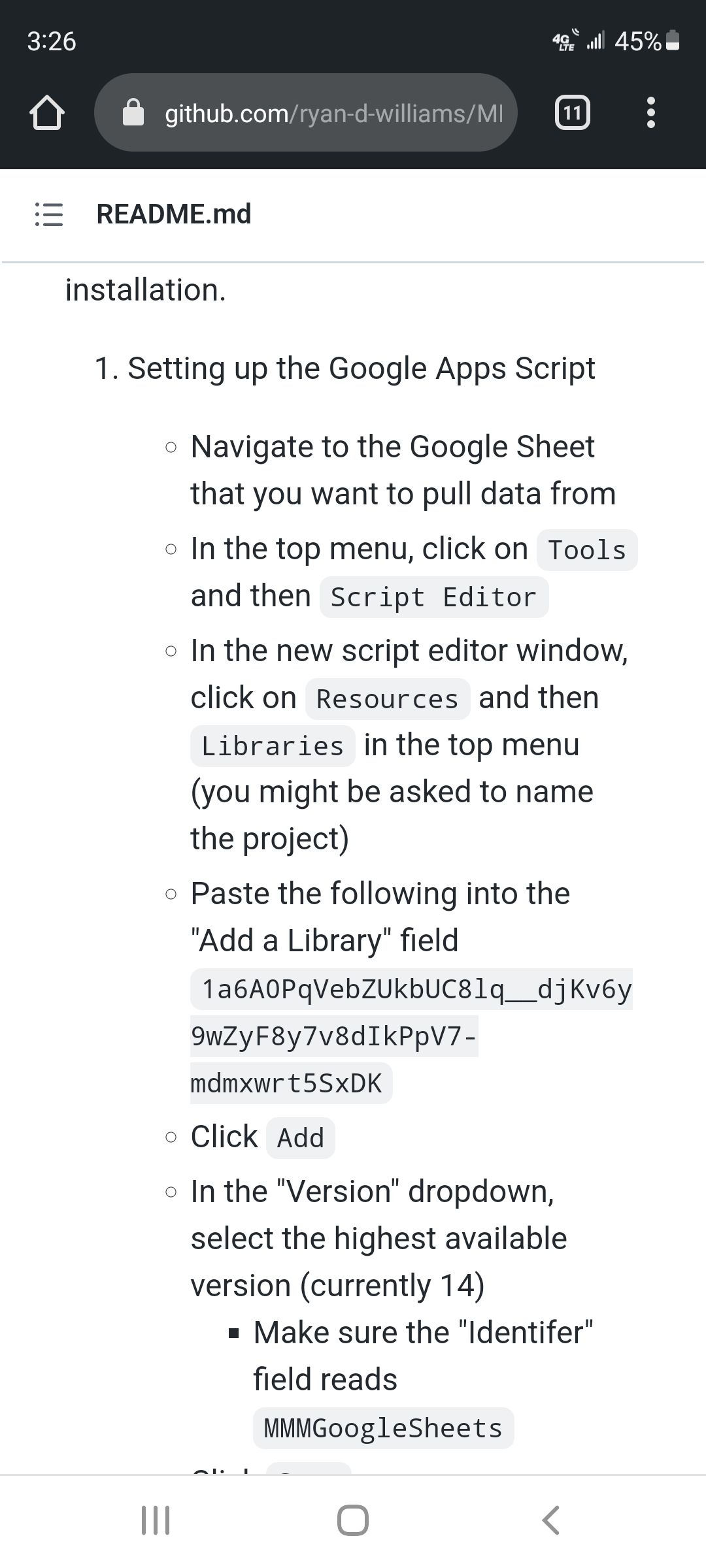
@mlm198 I see he does this a different way. did u do all of step 1?
-
@mlm198 This error is usually caused by not deploying the google apps script correctly. I have updated the README with pictures to hopefully make the deployment easier. Feel free to add an issue to the repo if you are still having problems.

Hello! It looks like you're interested in this conversation, but you don't have an account yet.
Getting fed up of having to scroll through the same posts each visit? When you register for an account, you'll always come back to exactly where you were before, and choose to be notified of new replies (either via email, or push notification). You'll also be able to save bookmarks and upvote posts to show your appreciation to other community members.
With your input, this post could be even better 💗
Register Login