Read the statement by Michael Teeuw here.
Problem installing new module (beginner), CalendarEXT3 not displaying
-
Hello, i’m new to this. Tried to install a calendar module. Can anybody see what’s wrong with the code? The weather module went out well, the calendar not so much.
manino@raspberrypi:~ $ cd MagicMirror
manino@raspberrypi:~/MagicMirror $ npm run config:checkmagicmirror@2.24.0 config:check
node js/check_config.js[19.09.2023 18:31.34.169] [INFO] Checking file… /home/manino/MagicMirror/config/config.js
[19.09.2023 18:31.34.290] [ERROR] Your configuration file contains syntax errors :(
[19.09.2023 18:31.34.292] [ERROR] Line 102 column 2: Parsing error: Unexpected token ;
manino@raspberrypi:~/MagicMirror $/* MagicMirror² Config Sample * * By Michael Teeuw https://michaelteeuw.nl * MIT Licensed. * * For more information on how you can configure this file * see https://docs.magicmirror.builders/configuration/introduction.html * and https://docs.magicmirror.builders/modules/configuration.html * * You can use environment variables using a `config.js.template` file instead of `config.js` * which will be converted to `config.js` while starting. For more information * see https://docs.magicmirror.builders/configuration/introduction.html#enviromnent-variables */ let config = { address: "localhost", // Address to listen on, can be: // - "localhost", "127.0.0.1", "::1" to listen on loopback interface // - another specific IPv4/6 to listen on a specific interface // - "0.0.0.0", "::" to listen on any interface // Default, when address config is left out or empty, is "localhost" port: 8080, basePath: "/", // The URL path where MagicMirror² is hosted. If you are using a Reverse proxy // you must set the sub path here. basePath must end with a / ipWhitelist: ["127.0.0.1", "::ffff:127.0.0.1", "::1"], // Set [] to allow all IP addresses // or add a specific IPv4 of 192.168.1.5 : // ["127.0.0.1", "::ffff:127.0.0.1", "::1", "::ffff:192.268.1.5"], // or IPv4 range of 192.268.3.0 --> 192.268.3.15 use CIDR format : // ["127.0.0.1", "::ffff:127.0.0.1", "::1", "::ffff:192.268.3.0/28"], useHttps: false, // Support HTTPS or not, default "false" will use HTTP httpsPrivateKey: "", // HTTPS private key path, only require when useHttps is true httpsCertificate: "", // HTTPS Certificate path, only require when useHttps is true language: "sv", locale: "sv-US", logLevel: ["INFO", "LOG", "WARN", "ERROR"], // Add "DEBUG" for even more logging timeFormat: 24, units: "metric", modules: [ { module: "alert", }, { module: "updatenotification", position: "top_bar" }, { module: "clock", position: "top_left" }, { module: "calendar", header: "US Holidays", position: "top_left", config: { calendars: [ { fetchInterval: 7 * 24 * 60 * 60 * 1000, symbol: "calendar-check", url: "https://ics.calendarlabs.com/76/mm3137/US_Holidays.ics" } ] } }, { module: "MMM-CalendarExt3Timeline", position: "bottom_center", title: "", config: { locale: 'en-US', staticMode: false, beginHour: -3, hourLength: 24, useSymbol: true, displayLegend: true, calendarSet: ['us_holiday', 'Tottenham'], } }, { /* default/calendar module configuration */ module: "calendar", position: "top_left", config: { broadcastPastEvents: true, // <= IMPORTANT to see past events calendars: [ { url: "webcal://www.calendarlabs.com/ical-calendar/ics/76/US_Holidays.ics", name: "us_holiday", // <= RECOMMENDED to assign name color: "red" // <= RECOMMENDED to assign color }, { module: "MMM-weatherforecast", position: "bottom_bar", // This can be any of the regions. // Best results in bottom_bar region due to horizontal default layout and icon sizes. config: { // See 'Configuration options' for more information. location: "Stockholm, sverige", locationID: "xxxxxxx, //Location ID from http://openweathermap.org/help/city_list.txt appid: "xxxxxxxxxxxxxxxxxxxxx" //openweathermap.org API key. } }, ] }; /*************** DO NOT EDIT THE LINE BELOW ***************/ if (typeof module !== "undefined") {module.exports = config;} -
@Manino said in Problem installing new module (beginner), CalendarEXT3 not displaying:
after that, I wrote npm install
after the git clone you do
cd MMM-CalendarExt3to position prompt with proper current directory
then issue
npm installthen npm install runs and looks at package.json which has a postinstall step
"postinstall": "git submodule update --init --recursive",SO, IF you were in the correct folder, then this command would have been issued here …
same as you did manually… SO, that implies you did NOT use the cd command
I see the instructions also do not have that …
cd ~/MagicMirror/modules
git clone https://github.com/MMRIZE/MMM-CalendarExt3
cd MMM-CalendarExt3  # missing <-----------
npm install
git submodule update --init --recursive
so that explains it…
in general, if the module instructions say npm install
you MUST manually position the terminal window in the module folder first… regardless if the instructions tell you or not…@MMRIZE u need to fix readme
-
@Manino well, there are two problems…
-
calendarext3 modules use the default calendar output data , they do not read the calendar directly …
-
you have a jumble of old cal and ext3
calendarSet: ['us_holiday', 'Tottenham'], } // <--- this is misplaced from somewhere }, // <-- same here { /* default/calendar module configuration */ // <- this is default cal, shouldn't be here module: "calendar", position: "top_left", config: { broadcastPastEvents: true, // <= IMPORTANT to see past events calendars: [ { url: "webcal://www.calendarlabs.com/ical-calendar/ics/76/US_Holidays.ics", name: "us_holiday", // <= RECOMMENDED to assign name color: "red" // <= RECOMMENDED to assign color }, //<- all the way thru here shouldn't be here -
-
One of the most important things to do is to run
npm config:checkin the magicmirror directory to catch any errors in your config. Will help you follow through with some of the things Sam has mentioned here.Once you get the things corrected to satisfy the config check, modules themselves will run at minimum (assuming all the dependencies are in place), and then you can figure out what’s wrong with your config items.
-
@BKeyport said in Problem installing new module (beginner):
One of the most important things to do is to run npm config:check in the magicmirror directory to catch any errors in your config. Will help you follow through with some of the things Sam has mentioned here.
he did that, the error is listed as line 102… which is just before the if at the bottom…
I pasted his config in my editor to see what is going on…
-
@sdetweil Thanks for trying to explain for me. I started over from the beginning instead. Couldn’t see what I had done, as you said it was a jumble.
Now im stuck at, where to put the code. I do not understand how to use both the default calendar and the calendarext3 at the same time.
It’s at the “config” im stuck. https://github.com/MMRIZE/MMM-CalendarExt3
-
@Manino to use the EXT3 modules you set up the default calendar to read the ICS data and it will broadcast that out to the other modules.the EXT3 modules, Read the broadcast info and put up a different presentation
So first thing to do, is the set of the default calendar so that it reads the right ICS file that means you have to add your calendar URL to the default calendar so that it’ll get the data later we can comment out the position setting and it won’t show on the screen but it’ll still present the data for the other modules.
and then you do the EXT 3 module by itself understanding that it’s going to present the data now you can add certain parameters to the default calendar so that it knows which URL you’re talking about if there are multiples like a name or a color or but that’s all in the EXT3 documentation about what you need to do
-
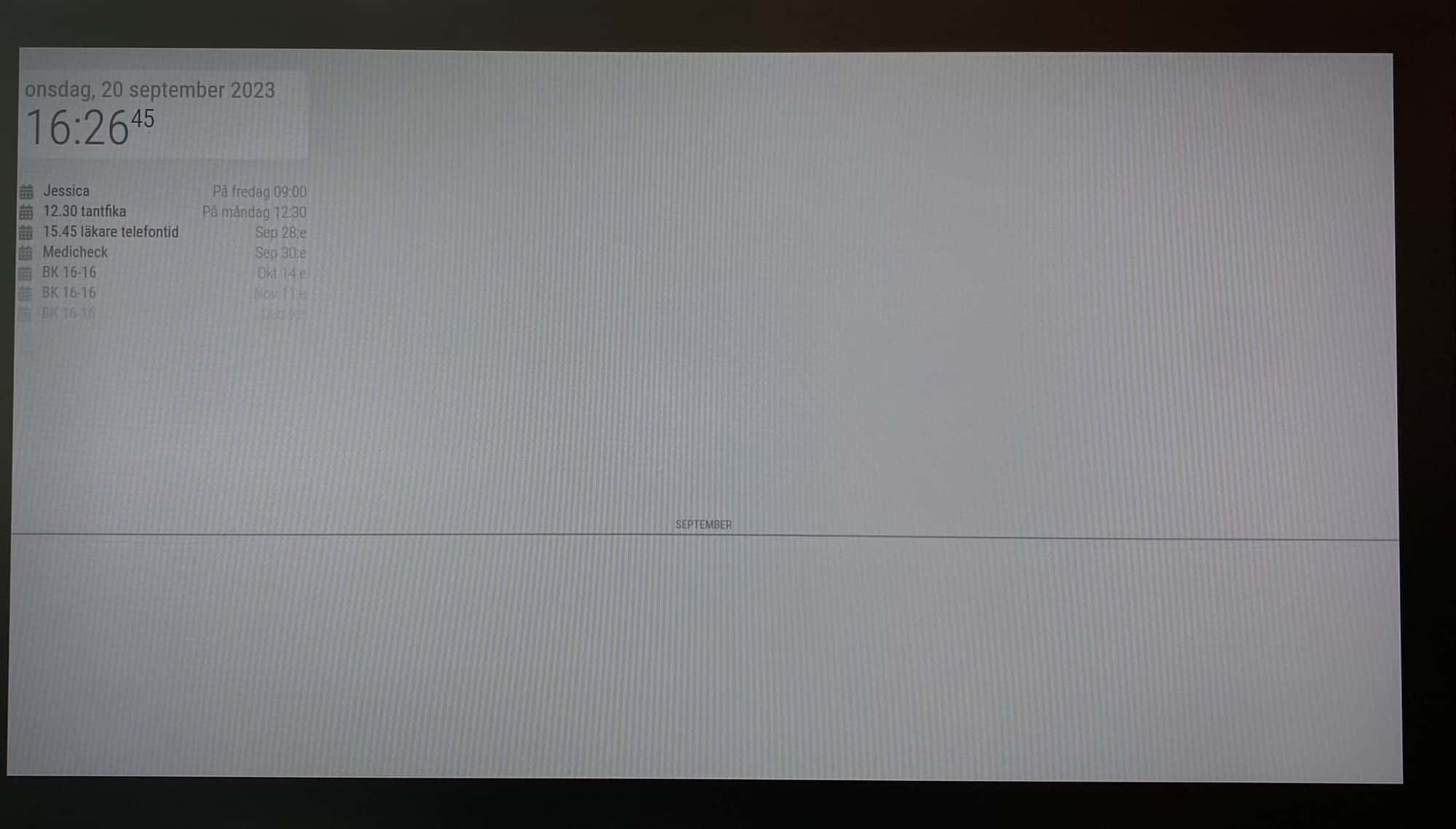
Now I got this view! Almost fantastic. I want to see the calendar under the line as 2 or 3 weeks. I can see there is a lot of config details, how do I use them?
{
module: “calendar”,
position: “top_left”,
config: {
broadcastPastEvents: true, // <= IMPORTANT to see past events
calendars: [
{
url: “https://calendar.google.com/calendar/ical/xxxxxxxx”,
name: “us_holiday”, // <= RECOMMEND to assign name
color: “red” // <= RECOMMEND to assign color
}
]
}
},
{
module: “MMM-CalendarExt3”,
position: “bottom_bar”,
title: “”,
config: {
mode: “month”,
instanceId: “basicCalendar”,
locale: ‘sv-SE’,
maxEventLines: 5,
firstDayOfWeek: 1,
calendarSet: [‘us_holiday’, ‘abfall’, ‘mytest’],
}
}, -
@Manino said in Problem installing new module (beginner):
module: “MMM-CalendarExt3”,
position: “bottom_bar”,
title: “”,
config: {
mode: “month”,
instanceId: “basicCalendar”, //<-- this isn’t set on the default calendar, best to comment out first
locale: ‘sv-SE’,
maxEventLines: 5,
firstDayOfWeek: 1,
calendarSet: [‘us_holiday’, ‘abfall’, ‘mytest’], -
@sdetweil What do you mean?
module: “MMM-CalendarExt3”,
position: “bottom_bar”,
title: “”,
config: {
mode: “month”,
/ instanceId: “basicCalendar”, /
locale: ‘sv-SE’,
maxEventLines: 5,
firstDayOfWeek: 1,
calendarSet: [‘us_holiday’, ‘abfall’, ‘mytest’],
} -
@Manino that looks good, with the open/close brace for module, {}
-
@sdetweil What? The screen still look the same. September then a line. I have added all my calendars now but can’t view them in the month calendar. No errror.
	module: "calendar",
		position: "top_left",
		config: {
			broadcastPastEvents: true, // <= IMPORTANT to see past events
			calendars: [
		        {
					url: "https://calendar.google.com/calendar/xxxxxxxx",
					name: "Familj", // <= RECOMMEND to assign name
					color: "red", // <= RECOMMEND to assign color
				},
				{
					url: "https://calendar.google.com/calendar/xxxxxxxx",
					name: "Jobb", // <= RECOMMEND to assign name
					color: "red", // <= RECOMMEND to assign color
				},
				{
					url: "https://calendar.google.com/calendar/xxxxx",
					name: "Lila kalender", // <= RECOMMEND to assign name
					color: "red", // <= RECOMMEND to assign color
				},
			]
		}
	},
	{
   module: "MMM-CalendarExt3",
   position: "lower_third",
   title: "",
   config: {
       mode: "month",
 /* instanceId: "basicCalendar", */
      locale: 'sv-SE',
      maxEventLines: 5,
      firstDayOfWeek: 1,
     calendarSet: ['Familj', 'Jobb', 'Lila kalender'],
}
}, -
@Manino do you see all the events from the calendars in the default calendar?
i am not the EXT3 author…
I start with no calendarsets in ext3
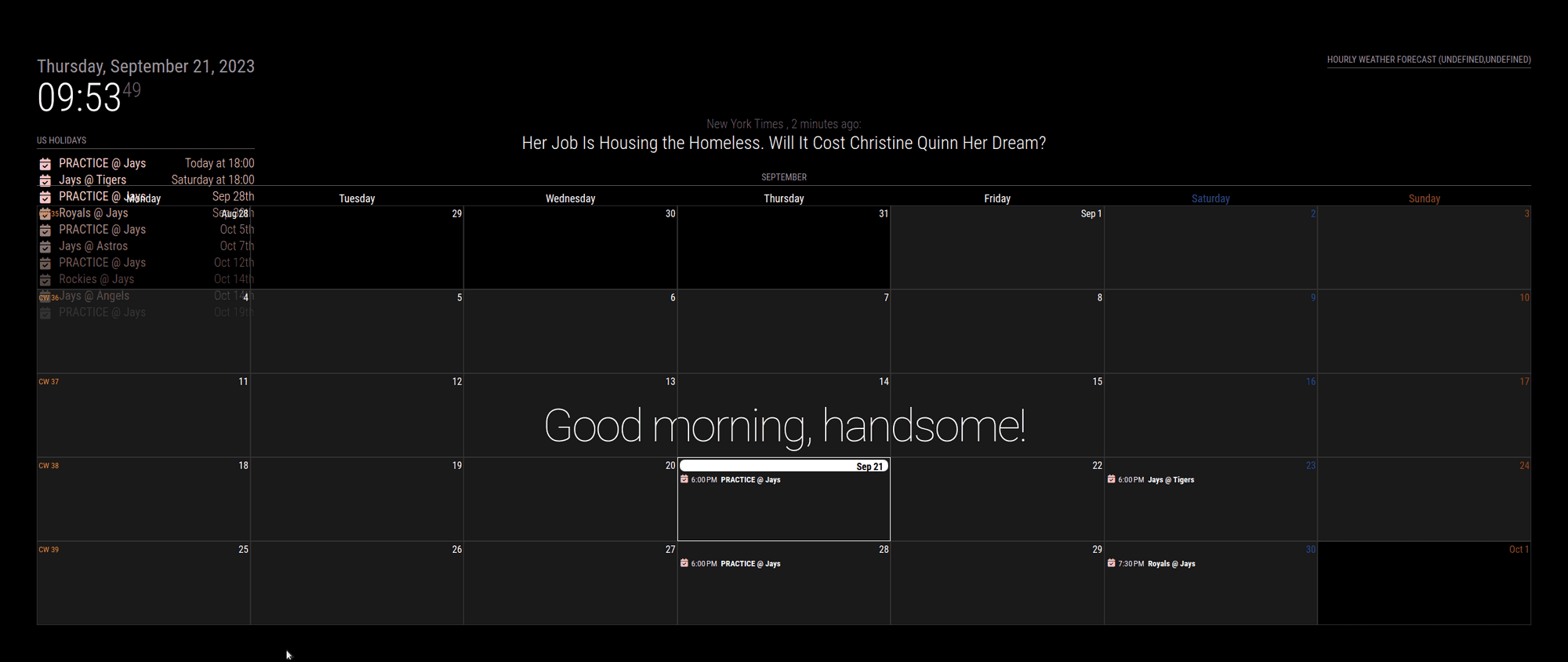
I used this and it works
      {
  module: "MMM-CalendarExt3",
  position: "bottom_bar",
  title: "",
  config: {
    mode: "month",
    maxEventLines: 5,
    firstDayOfWeek: 1,
    calendarSet: [],
  }
},
-
@sdetweil thanks for your printscreen and your time. As what I can see, I have exactly the same config when it comes to the EXT3. Including the open/close brace. (Did’nt copy paste them last time). And now for my picture i did exactly as you.
When I have bottom_bar the EXT3 also almost drowning. How can it be so different. Can you see something?
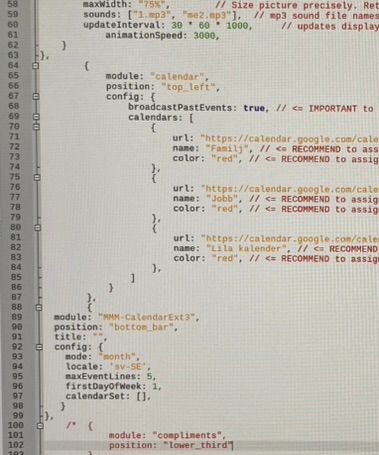
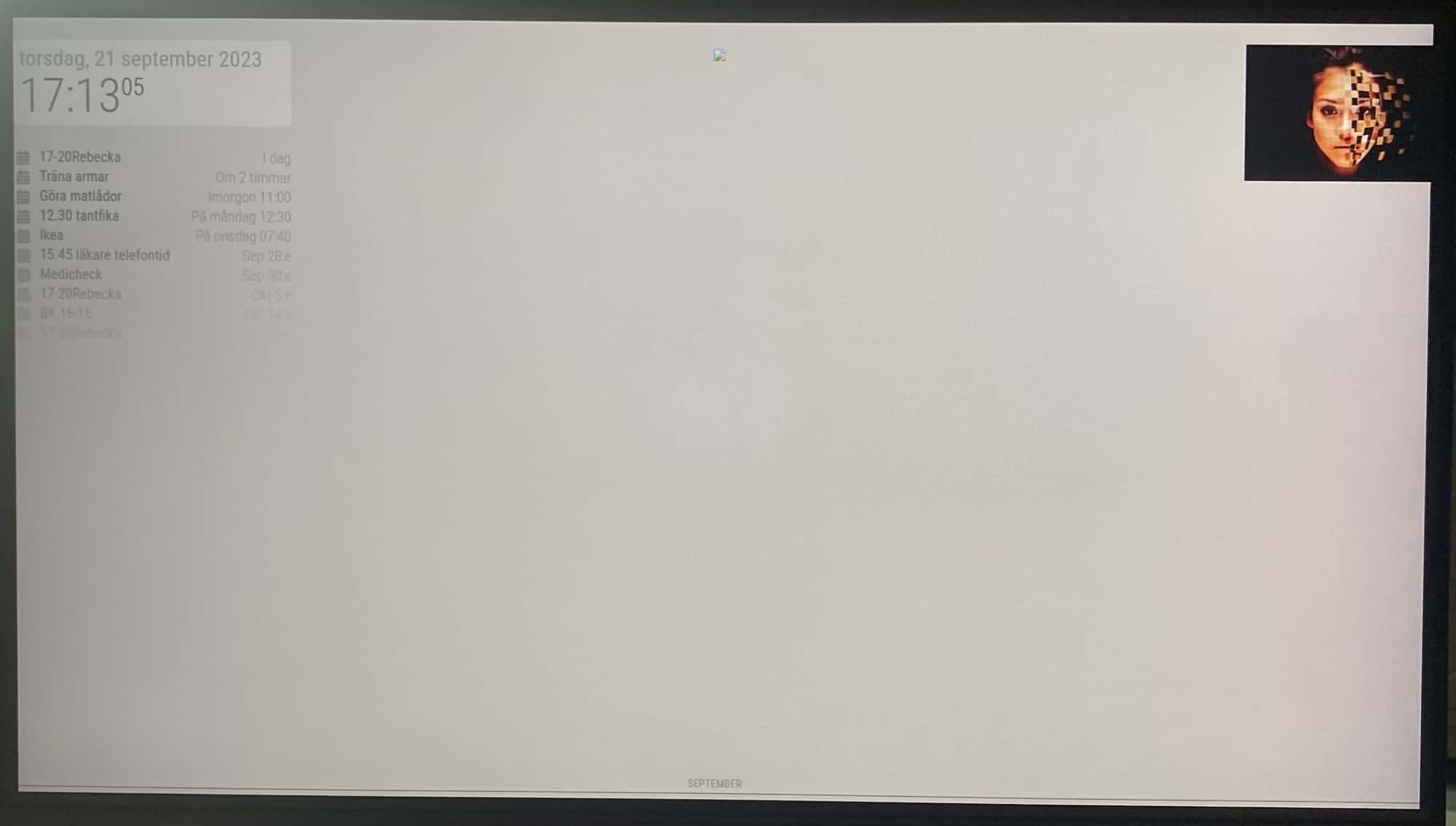
-
-
@sdetweil Thanks for trying, I really appreciate it!
-
@sdetweil @Manino
Maybe your 3 calendars might have tons of events(at least 10) since long long ago time(at least 1 year).
Past events might be too many, so all of the quota for broadcasting was already consumed by the older events.
To test it, remove 3 calendars, try ‘us-holiday’ calendar of the default config example.If so, check
maximumNumberOfDaysandmaximumEntriesof the default calendar module.I think it is not the bug of that module but unexpected behaviour. Generally, for past events, People will regard newer events than older events as more important. But broadcasting of this calendar module contains older events prior to newer ones.
-
@MMRIZE said in Problem installing new module (beginner), CalendarEXT3 not displaying:
. But broadcasting of this calendar module contains older events prior to newer ones.
but you could walk from end of list back to before today, and now know forward looking and past looking… keep going back to the start date of the calendar view … this is what I do with a port of your code to another platform…
-
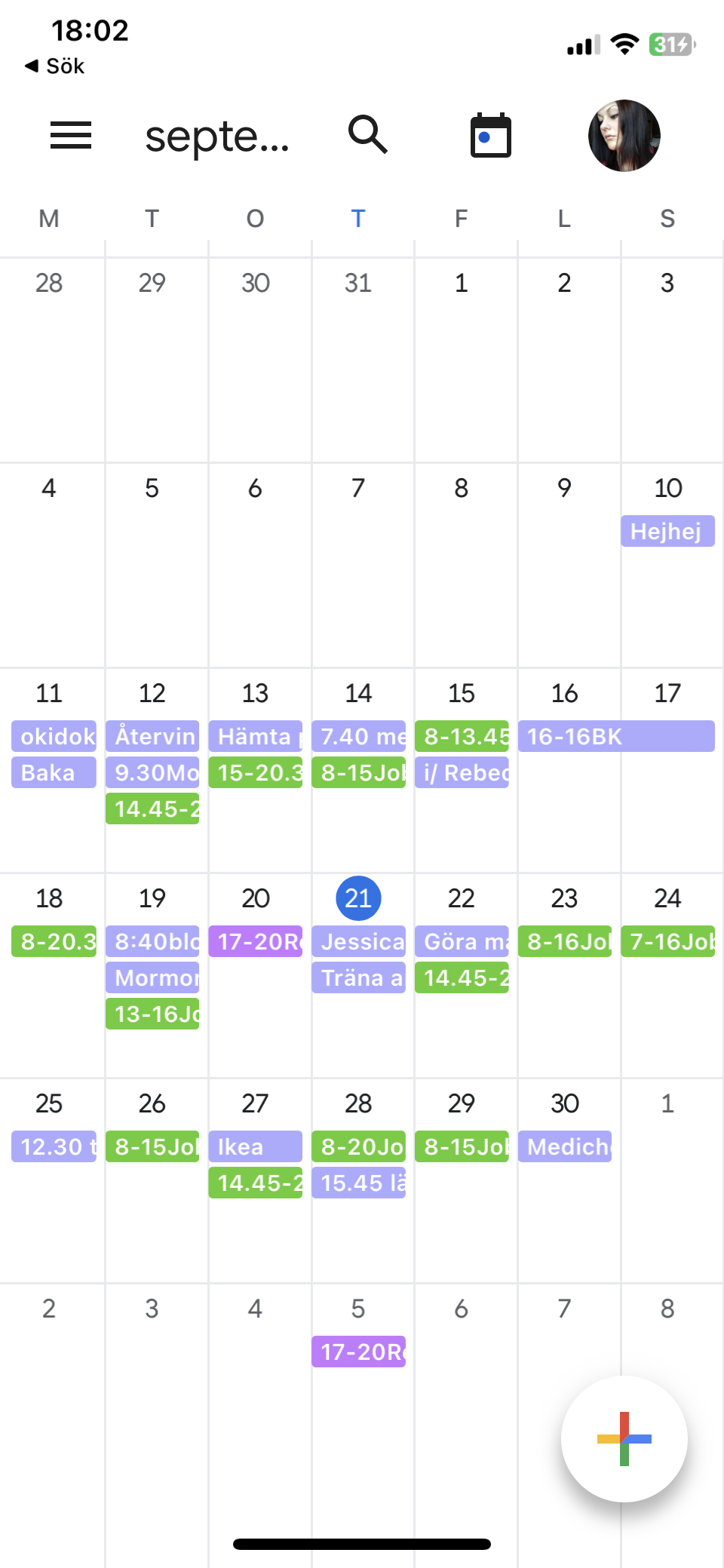
@MMRIZE bad news, all my calendars are new. No old event. I’m an apple user and usually not use google calendar at all. :(
And in september it’s kind of few events.
-
@Manino
But your picture above post shows you have Google Calendar. Could you send me the real URLs of icals? eouia0819@gmail.com
To represent your symptom, I need real data.but you could walk from end of list back to before today, and now know forward looking and past looking… keep going back to the start date of the calendar view … this is what I do with a port of your code to another platform…
AFAIK, without proper
maximumNumberOfDaysandmaximumEntriesvalues, the bunch of broadcasting will be filled with prior events first up tomaximumEntries. So the casted payload will not contain recent newer ones.
Is something changed in default calendar? -
@MMRIZE You got mail! Yes, I do have Google Calendar. And it’s all brand new for me. No old event.

Hello! It looks like you're interested in this conversation, but you don't have an account yet.
Getting fed up of having to scroll through the same posts each visit? When you register for an account, you'll always come back to exactly where you were before, and choose to be notified of new replies (either via email, or push notification). You'll also be able to save bookmarks and upvote posts to show your appreciation to other community members.
With your input, this post could be even better 💗
Register Login