Read the statement by Michael Teeuw here.
Modulo MMM-TelegramBot screenshot
-
Hello friends,
I managed to get my MagicMirror working the way I wanted, but I have an issue I can’t solve. It’s about the screenshots I take using the Telegram bot. The image I receive on my phone is 1280x720 pixels, and the problem is that it looks very blurry, making it hard to read or understand what it says. However, on Telegram for PC, that same image looks fine, and I receive it at 1920x1080, which is the resolution of my screen.
The module I have installed is MMM-TelegramBot.
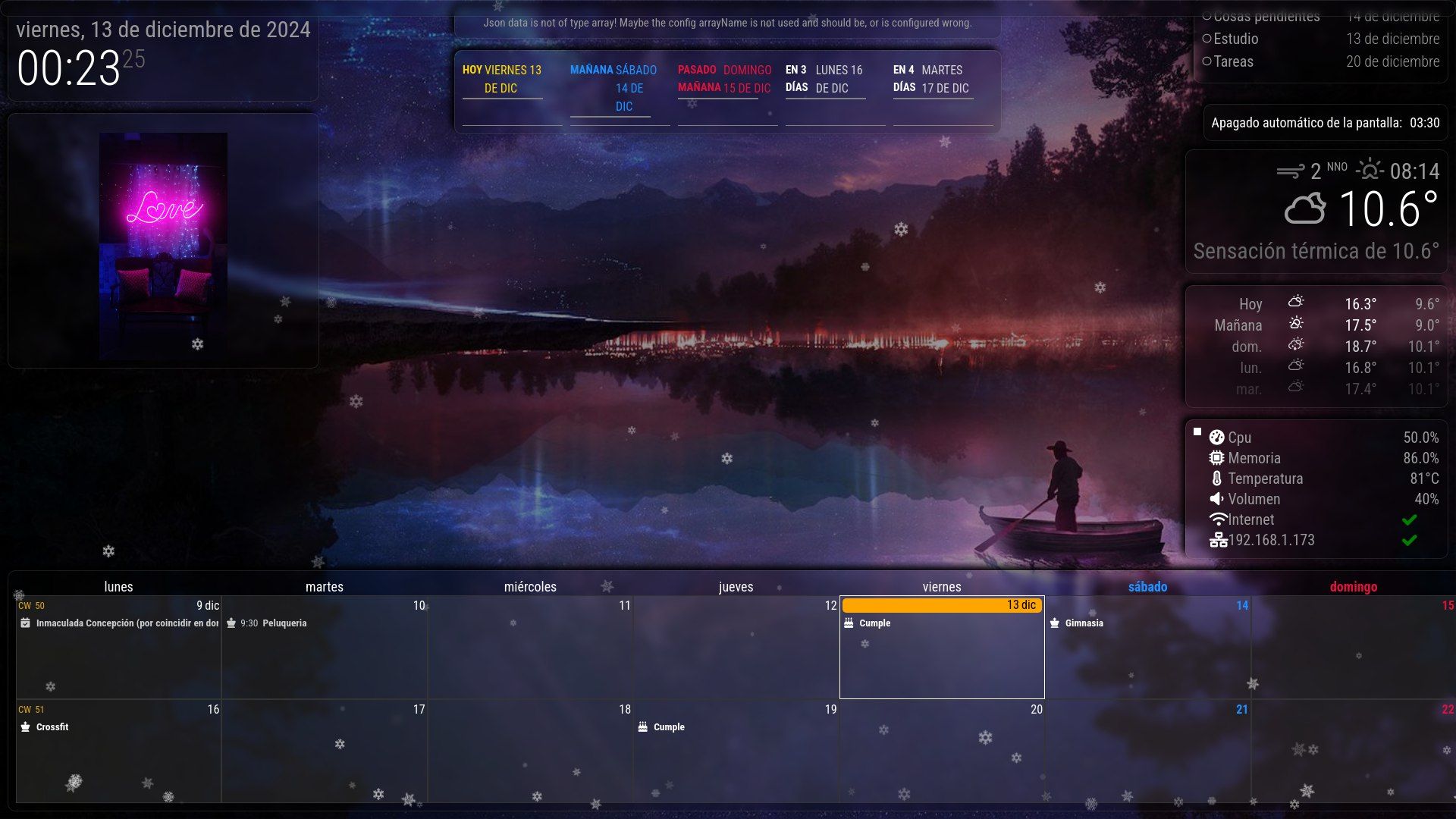
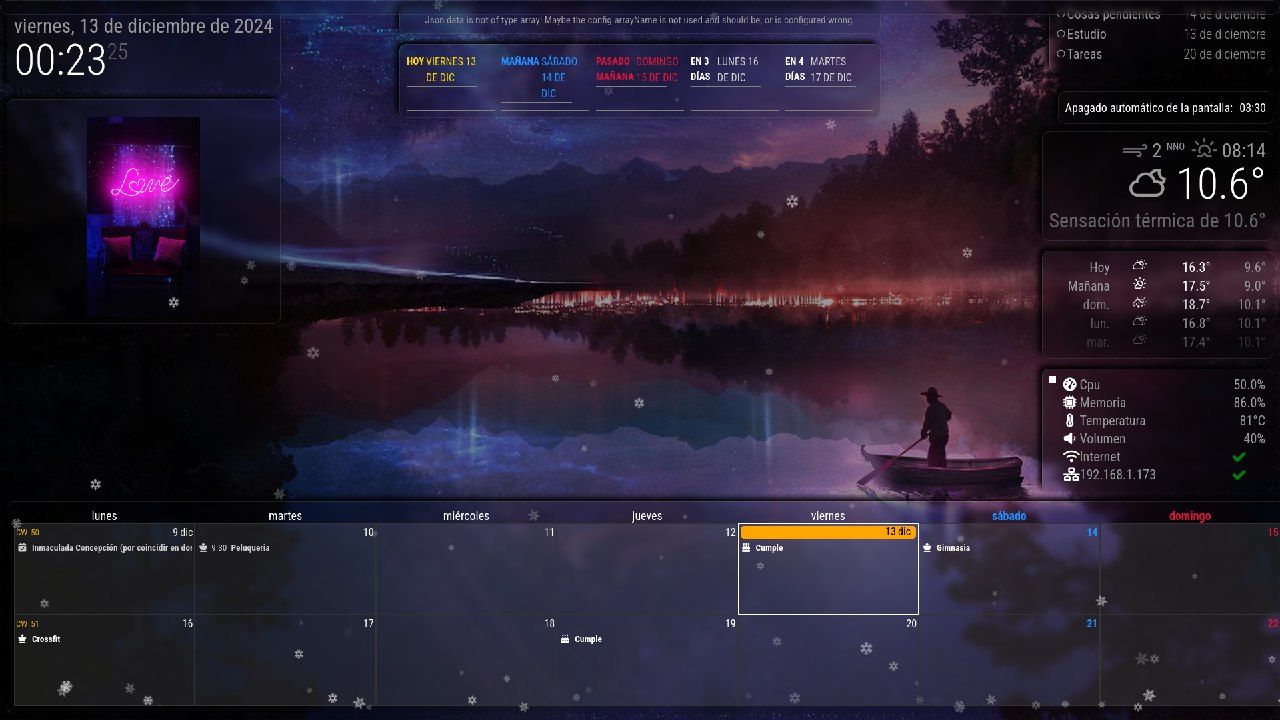
-
@nic0rz
Telegram mobile app will reduce the size of the same image than the desktop app. -
@nic0rz
To avoid this, the module had to send the image as a file, not an image. But in that case, the preview of the image will not work in the Telegram App. Dillemma. (I’ll consider enabling the selection both ways.) -
@MMRIZE Hello MMRIZE, thank you for the help. You gave me a great idea, and it worked. I changed sendPhoto to sendDocument under case ‘PHOTO_PATH’: in node_helper.js, and now it sends it to me as a file without compression.
-
@MMRIZE I just realized that if the screen is turned off, taking a screenshot only shows the background and not the modules.
-
I just realized that if the screen is turned off, taking a screenshot only shows the background and not the modules.
I think that is out of this module’s business.
-
N nic0rz has marked this topic as solved on
-
Alright, the issue was resolved after restarting. Thank you so much for the help!
Hello! It looks like you're interested in this conversation, but you don't have an account yet.
Getting fed up of having to scroll through the same posts each visit? When you register for an account, you'll always come back to exactly where you were before, and choose to be notified of new replies (either via email, or push notification). You'll also be able to save bookmarks and upvote posts to show your appreciation to other community members.
With your input, this post could be even better 💗
Register Login