Read the statement by Michael Teeuw here.
I'm new. Trying to understand and have a few questions....
-
@sdetweil Also, I am using Ubuntu Server so no GUI.
The MMM-Config module does not work, I’m guessing because it is a docker installation and maybe permissions are a thing?
 [11.03.2025 11:44.21.236] [ERROR] (node:1) UnhandledPromiseRejectionWarning: ReferenceError: fetch is not defined
magicmirror  |     at buildFormData (/opt/magic_mirror/modules/MMM-Config/module_installer/runserver.js:135:20)
magicmirror  |     at module.exports (/opt/magic_mirror/modules/MMM-Config/module_installer/runserver.js:73:3)
magicmirror  |     at Class.startit (/opt/magic_mirror/modules/MMM-Config/node_helper.js:329:5)
magicmirror  |     at Class.setConfig (/opt/magic_mirror/modules/MMM-Config/node_helper.js:163:10)
magicmirror  |     at Class.start (/opt/magic_mirror/modules/MMM-Config/node_helper.js:169:10)
magicmirror  |     at /opt/magic_mirror/js/app.js:232:18
magicmirror  |     at new Server (/opt/magic_mirror/js/server.js:93:3)
magicmirror  |     at /opt/magic_mirror/js/app.js:226:20
magicmirror  |     at loadNextModule (/opt/magic_mirror/js/app.js:171:5)
magicmirror  |     at /opt/magic_mirror/js/app.js:166:6
magicmirror  | [11.03.2025 11:44.21.236] [ERROR] (node:1) UnhandledPromiseRejectionWarning: Unhandled promise rejection. This error originated either by throwing inside of an async function without a catch block, or by rejecting a promise which was not handled with .catch(). To terminate the node process on unhandled promise rejection, use the CLI flag `--unhandled-rejections=strict` (see https://nodejs.org/api/cli.html#cli_unhandled_rejections_mode). (rejection id: 1)
magicmirror  | [11.03.2025 11:44.21.237] [ERROR] (node:1) [DEP0018] DeprecationWarning: Unhandled promise rejections are deprecated. In the future, promise rejections that are not handled will terminate the Node.js process with a non-zero exit code.
magicmirror  | [11.03.2025 11:44.22.054] [ERROR] stderr 2: grep: ../../js/animateCSS.js: No such file or directory
magicmirror  | cp: cannot stat '../../js/animateCSS.js': No such file or directory
That is from the docker compose up command.
Then when I hit: http://ip:2222/configure I am greeted with this:
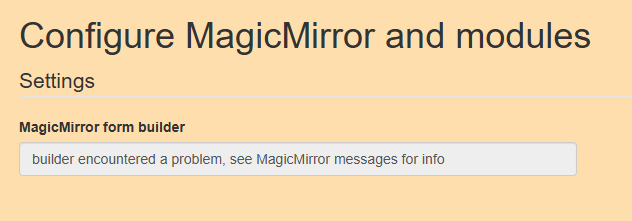
Also to prove I’m not doing anything, crazy… I removed the custom.css file I had that I was looking at and here is what it looks like (this is what it looked like default:

As you can see, lots of room to breathe for those modules. Here is what the config.js looks like:
/* Magic Mirror Config Sample
 *
 * By Michael Teeuw http://michaelteeuw.nl
 * MIT Licensed.
 *
 * For more information how you can configurate this file
 * See https://github.com/MichMich/MagicMirror#configuration
 *
 */

var config = {
  address: "0.0.0.0", // Address to listen on, can be:
  // - "localhost", "127.0.0.1", "::1" to listen on loopback interface
  // - another specific IPv4/6 to listen on a specific interface
  // - "0.0.0.0" to listen on any interface
  // Default, when address config is left out, is "localhost"
  port: 8080,
  ipWhitelist: [], // Set [] to allow all IP addresses
  // or add a specific IPv4 of 192.168.1.5 :
  // ["127.0.0.1", "::ffff:127.0.0.1", "::1", "::ffff:192.168.1.5"],
  // or IPv4 range of 192.168.3.0 --> 192.168.3.15 use CIDR format :
  // ["127.0.0.1", "::ffff:127.0.0.1", "::1", "::ffff:192.168.3.0/28"],

  language: "en",
  timeFormat: 12,
  units: "imperial",

  modules: [
    {
      module: "alert",
    },
    {
      module: "updatenotification",
      position: "top_bar"
    },
    {
      module: "clock",
      position: "top_center"
    },
    {
      module: "calendar",
      header: "US Holidays",
      position: "bottom_left",
      config: {
        calendars: [
          {
            symbol: "calendar-check",
            url: "webcal://www.calendarlabs.com/ical-calendar/ics/76/US_Holidays.ics"
          }
        ]
      }
    },
    {
      module: "compliments",
      position: "middle_center"
    },
    {
      module: "currentweather",
      position: "top_right",
      config: {
        location: "Lutz",
        locationID: "4163033",  //ID from http://bulk.openweathermap.org/sample/city.list.json.gz; unzip the gz file and find your city
        appid: "YOUR_OPENWEATHER_API_KEY"
      }
    },
    {
      module: "weatherforecast",
      position: "top_right",
      header: "Weather Forecast",
      config: {
        location: "Lutz",
        locationID: "4163033",  //ID from http://bulk.openweathermap.org/sample/city.list.json.gz; unzip the gz file and find your city
        appid: "YOUR_OPENWEATHER_API_KEY"
      }
    },
    {
      module:"MMM-Config",
      position:"top_right",
            // the QR code (if requested) will appear here
      showQR:"True",
      config:{

      }
    },
    {
      module: "newsfeed",
      position: "bottom_bar",
      config: {
        feeds: [
          {
            title: "New York Times",
            url: "http://www.nytimes.com/services/xml/rss/nyt/HomePage.xml"
          }
        ],
        showSourceTitle: true,
        showPublishDate: true,
        broadcastNewsFeeds: true,
        broadcastNewsUpdates: true
      }
    },
  ]

};

/*************** DO NOT EDIT THE LINE BELOW ***************/
if (typeof module !== "undefined") { module.exports = config; }
This is the config that comes with the docker-compose that I posted earlier. I’m guessing someone made this and there is issues and really I need to do a default install and try from there.
-
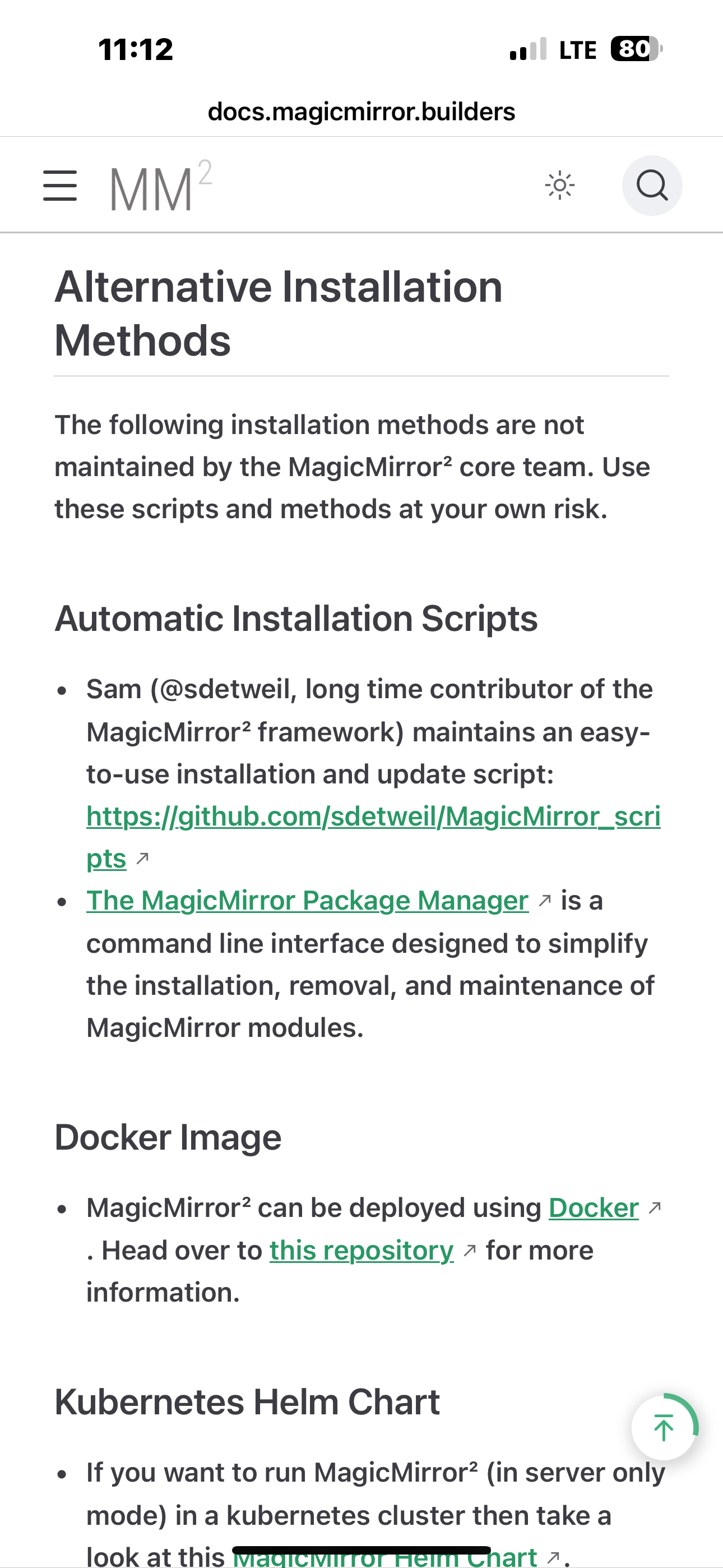
@noviceuser that docker container is quite old
see the doc for the link to the current one
https://docs.magicmirror.builders/getting-started/installation.html#automatic-installation-scripts
i strongly suggest NOT using docker til you know what it all takes
-
Then when I hit: http://ip:2222/configure I am greeted with this:
yes, a module problem I guess…
see the output of npm start (harder to see in docker)
there are no module standards, and no program checking, so MMM-Config tries to discover everything… in config and out… and sometimes it encounters something that is unable to be worked around
-
@noviceuser yes, latest MagicMirror requires nodejs v20.18.1
and node 18+ has fetch built in
-
@sdetweil Yes, looking at this, I’ve never built my own container like that. If it was a simple pull and then run it then that is one thing. I haven’t gone that far with Docker yet.
I’ll just have to find a machine that I can run this on. That is one good thing about docker is that I don’t have to dedicate an entire VM to the software on it.
-
@noviceuser MagicMirror will run anywhere…
windows, linux, mac,
my automated installed handles linux and mac
-
@noviceuser I just updated MMM-Config to depend on a certain version or higher to stop the fetch failure
-
note for native running, including windows
in 2.30 we added start commands for the different mgrs
seehttps://forum.magicmirror.builders/topic/19269/new-magicmirror-start-options-in-version-2-30-0
-
@sdetweil So where is your install script? If you linked it already I apologize I missed it.
-
-
@sdetweil Thank you. I will take a look.
I figure once I get a healthy install I can work with that and see how dumb I am to this whole thing. I think part of my problem was the old docker image just not working right. I may be closer than I believe I am.
-
@noviceuser i also have backup/restore scripts where you can replicate a saved environment to a new platform (not windows)
https://github.com/sdetweil/MagicMirror-backup-restore
I’m starting to think i should create a windows restore
Hello! It looks like you're interested in this conversation, but you don't have an account yet.
Getting fed up of having to scroll through the same posts each visit? When you register for an account, you'll always come back to exactly where you were before, and choose to be notified of new replies (either via email, or push notification). You'll also be able to save bookmarks and upvote posts to show your appreciation to other community members.
With your input, this post could be even better 💗
Register Login