Read the statement by Michael Teeuw here.
MMM-OnSpotify Waiting for Authorization
-
Hi,
I’m stuck, and I’m sure it’s something simple that I’m missing. I have installed the app and have followed the instruction on the developer dashboard, entered the client ID and secret, and I am stuck at step 3 where it says “waiting for Authorization”. Do I need to authorise it somewhere?
Thanks
David
-
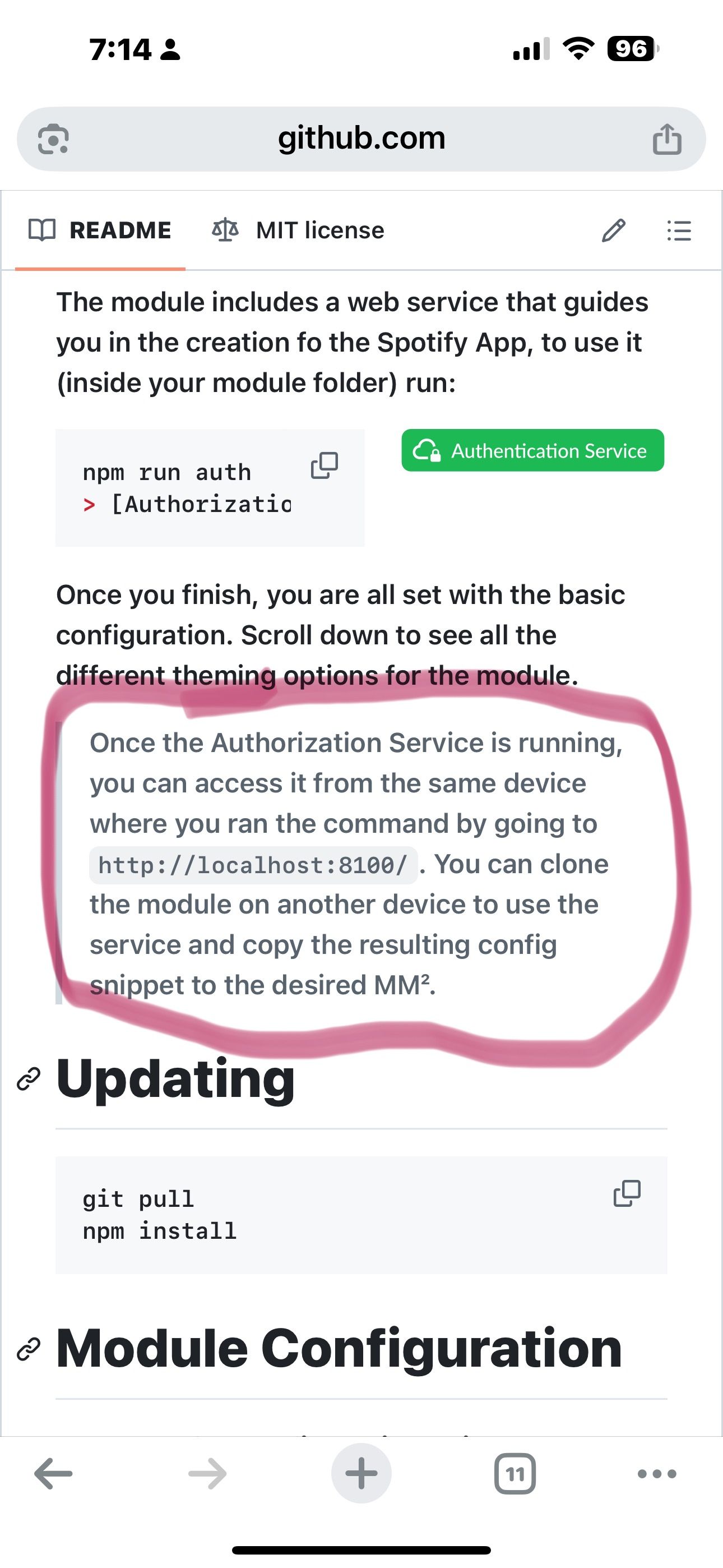
@daportelli the readme says you have to open a new web page, right?
-
Correct, but it brings up the same page that I was just on. Which is why I am confused.
-
@daportelli I just added it, and auth failed the first time cause I hadn’t added my name and email in the spotify app definition (you can see the error in the URL after pressing the button)
then the second time it worked correctly
-
@sdetweil not sure what happened, you were correct it was showing a mismatch error in the URL. I rotated the secret a couple of time and it worked. Not sure why. Thanks again for the assist.
-
Hi did you get onspotify running on your magic mirror I 'm trying get it running on my magic mirror I can only find secret client id and accsess Token but can’t find,
refresh “Token” any help install this Module .
I also tride to install spotify lyrics only had to add a token id .
but this is error message I get ?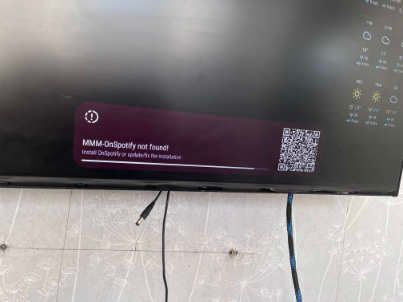
It looks like its trying to load on spotify that I’ve remove but not the install script
should just try to install MMM-onspotify, Do i add all config file ?Any help please
-
@videogame95 the refresh token will be created by the module
Install Module,
cd to It’s folder
Run the authorize command line app
Then go to the web pageNote that the module requires the Spotify premium account
As Spotify locks out the free api -
i’m haven’t got clue ho to Run the authorize command line
on my Magic Mirror it say onsptify connecting but its not
please guild me how run authorized or could show me completed app that should work
as I’m not sure I’m adding the correct thing in it.Creating a Spotify App
You cannot use MMM-NowPlayingOnSpotify credentials! (or from other module)
The scopes included in NPOS are different from the requiered for MMM-OnSpotify to work. You can use your old Client ID/Secret to get a new token.
any help what this means I’ve added a credential id and secret client id to my config.file
i’ve been on the page make n app as i said not if I’m filling this in correctly?
his is my app text only
https://developer.spotify.com/dashboard
I couldn’t past it in. Sorry my English is so bad .thanks any help
-
@videogame95 ok, I led you on the wrong path.
did you translate the module github page into your preferred language? it has all the instructions
install the module
launch the web pageAccess it by going to https://onsp.fabriz.co/create the app on the spotify developers site
add the redirect URLNow add https://onsp.fabriz.co/ as the redirect URI (include the trailing /), so Spotify knows to redirect you here with the credentialsscroll down and press save
click on Saveadd you as a user
Once you added yourself as a user, go back to the Basic Information tab,see/copy the clientid and client secret values into the fields on the web page
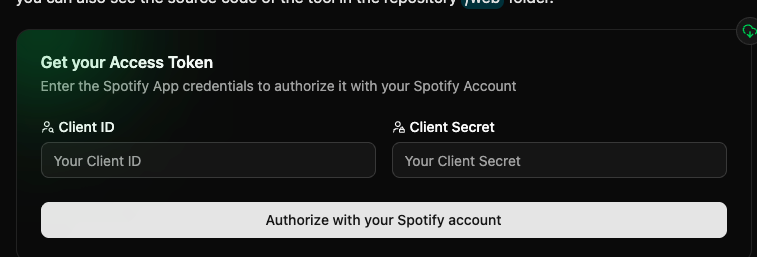
pressauthorize with your Spotify account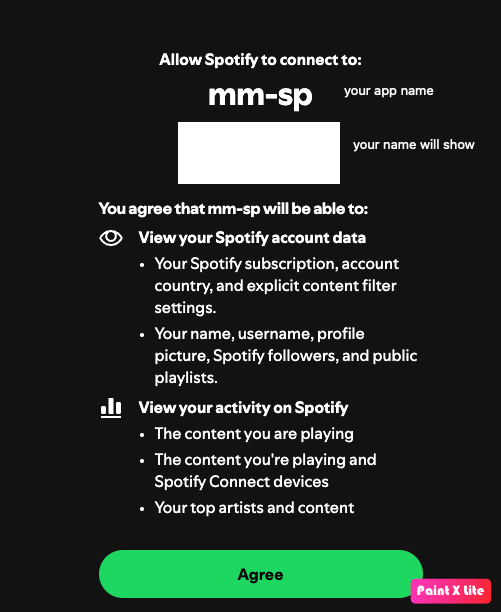
on return from authorize it will display the sample module definition for config.js (clipped here so you can see it)
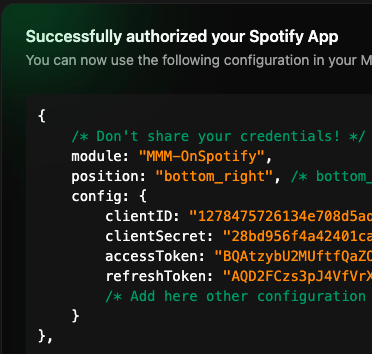
copy that blob to your config.js
save and restart MagicMirror -
unfortunately when I go to the page to recreate a new app there’s no button on the page . I had deleted my old ones now I can’t make a new .
Do I just need wait for something to refresh?
any help please. -
@videogame95 I do not know
when I go there I see the button, but it is disabled as I have 3 apps defined

-
@videogame95 if you logoff and login again, does that make a difference?
-
unfortunately no I just tied that I log out and back in to dashboard it came up with Spotify code box to my google mail copy code in which let me use Spotify on the web. as I said I tried login back into dashboard still no button to create an app?
Any suggestions -
@videogame95 no, sorry.
You are on developer.spotify.com
Right?
Hello! It looks like you're interested in this conversation, but you don't have an account yet.
Getting fed up of having to scroll through the same posts each visit? When you register for an account, you'll always come back to exactly where you were before, and choose to be notified of new replies (either via email, or push notification). You'll also be able to save bookmarks and upvote posts to show your appreciation to other community members.
With your input, this post could be even better 💗
Register Login