MagicMirror Forum
    • Recent
    • Tags
    • Unsolved
    • Solved
    • MagicMirror² Repository
    • Documentation
    • 3rd-Party-Modules
    • Donate
    • Discord
    • Register
    • Login
    A New Chapter for MagicMirror: The Community Takes the Lead
    Read the statement by Michael Teeuw here.

    MMM-CalendarExt3 Resize module

    Scheduled Pinned Locked Moved Custom CSS
    12 Posts 4 Posters 1.5k Views 4 Watching
    Loading More Posts
    • Oldest to Newest
    • Newest to Oldest
    • Most Votes
    Reply
    • Reply as topic
    Log in to reply
    This topic has been deleted. Only users with topic management privileges can see it.
    • X Offline
      Xsoldier2000
      last edited by

      I’ve been searching and either I’m not using the right search parameters or it can’t be done. Right now I have the calendar in the top_bar region, but I’m looking to resize it to fill up the right side 3/4 of the screen.

      I’m guessing it could be done with a custom.css…and if so, can you point me in the direction of some parameters I might look for while learning to use the .css file?

      Maybe it just can’t be done.

      (2nd question not that I’m thinking of it, how to I get the symbols that I designated in the regular calendar module to show in the CX3 module?)

      S M 2 Replies Last reply Reply Quote 1
      • S Offline
        sdetweil @Xsoldier2000
        last edited by

        @Xsoldier2000 the symbols, if defined in the config.js and not in a customEvents list should have been broadcast to Ext3

        Size, maybe you want to start from bottom bar

        See the second link in my signature below for using the developers windows to discover and test css

        Width and height are the two primary size items
        And he has lots of styles to adjust cell size, text size…
        Read his doc

        Sam

        How to add modules

        learning how to use browser developers window for css changes

        1 Reply Last reply Reply Quote 2
        • M Offline
          MMRIZE @Xsoldier2000
          last edited by

          @Xsoldier2000
          This module usually (and for your convenience), uses the whole width of the region that this module lays on. So, if you want to use 3/4 width of the entire screen, it will be easier to limit the width and location of the region itself. So, if you want to lay this module into top_center, guess how to expand and locate top_center region to 3/4 width from the right edge. (There could be many solution and condition, so I cannot point a silver bullet.)

          1 Reply Last reply Reply Quote 3
          • M Offline
            megagprime
            last edited by

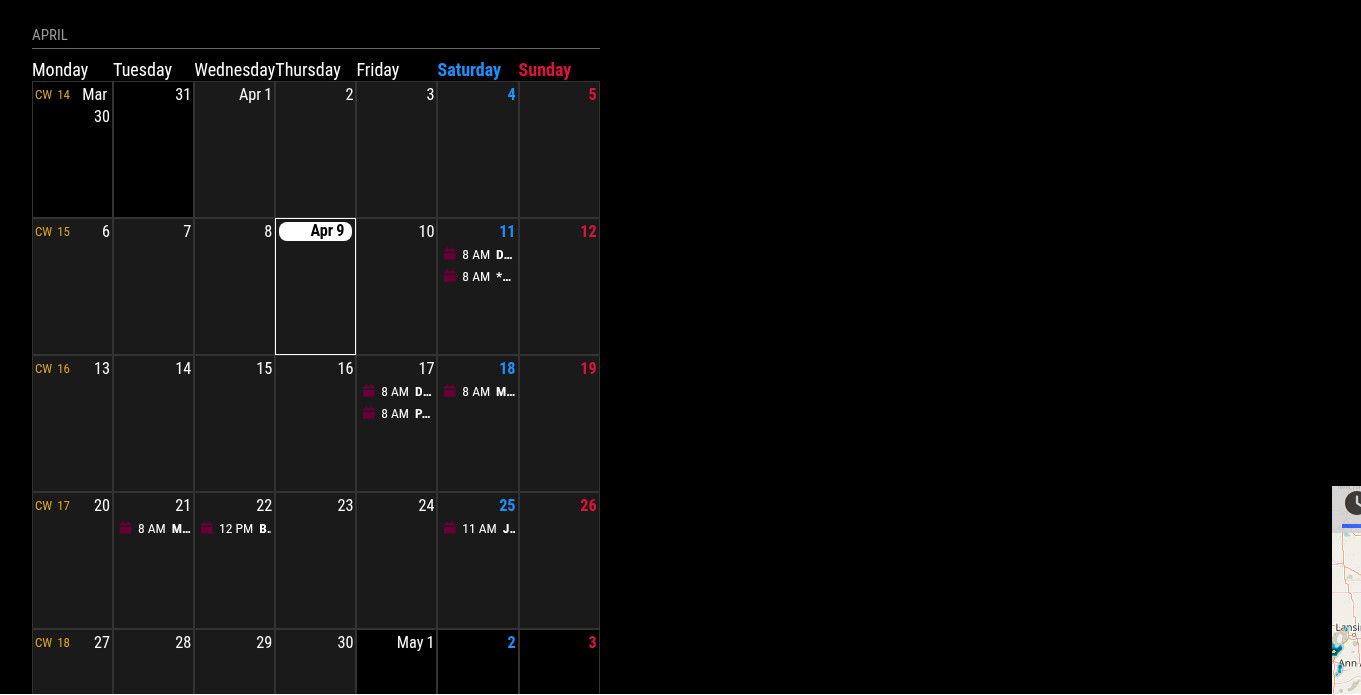
            hey guys, i cant seem to figure out how to resize this module, i have tried the css, custom cssa and even modifying the module bottom.left css max size. how can i double the width?!2c853f08-d988-4582-a4de-4037442666bd-image.jpeg thank you

            S 1 Reply Last reply Reply Quote 0
            • S Offline
              sdetweil @megagprime
              last edited by sdetweil

              @megagprime if you put the module in bottom bar it will resize.

              It fits in the area you place it

              Sam

              How to add modules

              learning how to use browser developers window for css changes

              M 3 Replies Last reply Reply Quote 0
              • M Offline
                megagprime @sdetweil
                last edited by

                @sdetweil how can i make it twice as wide as it is?

                1 Reply Last reply Reply Quote 0
                • M Offline
                  megagprime @sdetweil
                  last edited by

                  @sdetweil i have something in the bottom right

                  1 Reply Last reply Reply Quote 0
                  • M Offline
                    megagprime @sdetweil
                    last edited by

                    @sdetweil i have something on the bottom right, i just want to double the width of bottom left module

                    S 1 Reply Last reply Reply Quote 0
                    • S Offline
                      sdetweil @megagprime
                      last edited by

                      @megagprime you will have to use position absolute and width
                      You can use the developers window elements tab to try it out.

                      See the second link in my sig below for an example on how to use the elements tab

                      Sam

                      How to add modules

                      learning how to use browser developers window for css changes

                      M 1 Reply Last reply Reply Quote 0
                      • M Offline
                        megagprime @sdetweil
                        last edited by

                        @sdetweil i have done that, and even tried the module position module with custom css and it still will not work

                        S 2 Replies Last reply Reply Quote 0
                        • S Offline
                          sdetweil @megagprime
                          last edited by sdetweil

                          @megagprime if you just put it in another position , it will be in that positions size, without custom.css
                          I am away from my system til late us central time tonight

                          Sam

                          How to add modules

                          learning how to use browser developers window for css changes

                          1 Reply Last reply Reply Quote 0
                          • S Offline
                            sdetweil @megagprime
                            last edited by

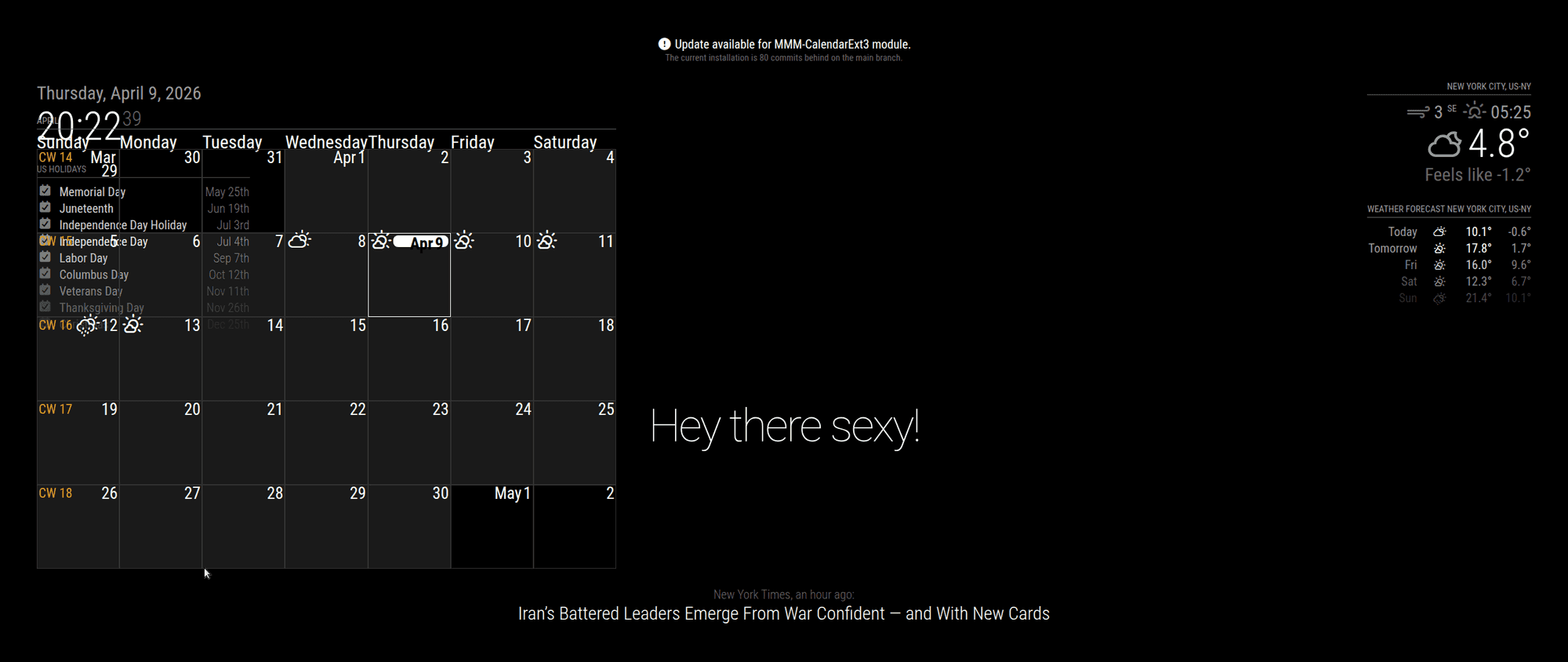
                            @megagprime try this
                            module

                            position:"bottom_left",
                            

                            no custom.css setting
                            Screenshot at 2026-04-09 20-22-39.png

                            custom.css

                            .MMM-CalendarExt3 .module-content {
                                width:175%;
                            }
                            

                            adjust % as you need
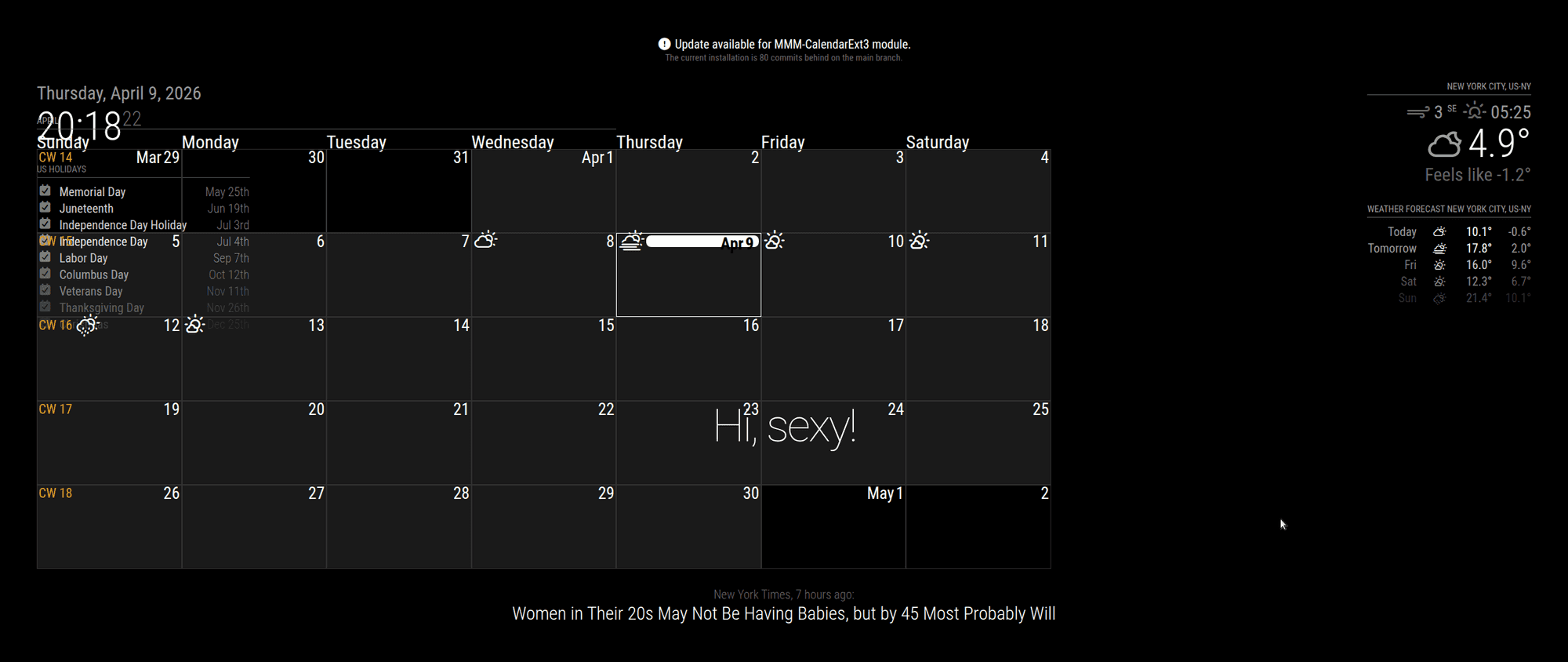
                            Screenshot at 2026-04-09 20-18-22.png

                            Sam

                            How to add modules

                            learning how to use browser developers window for css changes

                            1 Reply Last reply Reply Quote 0

                            Hello! It looks like you're interested in this conversation, but you don't have an account yet.

                            Getting fed up of having to scroll through the same posts each visit? When you register for an account, you'll always come back to exactly where you were before, and choose to be notified of new replies (either via email, or push notification). You'll also be able to save bookmarks and upvote posts to show your appreciation to other community members.

                            With your input, this post could be even better 💗

                            Register Login

                            • 1 / 1
                            • First post
                              Last post
                            Enjoying MagicMirror? Please consider a donation!
                            MagicMirror created by Michael Teeuw.
                            Forum managed by Sam, technical setup by Karsten.
                            This forum is using NodeBB as its core | Contributors
                            Contact | Privacy Policy