Read the statement by Michael Teeuw here.
MMM-SpinTheWheel - Vinyl roulette for Discogs collections
-
MMM-SpinTheWheel
Do you have hundreds of records and never know what to play?
MMM-SpinTheWheel turns your Discogs collection into a vinyl roulette for MagicMirror². Spin the wheel, discover forgotten gems, browse album artwork and view track listings directly from your mirror or mobile phone.
Features
- Loads your Discogs collection
- Random record selection
- Realistic spinning vinyl animation
- Mobile web interface
- Track listing viewer
- Front and back cover browsing
- English, Swedish and German translations
Screenshots
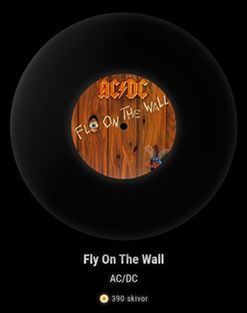
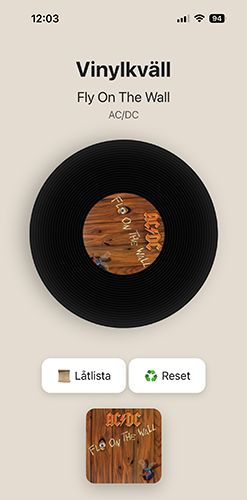
Installation
cd ~/MagicMirror/modules
git clone https://github.com/dentrass/MMM-SpinTheWheel.git
cd MMM-SpinTheWheel
npm install
Configuration
{
  module: "MMM-SpinTheWheel",
  position: "middle_center",
  config: {
    username: "YOUR_DISCOGS_USERNAME"
  }
},
GitHub Repository
https://github.com/dentrass/MMM-SpinTheWheel
Demo Features
- Spin records from your Discogs collection
- Browse album artwork
- View track listings
- Mobile-friendly control interface
Feedback, suggestions and bug reports are welcome!
-
Installation
cd ~/MagicMirror/modules
git clone https://github.com/dentrass/MMM-SpinTheWheel.git
cd MMM-SpinTheWheel
npm install
Configuration
{
module: “MMM-SpinTheWheel”,
position: “middle_center”,
config: {
username: “YOUR_DISCOGS_USERNAME”
}
},
GitHub Repository
https://github.com/dentrass/MMM-SpinTheWheelDemo Features
Spin records from your Discogs collection
Browse album artwork
View track listings
Mobile-friendly control interface
Feedback, suggestions and bug reports are welcome!GitHub:
https://github.com/dentrass/MMM-SpinTheWheel geometry dash liteVery cool module. I’ve been using MagicMirror for years, and I always enjoy seeing projects that connect physical media collections with the dashboard experience.
Thanks for sharing -
@nerespirati Glad you appreciated the module. Always nice to hear from more vinyl record collectors.
-
Hey @Dentrass-0,
nice module. Is it possible to use the mobile features also at the Mirror with a Touchscreen?
Thanks and Regards Niggich
-
@Niggich
Hi. I don’t have a touchscreen myself so it will be difficult for me to modify the module and troubleshoot to get it working. But it’s definitely a cool idea and the module would feel even better in use. If someone else can help you rewrite the module with touchscreen support, it would be great to hear if the result is good. :) -
@Dentrass-0 maybe somebody have the know how. I don’t have. It is possible to try the “touch” via VNC?
-
@Niggich It might be an idea that might work.
I’ll take a look at it and see if I can get it working using VNC.
Thank you for coming up with a fun idea. -
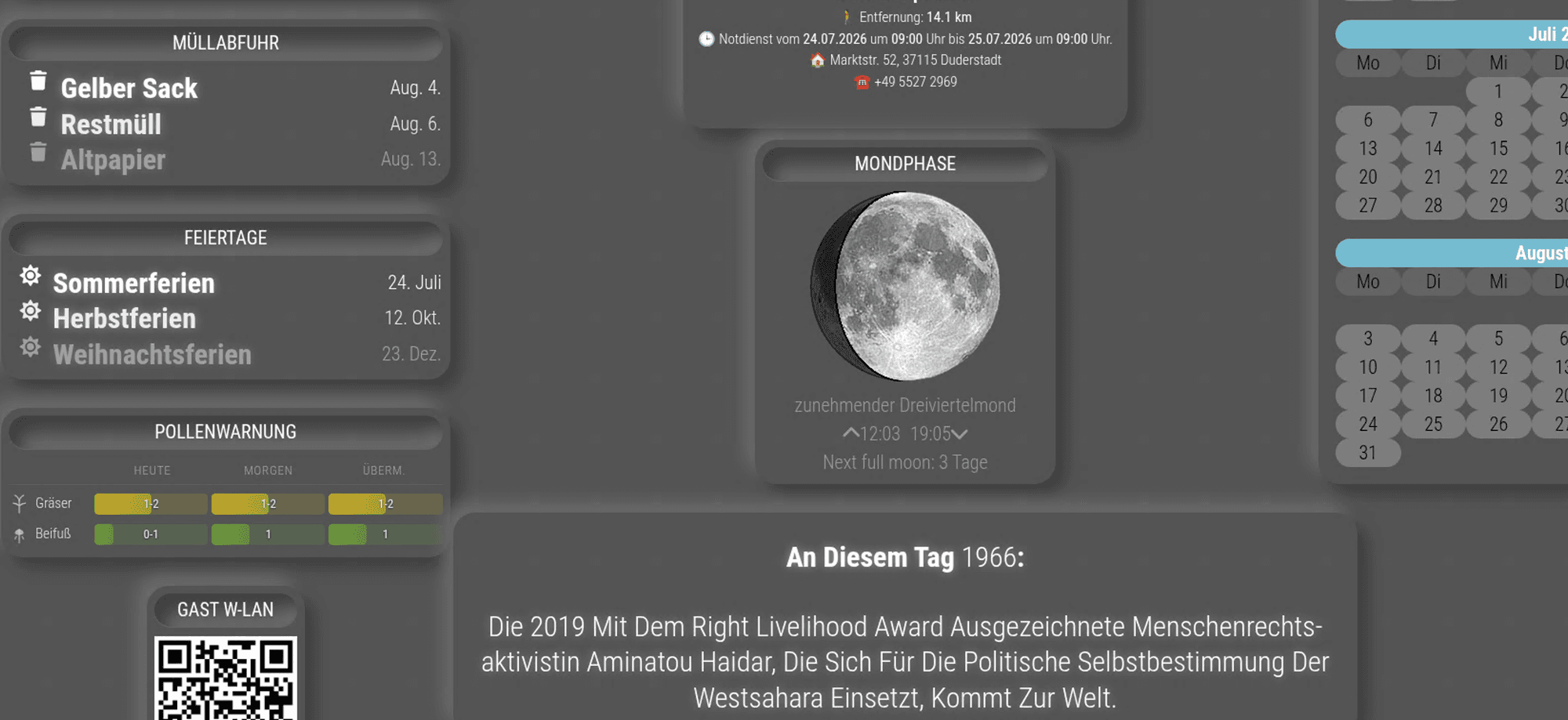
@Dentrass-0 Thank You. I still have another problem. The Font Size changed on other modules when I use your module. I also open an Issue at Github. At the Screenshot it is the calendar and the “an diesem tag”.
-
Touchscreen support has now been added in version 1.2.0.
The vinyl record on the MagicMirror display can now be pressed, dragged and spun directly using:
- a touchscreen
- a mouse
- a remote mouse connection through VNC
The mobile interface also supports both touch and mouse controls. Its additional artwork and track-list views are still available.
You can update an existing Git installation with:
cd ~/MagicMirror/modules/MMM-SpinTheWheel git pull npm install -
@Dentrass-0 Thanks a lot. I’m on holiday for the moment, but I will try next weekend when I’m back home. regards…
-
Hey @Dentrass-0,
it is working fine, but the font size of the other modules still changes when I activate your module.
Regards
-
@Niggich sounds like the css is not targeted at this module, but general
.small
Vs
.module_name .smallI didn’t check the module source
-
@sdetweil I don’t know, but at the style css from the module it looks like this.
/* ===== TEXT ===== */
.title{
 font-size:30px;*/
 margin-top:20px;
 font-weight:600;*/
 color:#fff;
 text-shadow:0 0 10px rgba(255,255,255,.4);*/
}
I changed the css like this and everything is fine, but the title from the module is too small…
/* ===== TEXT ===== */
.title{
 /*font-size:30px;*/
 margin-top:20px;
 /*font-weight:600;*/
 color:#fff;
 /*text-shadow:0 0 10px rgba(255,255,255,.4);*/
}
THX
-
@Niggich make it
. MMM-SpinTheWheel .title {
  Copy rest of old title
}
Or edit the style.css and add
.MMM-SpinTheWheelIn front of each class def -add space after this addition
I submitted a pull request to do this -
@sdetweil I edited the style.css and add .MMM-SpinTheWheel in front of each class def and it’s working like I want. Maybe @dentrass-0 can fix this for everybody on GitHub.
THX
-
@Niggich I submitted a pull request to the repo yesterday for this
-
Hi,
I’ll look into this and come up with a solution that works for everyone. I’m very busy at work right now, but I’ll fix this as soon as I have time. Thanks for the great feedback :)


Hello! It looks like you're interested in this conversation, but you don't have an account yet.
Getting fed up of having to scroll through the same posts each visit? When you register for an account, you'll always come back to exactly where you were before, and choose to be notified of new replies (either via email, or push notification). You'll also be able to save bookmarks and upvote posts to show your appreciation to other community members.
With your input, this post could be even better 💗
Register Login