Read the statement by Michael Teeuw here.
Include from /modules/node_modules/
-
I have a js script that I would like to include into my module. I have installed it into the modules/node_modules/ folder by running “npm install swiper”.
How do i include this script into my module, so I can start using it?
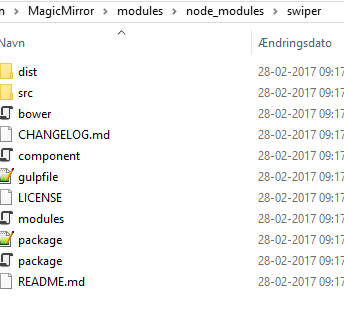
-
@mortenbirkelund you should install that in your module directory
cd ~/MagicMirror/modules/MYMODULEthennpm install swiper, but I suggest to donpm initfirst and then ````npm install --save swiper``` if you intend to publish your module -
I am pretty sure that I did install it in my modules directory but I will try your suggestion. Thanks for a quick reply. Awesome forum 👍
-
@strawberry-3.141 Perfect. I now have the module in a node_module folder located inside the module folder.
But how do i include this module into my code?getScripts: function() { return [ "moment.js","package.js" ]; },this is not wokring as i get an 404 error
-
@mortenbirkelund you have to give the path starting from your module directory something like this
"node_modules/swiper/.../.../package.js" -
@strawberry-3.141 Thanks. I thought that MM would automatically look in the node_module folder. It is working now.
-
@mortenbirkelund that happens only in the node_helper

Hello! It looks like you're interested in this conversation, but you don't have an account yet.
Getting fed up of having to scroll through the same posts each visit? When you register for an account, you'll always come back to exactly where you were before, and choose to be notified of new replies (either via email, or push notification). You'll also be able to save bookmarks and upvote posts to show your appreciation to other community members.
With your input, this post could be even better 💗
Register Login