Read the statement by Michael Teeuw here.
[MMM-OnScreenMenu] Simple On-Screen Menu for controlling the MagicMirror²
-
Thanks for the quick reply! I will try this out.
-
Hey. I’m using TWO pages in my MM.
How can I set two different menus to be shown?
as, in my first page i want to show “restart” at menu
and at the second page I want to show “reboot” at menu2. -
Firstly, thank you for providing us this fantastic module!
I have a position question: when I set a bottom_right position for it, your module button layout is as following:
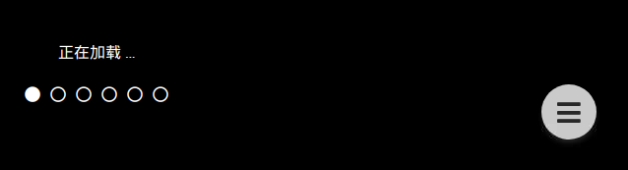
When I set a bottom_right position for another module, for example, mm-hide-all, but the layout is as following:
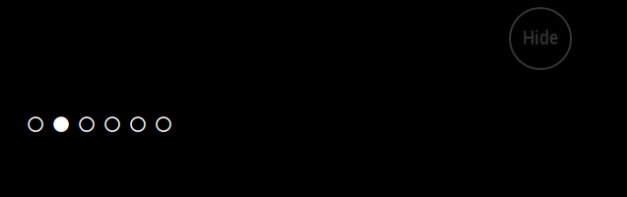
If I’d like to place my another module mm-hide-all at that position, which your MMM-OnScreenMenu is on, how shall I do? Could you give me some suggestions?
Thanks in advance.
-
hi, how do i integrate modules. i use different classes… Tank You
-
It is possible to disable menu items area when mouse is not over main button or to create the items when the mouse is over then? The items are active even if hidden and it is possible to press them unintentionally.
Hello! It looks like you're interested in this conversation, but you don't have an account yet.
Getting fed up of having to scroll through the same posts each visit? When you register for an account, you'll always come back to exactly where you were before, and choose to be notified of new replies (either via email, or push notification). You'll also be able to save bookmarks and upvote posts to show your appreciation to other community members.
With your input, this post could be even better 💗
Register Login