MagicMirror Forum
    • Recent
    • Tags
    • Unsolved
    • Solved
    • MagicMirror² Repository
    • Documentation
    • 3rd-Party-Modules
    • Donate
    • Discord
    • Register
    • Login
    A New Chapter for MagicMirror: The Community Takes the Lead
    Read the statement by Michael Teeuw here.

    MM does not start full screen (pi Zero)

    Scheduled Pinned Locked Moved Troubleshooting
    20 Posts 3 Posters 5.4k Views 3 Watching
    Loading More Posts
    • Oldest to Newest
    • Newest to Oldest
    • Most Votes
    Reply
    • Reply as topic
    Log in to reply
    This topic has been deleted. Only users with topic management privileges can see it.
    • S Do not disturb
      sdetweil @ashishtank
      last edited by

      @ashishtank yes, if you used my installer script, it would have setup for chromium…

      Sam

      How to add modules

      learning how to use browser developers window for css changes

      A 1 Reply Last reply Reply Quote 1
      • A Offline
        ashishtank Module Developer @sdetweil
        last edited by

        @sdetweil Yes, I did used it Sam. I also mentioned it in your scripts topic as well. Thanks for the script :)

        S 1 Reply Last reply Reply Quote 0
        • S Do not disturb
          sdetweil @ashishtank
          last edited by

          @ashishtank I know. i was talking to @jthewarrior7

          Sam

          How to add modules

          learning how to use browser developers window for css changes

          1 Reply Last reply Reply Quote 0
          • J Offline
            jthewarrior7
            last edited by

            Yes it is indeed chromium

            S 1 Reply Last reply Reply Quote 0
            • S Do not disturb
              sdetweil @jthewarrior7
              last edited by

              @jthewarrior7 ok, if u close mm, pm2 stop 0.

              then start chromium manually. (probably from terminal window), does it open to fill the screen?

              Sam

              How to add modules

              learning how to use browser developers window for css changes

              1 Reply Last reply Reply Quote 0
              • J Offline
                jthewarrior7
                last edited by jthewarrior7

                I have started the chromium-browser , which opens in the same size as the magic mirror.

                A 1 Reply Last reply Reply Quote 0
                • A Offline
                  ashishtank Module Developer @jthewarrior7
                  last edited by

                  @jthewarrior7 May be it is remembering the last opened size of browser ? can you maximize it then close and reopen it ? Is it open maximized ? Then try with Mirror script.

                  S 1 Reply Last reply Reply Quote 0
                  • S Do not disturb
                    sdetweil @ashishtank
                    last edited by sdetweil

                    @ashishtank but the script (run-start.sh), requests maximize…

                    Sam

                    How to add modules

                    learning how to use browser developers window for css changes

                    1 Reply Last reply Reply Quote 0
                    • J Offline
                      jthewarrior7
                      last edited by

                      Chromium indeed remembers the size when I reopen it after increasing the window size, and also the kiosk mode of chromium opens in this size. Unfurtunately the MM still opens in its original size.

                      Is it maybe possible to start up the MM in the non-kiosk mode, then adjust the size/position and turn it back into kiosk?

                      S 2 Replies Last reply Reply Quote 0
                      • S Do not disturb
                        sdetweil @jthewarrior7
                        last edited by sdetweil

                        @jthewarrior7 sure, edit the run-start.sh and remove ‘-kiosk’ from the parameters

                         chromium-browser -noerrdialogs -kiosk -start_maximized  --disable-infobars --app=http://localhost:$port  --ignore-certificate-errors-spki-list --ignore-ssl-errors --ignore-certificate-errors 2>/dev/null
                        

                        hm… looking thru the flags supported, it says all need double dash in front… so, add a dash to -maximized
                        and -kiosk

                        https://peter.sh/experiments/chromium-command-line-switches/

                        Sam

                        How to add modules

                        learning how to use browser developers window for css changes

                        1 Reply Last reply Reply Quote 0
                        • S Do not disturb
                          sdetweil @jthewarrior7
                          last edited by

                          @jthewarrior7 u can also try adding the window-size parm.

                          --window-size ⊗	Sets the initial window size. Provided as string in the format "800,600". 
                          

                          Sam

                          How to add modules

                          learning how to use browser developers window for css changes

                          1 Reply Last reply Reply Quote 0
                          • J Offline
                            jthewarrior7
                            last edited by

                            Thanks for these tips, I will try if that works and let you know :)

                            S 2 Replies Last reply Reply Quote 0
                            • S Do not disturb
                              sdetweil @jthewarrior7
                              last edited by

                              @jthewarrior7 ok, I am trying to change my pi0 orientation to test

                              Sam

                              How to add modules

                              learning how to use browser developers window for css changes

                              1 Reply Last reply Reply Quote 0
                              • S Do not disturb
                                sdetweil @jthewarrior7
                                last edited by sdetweil

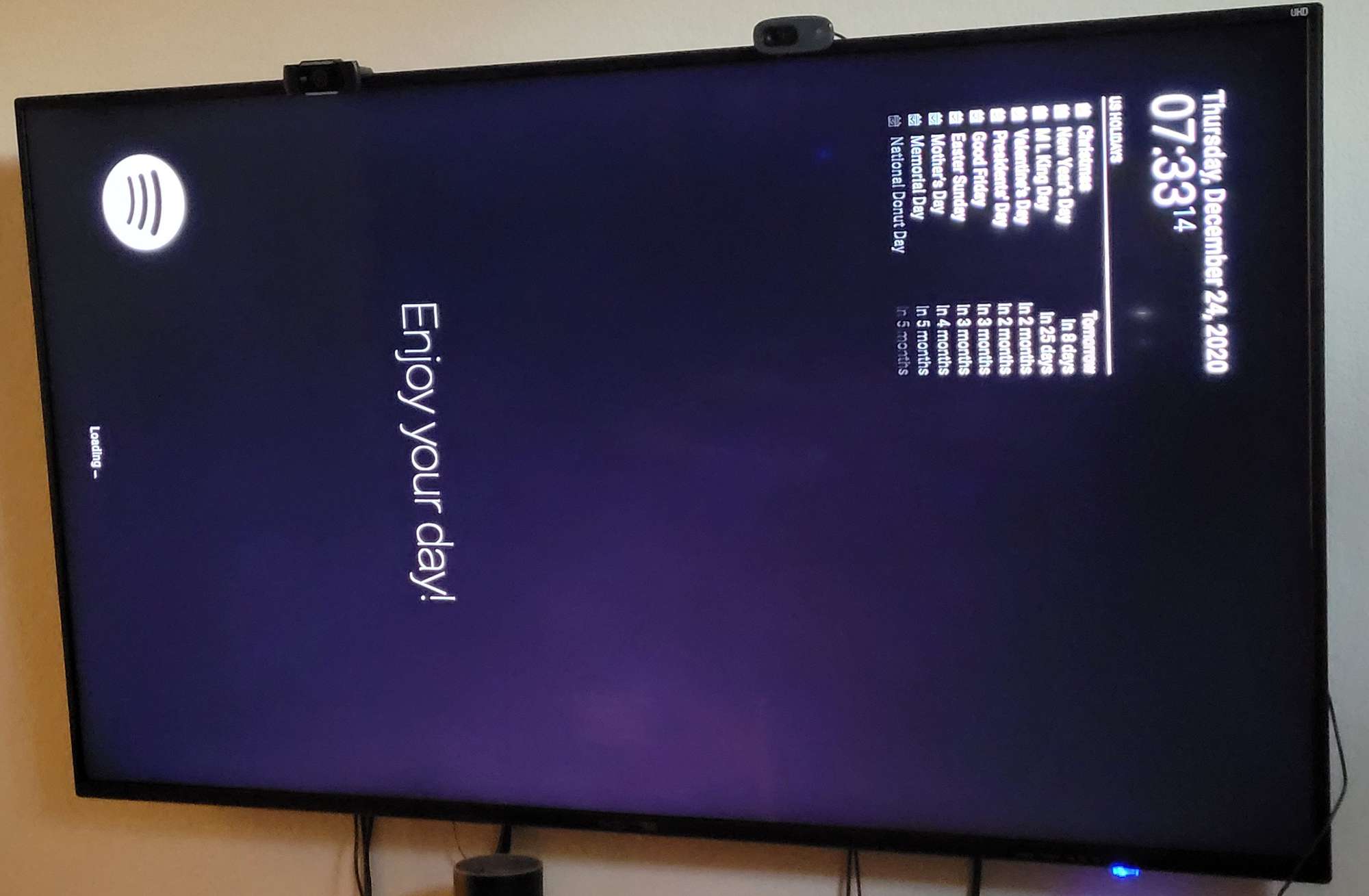
                                @jthewarrior7 mine came up full screen without any script changes
                                rotated2.jpg

                                Sam

                                How to add modules

                                learning how to use browser developers window for css changes

                                1 Reply Last reply Reply Quote 0
                                • J Offline
                                  jthewarrior7
                                  last edited by

                                  The --start-maximized but also the --window-size does not seem to have any effect. I tried them both when opening a new chromium window via the console (chromium-browser --start-maximized, but the chromium still launches at its previously closed size and position.

                                  S 1 Reply Last reply Reply Quote 0
                                  • S Do not disturb
                                    sdetweil @jthewarrior7
                                    last edited by

                                    @jthewarrior7 try --start-fullscreen

                                    this seems to work on my pi0, where --start-maximized does not

                                    Sam

                                    How to add modules

                                    learning how to use browser developers window for css changes

                                    1 Reply Last reply Reply Quote 0
                                    • J Offline
                                      jthewarrior7
                                      last edited by

                                      start fullscreen removes the top bar etc. but strangely enough the size of the chromium window does not go to fullscreen.

                                      S 1 Reply Last reply Reply Quote 0
                                      • S Do not disturb
                                        sdetweil @jthewarrior7
                                        last edited by

                                        @jthewarrior7 weird… kiosk is what removes the titlebar

                                        Sam

                                        How to add modules

                                        learning how to use browser developers window for css changes

                                        1 Reply Last reply Reply Quote 0

                                        Hello! It looks like you're interested in this conversation, but you don't have an account yet.

                                        Getting fed up of having to scroll through the same posts each visit? When you register for an account, you'll always come back to exactly where you were before, and choose to be notified of new replies (either via email, or push notification). You'll also be able to save bookmarks and upvote posts to show your appreciation to other community members.

                                        With your input, this post could be even better 💗

                                        Register Login

                                        • 1 / 1
                                        • First post
                                          Last post
                                        Enjoying MagicMirror? Please consider a donation!
                                        MagicMirror created by Michael Teeuw.
                                        Forum managed by Sam, technical setup by Karsten.
                                        This forum is using NodeBB as its core | Contributors
                                        Contact | Privacy Policy