Read the statement by Michael Teeuw here.
Who is home? Presence tracking
-
We use IFTTT to sense when someone comes home or leaves, and we use it to track when the kids arrive at and leave school. Pretty easy, all you need to do is connect into web hooks and you can POST the data.
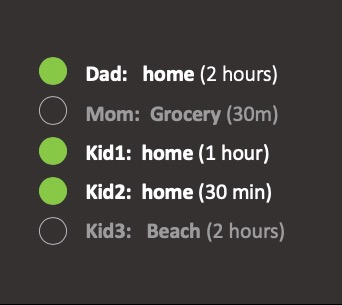
I’d like to show: Where is everyone?
Dad: Home / Work / Club / “Other” - left: X min ago / home for: Y min
Mom: Same
Kid 1:
Kid 2:
Kid 3:I’m a python guy, not a javascript guy. Anything around that could get me started – yes, I will RTFM, but if anyone has pointers to something close, I’ll be grateful.
Also - custom icons for family members would be nice - how?
Thanks!
-
@tc60045 so, can u collect the info in python, then pass that info to the module and have it display?
home do you want this to look?
-
@tc60045 how do u track them via IFTTT? specially at school?
tnanks, Zdenek
-
@zdenek show us IFTTT recipe, we can make webhook easily with existing module or by creating one.
-
Thanks everyone for your interest on this – this is quite a nice welcome!!
The process on IFTTT is pretty simple, with caveats:
- I’m not sure it works on Android, but I know it works with iOS
- Users (family) must have IFTTT accounts, have IFTTT app on their phones, and have location / privacy / background settings on so that it reports location. Battery drain from that is nothing that I have noticed, ever
- Then you set up rules specific to any locations that you want
There is no way that I know of to take all the rules from one user and transfer them to another user, so sadly, I’ve just had to gut it out and reproduce all the rules in each account. Oh well.
The “this” is a location trigger; the “that” is whatever you want (email, text, action from something else). In this case, the “that” we want to use is a web hook, so that we can POST or PUT the information to a web server with certain pieces of information: who (multiple users), did what (entered/exited), location (where), when (timestamp).
I will post the pictures of the process in just a second, but let’s talk guts. I use docker, python and Redis for everything that I can. So I had intended to set up a small apache container on a custom port to receive the POST, then have a python script running to parse the log and push location states to Redis, and then have a small .js module simply grab location state information from Redis. That setup works for me, but it won’t work for everyone. I’m happy to re-factor that logic and learn some new things to make this happen – in a way that doesn’t require docker, redis or python, but nevertheless maintains persistent data stores.
Here’s the IFTTT setup:
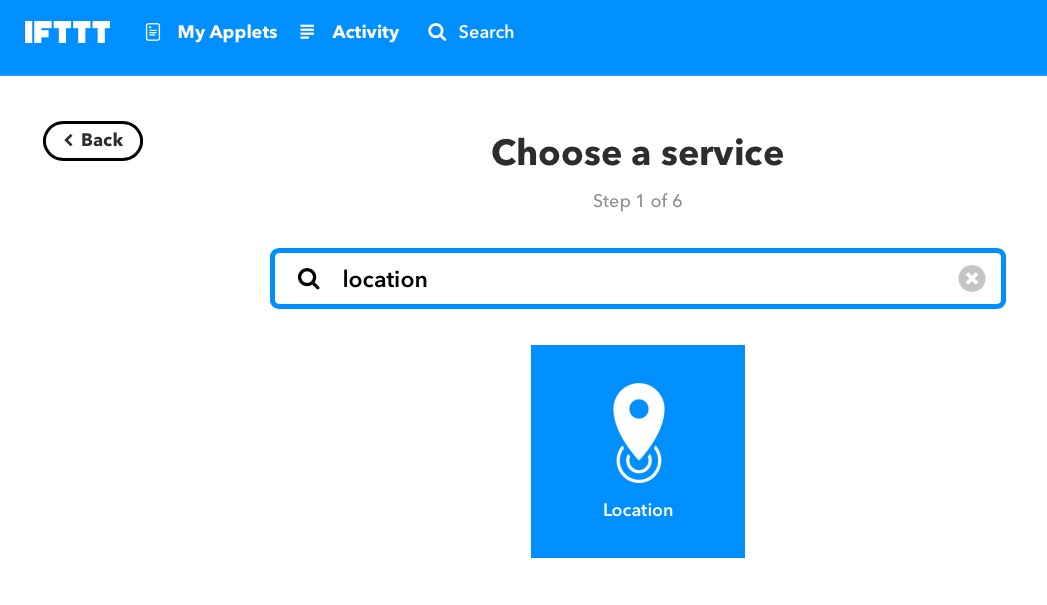
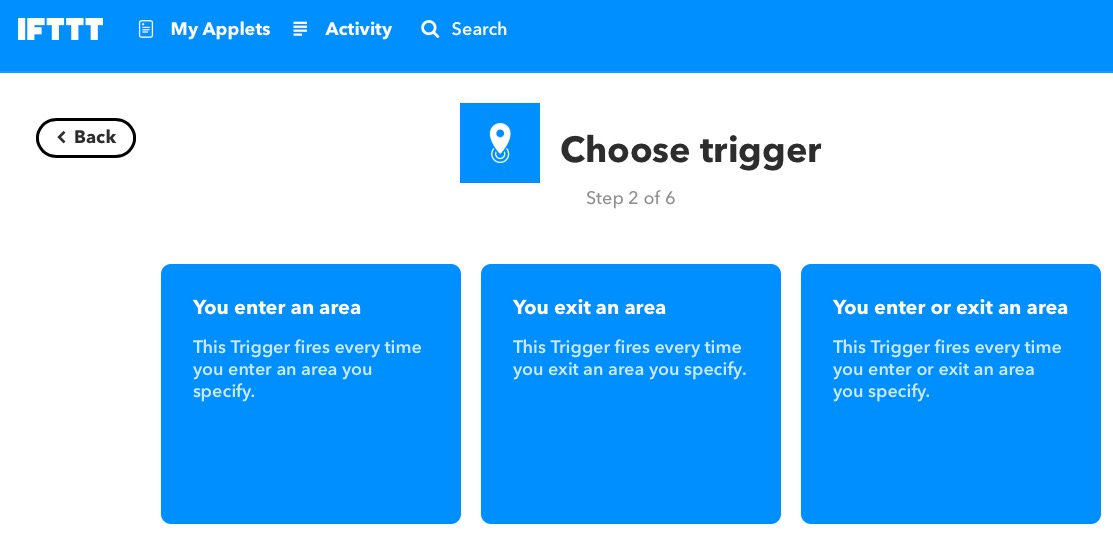
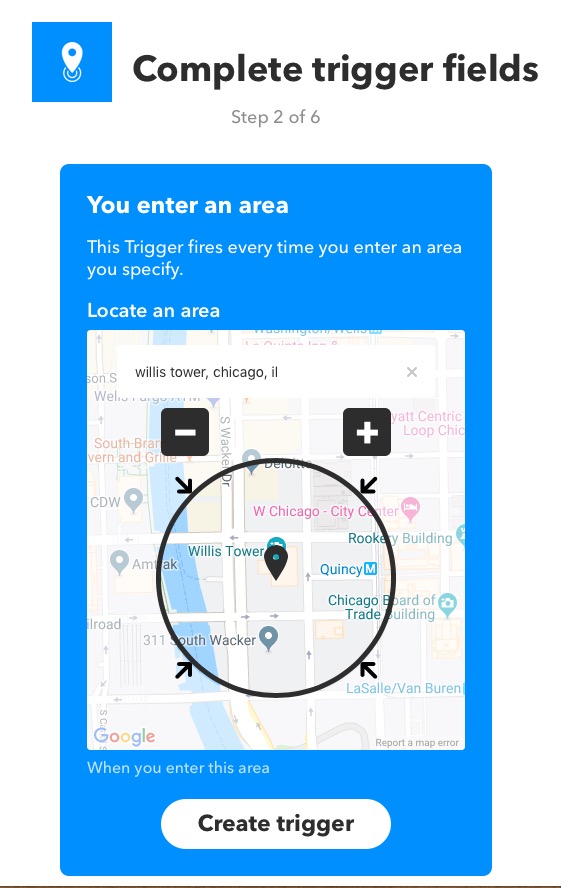

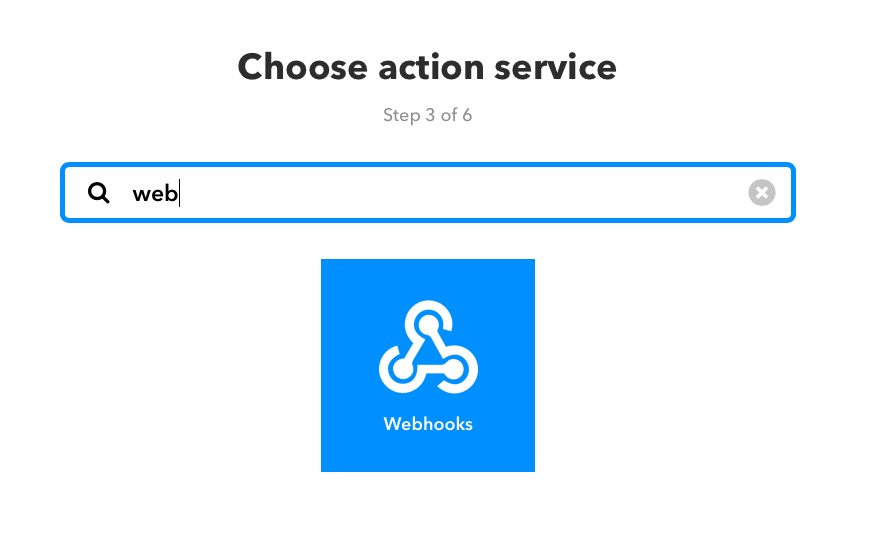
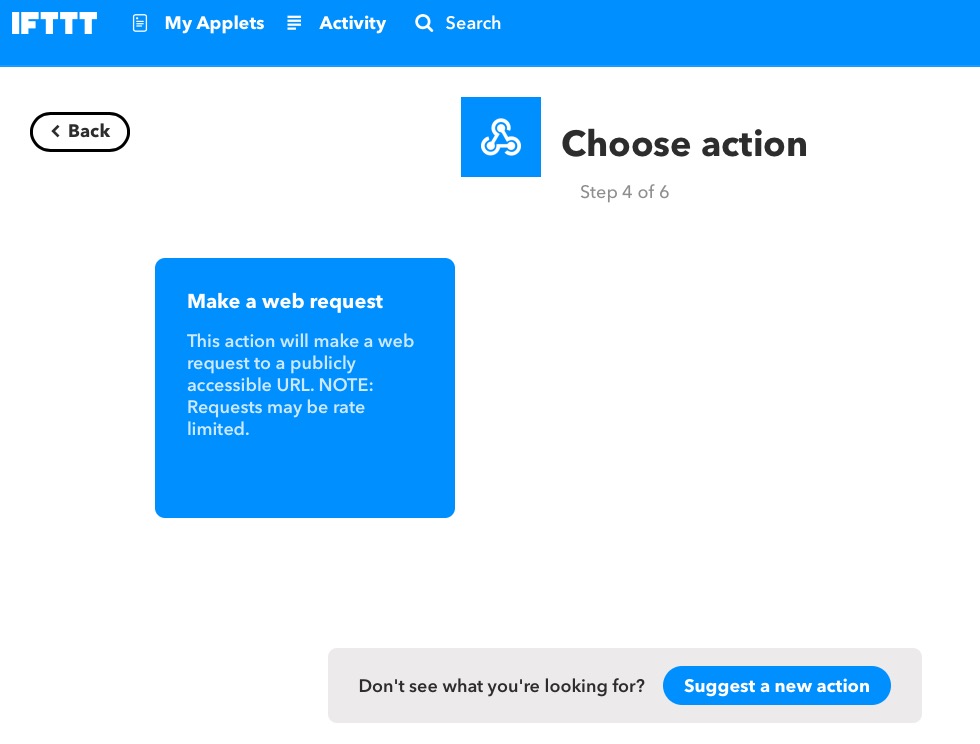
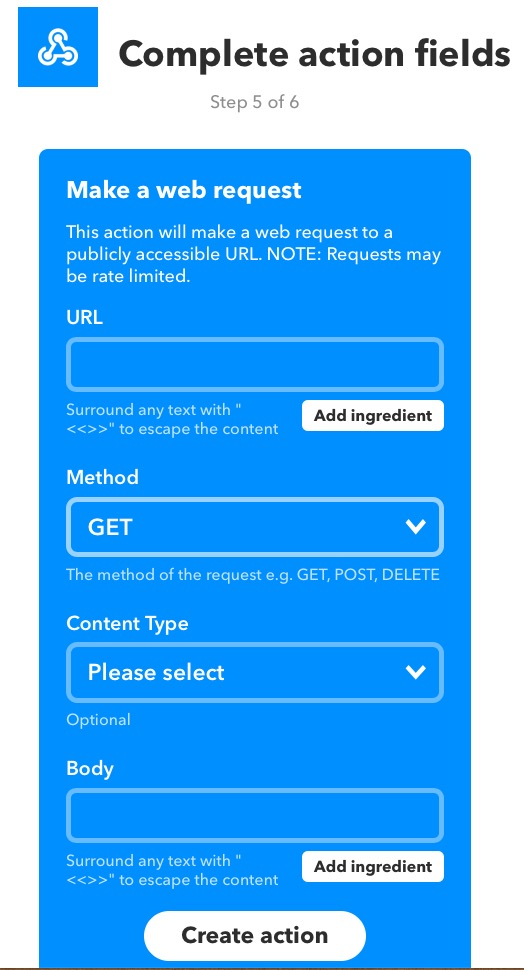
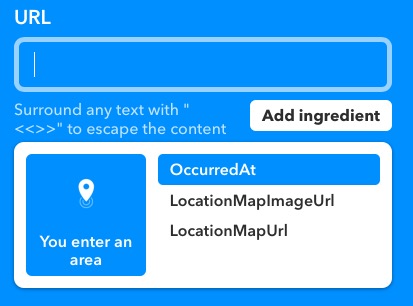
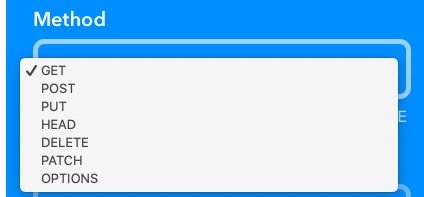
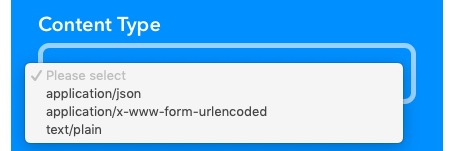
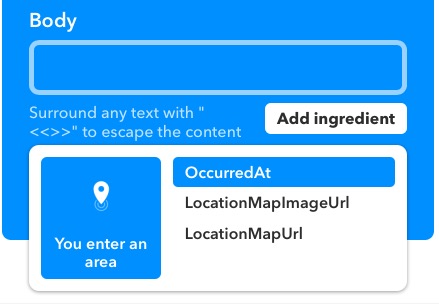
Note that you can push information in the body or url to reflect the of the person whom you are tracking, and you can specify a if you like, too, like “Work”, “Church”, “Club”, “Grocery”, “Boyfriend!!!”, “Beach”, “etc”. I think the only limits are your creativity and time, as IFTTT doesn’t make this easy to replicate from family member to family member…
Thoughts welcome – let’s collaborate and get started!
-
And this is what I was thinking about for layout:
-
@tc60045
Like this?
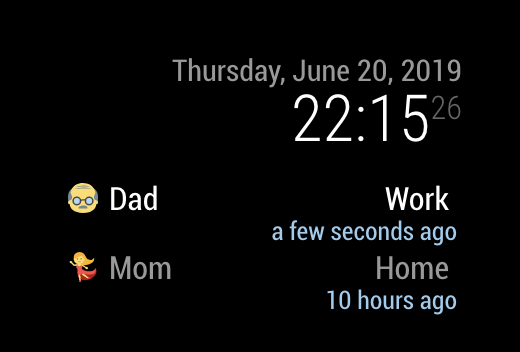
After more tests, will be released.
ADDED
Now I’m adding additional feature - command executing when Someone entered or exited. (e.g: Play Spotify when Dad entered Home) -
@Sean – yes! But please tell me you are using geo location and not MAC address / ARP results snippet from iOS security guide discussed here?
I want to create many locations based on geofencing. How can I / we help you with this?
-
@tc60045 I didn’t use MAC Address. I just put
who: "dad", location:"Home"in body of IFTTT recipe. I think each recipe should be created per people and location, so hardcoded is enough. -
@Sean PERFECT – thank you. Can’t wait to test!
-
@tc60045 Here is midnight, so I’ll go to sleep at this moment. Tomorrow I’ll release it after some tests. You can help me to test, and to make a manual (English is not my mother tongue, so… :D)
-
[card:eouia/MMM-Whereis]

- Static IP/Domain or DDNS or Dataplicity portforwarding REQUIRED
- Your IFTTT app of smartphone is needed.
- You should allow your location service of app on phone as
always
-
OK, some solid testing this afternoon. First off: Love the icons. Love the configurability. You’ve done great work here. I think the key is just testing out the problem with IFTTT.
-
Using curl to post the data on local network works for “entered,”
{“who”:“user”, “location”:“Church”, “EnteredOrExited”:“Entered”} – will be reflected immediately -
Doing same for “exited” doesn’t show anything different.
{“who”:“user”, “location”:“Church”, “EnteredOrExited”:“Exited”} – nothing new gets posted. Suggest you say “Left Church” (x min ago) as an action description after trapping the condition. -
Trying to post the data via IFTTTT body isn’t working with the Ingredient
-
When I hard code all the BODY, it works perfectly – /whereis is trapping the data when it comes through.
-
Problem is with the {{EnteredOrExited}} ingredient.
-
I’m trying using different escaping to see if it that helps. But my team of IFTTT testers are off with their friends and I won’t get a chance to test locations more until tomorrow. I’ll report back.
-
Last thing: You have https – emphasis on s – in your IFTTT recipe. I’m not opening up 443 and dealing with certs and stuff, so I’m only using http on a custom port. YMMV.
-
-
- I think “EnteredOrExited” should have “entered” or “exited” (not uppercase) : need to confirm.
- I used https but http could also work. (I used dataplicity and nginx for wormhole of fixed domain and port 80 using). Usually ppl would use ddns, http would be enough.
-
Nice peace of work guys!!
Only if got an question, is it possible to save the data into a file or on a server?And of course after writing a file or put it on a server get the last location?
-
Hey guys- are you still maintaining this?
-
@shiitbiird and All
Hi,I started a new project that has more or less the same functionality.
It’s based on tracking cellular devices on home wifi/lan.see : https://github.com/yedidiaklein/MMM-whoshome
it looks like this:

(and I even added recently “last seen” info)Your suggestions will be appreciated.
–Yedidia

Hello! It looks like you're interested in this conversation, but you don't have an account yet.
Getting fed up of having to scroll through the same posts each visit? When you register for an account, you'll always come back to exactly where you were before, and choose to be notified of new replies (either via email, or push notification). You'll also be able to save bookmarks and upvote posts to show your appreciation to other community members.
With your input, this post could be even better 💗
Register Login