Read the statement by Michael Teeuw here.
Clean installation of MM 2.9.0 on an Orange Pi PC sbc, armbian buster
-
@qu1que Yes, that’s it
-
Well. MM installed Perfect with @sdetweil script on an Orange Pi PC board.
Very good Job! -
@qu1que Thx. And set the screen saver?
-
@sdetweil yes, On installation scirpt last step, I’ve disabled screensaver. It’s a good idea to include that option.
-
@qu1que Mine does what the original does, just fixes and more platforms.
Soon as it passes test, I will submit to replace original
-
@sdetweil I have another sbc called “La Frite” (http://wiki.loverpi.com/sbc:libre-computer-aml-s805x-ac), I could try your script on it too. When I’ve find some free time. I’ll tell you when I can
-
-
@sdetweil I’m not at home now, but yes, it’s ARM. Take a look at the specifications:
http://wiki.loverpi.com/specs:sbc:libre-aml-s805x-specs-libre-computer-specification
-
Hi! Finally I’ve get working the MM installation on “La Frite” board using your script. The only issue is that I’ve had to download your raspberry.sh script from the dropbox link and copy on home folder of that board, give execution permissions and execute it. Works fine!! (only basic installation, no modules).
Thanks again for your work
-
@qu1que great!, thanks… you had to download cause no network on that board?
-
Not exactly, that board has ethernet connection and so, internet connection. The problem is that when I run the command bash -c “$(curl -sL https://www.dropbox.com/s/rlh710ng0zwv3vp/raspberry.sh?dl=0)” it shows me an error similar like this (I don’t remember exactly):
#!/bin/bash not found (or something similar)
-
@qu1que ah. Thanks. Bash is optional on your system …hmmmm
-
no no, bash is the default shell used in that system, O.S. is debian for arm64, but maybe the problem is an syntax error, I don’t know, the thing is that using the raspberry.sh script on local works perfect
-
@qu1que oh. Maybe it’s the darned quotes. Sometimes the cut/paste makes them Ms office word doc quotes, which don’t work in Linux bash shell
-
Yes, I supposed something like that.
-
@sdetweil Help! Trying to use your script on a Orange Pi Zero 2W running Arch Linux (orange Pi version)
When i run the script I get:
install log being saved to /home/joshw/install.log
Updating packages …
sudo: apt-get: command not found
Update failed, retrying installation …
Installing helper tools …
sudo: apt-get: command not found
Check current Node installation …
Node currently installed. Checking version number.
Minimum Node version: v20.18.1
Installed Node version: v22.14.0
No Node.js upgrade necessary.
Check current NPM installation …
NPM currently installed. Checking version number.
Minimum npm version: V10.8.2
Installed npm version: V10.9.2
No npm upgrade necessary.
Cloning MagicMirror …
bash: line 494: git: command not found
Unable to clone MagicMirror.
[joshw@Opi ~]$ ^C
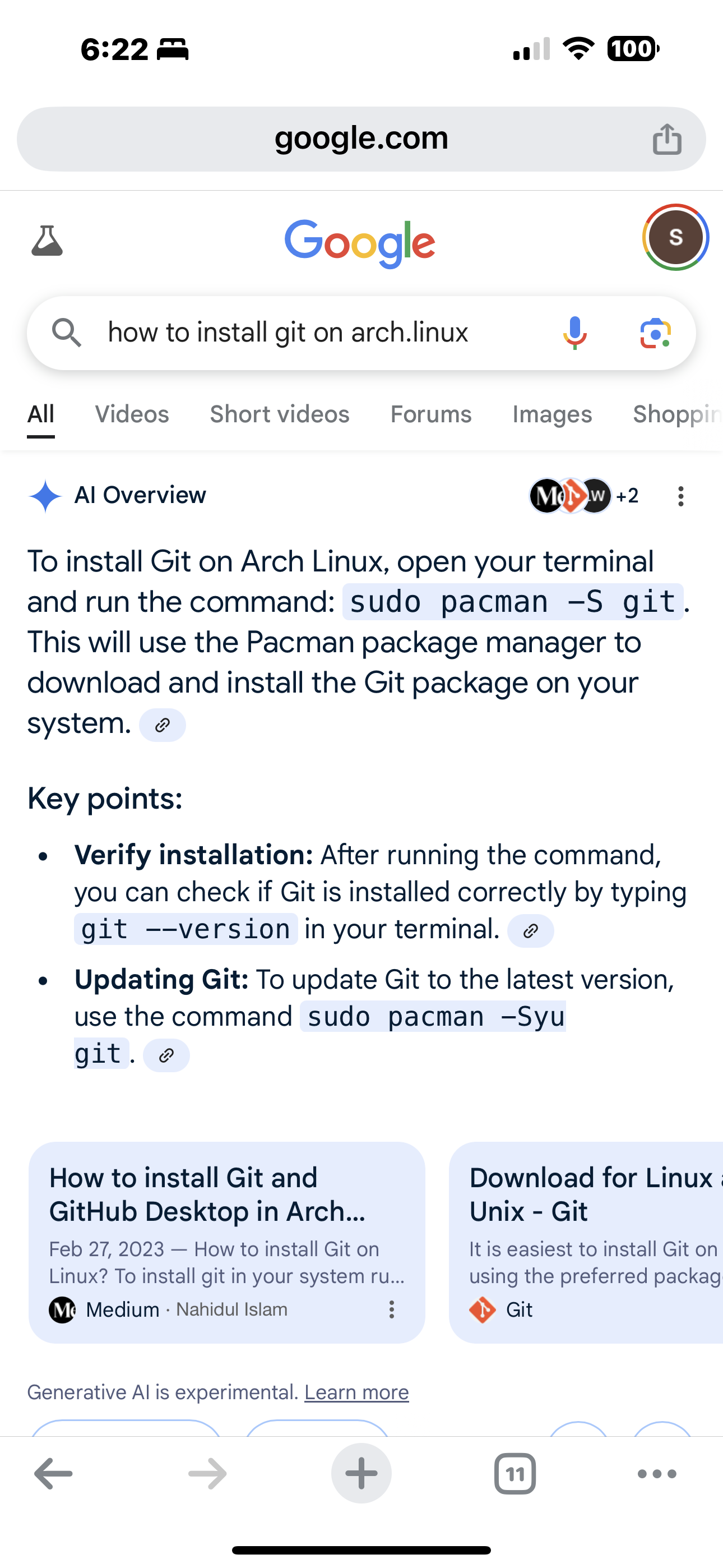
[joshw@Opi ~]$I cannot figure out how to 'install GIT" I have been at this for hours.
Thanks in advance
Josh.
-
my script doesn’t work on arch linux as it depends on apt
also it would only install latest release 2.30.0cannot figure out how to 'install GIT" I have been at this for hours.
google is your friend

Hello! It looks like you're interested in this conversation, but you don't have an account yet.
Getting fed up of having to scroll through the same posts each visit? When you register for an account, you'll always come back to exactly where you were before, and choose to be notified of new replies (either via email, or push notification). You'll also be able to save bookmarks and upvote posts to show your appreciation to other community members.
With your input, this post could be even better 💗
Register Login