MagicMirror Forum
    • Recent
    • Tags
    • Unsolved
    • Solved
    • MagicMirror² Repository
    • Documentation
    • 3rd-Party-Modules
    • Donate
    • Discord
    • Register
    • Login
    A New Chapter for MagicMirror: The Community Takes the Lead
    Read the statement by Michael Teeuw here.

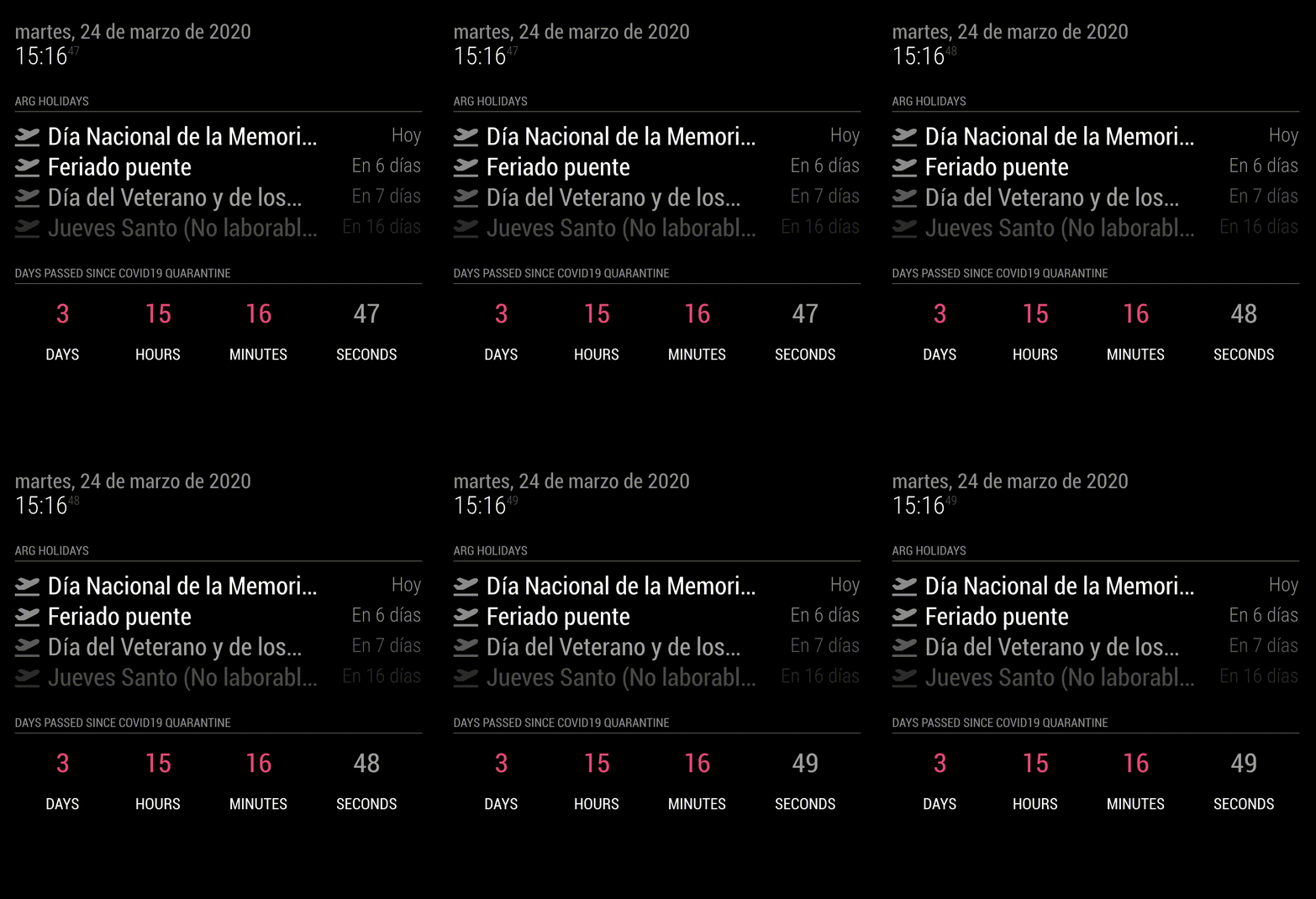
    MMM-CountUP (COVID19 example)

    Scheduled Pinned Locked Moved Utilities
    46 Posts 6 Posters 19.2k Views 6 Watching
    Loading More Posts
    • Oldest to Newest
    • Newest to Oldest
    • Most Votes
    Reply
    • Reply as topic
    Log in to reply
    This topic has been deleted. Only users with topic management privileges can see it.
    • S Offline
      sdetweil @plainbroke
      last edited by

      @plainbroke module header?

      Sam

      How to add modules

      learning how to use browser developers window for css changes

      plainbrokeP 1 Reply Last reply Reply Quote 0
      • plainbrokeP Offline
        plainbroke @sdetweil
        last edited by

        @sdetweil
        Sorry, brain fart.
        Yes module header.
        Did you find something?
        I looked for an hour and then tried these.
        But no go…
        It is still really little and gray.

        .countUP tr td.header {
          color: orange;
          font-size: 60px;
        }
        .countUP .header {
          color: orange;
          font-size: 60px;
        }
        

        Slow learner. But trying anyways.
        MM is on Raspberry Pi 4B w/8gb ram loaded on a 128gb nvme drive.
        Running Trixie and the latest MM version.

        S 1 Reply Last reply Reply Quote 0
        • S Offline
          sdetweil @plainbroke
          last edited by

          @plainbroke after all this time???
          again the dev window elements tab would have shown you this in seconds

          elements tab, click the arrow, navigate over the web page to the header you want to change, click
          the html tree is there and you can see the classes etc assigned
          you can test the styles in the upper right window, it will prompt you thru it

          font-size: 
          
          .modulename .module-header {
          
          styles
          
          }
          

          Sam

          How to add modules

          learning how to use browser developers window for css changes

          plainbrokeP 1 Reply Last reply Reply Quote 0
          • plainbrokeP Offline
            plainbroke @sdetweil
            last edited by

            @sdetweil
            Yea I know, but I can not for the life of me see what you see.
            It is so frustrating for me, to not be able to do the dev window elements.
            It looks like Chinese to me…
            I will have to see if a bigger screen helps.
            I will plug my laptop into the 42 inch tv screen and see if that helps any…
            Plus with pages running 40+ modules it takes so long to come back around, I sometimes just give up… and try what has worked in the past…
            Thanks for you patience with me.

            Slow learner. But trying anyways.
            MM is on Raspberry Pi 4B w/8gb ram loaded on a 128gb nvme drive.
            Running Trixie and the latest MM version.

            plainbrokeP 1 Reply Last reply Reply Quote 0
            • plainbrokeP Offline
              plainbroke @plainbroke
              last edited by

              @sdetweil
              It shows me nothing but dynamic weather in elements window. Then a bunch of .js
              I am guessing I will have to stop all other modules except the one I want look at, to figure this out on my own.
              Is that correct?

              Slow learner. But trying anyways.
              MM is on Raspberry Pi 4B w/8gb ram loaded on a 128gb nvme drive.
              Running Trixie and the latest MM version.

              S 1 Reply Last reply Reply Quote 0
              • S Offline
                sdetweil @plainbroke
                last edited by sdetweil

                @plainbroke
                im not quite sure I understand

                using the sample config
                I used the arrow, to navigate to the header… (pointer in left pink box)
                it opened the html page to that element (middle pink box, you can see the class=module-header)
                you can test the styles in the top right pink box
                Screenshot at 2025-06-12 16-32-23.png

                if you have something that updates frequently, (clock tick on 1 second)
                you can temp disable second (displaySeconds:false in clock config) hit f5 to refresh that page the it won’t update except on minute (as an example)

                Sam

                How to add modules

                learning how to use browser developers window for css changes

                plainbrokeP 1 Reply Last reply Reply Quote 0
                • plainbrokeP Offline
                  plainbroke @sdetweil
                  last edited by

                  @sdetweil
                  Ok I found that and put it in my custom.css

                  .CountUp .module_header{
                  font-size:  65px;
                  }
                  

                  With no change.
                  What am I not seeing or doing wrong with my code. ???
                  Once I finally find the answer it did not work…
                  I am burnt out today. I will attack it again tomorrow.

                  I have learned how to enlarge gif files. and If they put a css file I pretty much can find the correct thing to enlarge the fonts i want then. but this does not work well for me I click on the thing I want highlighted and it does for a split second then goes away never showing anything different in the html side… Maybe I should look at this from an html editor side of the file and I can see it then… Probably not able to do that though… I will keep trying to figure it out each time before I bug the forum for answers.

                  Slow learner. But trying anyways.
                  MM is on Raspberry Pi 4B w/8gb ram loaded on a 128gb nvme drive.
                  Running Trixie and the latest MM version.

                  S 2 Replies Last reply Reply Quote 0
                  • S Offline
                    sdetweil @plainbroke
                    last edited by sdetweil

                    @plainbroke said in MMM-CountUP (COVID19 example):

                    .CountUp

                    module name is MMM-CountUp

                    Sam

                    How to add modules

                    learning how to use browser developers window for css changes

                    plainbrokeP 1 Reply Last reply Reply Quote 0
                    • S Offline
                      sdetweil @plainbroke
                      last edited by

                      @plainbroke you can see the module name in the html too, in green box

                      css has to match

                      . means class=
                      # means id=
                      no prefix means html element, table, p, img, div, span …
                      stuff to the left of the { is the selector clause
                      it ‘selects’ the elements the styles between the {} apply to

                      Screenshot at 2025-06-12 16-32-23.png

                      Sam

                      How to add modules

                      learning how to use browser developers window for css changes

                      1 Reply Last reply Reply Quote 0
                      • plainbrokeP Offline
                        plainbroke @sdetweil
                        last edited by

                        @sdetweil
                        I really am burn’t out I saw that right below it that I needed to use the full module name for the header. MMM-CountDown was the same way… All I had to do was change the Down to UP and I would have had it… Oh well, at least I learned something today with the window thing… I just have too much going on, on my mirror for it to show things in the elements window…
                        I will install the ones I have trouble with one at a time on my spare mirror I just got running on a Le Potato. That thing is a trip to get up and running. I made an image of its base up and running, complete with MM running with no modules. that way it only takes 5 minutes or less to get it back to minimum setup.
                        Again thank you for your patients.
                        Jeff

                        Slow learner. But trying anyways.
                        MM is on Raspberry Pi 4B w/8gb ram loaded on a 128gb nvme drive.
                        Running Trixie and the latest MM version.

                        S 1 Reply Last reply Reply Quote 0
                        • S Offline
                          sdetweil @plainbroke
                          last edited by sdetweil

                          @plainbroke no problem… just trying to give you the tools to stop guessing.

                          guessing is a time and energy killer…

                          and it hard to work on a system with 10 or 20 modules all acting at the same time…
                          focus on one at a time.

                          Sam

                          How to add modules

                          learning how to use browser developers window for css changes

                          plainbrokeP 1 Reply Last reply Reply Quote 0
                          • plainbrokeP Offline
                            plainbroke @sdetweil
                            last edited by

                            @sdetweil
                            Try Your pages module running 51 modules, one every 90 seconds.
                            DynamicWeather running in the background (cloudy today), was the one that made it impossible to see anything else. After I got it stopped my // it out and disabled: true, for it. I was able to see what you where talking about at least. I just missed the part where it showed the full name of the module as a clue as to how to format the code in the custom.css so that that MM could understand it… FYI you can not use the window with mplayer it covers the whole screen, had to kill it too.
                            Bingo the CountUp module header is now big enough to read and orange.
                            Thank you so very much Sam.
                            I know you have to get tired of those of us that do not have a clue and do not seem to catch on over the years. You are good soul.
                            Have a great evening.

                            Just Jeff

                            Slow learner. But trying anyways.
                            MM is on Raspberry Pi 4B w/8gb ram loaded on a 128gb nvme drive.
                            Running Trixie and the latest MM version.

                            S 2 Replies Last reply Reply Quote 0
                            • S Offline
                              sdetweil @plainbroke
                              last edited by

                              @plainbroke glad you got it.

                              i know there was doc about css somewhere
                              ill find it eventually

                              Sam

                              How to add modules

                              learning how to use browser developers window for css changes

                              plainbrokeP 1 Reply Last reply Reply Quote 0
                              • plainbrokeP Offline
                                plainbroke @sdetweil
                                last edited by

                                @sdetweil
                                After messing with Confusius says for some time this morning. Using the window,
                                I figured out why I was having so much trouble finding the correct code to use.
                                my second half of the window you showed was not showing up, It was hidden.
                                Now that it shows and I found my glasses. This should become easier…
                                I don’t do it often enough to remember the details so we will see how I do down the line.
                                Thanks for the coaching. It is really appreciated.

                                Slow learner. But trying anyways.
                                MM is on Raspberry Pi 4B w/8gb ram loaded on a 128gb nvme drive.
                                Running Trixie and the latest MM version.

                                S 1 Reply Last reply Reply Quote 0
                                • S Offline
                                  sdetweil @plainbroke
                                  last edited by

                                  @plainbroke that would make it a lot harder, lol

                                  see the second link in my signature below for a refresher

                                  Sam

                                  How to add modules

                                  learning how to use browser developers window for css changes

                                  1 Reply Last reply Reply Quote 0
                                  • S Offline
                                    sdetweil @plainbroke
                                    last edited by sdetweil

                                    @plainbroke and you can make another config.js with just thst module in it

                                    export MM_CONFIG_FILE=config/newconfig_filename
                                    npm run start:dev
                                    

                                    without touching your original config

                                    Sam

                                    How to add modules

                                    learning how to use browser developers window for css changes

                                    plainbrokeP 1 Reply Last reply Reply Quote 1
                                    • plainbrokeP Offline
                                      plainbroke @sdetweil
                                      last edited by

                                      @sdetweil
                                      That is what I eventually did.

                                      Slow learner. But trying anyways.
                                      MM is on Raspberry Pi 4B w/8gb ram loaded on a 128gb nvme drive.
                                      Running Trixie and the latest MM version.

                                      1 Reply Last reply Reply Quote 1

                                      Hello! It looks like you're interested in this conversation, but you don't have an account yet.

                                      Getting fed up of having to scroll through the same posts each visit? When you register for an account, you'll always come back to exactly where you were before, and choose to be notified of new replies (either via email, or push notification). You'll also be able to save bookmarks and upvote posts to show your appreciation to other community members.

                                      With your input, this post could be even better 💗

                                      Register Login

                                      • 1
                                      • 2
                                      • 3
                                      • 1 / 3
                                      • First post
                                        Last post
                                      Enjoying MagicMirror? Please consider a donation!
                                      MagicMirror created by Michael Teeuw.
                                      Forum managed by Sam, technical setup by Karsten.
                                      This forum is using NodeBB as its core | Contributors
                                      Contact | Privacy Policy