MagicMirror Forum
    • Recent
    • Tags
    • Unsolved
    • Solved
    • MagicMirror² Repository
    • Documentation
    • 3rd-Party-Modules
    • Donate
    • Discord
    • Register
    • Login
    A New Chapter for MagicMirror: The Community Takes the Lead
    Read the statement by Michael Teeuw here.

    Calendar date format

    Scheduled Pinned Locked Moved Troubleshooting
    16 Posts 5 Posters 8.2k Views 5 Watching
    Loading More Posts
    • Oldest to Newest
    • Newest to Oldest
    • Most Votes
    Reply
    • Reply as topic
    Log in to reply
    This topic has been deleted. Only users with topic management privileges can see it.
    • G Offline
      Gr1dL0ck @sdetweil
      last edited by

      @sdetweil

      i get it sam, you can paste the user guide and documents all day. i have read them but dont understand the format them hence my posts.

      S 1 Reply Last reply Reply Quote 0
      • S Offline
        sdetweil @Gr1dL0ck
        last edited by

        @gr1dl0ck all the config parameters are case sensitive.

        so dateformat and dateFormat (from the doc) are not the same.

        and there is an example that shows where is goes.

        Sam

        How to add modules

        learning how to use browser developers window for css changes

        G 1 Reply Last reply Reply Quote 0
        • G Offline
          Gr1dL0ck @sdetweil
          last edited by

          @sdetweil

          this is my current config code, i have tried placing it in both positions as shown (one at a time) still doesnt change anything on the calendar.

          I got the ‘L’ command from here https://momentjs.com/docs/#/parsing/string-format/

          DD MMM didnt work

          {
          module: “calendar”,
          header: “AU Holidays”,
          position: “top_left”,
          config: {
          dateFormat: “L”,
          calendars: [
          {
          symbol: “calendar-check”,
          url: “https://calendar.google.com……”
          dateFormat: “L”,
          },
          ]
          },
          },

          S 1 Reply Last reply Reply Quote 0
          • S Offline
            sdetweil @Gr1dL0ck
            last edited by

            @gr1dl0ck because the option is described in the ‘Configuration Options’ section, it goes above the individual calendars

            but it also says ‘when using absolute formats’

            by default the calendar is showing relative formats…

            so u also need to set

            showTime:"absolute",
            

            Sam

            How to add modules

            learning how to use browser developers window for css changes

            G 1 Reply Last reply Reply Quote 0
            • G Offline
              Gr1dL0ck @sdetweil
              last edited by Gr1dL0ck

              @sdetweil

              does the showtime: “absolute”, go out of the modules up where it has language, log level, timeformat, units?

              i tried in there didnt make any difference

              i put in down in the module in serval places didnt change, tried both “L” and “DD MMM” on the dateFormat.

              {
                     module: “calendar”,
                     header: “AU Holidays”,
                     position: “top_left”,
                        config: {
                                calendars: [
                                           {
                                           symbol: “calendar-check”,
                                           url: “https://calendar.google.com……”
                                           dateFormat: “L”,
                                            },
                                            ]
                               },
              },
              S 1 Reply Last reply Reply Quote 0
              • S Offline
                sdetweil @Gr1dL0ck
                last edited by sdetweil

                @gr1dl0ck come on. read the doc…

                you are configuring a module, so any options would ONLY be inside a module config:{} block

                and remember the system is case sensitive. every letter matters

                the doc describes 2 areas of config,

                calendars and NOT calendars

                all the NOT calendar opitions go INSIDE MODULE CONFIG and BEFORE the CALENDARS list

                all the calendar config, goes with each calendar entry

                Sam

                How to add modules

                learning how to use browser developers window for css changes

                G 1 Reply Last reply Reply Quote -1
                • G Offline
                  Gr1dL0ck @sdetweil
                  last edited by Gr1dL0ck

                  @sdetweil

                  not sure if this is what you mean, but still nothing changes, all dates are still MM/DD/YYYY

                  Showtime: “absolute”, no idea where this is mentioned in the document, unsure where it goes.

                  dateFormat - config option, in the configuration

                  // The config property is optional.
                  // If no config is set, an example calendar is shown.
                  // See ‘Configuration options’ for more information.

                  {
                         module: “calendar”,
                         header: “AU Holidays”,
                         position: “top_left”,
                            config: {
                                    showtime: "absolute",
                                   dateFormat: “DD MMM”,
                                    calendars: [
                                               {
                                               symbol: “calendar-check”,
                                               url: “https://calendar.google.com……”
                                                },
                                                ]
                                   },
                  },


                  as for reading the document, I have ctrl+f ’ showtime’ , ‘Not calendar’ all these things you mention in each post, so unless we are reading different documents … I have zero idea where you are getting the information from

                  you can keep being condescending as much as you want, trying my best i have been doing this for around 7 days.

                  This thread could of been 3 posts long, describe the issue, post an answer with an explanation and a last reply of thankyou this helps alot.

                  S 1 Reply Last reply Reply Quote 1
                  • S Offline
                    sdetweil @Gr1dL0ck
                    last edited by sdetweil

                    @gr1dl0ck i will NOT give u the answer. cause u will be back for another.

                    my job as moderator here is to teach u and direct you to info.

                    the doc is the online readme referenced in the README.md in the calendar module folder
                    https://github.com/MichMich/MagicMirror/tree/master/modules/default/calendar

                    this is the same doc file name for everything

                    and sometimes i dont look.up the exact config term, cause i expect you to do.it
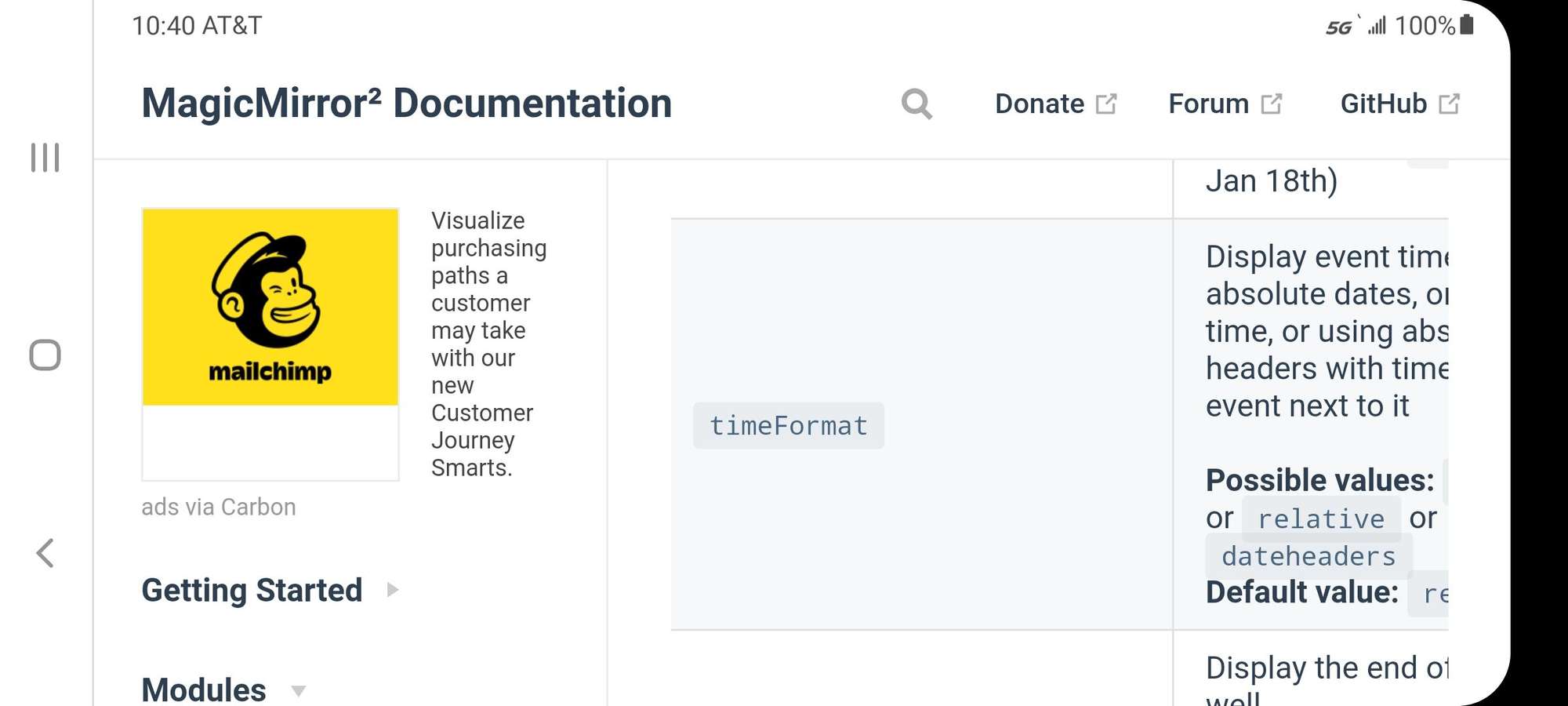
                    Screenshot_20210218-224008_Chrome.jpg

                    Sam

                    How to add modules

                    learning how to use browser developers window for css changes

                    G P 2 Replies Last reply Reply Quote -3
                    • G Offline
                      Gr1dL0ck @sdetweil
                      last edited by

                      @sdetweil

                      mine doesn’t even display the default date as per this doc, I would copy a picture but it has a bunch of private appointments in there.

                      Default value: MMM Do (e.g. Jan 18th)

                      mine displays (for example)

                      'appointment 03/10/2021

                      M 1 Reply Last reply Reply Quote 0
                      • M Offline
                        mrega @Gr1dL0ck
                        last edited by mrega

                        @gr1dl0ck

                        Try this…

                        {
                        		module: "calendar",
                        		header: "AR Holidays",
                        		position: "top_left",
                        		config: {
                        			fade : false,
                        			timeFormat : "absolute",
                        	                fullDayEventDateFormat : "DD-MM-YYYY",		
                        			calendars: [						
                        				{
                        				        symbol: "calendar-check",
                        					    url: "https://calendar.google.com/sic.ics",
                        						auth: {
                        							user: '',
                        							pass: '',
                        							method: 'basic'
                        						      }
                        				}						


                        			]
                        		}
                        	},
                        
                        G 1 Reply Last reply Reply Quote 2
                        • G Offline
                          Gr1dL0ck @mrega
                          last edited by

                          @mrega you were close

                          fade : false,
                          timeFormat : "absolute",
                          dateFormat : "DD MMM",	


                          that fixed it thank you !

                          can you explain what the follow is 'Fade: false/ true ’ what does this refer to or alter?

                          and what does the “absolute” refer back too ?

                          1 Reply Last reply Reply Quote 0
                          • P Offline
                            pigeonshouse @sdetweil
                            last edited by

                            @sdetweil along with the ‘block everyone who disagrees with me’ Wikipedia admins. I have come across people on linux forums who act like yourself over the past 25 years and usually, it implies someone doesn’t actually know the answer and simply dragging their feet/wasting everyones time because of it. I guess at least one saving grace is that there aren’t any getting people to compile libraries with debug symbols for ‘helpful’ people to dither over and never reply to.

                            It’s tiring. If you don’t want to actually provide any assistance then why are you even replying? You could have helped and also made others like myself feel that the MM community is welcoming. On first impressions, I have seen this and it thought “you know what, why bother even looking here for assistance if the reps are going to be like this”.

                            S 1 Reply Last reply Reply Quote 0
                            • S Offline
                              sdetweil @pigeonshouse
                              last edited by

                              @pigeonshouse thank you for your criticism. sadly the user didn’t learn how to take care of his own system, but is dependent on others to tell him what to type/copy paste.

                              I am a volunteer, here because I like to be. I am NOT a copy/paster type. I will make you work, and learn in the process.

                              Sam

                              How to add modules

                              learning how to use browser developers window for css changes

                              O 1 Reply Last reply Reply Quote -2
                              • O Offline
                                OberfragGER @sdetweil
                                last edited by

                                I just wrote the Question and before sending i found the “solution”.

                                Today is the 29th August 2021
                                Calendar now shows “29. August 2021” (“LL”)
                                I just want to have “29. August”. Thats just

                                dateFormat: 'D.MMMM',
                                

                                I`ll keep it here for others if they search for it too. Did´nt found that in the docu somehow.

                                1 Reply Last reply Reply Quote 0

                                Hello! It looks like you're interested in this conversation, but you don't have an account yet.

                                Getting fed up of having to scroll through the same posts each visit? When you register for an account, you'll always come back to exactly where you were before, and choose to be notified of new replies (either via email, or push notification). You'll also be able to save bookmarks and upvote posts to show your appreciation to other community members.

                                With your input, this post could be even better 💗

                                Register Login

                                • 1 / 1
                                • First post
                                  Last post
                                Enjoying MagicMirror? Please consider a donation!
                                MagicMirror created by Michael Teeuw.
                                Forum managed by Sam, technical setup by Karsten.
                                This forum is using NodeBB as its core | Contributors
                                Contact | Privacy Policy