Read the statement by Michael Teeuw here.
aneaville / MMM-GooglePhotos
-
Hi all
Complete newbie here to magic mirror and pi and I’m loving it. So I have pi4, I’ve got MM up and running, got my calender icals and weather API sorted. Now I’m trying to get my google photos on MM. Installed the module, followed the instructions but now I’m stuck at the “Get token.json” part and I could be wrong but I think my issue is at number 7.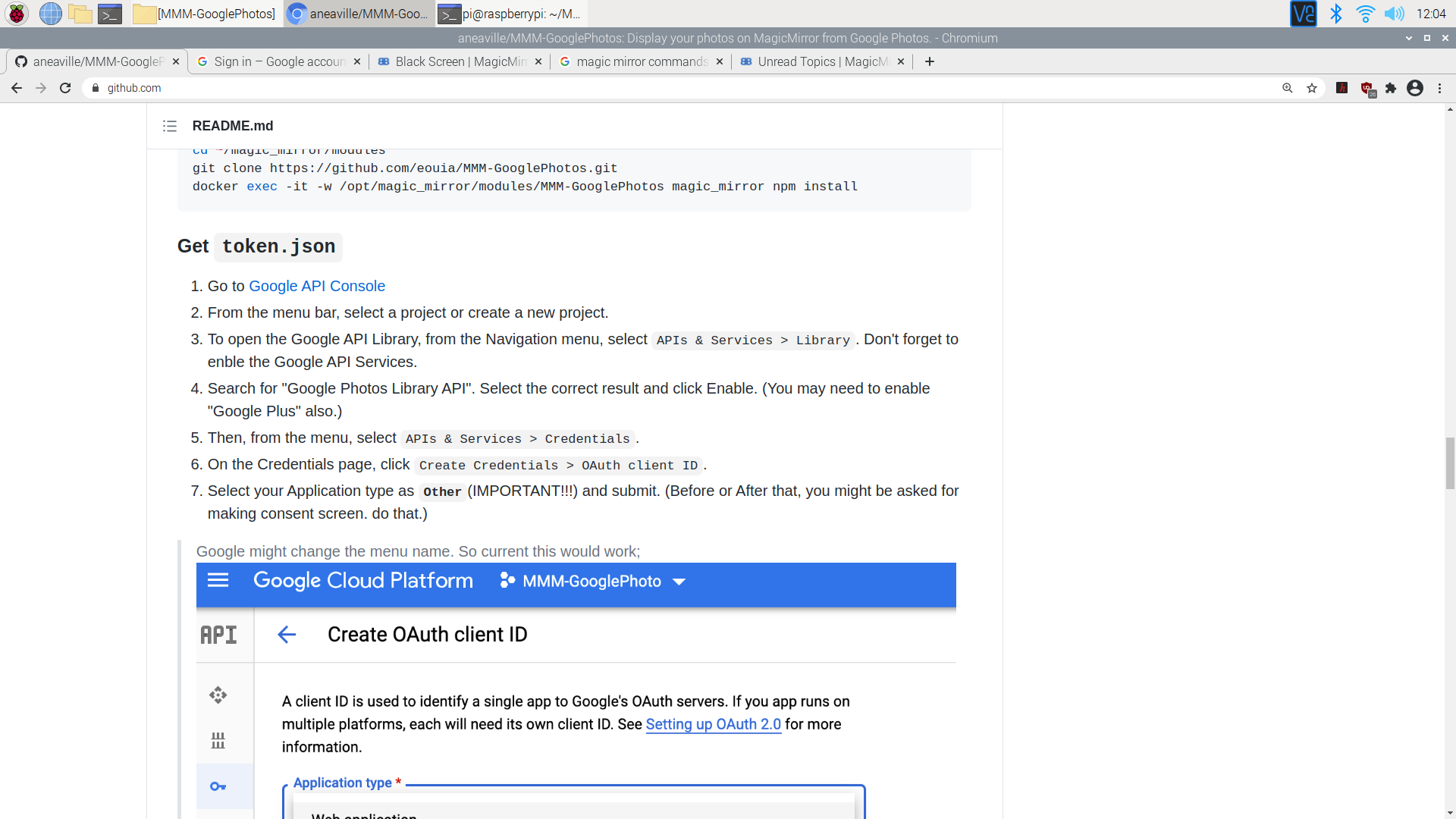
I didn’t get the option to set Application type as Other so I just went on with the instructions. Moved the credentials.json to my MMM-GooglePhotos directory. Ran the node generate_token.js, clicked on the link, sign in but then this pops up.
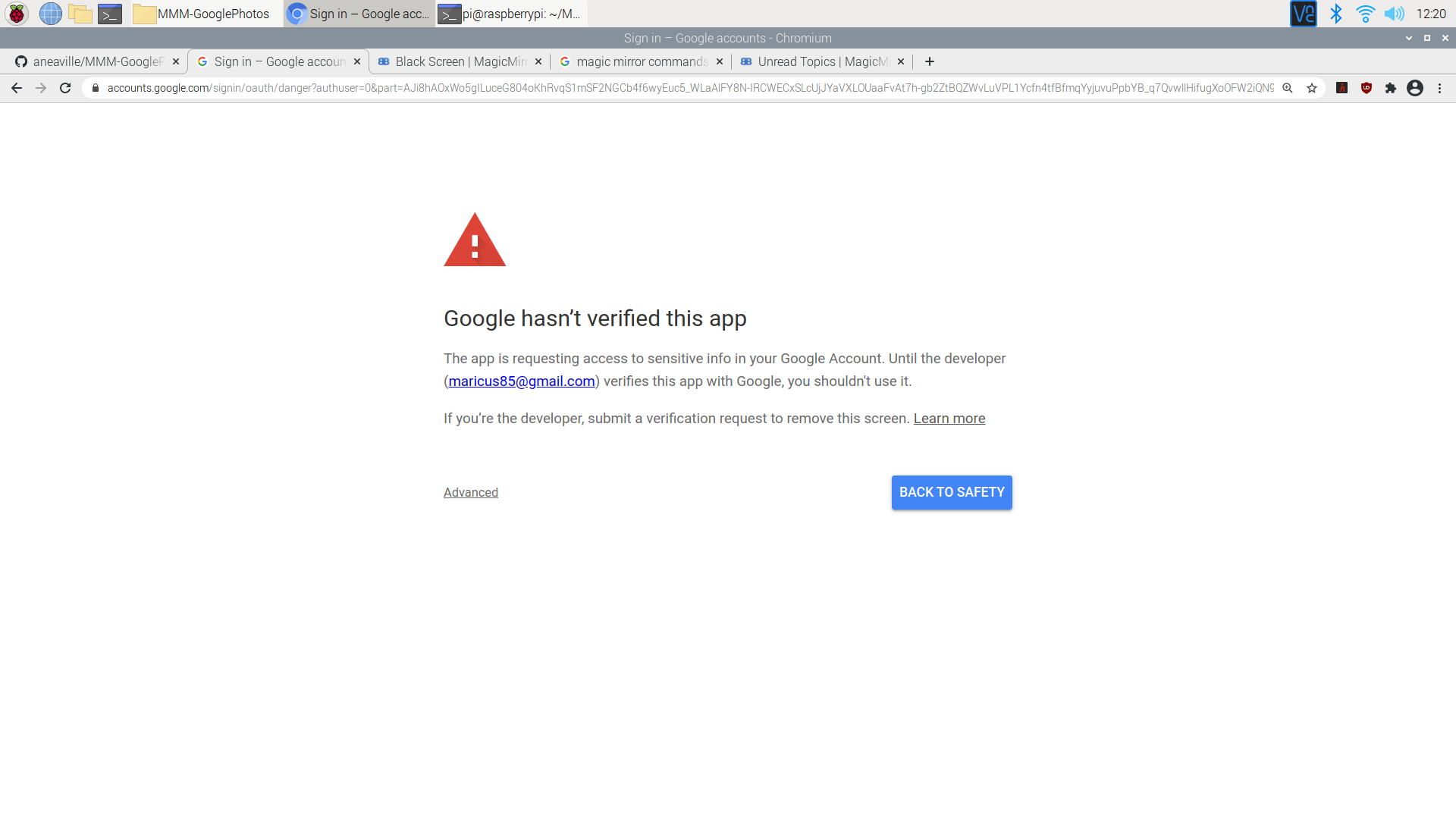
Anyone had this problem before?
-
@maricus85 I’m not familiar with this module at all but on that prompt from Google that you’re showing, there’s an advanced link. If you click on that, what options are you given?
-
Yes, click on the advanced the then accept. Dont worry about the warning, nothing is unsafe there as the app you published in the previous step is on your own google account.
-
@maricus85 I just installed it, but then you advance and you will have the option to (continue anyway) and that’s it, the section will start and throw your eye code, copy it well and that’s it.

Hello! It looks like you're interested in this conversation, but you don't have an account yet.
Getting fed up of having to scroll through the same posts each visit? When you register for an account, you'll always come back to exactly where you were before, and choose to be notified of new replies (either via email, or push notification). You'll also be able to save bookmarks and upvote posts to show your appreciation to other community members.
With your input, this post could be even better 💗
Register Login