MagicMirror Forum
    • Recent
    • Tags
    • Unsolved
    • Solved
    • MagicMirror² Repository
    • Documentation
    • 3rd-Party-Modules
    • Donate
    • Discord
    • Register
    • Login
    A New Chapter for MagicMirror: The Community Takes the Lead
    Read the statement by Michael Teeuw here.

    MMM-CalendarExt3

    Scheduled Pinned Locked Moved Utilities
    689 Posts 82 Posters 2.8m Views 86 Watching
    Loading More Posts
    • Oldest to Newest
    • Newest to Oldest
    • Most Votes
    Reply
    • Reply as topic
    Log in to reply
    This topic has been deleted. Only users with topic management privileges can see it.
    • M Offline
      MMRIZE @DDE12
      last edited by MMRIZE

      @DDE12 @sfb

      Firefox has different behaviours with Chromium-based browsers(Chrome, Edge, Whale, …) in sorting algorithms.

      The quick fix is to add eventSorter to your config for MMM-CalendarExt3 module.

      // In your MMM-CalendarExt3 module config
      eventSorter: null,
      

      Related issue : https://forum.magicmirror.builders/post/103041

      This will be fixed on next update.

      D 1 Reply Last reply Reply Quote 0
      • M Offline
        MMRIZE @DDE12
        last edited by MMRIZE

        @DDE12
        For the displaying date and not-time issue;
        I don’t know about the Pale Moon browser detail. It seems it has its own JavaScript Engine but is not compatible with current mainstream JS. It is still being developed prematurely, so many features which other browsers have are not implemented yet.

        I found it on its homepage
        e53a5d79-3eda-462e-9a48-f21934740396-image.png
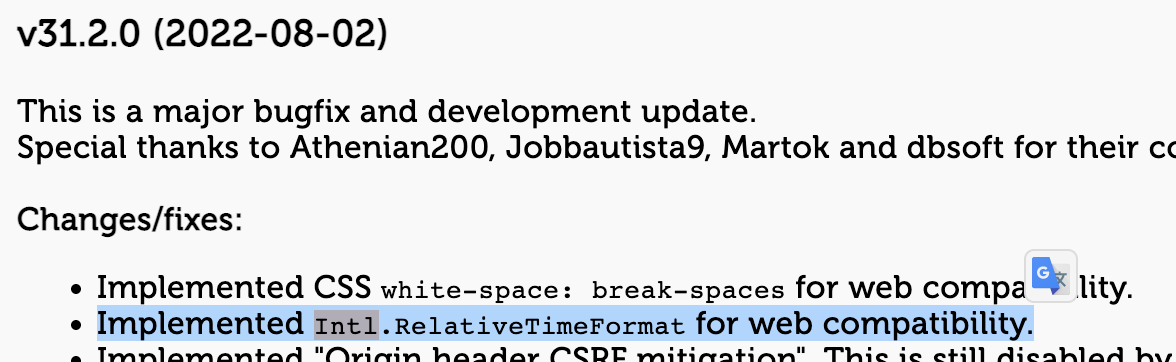
        It looks like Intl object(which is used to format date and time on this module) is not implemented fully yet.

        1 Reply Last reply Reply Quote 0
        • D Offline
          DDE12 @MMRIZE
          last edited by

          @MMRIZE
          Thanks! eventSorter fixed it in Firefox and it corrected the order in Pale Moon. Personally, I’m not too concerned about the date thing in Pale Moon. I just thought I would try MM there and see what it looked like.

          1 Reply Last reply Reply Quote 0
          • K Offline
            katalopapi
            last edited by

            I’m a noob…

            I’m trying to create a MM for my wife. I want to display my family calendar in cx3 but I’m having troubles.
            I’m using mmm-googleCalendar to access my family calendar and you can see it’s working when displayed in the bottom right but for some reason won’t display in cx3:
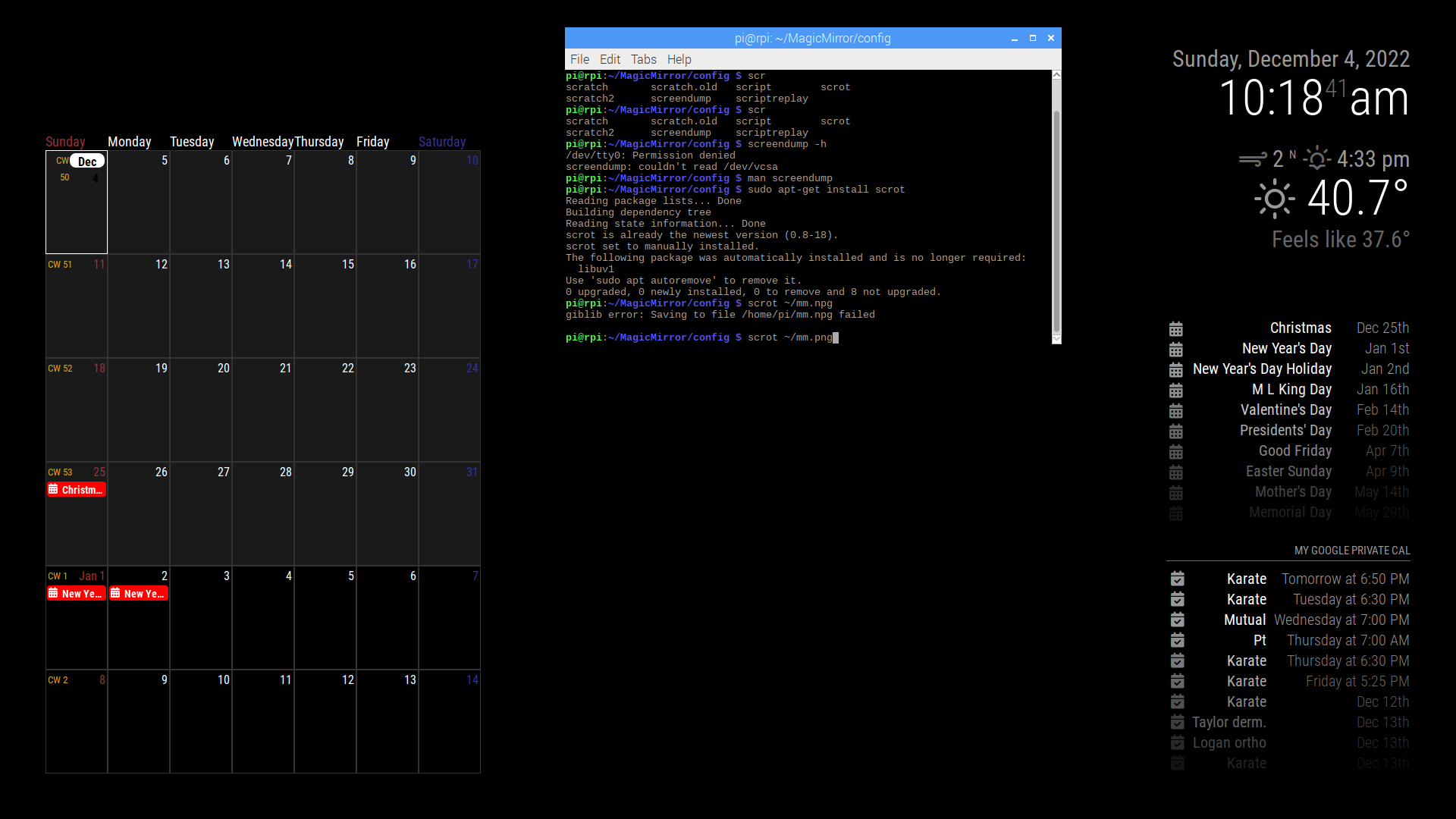
            mm.png

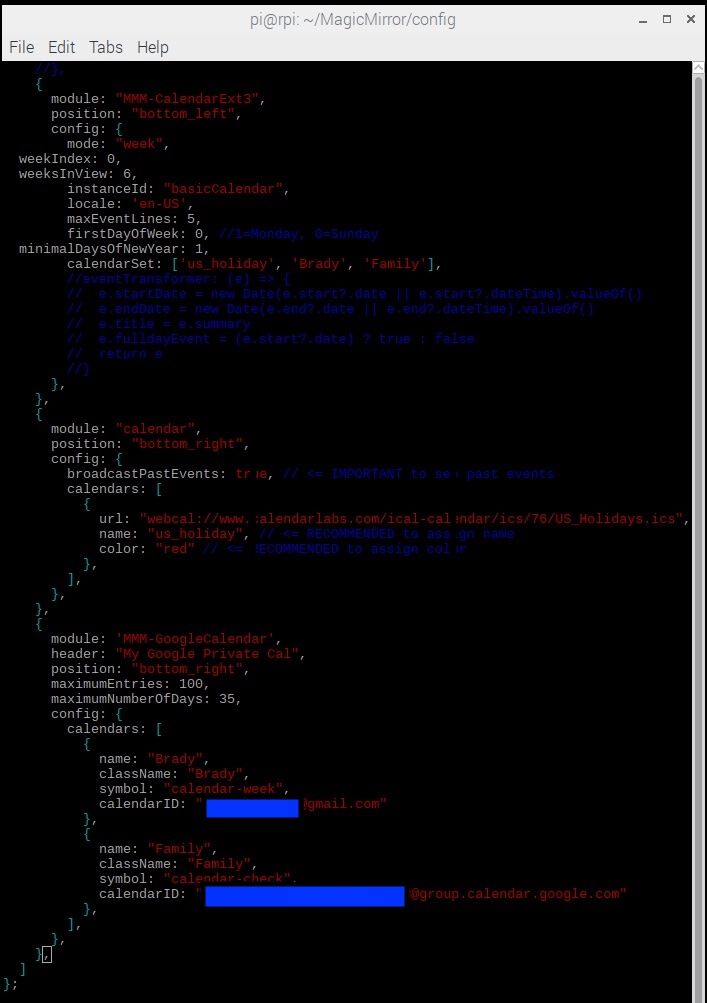
            Here’s my config:
            conf.jpg

            Any ideas what I’m doing wrong? TIA

            S M 2 Replies Last reply Reply Quote 0
            • S Do not disturb
              sdetweil @katalopapi
              last edited by sdetweil

              @katalopapi CX3 depends on the calendar module broadcasting the events it read. soCX3 doesn’t read the cal itself.

              I don’t know if mmm-googlecalendar does the broadcast

              u can setup the default calendar and not give it a position, but have it broadcast events

              Sam

              How to add modules

              learning how to use browser developers window for css changes

              K 1 Reply Last reply Reply Quote 0
              • K Offline
                katalopapi @sdetweil
                last edited by

                @sdetweil Thanks for the info:
                “u can setup the default calendar and not give it a position, but have it broadcast events”
                I assume you are saying I can display the family calendar using the default calendar module, is that correct? If so, do you have a pointer to start me in the right direction? I don’t see an ICAL associated with the google family calendar. I thought I needed mmm-googleCalendar for that.

                “I don’t know if mmm-googlecalendar does the broadcast”
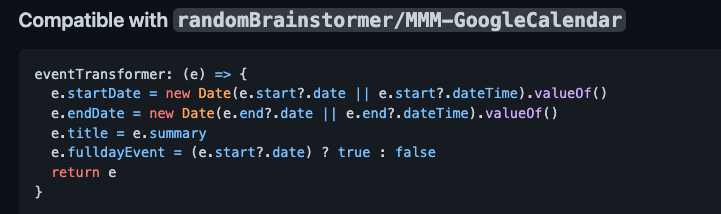
                From the CX3 github readme:
                Compatible with randomBrainstormer/MMM-GoogleCalendar
                eventTransformer: (e) => {
                e.startDate = new Date(e.start?.date || e.start?.dateTime).valueOf()
                e.endDate = new Date(e.end?.date || e.end?.dateTime).valueOf()
                e.title = e.summary
                e.fulldayEvent = (e.start?.date) ? true : false
                return e
                }

                Do I need to add the eventTransformer code to get it to add the googleCalendar events?
                Thanks

                S 1 Reply Last reply Reply Quote 1
                • M Offline
                  MMRIZE @katalopapi
                  last edited by

                  @katalopapi
                  There is some tip explanation on readme doc to use with google-calendar module.

                  1 Reply Last reply Reply Quote 0
                  • K Offline
                    katalopapi
                    last edited by

                    @MMRIZE Do you have any example config you could share for using mmm-googleCalendar?

                    M 1 Reply Last reply Reply Quote 1
                    • S Do not disturb
                      sdetweil @katalopapi
                      last edited by sdetweil

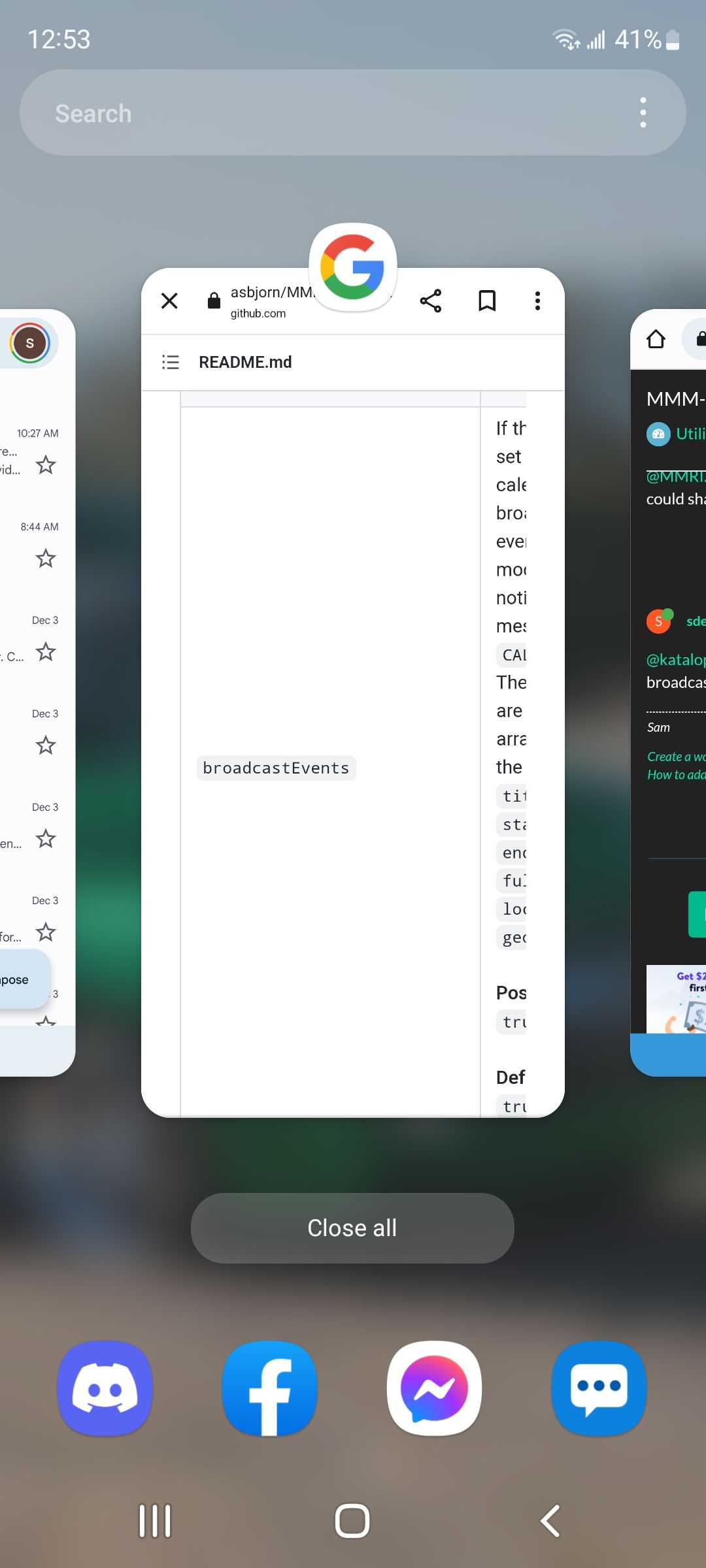
                      @katalopapi googlecalendar doc says broadcastEvents:true
                      Screenshot_20221204-125304_One UI Home.jpg

                      Sam

                      How to add modules

                      learning how to use browser developers window for css changes

                      1 Reply Last reply Reply Quote 0
                      • M Offline
                        MMRIZE @katalopapi
                        last edited by MMRIZE

                        @katalopapi
                        We both posted at same time, so your previous post was right.
                        195a7b93-ac7e-4b29-95d3-09919b35026b-image.png

                        K 1 Reply Last reply Reply Quote 0
                        • K Offline
                          katalopapi @MMRIZE
                          last edited by

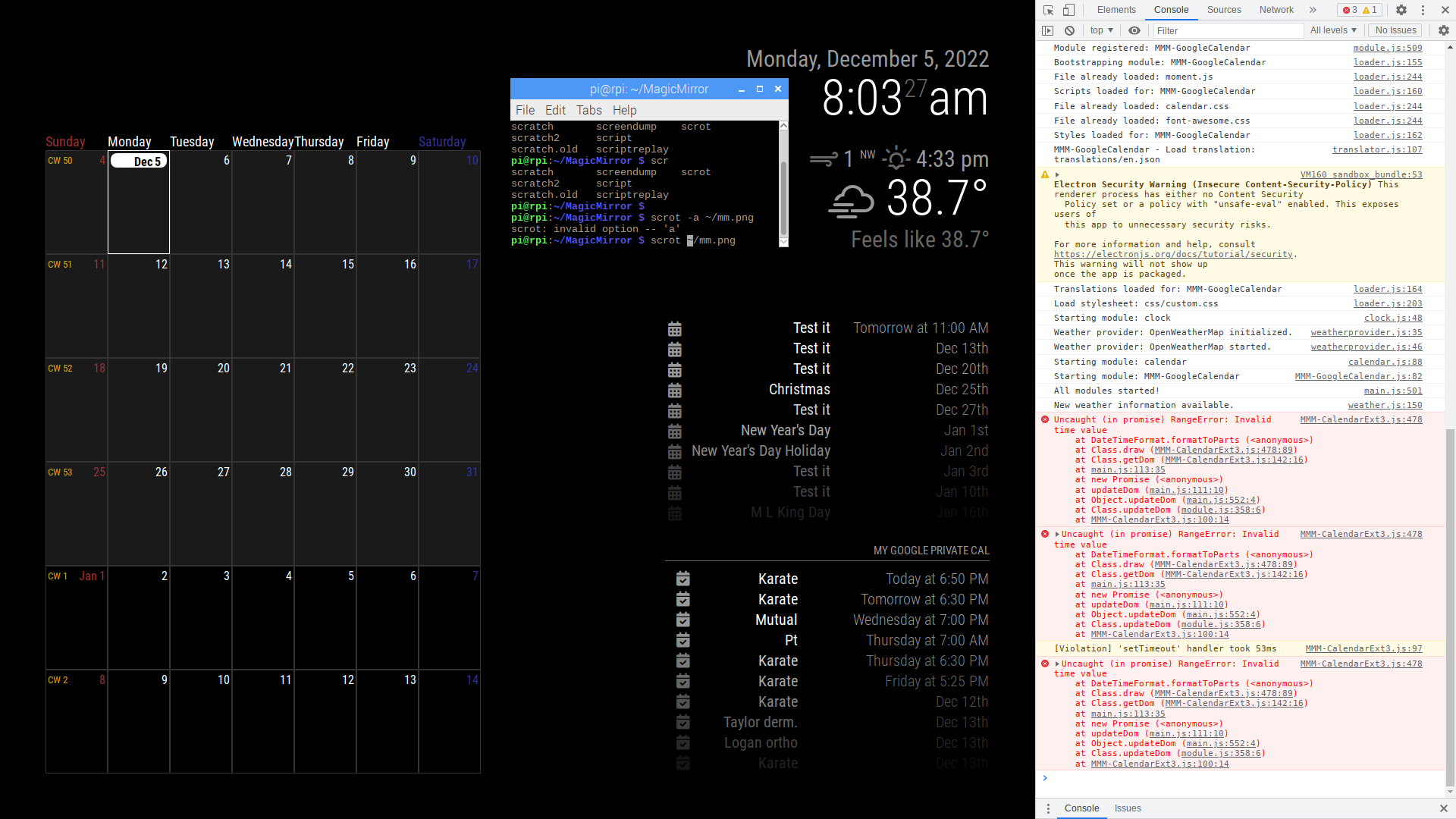
                          @MMRIZE I’m getting the following error:
                          mm (1).png

                          I assume I’m doing something wrong with the transformer since it seems to be an issue with startDate. Here’s my config:
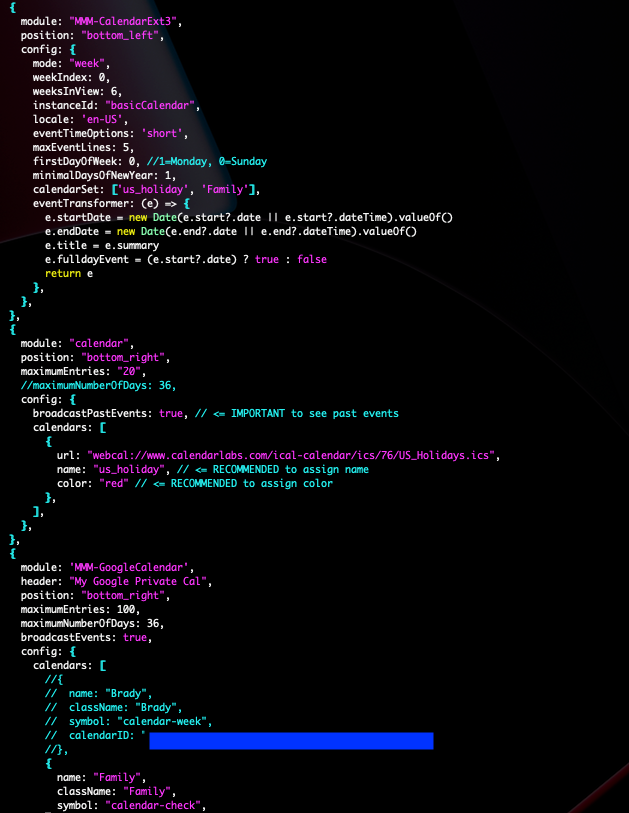
                          Screen Shot 2022-12-05 at 12.09.40 PM.png

                          FYI
                          I had to manually update MMM-GoogleCalendar.js to enable broadcastEvents. I couldn’t seem to enable via the config.js (perhaps I did something wrong).

                          Any ideas regarding the error? TIA

                          S 1 Reply Last reply Reply Quote 0
                          • S Do not disturb
                            sdetweil @katalopapi
                            last edited by

                            @katalopapi all you had to do was add

                            broadcastEvents: true,

                            inside the module config: {}

                            section

                            as it is a module parameter and not a MagicMirror parameter (like position, disabled or classes)

                            Sam

                            How to add modules

                            learning how to use browser developers window for css changes

                            K 1 Reply Last reply Reply Quote 0
                            • K Offline
                              katalopapi @sdetweil
                              last edited by

                              @sdetweil Thanks! I had it before the config. Works after moving it.

                              1 Reply Last reply Reply Quote 1
                              • K Offline
                                katalopapi
                                last edited by

                                I’ve figured out what was causing the error. The US holiday events didn’t have the same fields as the google calendar so the transformer was messing those event us. I’ve fixed it with the following transformer:
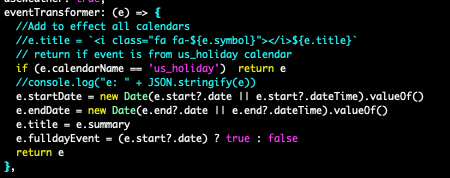
                                Screen Shot 2022-12-05 at 1.50.02 PM.png

                                1 Reply Last reply Reply Quote 1
                                • A Offline
                                  agrusap
                                  last edited by

                                  I’m on my phone sorry if this is messed up. I’m getting this error trying to use ext3 and cannot find an answer. I’m sure it’s something easy but…
                                  Config is same as example given.
                                  I don’t know how to post pictures so hope this helps

                                  In dev window

                                  Uncaught SyntaxError: unexpected token ? (Right side)

                                  :8080/modules/MMM-calendarext3/MMM-calendarext3.js:54

                                  S M 2 Replies Last reply Reply Quote 0
                                  • S Do not disturb
                                    sdetweil @agrusap
                                    last edited by sdetweil

                                    @agrusap did u edit that file? never edit any module file or mm file.

                                    ALL config goes in config.js

                                    Sam

                                    How to add modules

                                    learning how to use browser developers window for css changes

                                    1 Reply Last reply Reply Quote 0
                                    • M Offline
                                      MMRIZE @agrusap
                                      last edited by

                                      @agrusap
                                      Check your electron version(standalone) or browser version(server mode). This module is using a modern JS features, your JS engine might be somewhat outdated.

                                      1 Reply Last reply Reply Quote 0
                                      • ScrewyoudriverS Offline
                                        Screwyoudriver
                                        last edited by Screwyoudriver

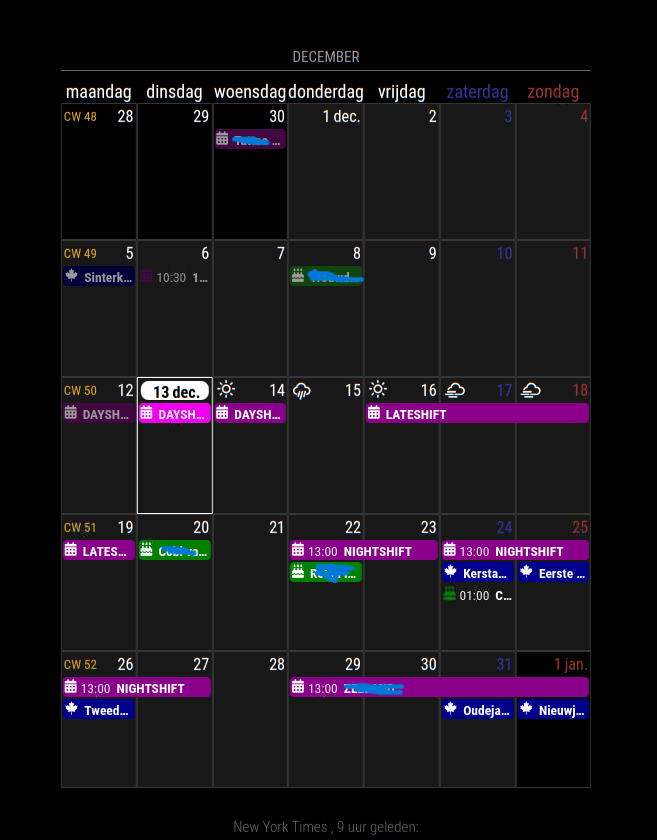
                                        I have a problem with position: “bottom_center”,

                                        if I place it at position: “middle_center”, the calendar is the whole width of the screen.
                                        But not at position: “bottom_center”,

                                        Note: I moved it to bottom_bar and its fine
                                        vncviewer_fqIZkNmMkk.png

                                        S 1 Reply Last reply Reply Quote 0
                                        • S Do not disturb
                                          sdetweil @Screwyoudriver
                                          last edited by

                                          @Screwyoudriver yes the regions are not all symmetrical…

                                          see
                                          https://forum.magicmirror.builders/topic/286/regions?_=1670987336099

                                          Sam

                                          How to add modules

                                          learning how to use browser developers window for css changes

                                          ScrewyoudriverS 1 Reply Last reply Reply Quote 0
                                          • ScrewyoudriverS Offline
                                            Screwyoudriver @sdetweil
                                            last edited by

                                            @sdetweil
                                            Thanks
                                            it’s been a while since i did anything with the magicmirror.
                                            so I forgot this

                                            1 Reply Last reply Reply Quote 0

                                            Hello! It looks like you're interested in this conversation, but you don't have an account yet.

                                            Getting fed up of having to scroll through the same posts each visit? When you register for an account, you'll always come back to exactly where you were before, and choose to be notified of new replies (either via email, or push notification). You'll also be able to save bookmarks and upvote posts to show your appreciation to other community members.

                                            With your input, this post could be even better 💗

                                            Register Login

                                            • 1
                                            • 2
                                            • 6
                                            • 7
                                            • 8
                                            • 9
                                            • 10
                                            • 34
                                            • 35
                                            • 8 / 35
                                            • First post
                                              Last post
                                            Enjoying MagicMirror? Please consider a donation!
                                            MagicMirror created by Michael Teeuw.
                                            Forum managed by Sam, technical setup by Karsten.
                                            This forum is using NodeBB as its core | Contributors
                                            Contact | Privacy Policy