Read the statement by Michael Teeuw here.
MMM-CalendarExt3
-
@MMRIZE Thanks for the reply! I haven’t had too much time to play around with it just yet. Would I be completely replacing the event transformer with the payload, or would I be using both? If I’m using both, does the order matter?
I currently use the transformer to set the icons and transform the title. Does your code only account for stuff that has the same name? With my wife’s schedule, her bookings are all something like this:
Jane Doe: 60 - Deep Tissue Massage
Jane Doe: 60 - Reflexology
Break
Jane Doe: 30 - Reikietc., but I transform it to hide her client’s names on our calendar since it’s visible to whoever is in the house.
        eventTransformer: (ev) => {

          const formatTime = (date) => new Intl.DateTimeFormat("en-US", {
            hour: "numeric",
            minute: "numeric",
            hour12: true,
          }).format(new Date(date));

          const startTime = formatTime(ev.startDate);
          const endTime = formatTime(ev.endDate);

          if (!ev.originalTitle) {
            ev.originalTitle = ev.title;
          }

          const titleParts = ev.originalTitle.split(":");
          const eventTitle = titleParts.length > 1 ? titleParts[1].trim() : ev.originalTitle;

          // Set default icon
          ev.symbol = ["fluent:vehicle-car-profile-ltr-clock-16-filled"];

          // Check if the event is not an all-day event
          if (!ev.isFullday) {
            ev.title = `${startTime} ${eventTitle}`;
          } else {
            ev.title = eventTitle;
          }

          // Rest of your existing conditions
          if (ev.originalTitle.toLowerCase().includes('work')) {
            ev.symbol = ["material-symbols:work-history-outline-sharp"];
            ev.title = `${startTime} - ${endTime}`;
          }

          if (ev.calendarName === "Family" && ev.originalTitle.toLowerCase().includes('windcreek')) {
            ev.symbol = ["mdi:casino"];
          }

          if (ev.calendarName === "Family" && ev.originalTitle.toLowerCase().includes('board')) {
            ev.symbol = ["mdi:cards-playing-spade-multiple"];
          }

          if (ev.calendarName === "Abigail") {
            if (ev.originalTitle.match(/kung fu|tai chi/i)) {
              ev.symbol = ["icon-park-solid:kungfu"];
              ev.title = `${startTime} - ${endTime}`;
            } else if (ev.originalTitle.match(/massage|reiki|trade|break|reflexology|deep|initial visit/i)) {
              ev.symbol = ["tabler:massage"];
              ev.title = `${startTime} - ${endTime}`;
            }
          } else if (ev.calendarName === "Sebastian") {
            ev.title = `${startTime} - ${endTime}`;
          } else if (ev.calendarName == "Birthday") {
            ev.symbol = ["mingcute:cake-fill"];
          } else if (ev.calendarName == "Appointment") {
            ev.symbol = ["lsicon:work-order-appointment-outline"];
          } else if (ev.calendarName == "Holiday") {
            ev.symbol = ["openmoji:flag-us-outlying-islands"];
          }

          return ev;
        }
Instead of checking the title directly, could I use some a contains check to see if it contains the character ‘:’ or ‘-’? I’ll be playing around with this tomorrow once I have some free time available.
-
@sdetweil Just to close the loop on this. I updated MMM-Pir (there was another update soon after I posted) and switched to the updated MMM-Scenes2 and everything seems stable now.
-
@gonzonia awesome
-
@Ragged4310
According to the conditions you provided, the previous code cannot be used. Clear definition of the conditions is essential to come up with an appropriate solution.First, we need to clearly define the events that need to be collapsed. Based on your description, it seems they are in the form of “Person’s Name - Task.” Are you looking to group them by “Person’s Name”? However, it also seems that you do not want the “Person’s Name” to be exposed. In that case, how should they be displayed? For example, would you like them to be labeled sequentially as “Reservation 1,” “Reservation 2,” and so on?
Please provide more details about the AS-IS and TO-BE states.
Alternatively, assigning additional properties to the events to be grouped might also be a good approach. For instance, you could write the person’s name (e.g., Jane Doe) in the
locationordescriptionfield, and only include the task (e.g., Deep Tissue Massage) in the eventtitle. Then, you could group events with the samedescriptiontogether. -
@MMRIZE said in MMM-CalendarExt3:
@Ragged4310
According to the conditions you provided, the previous code cannot be used. Clear definition of the conditions is essential to come up with an appropriate solution.First, we need to clearly define the events that need to be collapsed. Based on your description, it seems they are in the form of “Person’s Name - Task.” Are you looking to group them by “Person’s Name”? However, it also seems that you do not want the “Person’s Name” to be exposed. In that case, how should they be displayed? For example, would you like them to be labeled sequentially as “Reservation 1,” “Reservation 2,” and so on?
Please provide more details about the AS-IS and TO-BE states.
Alternatively, assigning additional properties to the events to be grouped might also be a good approach. For instance, you could write the person’s name (e.g., Jane Doe) in the
locationordescriptionfield, and only include the task (e.g., Deep Tissue Massage) in the eventtitle. Then, you could group events with the samedescriptiontogether.AS IS:
My Google Calendar currently looks like the examples below. I transform event names containing keywords related to my wife’s services into a format that shows only the start and end time of each service, along with a small icon indicating it’s related to her work (massage therapy) on CX3.Example Events:
Jane Smith: 60 - Custom Massage
Event Time: 12:30pm - 2:00pm
Location: <My wife’s business address>
Description: Name of service / client’s phone number / client’s emailJohn Doe: 90 - Custom Massage
Event Time: 2:00pm - 4:00pm
Location: <My wife’s business address>
Description: Name of service / client’s phone number / client’s emailMike Example: 120 - Deep Tissue Massage
Event Time: 4:00pm - 6:30pm
Location: <My wife’s business address>
Description: Name of service / client’s phone number / client’s emailJohnny Smith: 30 - Deep Tissue Massage
Event Time: 10:00pm - 10:30pm
Location: <My wife’s business address>
Description: Name of service / client’s phone number / client’s emailTO BE:
I’d prefer if the title in CX3 could show the time range of merged events only, along with the colored icon I’ve assigned for keywords (e.g., massage, reiki, trade, break, etc.) using ev.originalTitle.match.Example Output:
12:30pm - 6:30pm [3]
10:00pm - 10:30pm
The 12:30 represents the start of the first service, and 6:30 represents the end of the last service. The [3] indicates the total number of collapsed events.
The final event, 10:00pm - 10:30pm, would ideally remain separate due to the large gap. However, if separating it is too complex, it’s fine to merge all events into one block.
The only consistent attribute across these events is the location. All events are synced from her booking software into her Google Calendar.
I cannot group by Person’s Name because each client appears only once per day (I realize I could have used different names for clarity in the examples).
I understand this request may be complex, and if a solution isn’t feasible, I can continue with my current setup. However, it would be great to have this functionality implemented as described.
-
@Ragged4310 said in MMM-CalendarExt3:
I understand this request may be complex, and if a solution isn’t feasible,
its just code, if you can do it in your head, then code can do it…
-
@Ragged4310
Sure, that’s doable. There’s no reason why it shouldn’t be possible.This kind of work is
domain analysis, which is basically my real-world job.However, it’s not exactly simple. By simple, I mean it’ll take more than the usual 10 minutes I’d spend diving into this hobby project that genuinely interests me.
And honestly, my rate is quite high. :D (Just kidding.)
Let’s clarify a few things first.
- CX3 is usually useful for viewing events from multiple calendars at once, so you’re probably using other types of calendars (e.g., personal meetings, family schedules) together. For this task, let’s assume that the target “customer reservation” events are in a separate, independent calendar. For convenience, I’ll call this calendar “Reservation” from now on.
- Given the nature of calendars, I assume that there won’t be any overlapping events in the Reservation calendar. Additionally, I’ll assume there are no full-day events or events that span midnight.
With these assumptions, I’ll give it a shot sometime tomorrow when I have some free time. I can’t make any promises, so please don’t get your hopes up too high.
-
See the green events
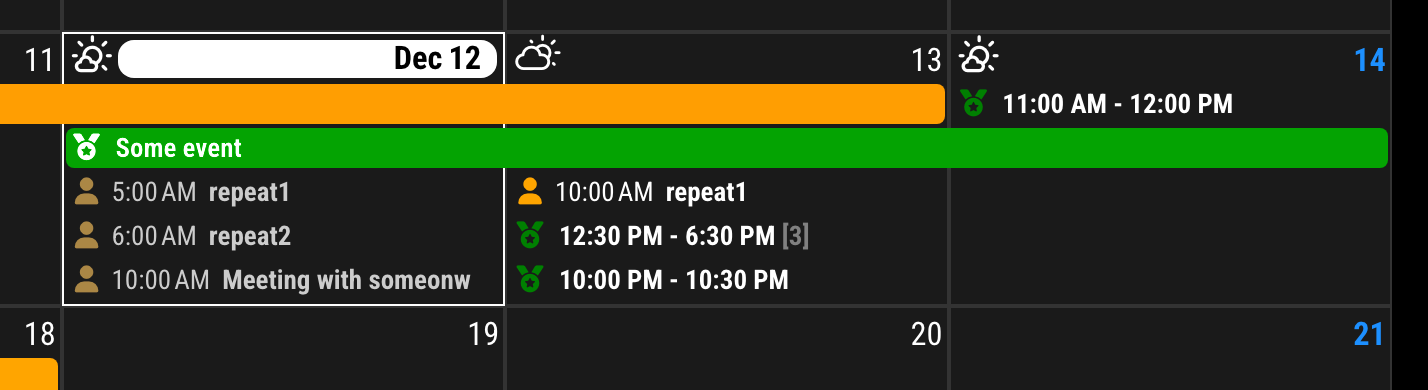
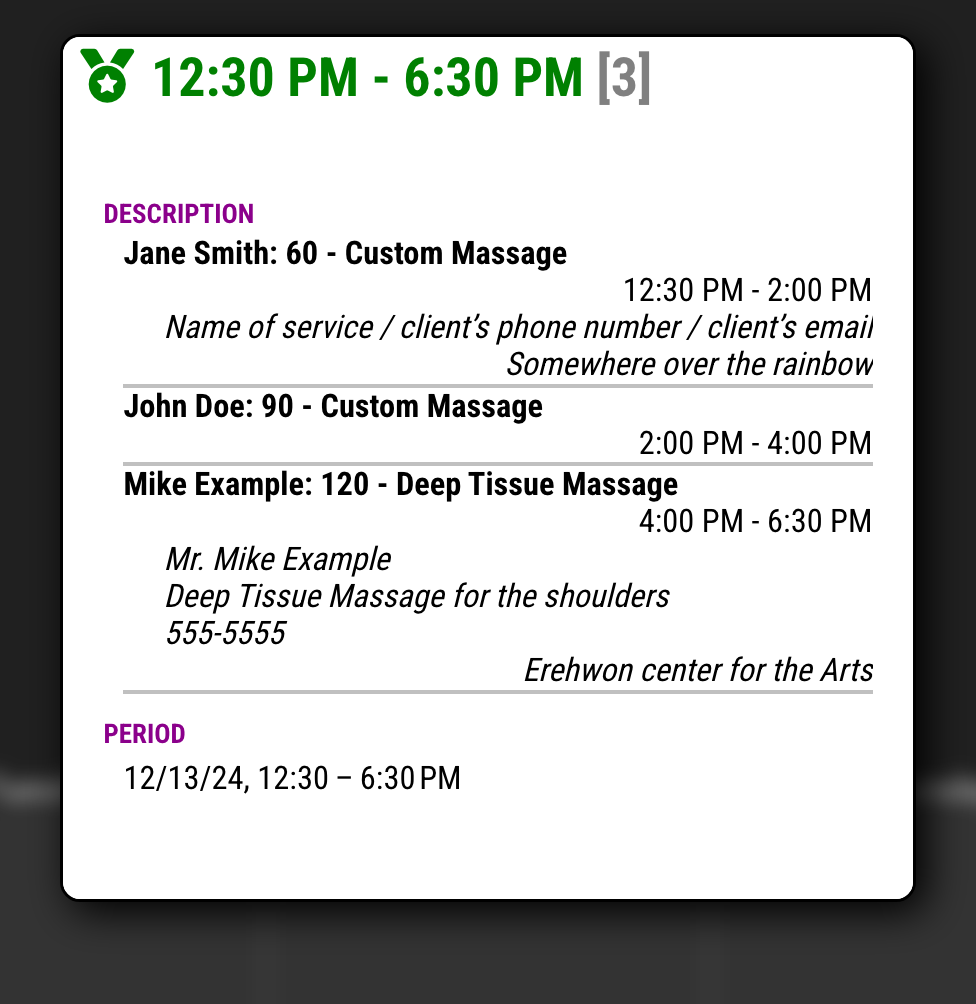
eventPayloadin CX3 config;/* CX3 config section in `config/config.js` */ eventPayload: (payload) => { const targetCalendar = "Reservation" const divideGap = 1000 * 60 * 60 * 1 const locale = 'en-US' const timeStyle = { timeStyle: 'short' } const condition = (ev) => { return (ev.calendarName === targetCalendar && ev.fullDayEvent === false) } const target = payload.filter(condition).sort((a, b) => a.endDate - b.endDate) const result = payload.filter(e => !condition(e)) const dateStr = (dateValue) => Intl.DateTimeFormat(locale, timeStyle).format(new Date(+dateValue)) const collapse = (template, ev) => { if (!template?.["title"]) template = { ...ev, collapseCount: 0, description: '', location: '' } template.collapseCount++ template.startDate = String(Math.min(+template.startDate, +ev.startDate)) template.endDate = String(Math.max(+template.endDate, +ev.endDate)) template.title = `${dateStr(template.startDate)} - ${dateStr(template.endDate)}` if (template.collapseCount > 1) template.title += ` <span class="count">${template.collapseCount}</span>` template.description += `<div class="collapsedEvent"> <p class="title">${ev.title}</p> <p class="period">${dateStr(ev.startDate)} - ${dateStr(ev.endDate)}</p>` if (ev.description) template.description += `<p class="description">${ev.description}</p>` if (ev.location) template.description += `<p class="location">${ev.location}</p>` template.description += '</div>' return template } const dateKey = (dateValue) => new Date(+dateValue).toLocaleDateString('en-CA') let collapsedEvent = {} for (const ev of target) { const currentKey = dateKey(ev.startDate) if (!collapsedEvent?.[ 'title' ]) { collapsedEvent = collapse(collapsedEvent, ev) continue } const collapsedKey = dateKey(collapsedEvent.startDate) if (collapsedKey !== currentKey || +ev.startDate - +collapsedEvent.endDate > divideGap) { result.push(collapsedEvent) collapsedEvent = collapse({}, ev) } else { collapsedEvent = collapse(collapsedEvent, ev) } } if (collapsedEvent?.[ 'title' ]) result.push(collapsedEvent) return result }You can modify
targetCalendar,divideGap,localeandetimeStylefor your purpose.To beautify;
/* css/custom.css */ .CX3 .event.calendar_Reservation .headline .time { display: none; } #CX3_POPOVER .title .count, .CX3 .calendar_Reservation .title .count { font-weight: bold; color: gray; } #CX3_POPOVER .title .count::before, .CX3 .calendar_Reservation .title .count::before { content: "["; } #CX3_POPOVER .title .count::after, .CX3 .calendar_Reservation .title .count::after { content: "]"; } #CX3_POPOVER .description .collapsedEvent { line-height: 115%; border-bottom: 2px solid silver; p { margin-top: 0; margin-bottom: 0; } .title { font-weight: bold; } .period { text-align: right; } .description { font-style: italic; white-space: pre; padding-left: 20px; } .location { font-style: italic; text-align: right; } } -
@MMRIZE said in MMM-CalendarExt3:
See the green events
eventPayloadin CX3 config;/* CX3 config section in `config/config.js` */ eventPayload: (payload) => { const targetCalendar = "Reservation" const divideGap = 1000 * 60 * 60 * 1 const locale = 'en-US' const timeStyle = { timeStyle: 'short' } const condition = (ev) => { return (ev.calendarName === targetCalendar && ev.fullDayEvent === false) } const target = payload.filter(condition).sort((a, b) => a.endDate - b.endDate) const result = payload.filter(e => !condition(e)) const dateStr = (dateValue) => Intl.DateTimeFormat(locale, timeStyle).format(new Date(+dateValue)) const collapse = (template, ev) => { if (!template?.["title"]) template = { ...ev, collapseCount: 0, description: '', location: '' } template.collapseCount++ template.startDate = String(Math.min(+template.startDate, +ev.startDate)) template.endDate = String(Math.max(+template.endDate, +ev.endDate)) template.title = `${dateStr(template.startDate)} - ${dateStr(template.endDate)}` if (template.collapseCount > 1) template.title += ` <span class="count">${template.collapseCount}</span>` template.description += `<div class="collapsedEvent"> <p class="title">${ev.title}</p> <p class="period">${dateStr(ev.startDate)} - ${dateStr(ev.endDate)}</p>` if (ev.description) template.description += `<p class="description">${ev.description}</p>` if (ev.location) template.description += `<p class="location">${ev.location}</p>` template.description += '</div>' return template } const dateKey = (dateValue) => new Date(+dateValue).toLocaleDateString('en-CA') let collapsedEvent = {} for (const ev of target) { const currentKey = dateKey(ev.startDate) if (!collapsedEvent?.[ 'title' ]) { collapsedEvent = collapse(collapsedEvent, ev) continue } const collapsedKey = dateKey(collapsedEvent.startDate) if (collapsedKey !== currentKey || +ev.startDate - +collapsedEvent.endDate > divideGap) { result.push(collapsedEvent) collapsedEvent = collapse({}, ev) } else { collapsedEvent = collapse(collapsedEvent, ev) } } if (collapsedEvent?.[ 'title' ]) result.push(collapsedEvent) return result }You can modify
targetCalendar,divideGap,localeandetimeStylefor your purpose.To beautify;
/* css/custom.css */
.CX3 .event.calendar_Reservation .headline .time {
  display: none;
}

#CX3_POPOVER .title .count,
.CX3 .calendar_Reservation .title .count {
  font-weight: bold;
  color: gray;
}

#CX3_POPOVER .title .count::before,
.CX3 .calendar_Reservation .title .count::before {
  content: "[";
}

#CX3_POPOVER .title .count::after,
.CX3 .calendar_Reservation .title .count::after {
  content: "]";
}

#CX3_POPOVER .description .collapsedEvent {
  line-height: 115%;
  border-bottom: 2px solid silver;

  p {
    margin-top: 0;
    margin-bottom: 0;
  }

  .title {
    font-weight: bold;
  }

  .period {
    text-align: right;
  }

  .description {
    font-style: italic;
    white-space: pre;
    padding-left: 20px;
  }

  .location {
    font-style: italic;
    text-align: right;
  }
}
I had to play around with it a bit to get it just right, but you nailed it!

My calendar is a lot less cluttered now. Thank you for all your help!
-
thanks for adding maxEventLines: { row: line, row: line, … } .
But I am having trouble getting it to work.
		 {
           module: "MMM-CalendarExt3",
           position: "top_right",
           title: "",
           instanceId: '1',
		   config: {
             mode: 'month',
             carouselId: "basicCalendar",
             locale: 'en-ZA',
		     header: "",
             //headerTitleOptions: {month: 'long' , year:'numeric'},
		     eventTimeOptions: {timeStyle: 'short'},
		     useWeather: false,
             //maxEventLines: 1,
             firstDayOfWeek: 1,
		     displayEndTime: false,
		     useMarquee: true,
		     displayCW: false,
		     showMore: true,
		     showEnd: false,
		     weekIndex: 0, // From which week the view starts; -1 : last week, 0: this week 2: 2 weeks later, ...
		     //weeksInView: 5, // How many weeks will be shown from `weekIndex`
		     fontSize: "18px",
             eventHight: "20px",
		     calendarSet: ['Pieter', 'US_holiday'],
			 maxEventLines: { 4:6, 5:5, 6:4 , 7:3},
		   }
         },
I would expect this line maxEventLines: { 4:6, 5:5, 6:4 , 7:3}, to limit the number of rows based on the number of weeks so this month has 6 week rows so the entries in the cell should be limited to 4?
I even did a test case just to see if it would only make one line by doing this
maxEventLines: { 3:1, 4:1, 5:1, 6:1 , 7:1, 8:1}, and it did not work.What am I missing.
thanks for your help.
-
-
@MMRIZE thanks for all your help.
I will update later and let you know if it worked.
-
@MMRIZE the updated fixed my issue.
thanks.
-
I’m working in the same situation: using an old iPad and trying to conserve space. I used this transform you posted way back in this thread:
/* In your config */
eventTransformer: (ev) => {
  if (!ev.isFullday) {
    let t = new Date(ev.startDate)
    let time = (t.getMinutes() === 0) ? String(t.getHours()) : String(t.getHours() + ':' + t.getMinutes())
    ev.title = `<span class="myTime">${time}</span> ${ev.title}`
  }
  return ev
}
That works great, but how can I get it to display the hour in 12h, not 24h?
-
@Decimeter9667 time see the
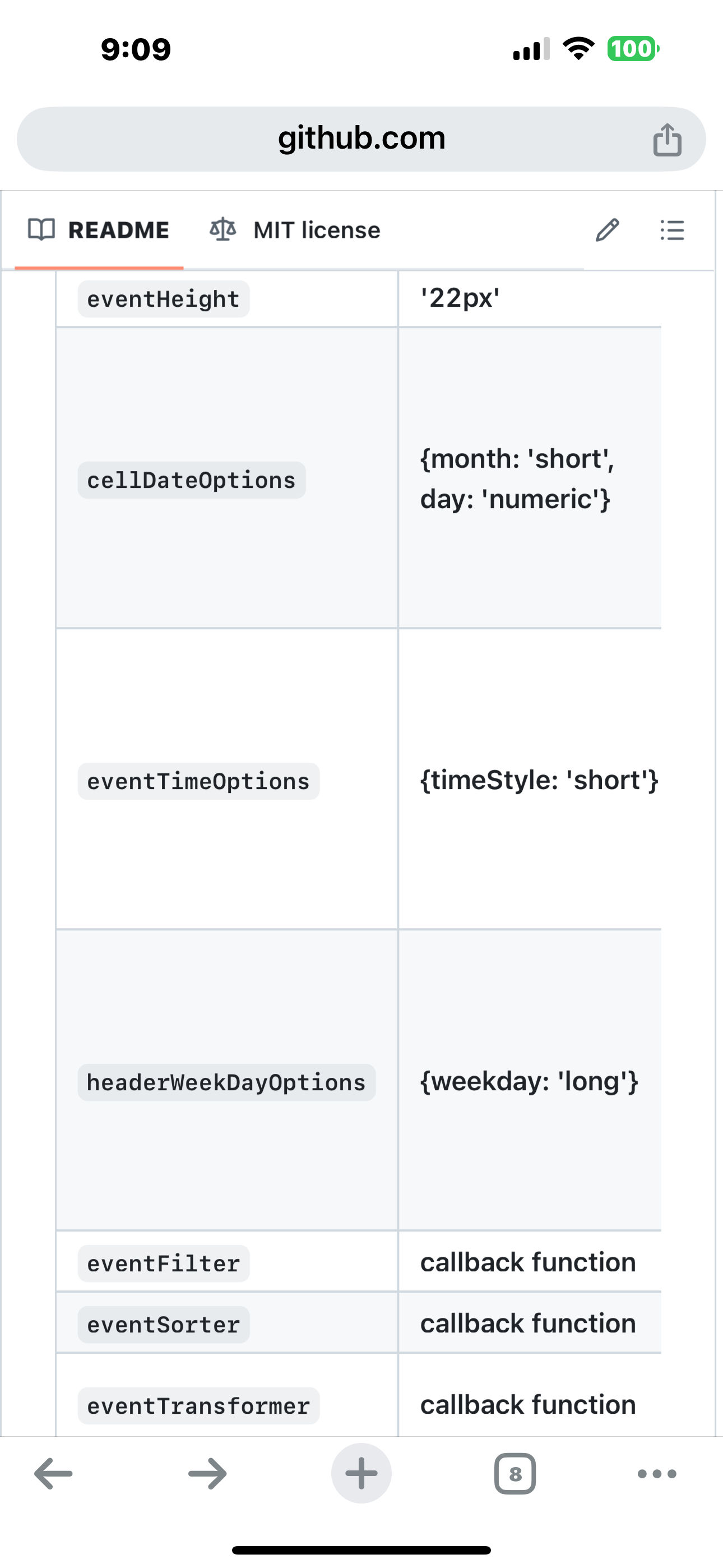 eventTimeOptions
 -
@sdetweil Hmm… are you sure that works in the context of the transform I showed? eventTimeOptions doesn’t seem to change it.
-
you are doing it raw. Date.getHours() returns 0-23
so YOU have to check , and substract 12 if over 12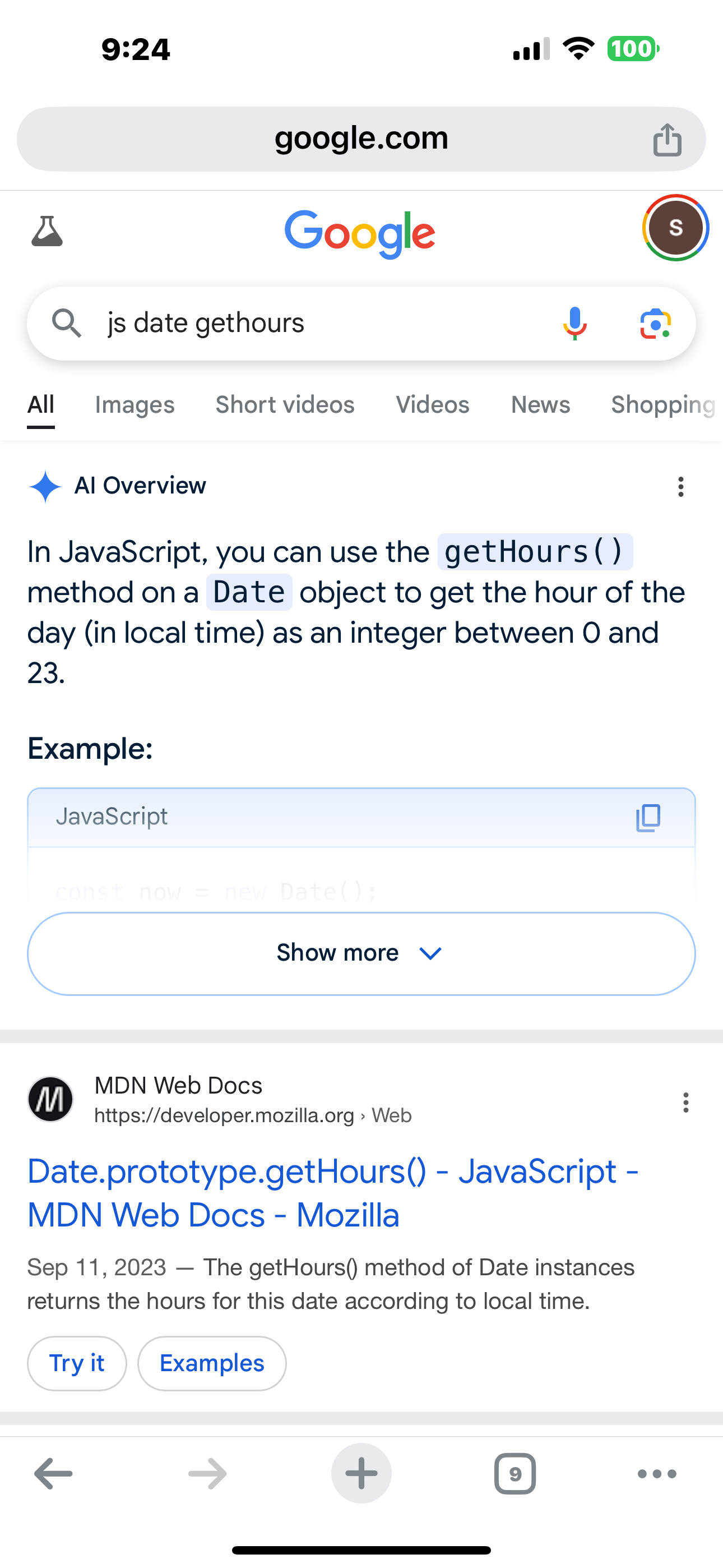
-
@sdetweil Thanks. For anyone else looking to do this, here’s how I modified the code:
eventTransformer: (ev) => { if (!ev.isFullday) { let t = new Date(ev.startDate) const amPm = t.getHours() >= 12 ? 'p' : 'a'; let time = (t.getMinutes() === 0) ? String(t.getHours() % 12 || 12) : String( (t.getHours() % 12 || 12) + ':' + t.getMinutes()) ev.title = `<span class="myTime">${time}${amPm}</span> ${ev.title}` } return ev } -
@Decimeter9667 you could have set the hour in a local variable when you did the am/pm test
// assume am.
// of course you could reverse this if most of the events are in the afternoon
let amPm='a'
let hour=t.getHours()
     if(hour >= 12) {
             amPm= 'p';
             hour-= 12
    }
then not have 2 more calls to getHour()
performance things creep in all the time… (as you might be doing this for all events…)
-
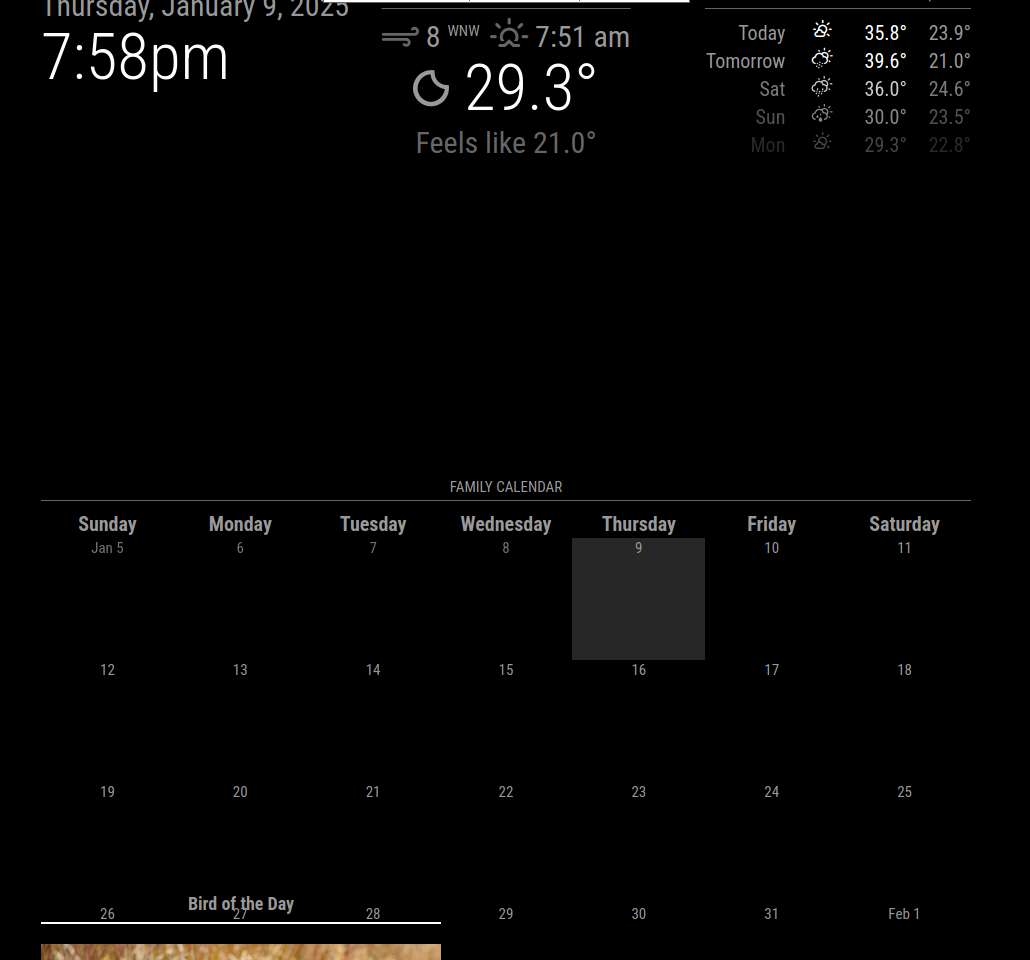
Hello, I’m new to MagicMirror trying to build my first. I’m having an issue with any events showing up. When I run the attached code I get a blank calendar. However when I run the regular calendar I see all the events. Am I doing something wrong?
{
			module: "MMM-MonthlyCalendar",
			header: "Family Calendar",
			position: "bottom_bar",
			config: {
				updatesEvery: 30,
				weeksInFuture: 5,
				mode: "fourWeeks",
				firstDayofWeek: "sunday",
                               //maximumEntries: "10000", <--- " I saw in one of the forums that this could help but it did not."
				calendars: [
				  {
					url: "https://calendar.google.com/calendar/ical/******basic.ics",
					priority: 1,
				  },
				]
			  }
			}
Here is a screenshot of the regular calendar.
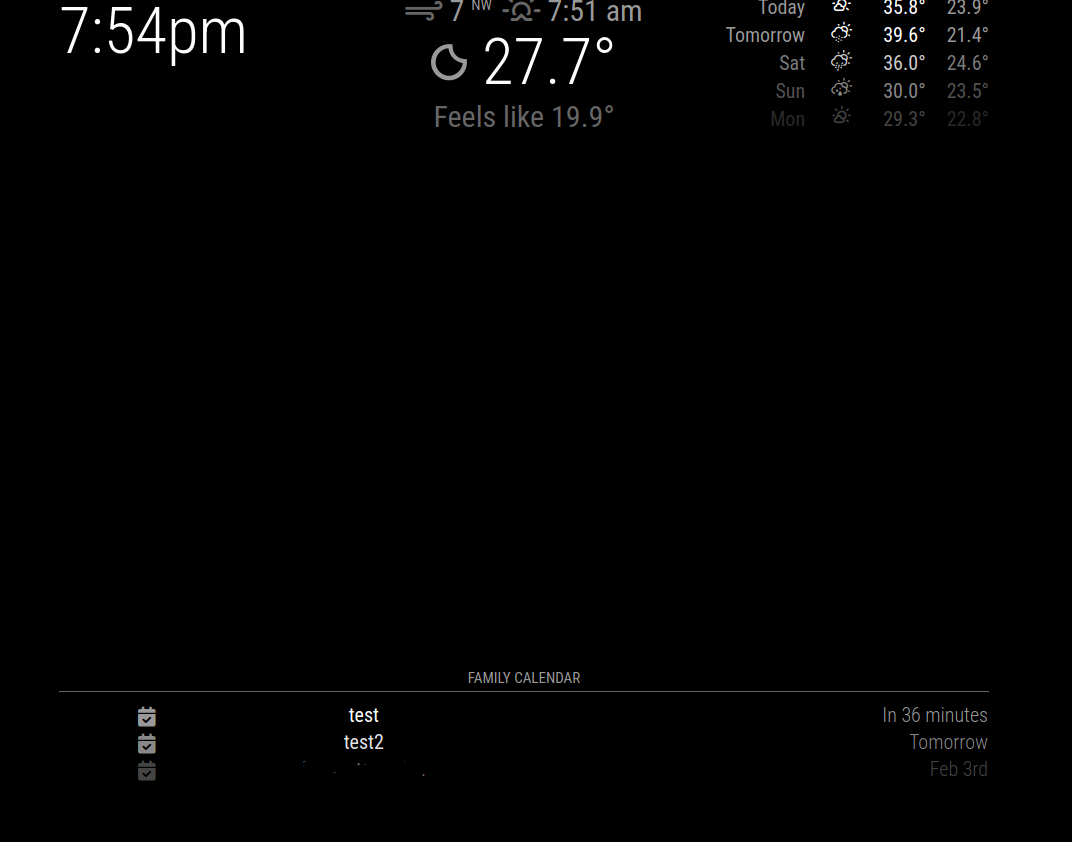
This is what it looks like with MMM-CalendarExt3
Hello! It looks like you're interested in this conversation, but you don't have an account yet.
Getting fed up of having to scroll through the same posts each visit? When you register for an account, you'll always come back to exactly where you were before, and choose to be notified of new replies (either via email, or push notification). You'll also be able to save bookmarks and upvote posts to show your appreciation to other community members.
With your input, this post could be even better 💗
Register Login