Read the statement by Michael Teeuw here.
MMM-CalendarExt3
-
@sdetweil Thanks for the info:
“u can setup the default calendar and not give it a position, but have it broadcast events”
I assume you are saying I can display the family calendar using the default calendar module, is that correct? If so, do you have a pointer to start me in the right direction? I don’t see an ICAL associated with the google family calendar. I thought I needed mmm-googleCalendar for that.“I don’t know if mmm-googlecalendar does the broadcast”
From the CX3 github readme:
Compatible with randomBrainstormer/MMM-GoogleCalendar
eventTransformer: (e) => {
e.startDate = new Date(e.start?.date || e.start?.dateTime).valueOf()
e.endDate = new Date(e.end?.date || e.end?.dateTime).valueOf()
e.title = e.summary
e.fulldayEvent = (e.start?.date) ? true : false
return e
}Do I need to add the eventTransformer code to get it to add the googleCalendar events?
Thanks -
@katalopapi
There is some tip explanation on readme doc to use with google-calendar module. -
@MMRIZE Do you have any example config you could share for using mmm-googleCalendar?
-
@katalopapi googlecalendar doc says broadcastEvents:true
-
@katalopapi
We both posted at same time, so your previous post was right.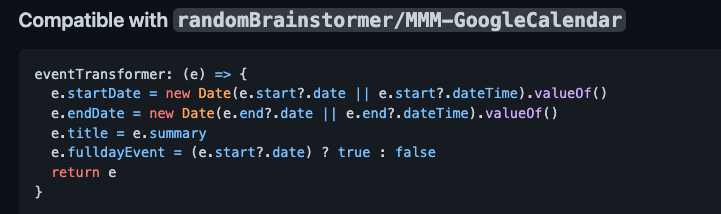
-
@MMRIZE I’m getting the following error:
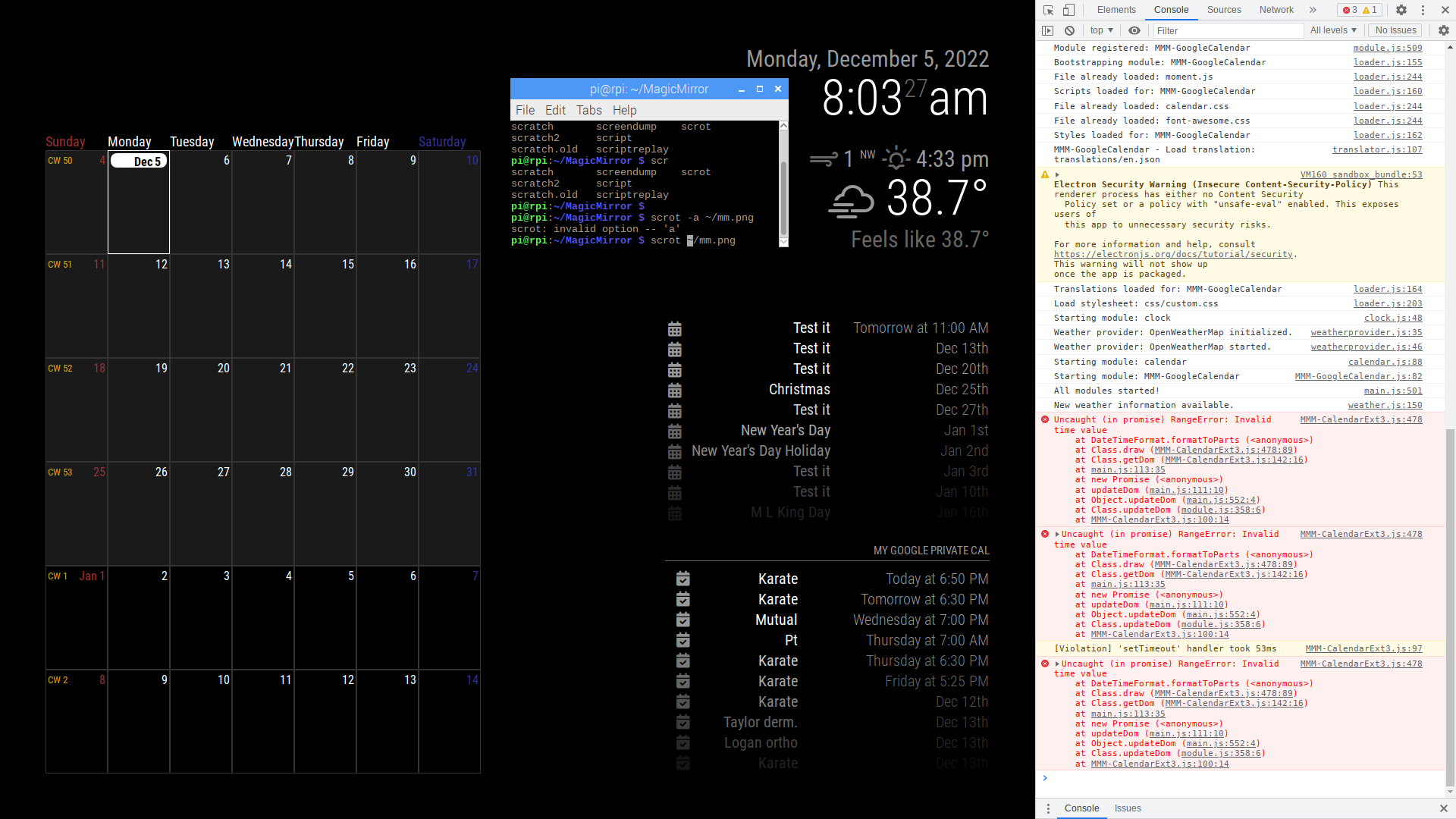
I assume I’m doing something wrong with the transformer since it seems to be an issue with startDate. Here’s my config:
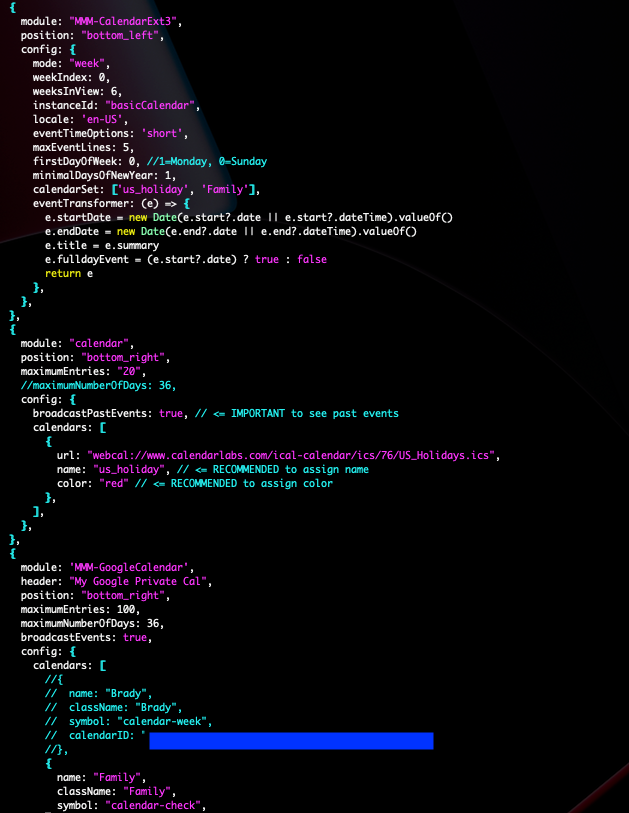
FYI
I had to manually update MMM-GoogleCalendar.js to enable broadcastEvents. I couldn’t seem to enable via the config.js (perhaps I did something wrong).Any ideas regarding the error? TIA
-
@katalopapi all you had to do was add
broadcastEvents: true,
inside the module config: {}
section
as it is a module parameter and not a MagicMirror parameter (like position, disabled or classes)
-
@sdetweil Thanks! I had it before the config. Works after moving it.
-
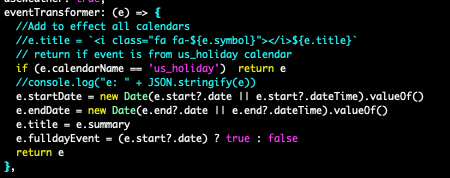
I’ve figured out what was causing the error. The US holiday events didn’t have the same fields as the google calendar so the transformer was messing those event us. I’ve fixed it with the following transformer:
-
I’m on my phone sorry if this is messed up. I’m getting this error trying to use ext3 and cannot find an answer. I’m sure it’s something easy but…
Config is same as example given.
I don’t know how to post pictures so hope this helpsIn dev window
Uncaught SyntaxError: unexpected token ? (Right side)
:8080/modules/MMM-calendarext3/MMM-calendarext3.js:54
-
@agrusap did u edit that file? never edit any module file or mm file.
ALL config goes in config.js
-
@agrusap
Check your electron version(standalone) or browser version(server mode). This module is using a modern JS features, your JS engine might be somewhat outdated. -
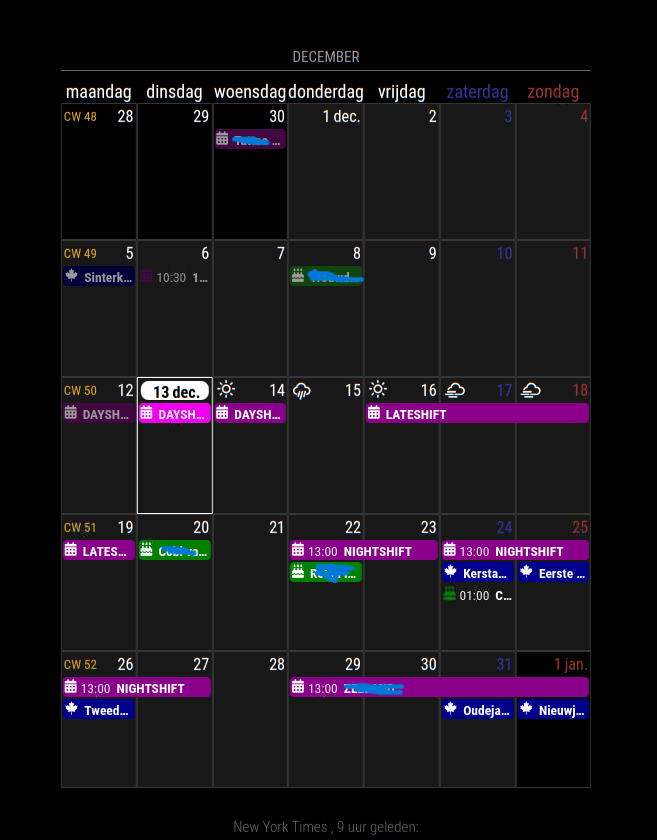
I have a problem with position: “bottom_center”,
if I place it at position: “middle_center”, the calendar is the whole width of the screen.
But not at position: “bottom_center”,Note: I moved it to bottom_bar and its fine
-
@Screwyoudriver yes the regions are not all symmetrical…
see
https://forum.magicmirror.builders/topic/286/regions?_=1670987336099 -
@sdetweil
Thanks
it’s been a while since i did anything with the magicmirror.
so I forgot this -
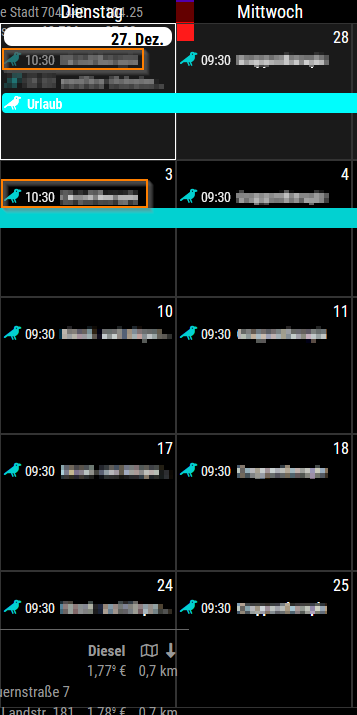
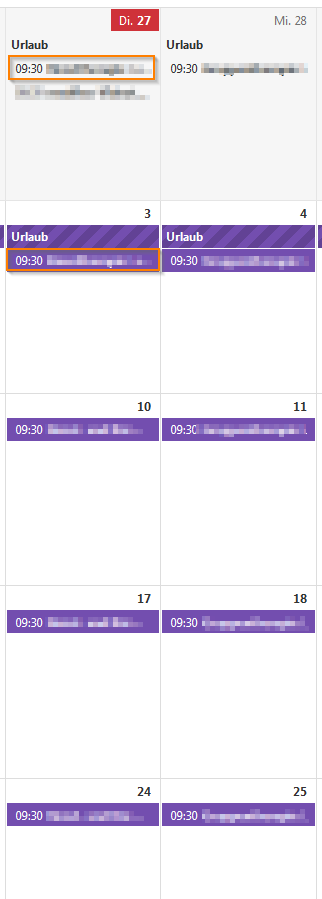
I also have a problem. I have a series of appointments on Tuesday and Wednesday. If I change one appointment in length with the same starting time, it shifts one hour back. The source is correct, the displaying hour on the MM is incorrect. Does anybody else have this problem?
MagicMirror
Source in browser
-
@ThaliaFromPrussia CalExt3 displays events read and processed by the default calendar module.
this sounds like one of the utc/tinezone shift errors in one of the libraries we use.
can u download the ics file and extract those two appointments before and after the change so I can examine the issue?
to download the ics
curl -sL cal_url > sonefile.txtthen edit the somefile.txt
events look like
BEGIN VEVENT
.
.
.
END VEVENT
change anything that look personal
don’t change the times or uuidif u don’t want to post the events here you can send it to me in a chat message or email.
my email is my userid at gmail.
-
@ThaliaFromPrussia thanks for the info… another library bug …
the event was set in summer time
the recurrence is in standard timethe library returned the repeating as
date :x , time :07:30
I fix this one, adjusting for std time adjustments
but on the recurrence
date: y, time:08:30
then the calendar module uses the tz, and it gets adjusted twice…
once for berlin utc+1, and once for std time adjustmenti haven’t figured out a way to fix this, the lib is not our code…
-
@sdetweil Thank you and let me know if there is a way to fix it.
-
hi everyone, another dumb question from yours truly, i’m looking to get this original calendar layout… which i cant get from default module calendar either for some reason
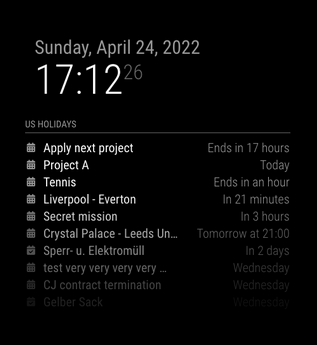
how can i do this

Hello! It looks like you're interested in this conversation, but you don't have an account yet.
Getting fed up of having to scroll through the same posts each visit? When you register for an account, you'll always come back to exactly where you were before, and choose to be notified of new replies (either via email, or push notification). You'll also be able to save bookmarks and upvote posts to show your appreciation to other community members.
With your input, this post could be even better 💗
Register Login