Read the statement by Michael Teeuw here.
Font-awesome
-
Hi all,
Looking at modifying the MMM-BIRTHDAYS to display a birthday cake icon.
I’ve added symbol: ‘birthday-cake’, to the config.js file along with
getStyles: function () {
return [“font-awesome.css”];
},but this doesn’t appear to work. I’ve tried comparing to calendar.js etc but to no avail.
Any help / guidance (in simpletons language), would be greatly appreciated.
-
@bicolorbore586 open the developers window, ctrl-shift-i, and select the console tab
add part of the module name to the filter field to get just those messages
u can examine the web content too. to make sure the icon name is specified correctly
see also
https://forum.magicmirror.builders/topic/14862/help-with-a-couple-css-issues?_=1665064979567 -
@sdetweil
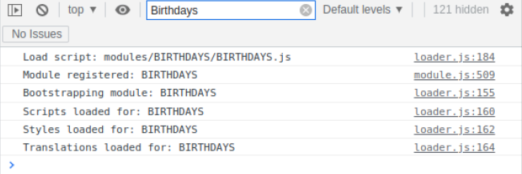
Hi Sam, thanks for taking the time to reply, having looked at the developer window I have the below… doesn’t appear to show any issues.
-
@bicolorbore586 ok, can u look at the html to make sure the icon name is specified?
see the prior link about navigating the elements content
-
@bicolorbore586 where is that module located… google search didn’t find it
-
@sdetweil I copied and pasted the icon logo from font-awesome cheat sheet.
The module is https://github.com/marcomerens/anniversarymodule
-
@bicolorbore586 ok, I added the content to the njk, and it came up
add th too<th> </th> <th>Name</th> <td><span class="fas fa-fw fa-birthday-cake"/></td> <td>{{p.name}}</td> <td>{{p.date}}</td>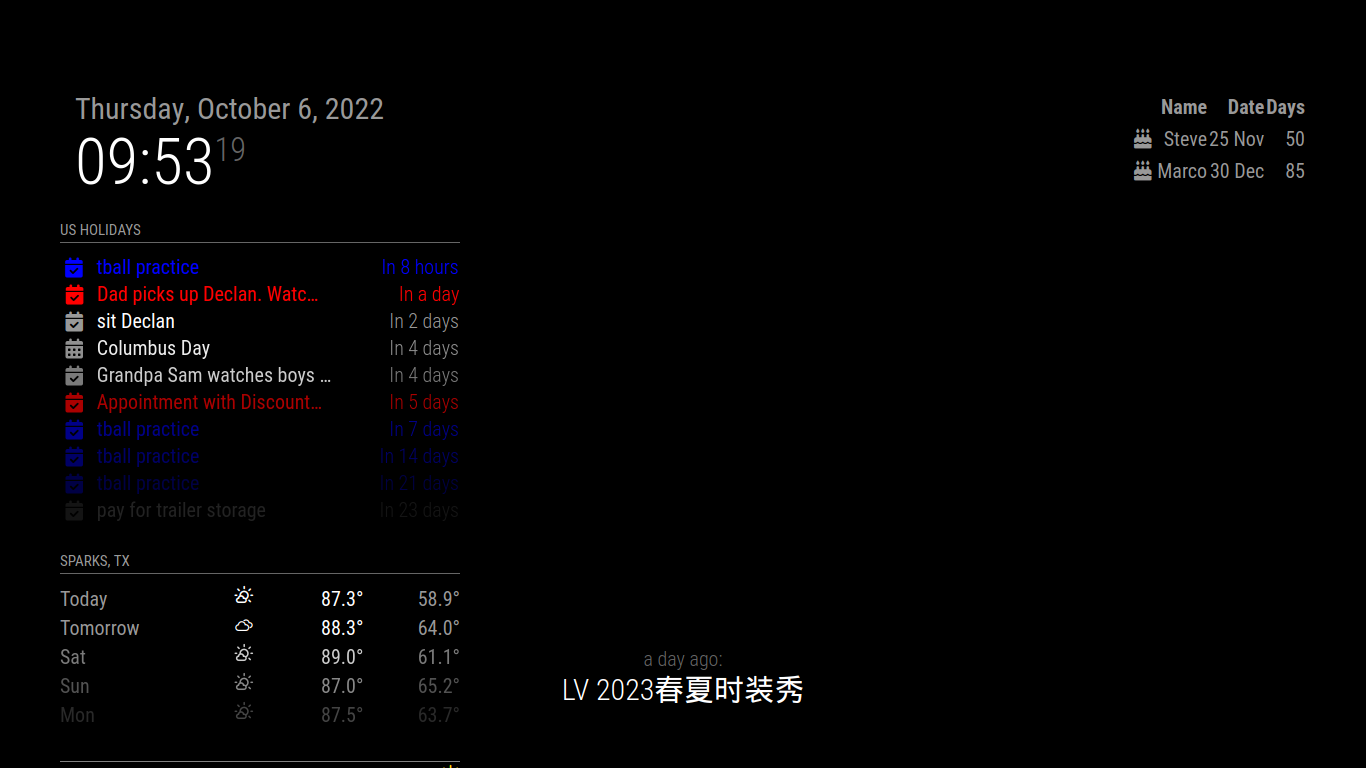
-
-
@bicolorbore586 the names are in config.js , see the doc
where ? no… do u want it on the person
-
@sdetweil Yeah the config.js is all set up.
I would like it a inn the screen shot you posted where you have
Cake Icon Steve 25 Nov 50
Cake Icon Marco 30 Dec 85Similar to the calendar, but the birthday cake instead of calendar icon.
-
@bicolorbore586 eh? mine shows the cake on each row
-
@bicolorbore586 i just pasted the sample config from the doc into the config.js no changes
has two names/rows
-
@bicolorbore586 I think u said u want it on the row
then it DOES matter where u put it…
it has to be on the TABLE ROW
like my codeinside the <tr> ---- row is a column <th> ---- header and data for column <td> --- column data -
@sdetweil so, I now have the icon in each row, but it fills the name column and shifts the name to the date, date to days and pops the days on the end… (sorry absolute noob at this, trying to move things around, but can’t for the live of me see how to change it).
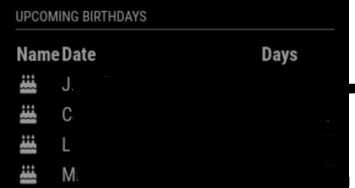
Name Date Days <tr>{{p.name}} {{p.date}} {% if p.days == 0 %}Today {% else %}{{p.days}} {% endif %} {% endfor %} -
@bicolorbore586 u didn’t add a column to the table header
see my code which has a new th
-
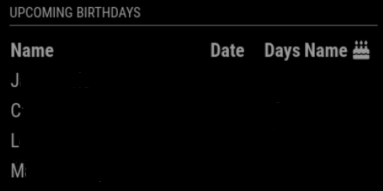
@sdetweil got ya!
I hadn’t created the column in the right place.
Thanks for your patience and guidance.
Hello! It looks like you're interested in this conversation, but you don't have an account yet.
Getting fed up of having to scroll through the same posts each visit? When you register for an account, you'll always come back to exactly where you were before, and choose to be notified of new replies (either via email, or push notification). You'll also be able to save bookmarks and upvote posts to show your appreciation to other community members.
With your input, this post could be even better 💗
Register Login