MagicMirror Forum
    • Recent
    • Tags
    • Unsolved
    • Solved
    • MagicMirror² Repository
    • Documentation
    • 3rd-Party-Modules
    • Donate
    • Discord
    • Register
    • Login
    A New Chapter for MagicMirror: The Community Takes the Lead
    Read the statement by Michael Teeuw here.

    Resizing font size of modules

    Scheduled Pinned Locked Moved Solved Troubleshooting
    26 Posts 3 Posters 16.6k Views 3 Watching
    Loading More Posts
    • Oldest to Newest
    • Newest to Oldest
    • Most Votes
    Reply
    • Reply as topic
    Log in to reply
    This topic has been deleted. Only users with topic management privileges can see it.
    • R Offline
      Rags @sdetweil
      last edited by

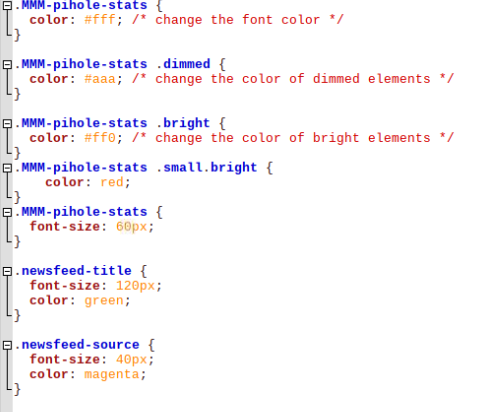
      @sdetweil I have made changes to both custom.css file and newsfeed.css file. I also copied the custom.css file into newsfeed module folder. Nothing seems to work.

      css/custom.css configuration;

      .MMM-pihole-stats {
      color: #fff; /* change the font color */
      }

      .MMM-pihole-stats .dimmed {
      color: #aaa; /* change the color of dimmed elements */
      }

      .MMM-pihole-stats .bright {
      color: #ff0; /* change the color of bright elements */
      }
      .MMM-pihole-stats .small.bright {
      color: red;
      }
      .MMM-pihole-stats {
      font-size: 60px;
      }

      **.newsfeed {

      font-size:70px;
      margin-bottom: 0.5em;
      }**

      newsfeed.css configuration;

      iframe.newsfeed-fullarticle {
      width: 100vw;
      /* very large height value to allow scrolling */
      height: 3000px;
      top: 0;
      left: 0;
      border: none;
      z-index: 1;
      }

      .region.bottom.bar.newsfeed-fullarticle {
      bottom: inherit;
      top: -90px;
      }

      .newsfeed-list {
      list-style: none;
      }

      .newsfeed-list li {
      text-align: justify;
      font-size:70px;
      margin-bottom: 0.5em;
      }

      Need further help please.

      M S 2 Replies Last reply Reply Quote 0
      • M Offline
        MMRIZE @Rags
        last edited by

        @Rags
        custom.css should be placed in your ~/MagicMirror/css, where the custom.css.sample exists still or had existed once.

        R 1 Reply Last reply Reply Quote 0
        • R Offline
          Rags @MMRIZE
          last edited by Rags

          @MMRIZE It is still placed there ( /home/pi/MagicMirror/css/custom.css) , and configured with font-size:60px. I only copied that file into newsfeed module folder since the font size was not increasing, and thought to just try if it works by placing it into the newsfeed module folder.

          M 1 Reply Last reply Reply Quote 0
          • M Offline
            MMRIZE @Rags
            last edited by

            @Rags

            Try this in your custom.css

            .newsfeed-title {
              font-size: 60px;
              color: green;
            }
            
            .newsfeed-source {
              font-size: 40px;
              color: magenta;
            }
            

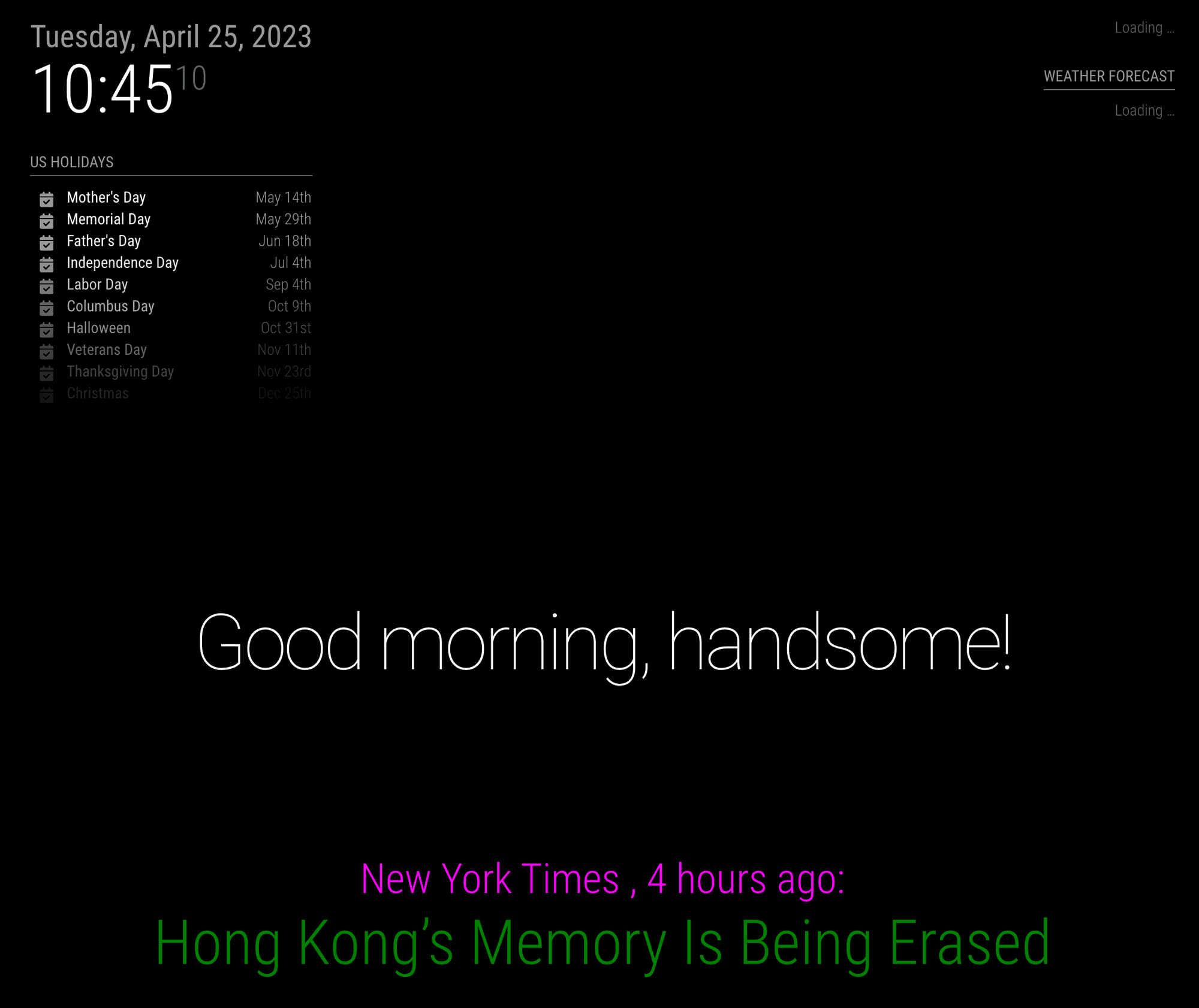
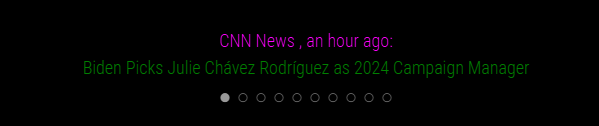
            44e41bcc-6839-40a1-ae65-dd067cb26063-image.png

            S 1 Reply Last reply Reply Quote 0
            • S Do not disturb
              sdetweil @MMRIZE
              last edited by

              @MMRIZE you should follow the correct model

              .modulename ....... {
              
              }
              

              while it didn’t make acdifference here, it will sometime

              Sam

              How to add modules

              learning how to use browser developers window for css changes

              1 Reply Last reply Reply Quote 0
              • S Do not disturb
                sdetweil @Rags
                last edited by

                @Rags in the case where there is no space between the class names

                .xxx.yyy

                that means they are ALL specified together on the same element

                when there IS. space
                .xxx. .yyy

                that means the element which is a child of the element with the more left

                .xxx
                .yyy

                iframe however is hard, cause you don’t have control of what is inside the iframe, it has its own document and css tree

                again the developers window will help

                if things are selected I. the custom.css u provide that means I spelled it wrong or the order is wrong…
                oh and css is case sensitive just like JavaScript

                Sam

                How to add modules

                learning how to use browser developers window for css changes

                R 1 Reply Last reply Reply Quote 0
                • R Offline
                  Rags @sdetweil
                  last edited by Rags

                  @MMRIZE I am stumped. The changes to the color happened, but the resizing still not responding.
                  2023-04-25_18-49-58.png
                  2023-04-25_18-48-54.png

                  S M 2 Replies Last reply Reply Quote 1
                  • S Do not disturb
                    sdetweil @Rags
                    last edited by

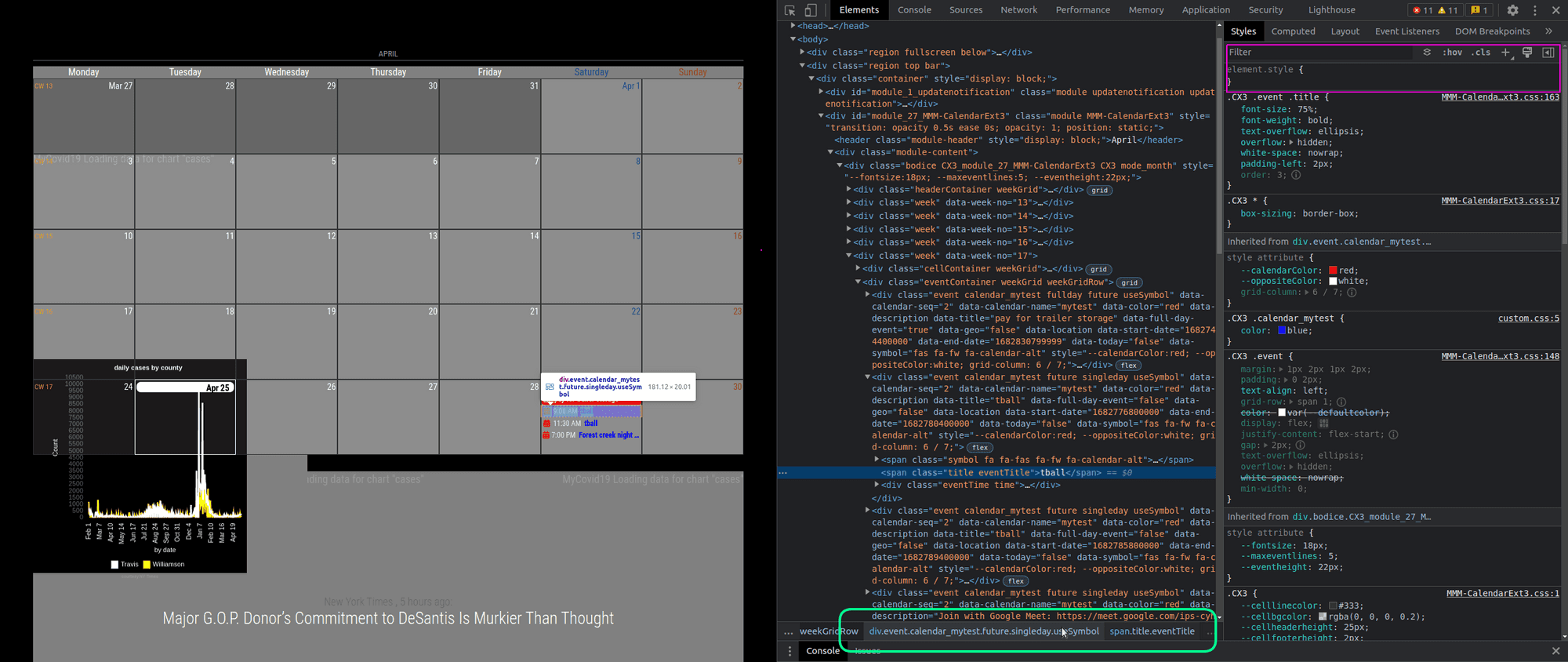
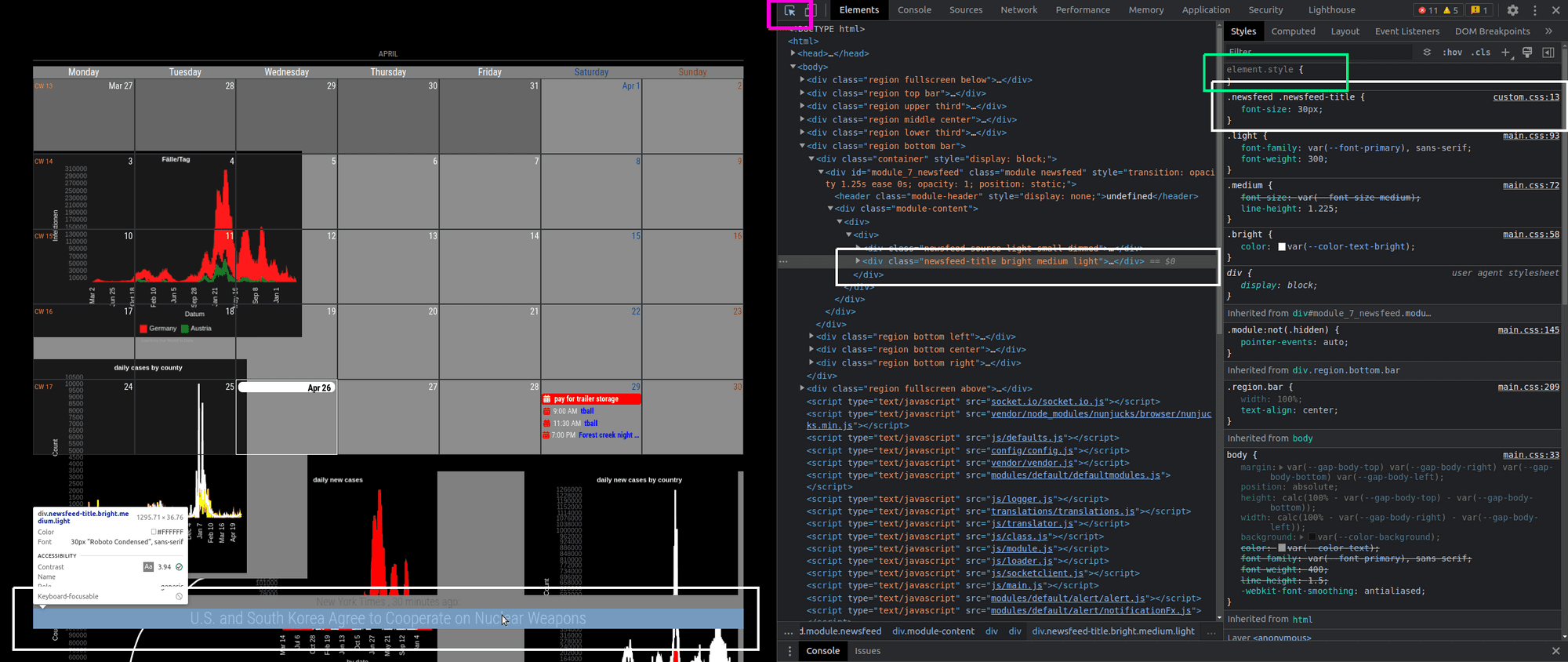
                    @Rags while in the developers window, with the element u want to change selected , the upper right window in the dev env allows you to apply styles to that element. (green box)

                    so color, font-size, etc…
                    in the middle pane pof the dev env, on the bottom row is the selector path to that element (pink box)
                    Screenshot at 2023-04-25 09-04-39.png

                    Sam

                    How to add modules

                    learning how to use browser developers window for css changes

                    R 1 Reply Last reply Reply Quote 0
                    • M Offline
                      MMRIZE @Rags
                      last edited by MMRIZE

                      @Rags
                      C of ‘CSS’ is cascading.
                      Probably somewhere in your css files, the prior selector of the same target would be defined with font-size.

                      You can watch which selectors and properties are linked to your target element with the frontend dev-console.

                      Or you can just restart with “clean” custom.css again and just add one rule and check how it works. Then do one-by-one until you can understand what you are doing now.

                      Good luck.

                      1 Reply Last reply Reply Quote 0
                      • R Offline
                        Rags @sdetweil
                        last edited by

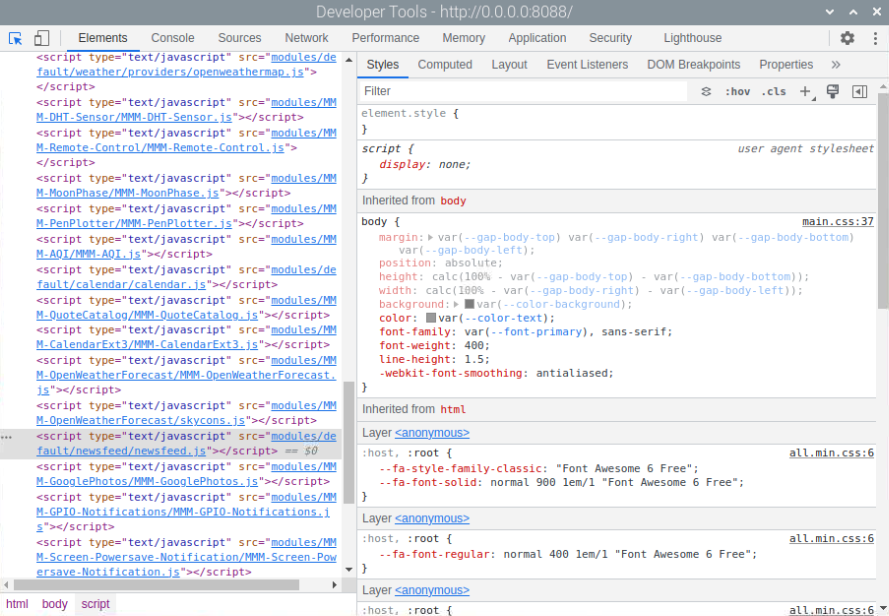
                        @sdetweil dev window 2023-04-26_17-35-29.png
                        Obviously i am doing something wrong.
                        I am unable to get to the style even when newsfeed element is highlighted. Or, the style is picking up from main.css and changing anything here will impact all styles.

                        S 1 Reply Last reply Reply Quote 1
                        • S Do not disturb
                          sdetweil @Rags
                          last edited by sdetweil

                          @Rags you are in the script section, not the body , click body, bottom left
                          use the arrow top right to select the part of the MM screen (it will highlight as u move over it)

                          Sam

                          How to add modules

                          learning how to use browser developers window for css changes

                          R 1 Reply Last reply Reply Quote 0
                          • R Offline
                            Rags @sdetweil
                            last edited by

                            @sdetweil nf22023-04-26_19-20-40.png

                            S 1 Reply Last reply Reply Quote 0
                            • S Do not disturb
                              sdetweil @Rags
                              last edited by sdetweil

                              @Rags expand the module_content element

                              u are not selecting the title to view

                              set the module refresh time to 60 seconds (updateInterval:60000) in config.js while you fiddle with the css

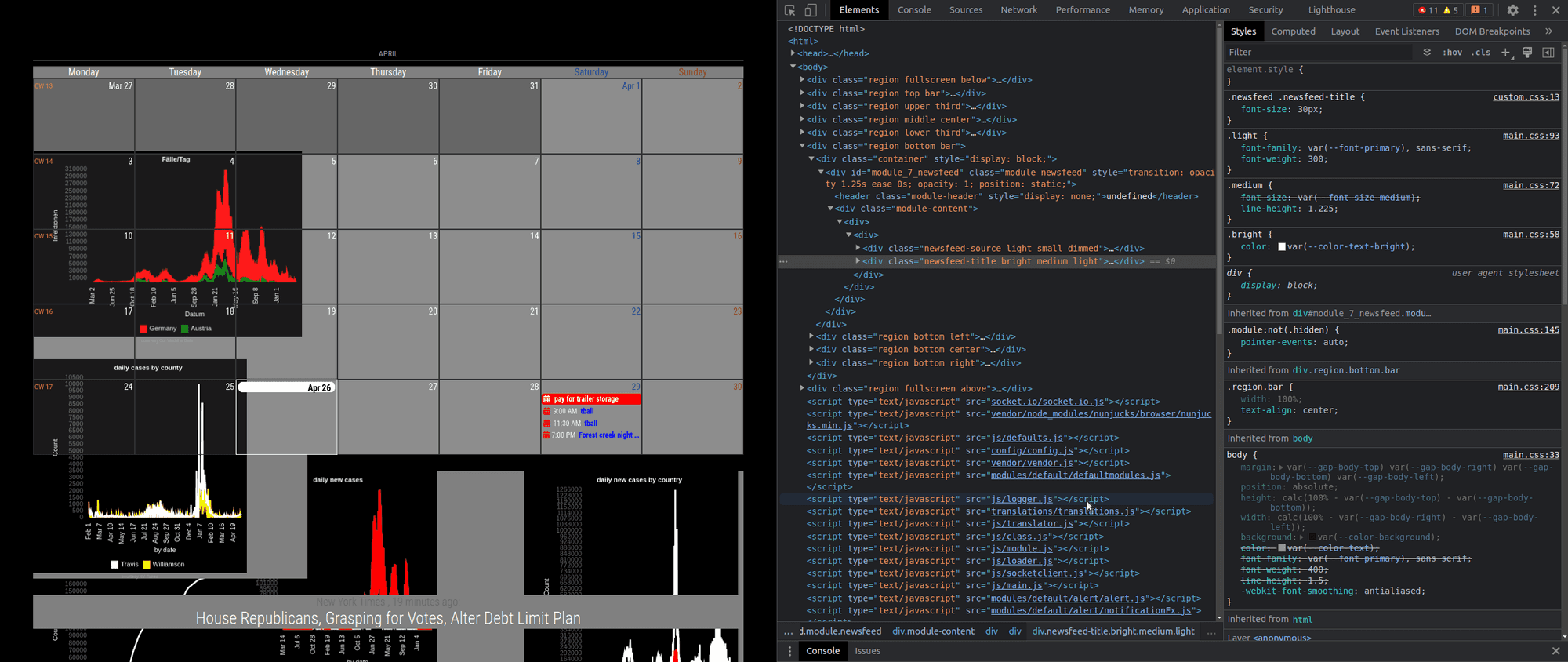
                              I added a custom.css entry

                              .newsfeed .newsfeed-title {
                                 font-size: 30px;
                              }
                              

                              you can see it was used here
                              and the style medium (strikethru) has been overridden by something with font-size higher up.
                              Screenshot at 2023-04-26 09-15-05.png

                              Sam

                              How to add modules

                              learning how to use browser developers window for css changes

                              R 1 Reply Last reply Reply Quote 0
                              • R Offline
                                Rags @sdetweil
                                last edited by

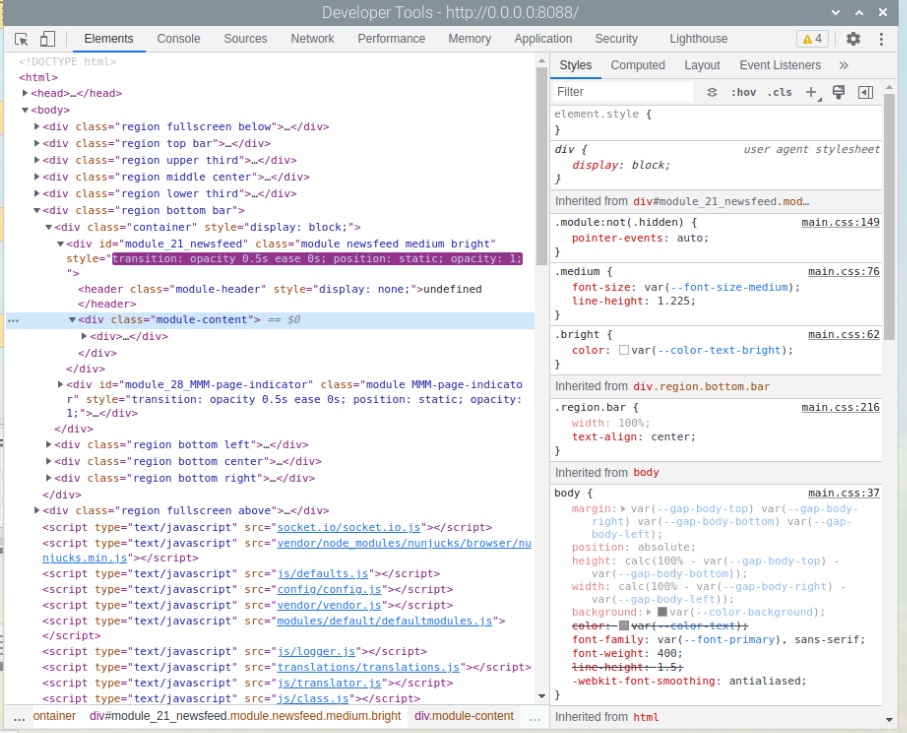
                                @sdetweil i am sorry but i am unable to follow correctly what u are advising. However, the HTML code does not seem to contain the newsfeed title descrp. nf32023-04-26_20-53-20.png
                                i think i selected the module content to expand, and i also changed the custom.css entry as suggested. The style display window is not showing the newsfeed entry. I am again not sure if i am doing the right thing. Anyways i am learning as we go.
                                On second thoughts the process of changing the font size is so tedious (as it seems to me now), I wonder if there is an alternate way.

                                S 1 Reply Last reply Reply Quote 0
                                • S Do not disturb
                                  sdetweil @Rags
                                  last edited by sdetweil

                                  @Rags but you didn’t select the actual content (note that it is replaced every updateInterval time cycle… )

                                  forum image.png

                                  if u aren’t looking at the actual element, then you won’t see its classes and styles…

                                  sometimes this is tedious work.

                                  here is an updated image with the areas selected in white,
                                  highlighted content (left screen)
                                  expanded document w selected content (middle)
                                  class tree (right)

                                  and I used the mouse pointer (pink) to allow highlight and click on the newsfeed title

                                  and you can test type the styles in the top box, (green) , to make sure they are right, before you copy/paste that section to the custom.css

                                  Screenshot at 2023-04-26 10-49-19.png

                                  Sam

                                  How to add modules

                                  learning how to use browser developers window for css changes

                                  R 1 Reply Last reply Reply Quote 0
                                  • R Offline
                                    Rags @sdetweil
                                    last edited by

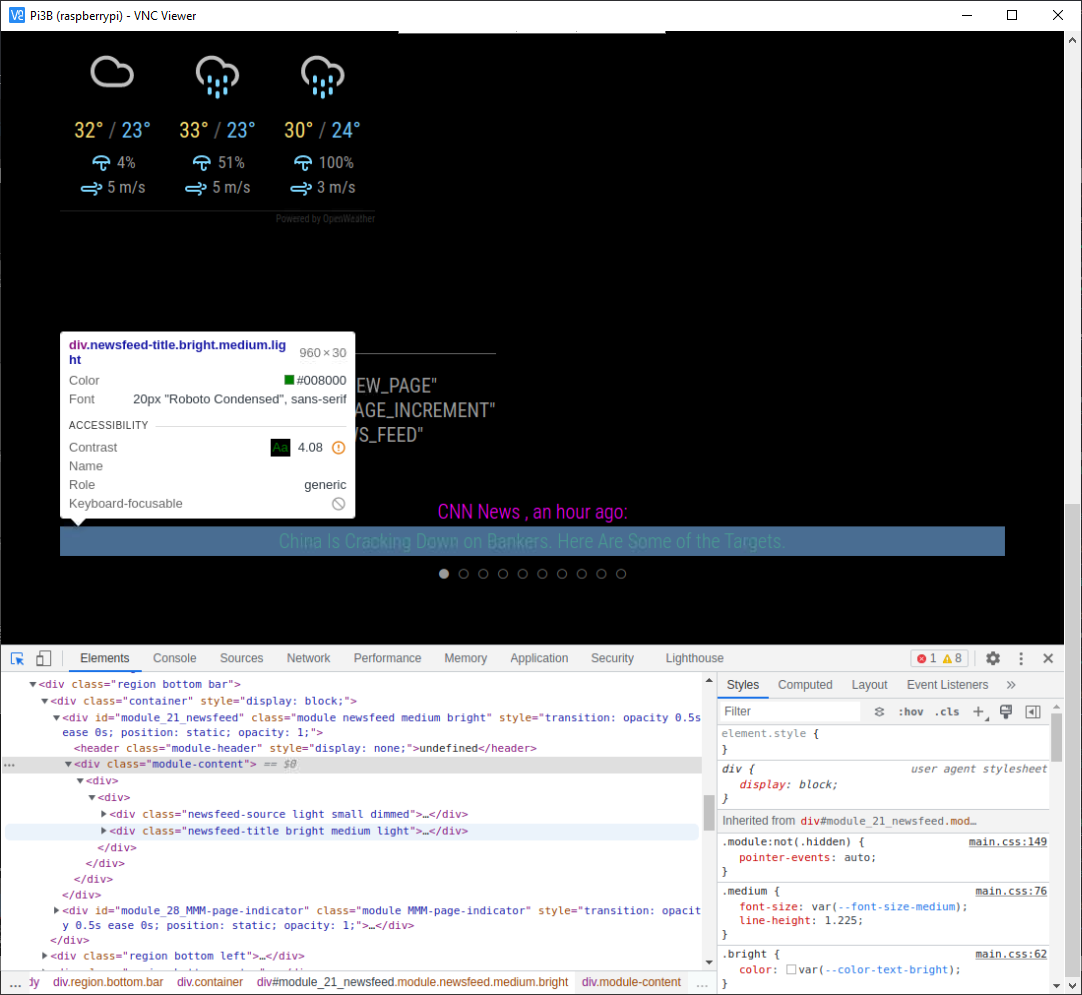
                                    @sdetweil nf4.png
                                    After struggling, this is what i managed to take a screenshot of. It does not show the styles of the selected content in the dev screen.

                                    M S 3 Replies Last reply Reply Quote 0
                                    • M Offline
                                      MMRIZE @Rags
                                      last edited by

                                      @Rags
                                      It means your CSS(probably custom.css) is not applied.

                                      The reasons might be;

                                      • Fail to load custom.css (invalid file name or location)
                                      • Syntax error in your custom.css

                                      I can see the red circled X mark in your console. You can check it in Console tab(right of Elements tab) or click that mark directly.

                                      1 Reply Last reply Reply Quote 0
                                      • M Offline
                                        MMRIZE @Rags
                                        last edited by MMRIZE

                                        @Rags

                                        To make things simple;

                                        1. All other modules except newsfeed, remove or disable them. (It seems you have more than 28 modules currently)
                                        {
                                          disabled: true, // <-- toggle the module disabled/enabled
                                          module: "weather",
                                          position: "top_right",
                                          ...
                                        
                                        1. Return to custom.css to the original, or remove all its contents.

                                        2. Now, I’ll assume you have a clean CSS.

                                        3. Then just add this into your custom.css and save it.

                                        .newsfeed .newsfeed-title {
                                          font-size: 60px;
                                        }
                                        
                                        .newsfeed .newsfeed-source {
                                          font-size: 40px;
                                        }
                                        
                                        1. Let’s see what happens when MM runs.
                                        1 Reply Last reply Reply Quote 0
                                        • S Do not disturb
                                          sdetweil @Rags
                                          last edited by sdetweil

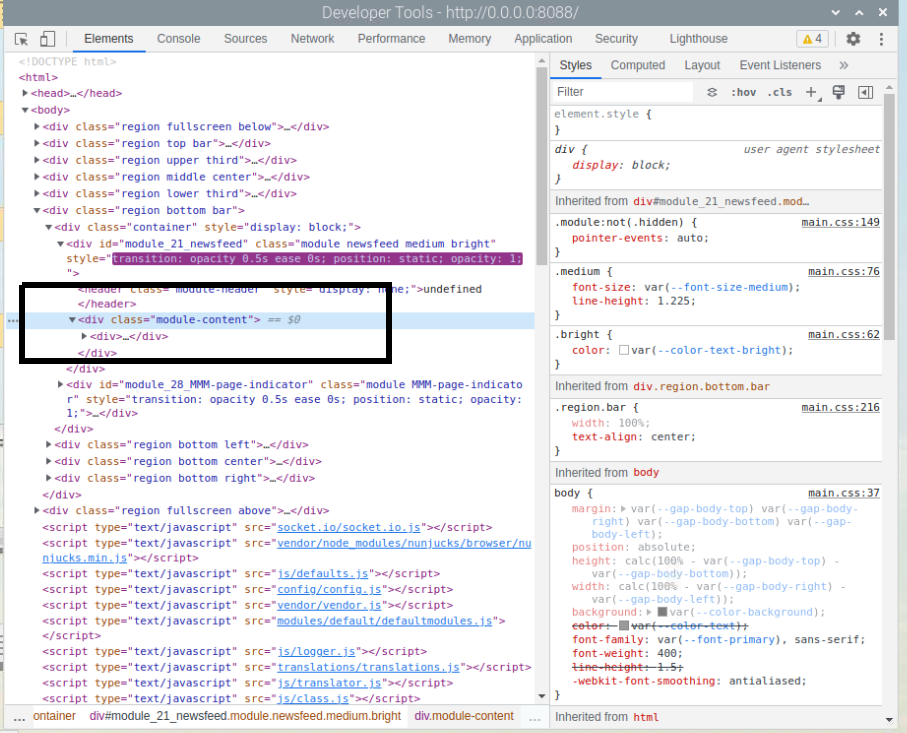
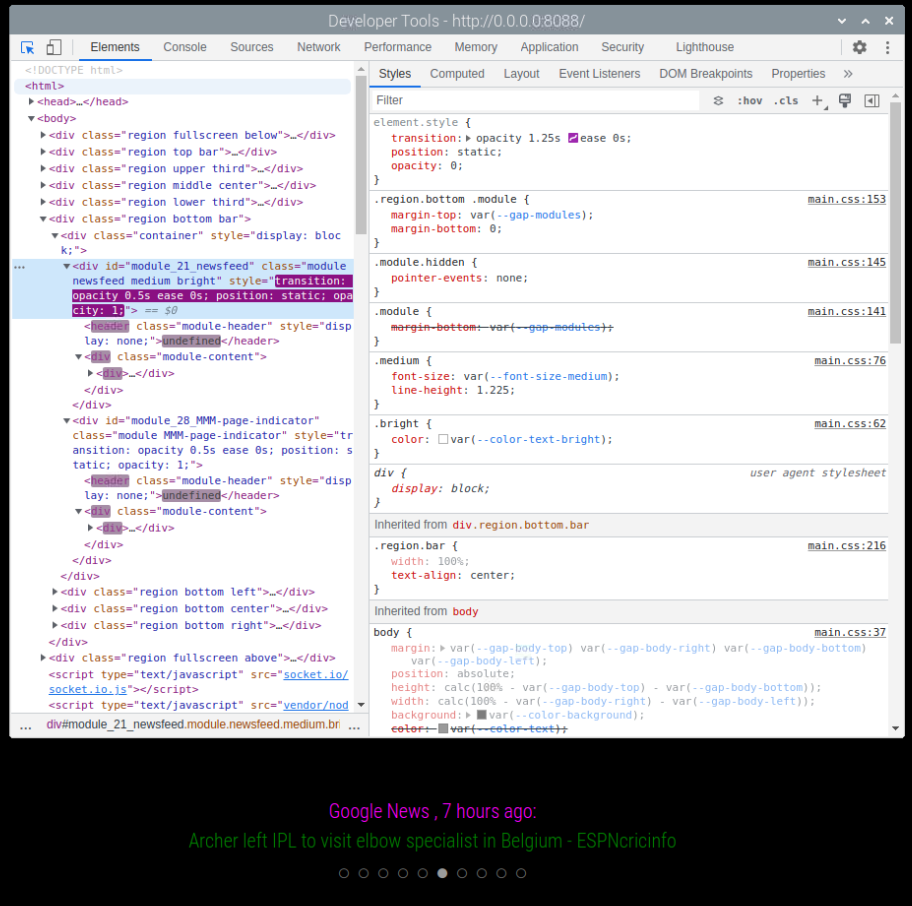
                                          @Rags using your image, marked up for color

                                          forum2.png

                                          the styles tree pane (right side, orange) shows info for only ONE element at a time

                                          look at the bottom row of the element tree pane(left side, blue), right edge, says u have the module-content element selected (purple), not the newsfeed-title element(green)

                                          because the module replaces it’s content every updateInterval cycle, the developers window will reselect the first element not replaced if your selected element disappears

                                          that’s why I said set the interval to 60 seconds to give u time to look and change

                                          Sam

                                          How to add modules

                                          learning how to use browser developers window for css changes

                                          R 1 Reply Last reply Reply Quote 0
                                          • R Offline
                                            Rags @sdetweil
                                            last edited by Rags

                                            @MMRIZE Finally ! Finally…
                                            I disabled all modules, except newsfeed, then cleared out the custom.css configs and added a fresh config for newsfeed as suggested above and finally it worked.
                                            So was the issue just because of the corrupt custom.css?
                                            Anyways, this issue has enabled me to learn working with the developer console. I am glad.
                                            Thank you @MMRIZE and thank you @sdetweil . Ever obliged.

                                            nfs2.png

                                            S 1 Reply Last reply Reply Quote 1

                                            Hello! It looks like you're interested in this conversation, but you don't have an account yet.

                                            Getting fed up of having to scroll through the same posts each visit? When you register for an account, you'll always come back to exactly where you were before, and choose to be notified of new replies (either via email, or push notification). You'll also be able to save bookmarks and upvote posts to show your appreciation to other community members.

                                            With your input, this post could be even better 💗

                                            Register Login

                                            • 1
                                            • 2
                                            • 1 / 2
                                            • First post
                                              Last post
                                            Enjoying MagicMirror? Please consider a donation!
                                            MagicMirror created by Michael Teeuw.
                                            Forum managed by Sam, technical setup by Karsten.
                                            This forum is using NodeBB as its core | Contributors
                                            Contact | Privacy Policy