Read the statement by Michael Teeuw here.
Adjust individual table column widths?
-
is there a way to adjust the individual column widths on a table in custom.css?
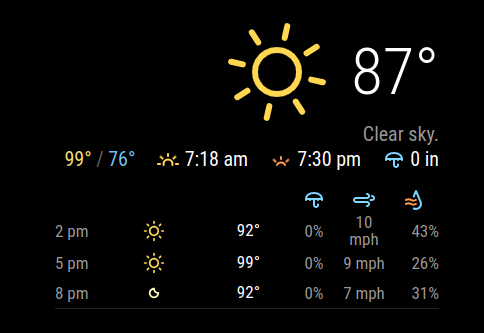
i am using the MMM-openweathermapforecast, which is fantastic module.
the hourly forecast is in a little table as pasted below, and i’m trying to adjust the individual column widths so that there’s no linebreak when the text exceeds the width.
i tried table-layout: auto and table-layout: fixed with a width %, but both seem to either do nothing, or adjust all column widths to the same thing. is there a way to say col 1 should be X%, col 2 should be y%, and so on?
-
@jimmy_382837 I think it takes additional html, not just styles
https://stackoverflow.com/questions/928849/setting-table-column-width
-
@jimmy_382837
What is your config now for your result? I cannot guess your configs. -
@MMRIZE my current config looks like this
{
	module: "MMM-OpenWeatherForecast",
	position: "top_right",
	config: {
		apikey: "xx",
		latitude: 30.266666,
		longitude: -97.733330,
		requestDelay: 1500,
		units: "imperial",
		forecastHeaderText: "",
		forecastLayout: "table",
		hourlyForecastTableHeaderText: "",
		hourlyForecastInterval: 3,
		  extraCurrentConditions: {
				highLowTemp: true,
				precipitation: true,
				sunrise: true,
				sunset: true,
				wind: false,
				barometricPressure: false,
				humidity: false,
				dewPoint: false,
				uvIndex: false,
				visibility: false
				},
			hourlyExtras: {
				precipitation: true,
				wind: true,
				barometricPressure: false,
				humidity: true,
				dewPoint: false,
				uvIndex: false,
				visibility: false
				},
		showDailyForecast: false,
		}
},
i am trying to edit the column widths on the hourly forecast table. i have tried all of the below in the custom.css, but none seem to work.
.MMM-OpenWeatherForecast .forecast-container.hourly {
  table-layout: fixed;
}


.MMM-OpenWeatherForecast .wrapper.table .forecast-container .forecast-item {
    table-layout: fixed;
}


.MMM-OpenWeatherForecast .wrapper.table .forecast-container .forecast-item .forecast-icon-container {
    width: 30px;
}
ideally, i’d like to set a specific width for each column. e.g., the time is 30 px, conditions are 35 px, temperature is 45 px, and so on.
-
@jimmy_382837 did u see this from the link I posted…
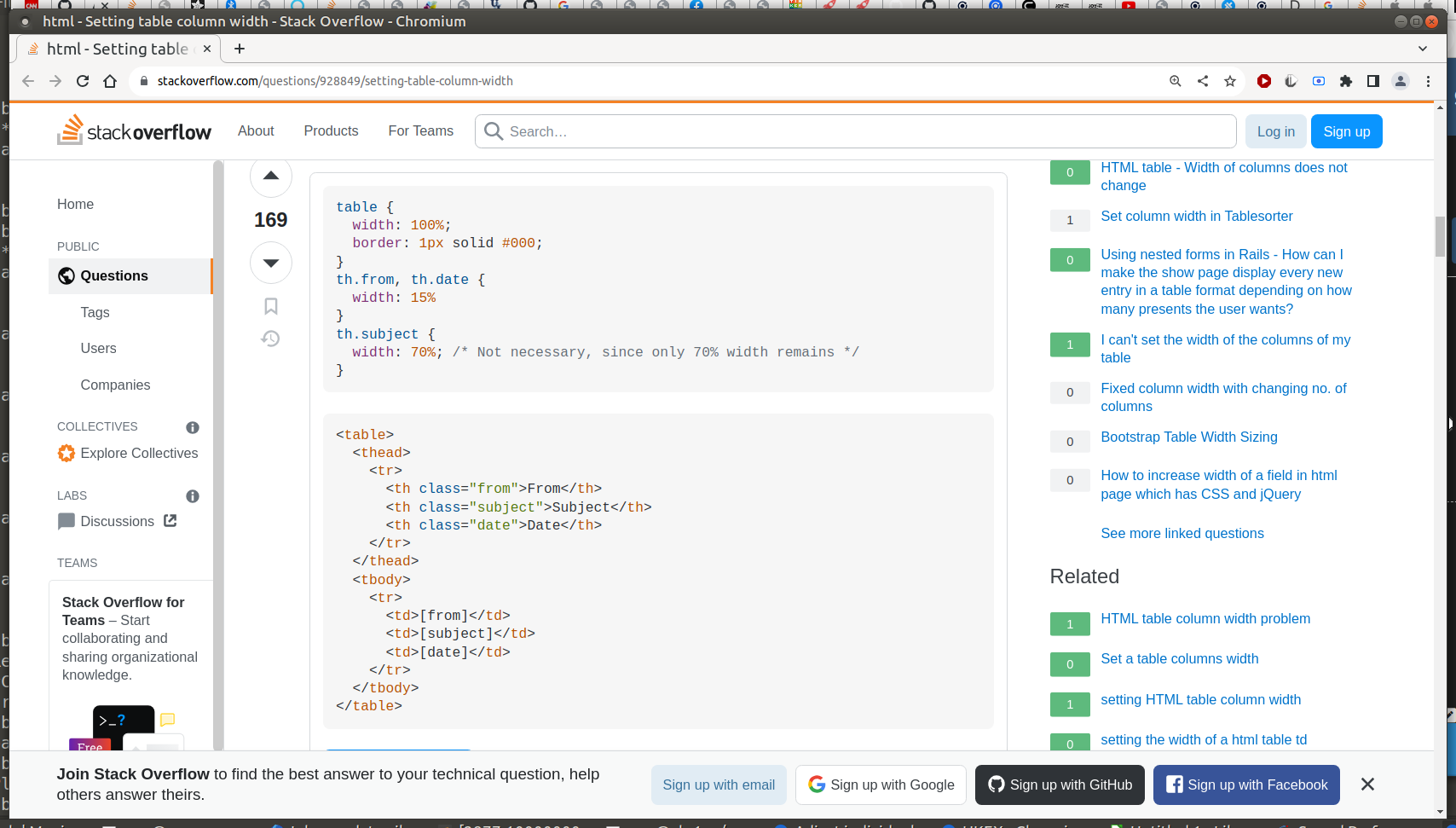
note that the TH for the columns MUST has a class
OR
you have to the the :nth-child() type selectortr:nth-child(1)would be the same element as the
<th class="from"...> -
I haven’t examined the rendered HTML yet, but hardcoded style attributes in HTML code are prior than CSS.
In case; You should modify source code of the module to change the result. (Or consider to use monkey-patch) -
@jimmy_382837
@MMRIZE said in Adjust individual table column widths?:I haven’t examined the rendered HTML yet, but hardcoded style attributes in HTML code are prior than CSS.
In case; You should modify source code of the module to change the result. (Or consider to use monkey-patch)The rendered result is not hard-coded, so you can adjust it with only CSS.
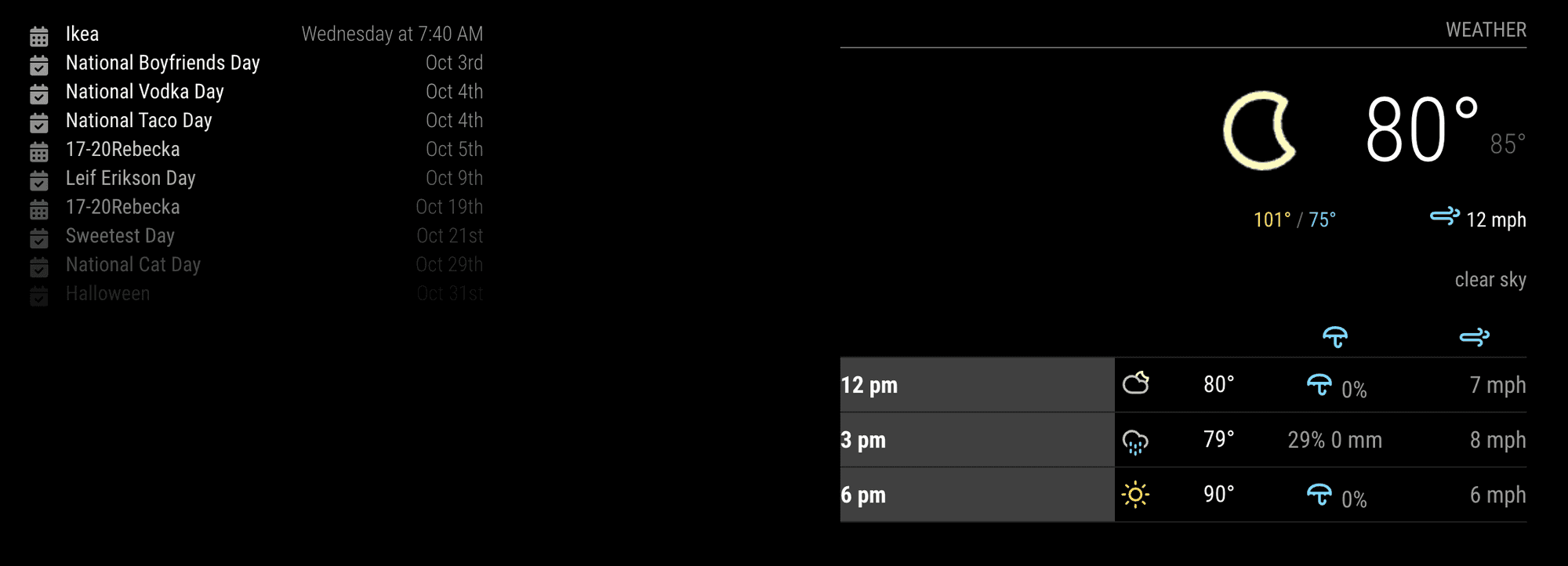
This is an example. (Anyway, your config was not exactly matched with your previous screenshot…)
.MMM-OpenWeatherMapForecast .module-content {
  width: inherit;
  /* I don't know why, but it was defined as 300px, might be an issue when you adjust the dimension. so have to reset */
}

.MMM-OpenWeatherMapForecast,
.MMM-OpenWeatherMapForecast .wrapper {
  width: 500px;
  /* give a custom width to a module */
}

.MMM-OpenWeatherMapForecast .forecast-item .time {
  /* Some customizing for `time` cell for example.*/
  width: 200px;
  background-color: rgb(127 127 127/ 50%);
  color: white;
  font-weight: bold;
}
Hello! It looks like you're interested in this conversation, but you don't have an account yet.
Getting fed up of having to scroll through the same posts each visit? When you register for an account, you'll always come back to exactly where you were before, and choose to be notified of new replies (either via email, or push notification). You'll also be able to save bookmarks and upvote posts to show your appreciation to other community members.
With your input, this post could be even better 💗
Register Login