Read the statement by Michael Teeuw here.
Help with date format MMM-CalendarExt3
-
Hi all, need help changing the date format here please.
I’m running mmm calendarext3 ( with the default calendar hidden) and ext3agenda (with the default calendar showing holiday).My date is currently November 30. Am trying to get it to show 30 November across the board.
I have tried changing time format to absolute and changing date format to desire but nothing works.
Next tried changing the locale to say FR, the date format changed but it’s in French.Any ideas?
-
@1a2a3a
You can set a locale as “en-GB” to get English, DD MM.
Then to get Week starting from Sunday, you can adjust “firstDayOfWeek:0". -
@1a2a3a
What is your locale? I mean Which country are you living in? Or what cultural or lingual base?
For example I’m a Korean living in Germany but cannit speak German.
So in my case, I set MM’s default language as “en” but, with the “en” locale, calendar system of CX3 will follow US style, not International standard.(In the US, The week will start from Sunday, The first week of year will start from 1.Jan. General date format will be mm dd yyyy)
Therefore I set the locale of CX3 as “en-GB”, because I need English version ISO type calendar (The week will start from Monday, first week of year should include 4. Jan. and General date format will be dd mm yyyy.) -
@MMRIZE singapore with english. i would want the general general data format to be dd mm yyyy and sunday is the start of the week.
so i tried setting in cx3 config locale = en-gb or en-sg, and nothing’s changed…
-
@1a2a3a
You can set a locale as “en-GB” to get English, DD MM.
Then to get Week starting from Sunday, you can adjust “firstDayOfWeek:0". -
@MMRIZE so under the let config at the top section, i leave language and locale as default ya?
language: “en”,
locale: “en-US”,
logLevel: [“INFO”, “LOG”, “WARN”, “ERROR”], // Add “DEBUG” for even more logging
timeFormat: “24”,then in cx3 config i insert -
module: “MMM-CalendarExt3”,
position: “bottom_bar”,
title: “”,
config: {
locale: “en-GB”,but nothing’s changed…
-
scratch that. managed to get cx3 and agenda to display correctly.
im now left with the overall date and the calendar module that doesnt sems to work…
i circled them in red both on the right. the red circle is abit light on the black background
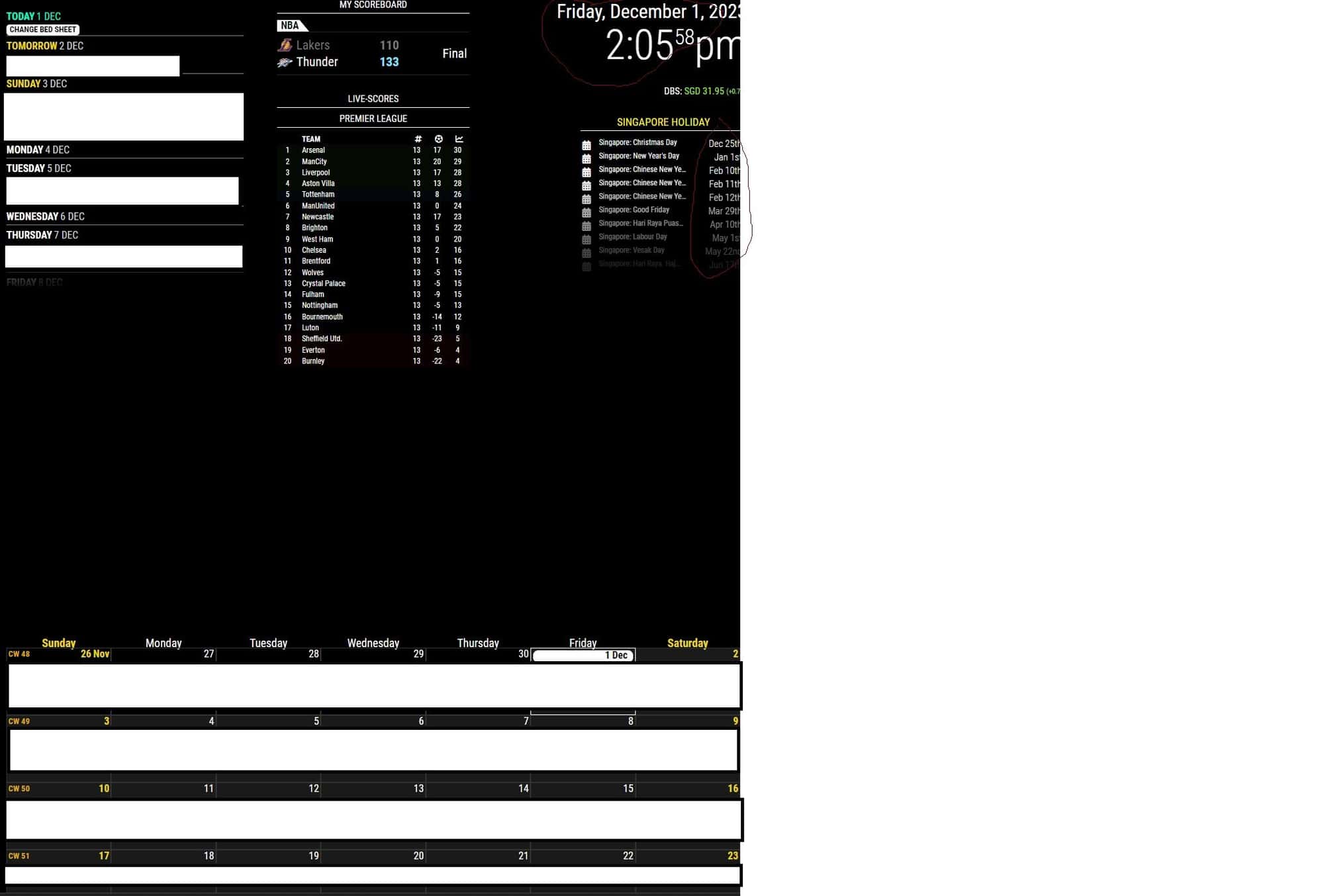
-
@MMRIZE ok almost there. overall date has been changed as well.
all thats is left is the holiday on the right…
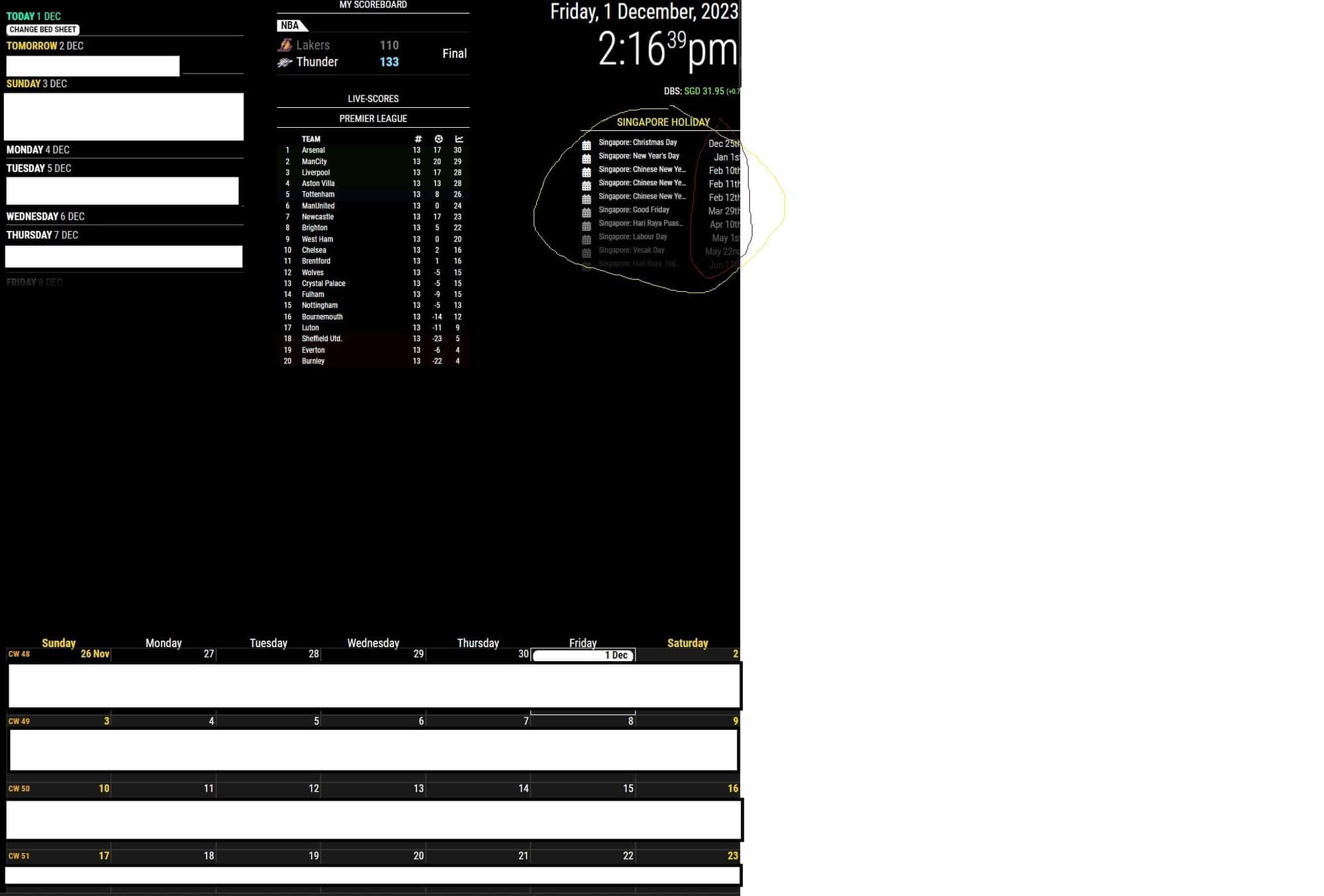
-
@1a2a3a
dateFormat : "Do MMM",for the default calendar config, maybe. I hope so… -
@MMRIZE it doesnt work. i have tried timeFormat to absolute as well.
tried inputting locale to default calendar module as well.
all doesnt work.btw the default calendar module is part of your cx3. in your cx3 it requires the configuration of default cal module.
for the cx3agenda, i have hidden the default cal module.
-
@1a2a3a
The default calendar is not part of mine. My module just use it’s broadcasted event list. So mines are dependent to that module, but its working is not my responsibility.To hide some module, set CSS as
display:nonefor that module, or just removepositionfrom config. -
Anybody has an idea how to change the default cal?
-
/* default calendar config */ { module: "calendar", position: "top_left", config: { timeFormat: "absolute", dateFormat: "Do. MMM, HH:mm", fulldayEventDateFormat: "Do. MMM", urgency: 0, getRelative: 0, ... -
@MMRIZE hmm still not happening.
	{
		module: "calendar",
		broadcastPastEvents: true,
		header: "Singapore Holiday",
		position: "top_right",
		config: {
		timeFormat: "absolute",
		dateFormat: "Do. MMM, HH:mm",
		fulldayEventDateFormat: "Do. MMM",
		maximumEntries: 10,
			calendars: [
				{
				url: "https://www.officeholidays.com/ics/singapore",
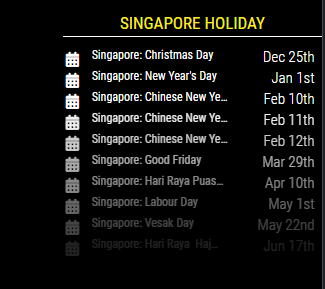
				},
-
@1a2a3a Have no idea. Maybe another reason.
I recommend re-setup from the default config file cleanly. Change one by one. -
@MMRIZE for your this particular calendar on the top left. are you able to show holiday and exclude all other calendar without affecting your cx3?
so for example in your calendar module you define holiday ics, soccer ics, and personal ics.
in cx3, to show all 3 ics.
but for that particular top left module, is it possible to just show holiday ics?the only way for this to work is that i define 2 default calendar module in my config.
the 1st default cal - soccer ics and personal ics. hide this module and cx3 and cx3agenda will pull soccer ics and personal ics into them.
the 2nd default cal - holiday ics. do not hide and make it appear. this 2nd default cal module will show just holidays. cx3 and cx3 agenda will then show all 3 ics. -
Remove
position: "...",from the config of the target module to hide. It will not be rendered. In your case, maybe the 1st default calendar. -
@MMRIZE so the thing here is that, with the 2 default calendar module, when 1 if turned off from viewing (hiding) i can set it to show different ics, but the date format change doesnt work.
if i ‘delete’ 1 of the default cal entirely and just keep 1 default calendar and showcase it, the date format change suggested by you works. but in this instance, that visible calendar is only able to show all the ics and not just the specific ones that i want.
-
@1a2a3a I think you’d better repost this as another new topic. (“Setting 2 default calendar modules; but weird represent”)
We are out of the original topic; ppl who don’t have an interest in CX3 will not see this thread. -
1 1a2a3a referenced this topic on
Hello! It looks like you're interested in this conversation, but you don't have an account yet.
Getting fed up of having to scroll through the same posts each visit? When you register for an account, you'll always come back to exactly where you were before, and choose to be notified of new replies (either via email, or push notification). You'll also be able to save bookmarks and upvote posts to show your appreciation to other community members.
With your input, this post could be even better 💗
Register Login