Read the statement by Michael Teeuw here.
Installation issues - pm2
-
Hello,
I’m trying to get my pi3 a+ setup to run the Magic Mirror software.
I am new to raspberry pi in general, so I’m not very flexible when I run into problems.In following this tutorial: https://www.raspberrypi.com/tutorials/how-to-build-a-super-slim-smart-mirror/
Everything is going well until I need to typepm2 start mm.sh
The tutorial says Magic Mirror software should start running, but all I see is this:
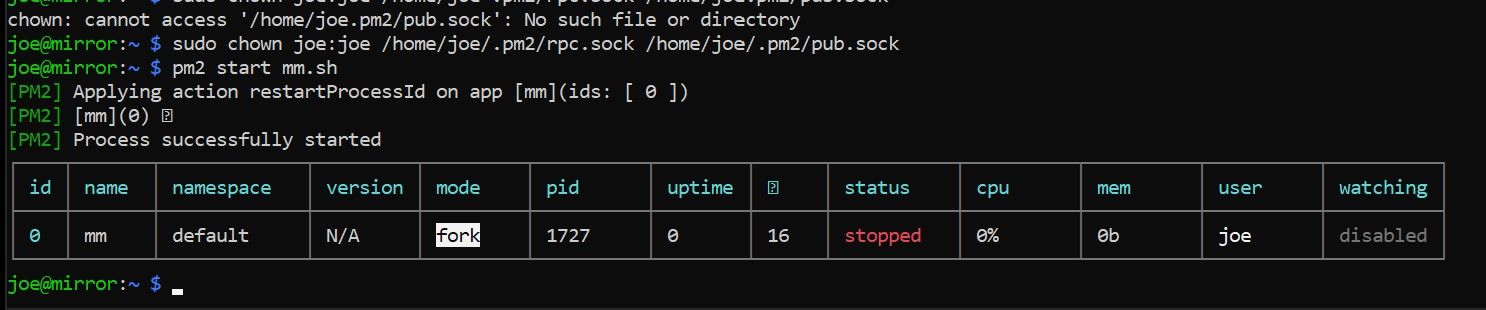
I have no idea what to do next. I search the forum for similar issues, but the solutions were given back in 2017 and don’t seem to apply now.Any help is appreciated, and you’ll have to give me the dummy version.
Thank you!
-Joe -
-
@sdetweil Hey thanks for the reply. I tried that and the Magic Mirror software does load.
-
@joebowers ok, can u show the mm.sh you created?
and compare to the one we ship in
~/MagicMirror/installers, that I use when setting up pm2 in my install script…
https://github.com/sdetweil/MagicMirror_scripts -
@sdetweil This was mine:
cd ./MagicMirror
DISPLAY=:0 npm startAnd this was the one on git hub:
cd ~/MagicMirror
DISPLAY=:0 npm startI was using a . instead of ~
I switched it to ~ and tried again. Now I see this, the mirror software doesn’t load though.
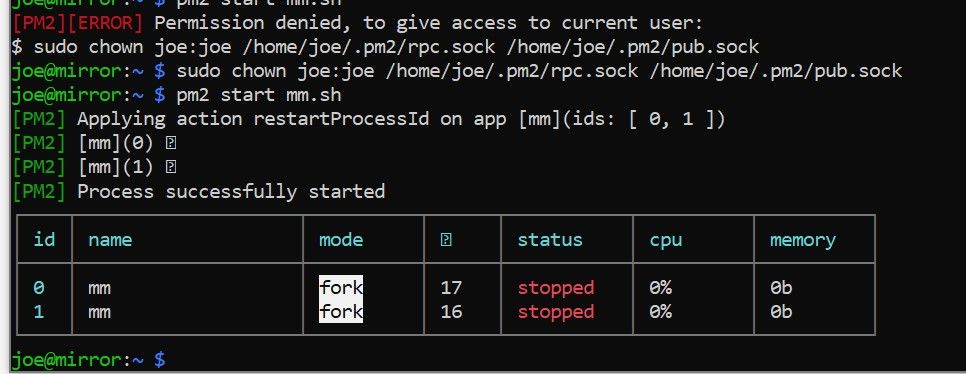
-
@joebowers ok, now lets look at the pm2 log…
pm2 logs --lines=5050 may need to be bigger… defaults to 15
there are two different outputs… the normal messages (stdout) and the error (stderr)
the files for the saved logs are in the .pm2/logs folder (note the . in front of pm2)
did you install MM under root?? the permissions thing is concerning…
-
@sdetweil I tried to follow the tutorial step by step. I’m not sure if that has be installing as root.
This is what I see when I look at the log.
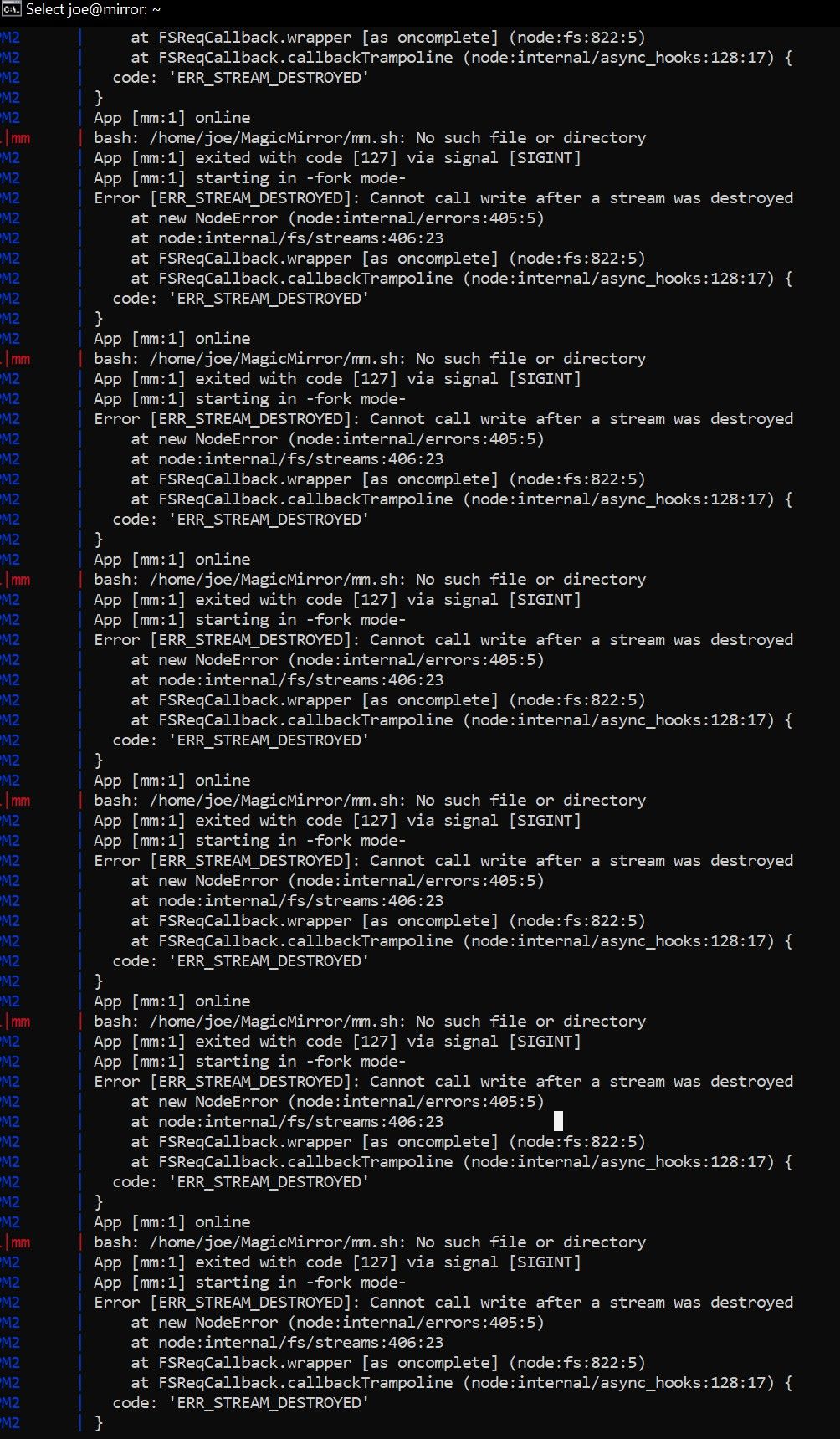
This was the most I could screen shot, this log was very long.
-
@joebowers /home/joe/MagicMirror/mm.sh no such file
is that where the file is?
does it have permission to execute?
ls -laF mm.shso,
chmod +x mm.sh -
@sdetweil I was fooling around before coming to this forum for help. I believe I copied the mm.sh file into that folder, then later removed it. I put it back and saw this in the log:
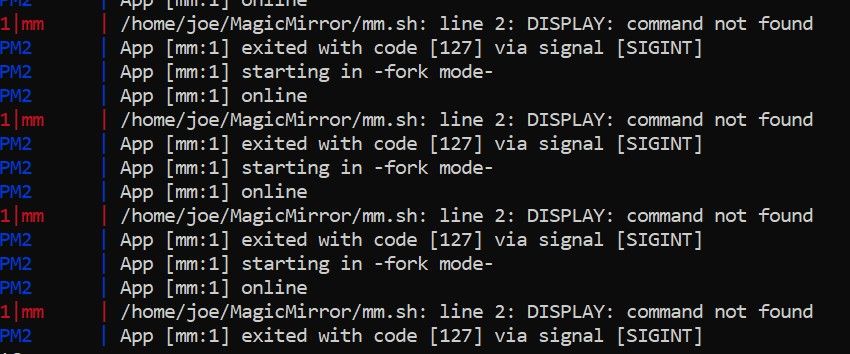
Then I realized I have a space after DISPLAY =, and there is no space between the two in the tutorials.
So I fix that and tried running again, I see this:
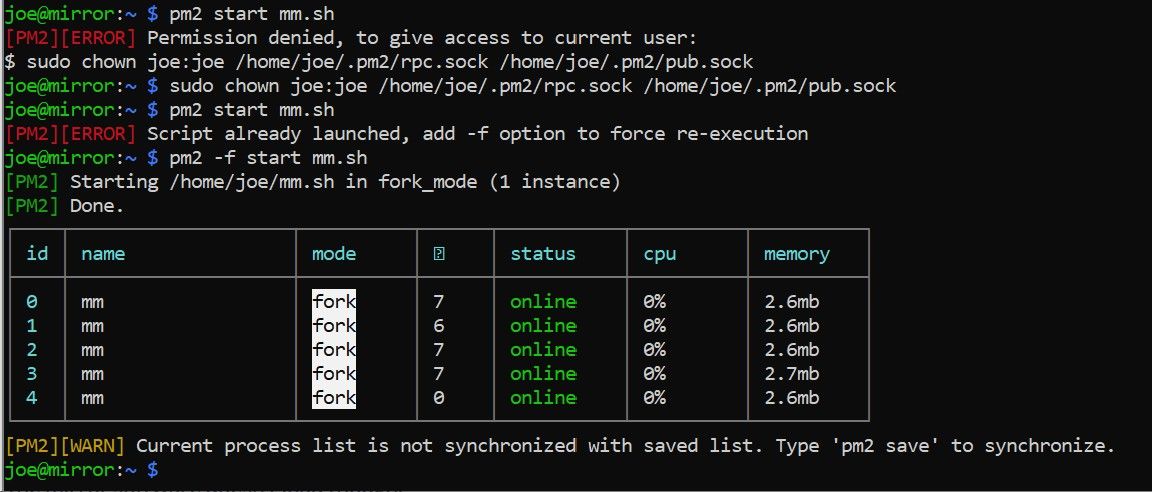
But no mirror software on the screen…
-
-
@sdetweil Okay I did all that and the Magic Mirror software starts.
Should I try:pm2 start mm.sh pm2 saveAs stated in the tutorial?
-
@joebowers we should clean up the other entries
I think it
pm2 delete row_number(you could use name if the names were unique)
pm2 --helpwill tell you the command syntax
pm2 start mm.shif you are in the folder w the mm.sh
-
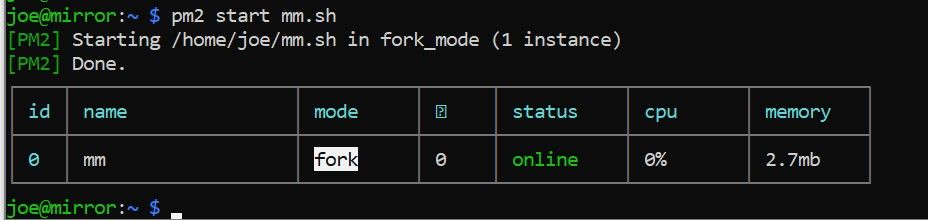
@sdetweil Okay I deleted all the rows, there were 4 of them.
Then I runpm2 start mm.shNo mirror software but I see this
-
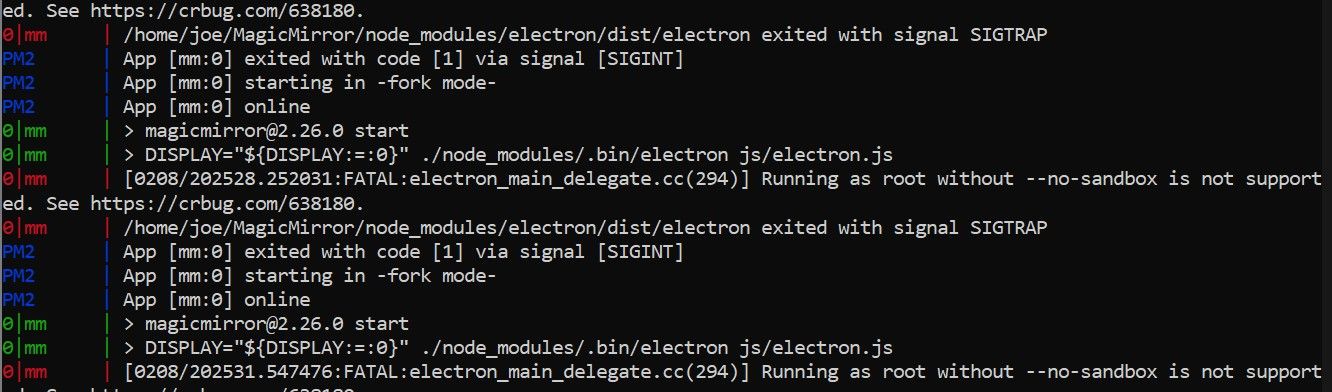
@sdetweil In case it helps, I’m seeing this in the pm2 logs
-
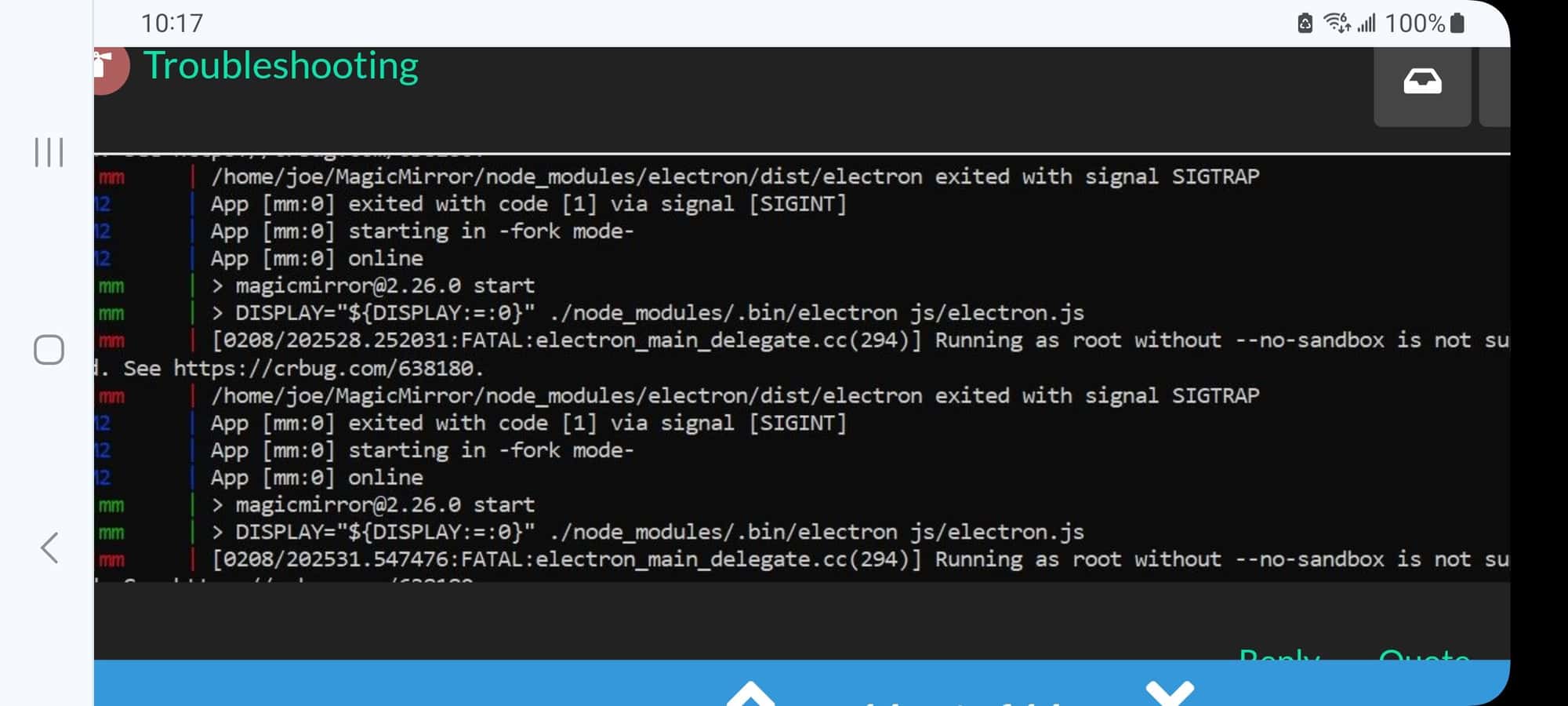
@joebowers why are you running at root?
-
@sdetweil I have no idea. This is where I end up when following this tutorial step by step.
https://www.raspberrypi.com/tutorials/how-to-build-a-super-slim-smart-mirror/
Sometimes I I get this message:
So I type in what is suggested to continue, I assume that makes me root??I assume the tutorial, if followed exactly, should work.
Either it’s not fool proof, or I missing an important step.Everything I’ve done is on a new raspberry pi.
-
@joebowers I don’t know anything about the tutorial you are following.
my recommendation is to start with a fresh sd card flash of the appropriate os. boot, skip updates. open a terminal window or use ssh
and then use my script to to install MagicMirror and setup pm2
see
https://github.com/sdetweil/MagicMirror_scriptsI have never seen a tutorial document maintained, and things change constantly.
once MagicMirror is running and starting on boot, then you can go back to configuring MagicMirror
-
@sdetweil Sounds like a good plan.
It does feel like these tutorials are not maintained, there’s always a step that doesn’t work. I’ve tried two now.Thanks for all your help. I’ll let you know if all goes well.
Hello! It looks like you're interested in this conversation, but you don't have an account yet.
Getting fed up of having to scroll through the same posts each visit? When you register for an account, you'll always come back to exactly where you were before, and choose to be notified of new replies (either via email, or push notification). You'll also be able to save bookmarks and upvote posts to show your appreciation to other community members.
With your input, this post could be even better 💗
Register Login