Read the statement by Michael Teeuw here.
Kitchen Touchscreen Dashboard
-
Hey Guys,
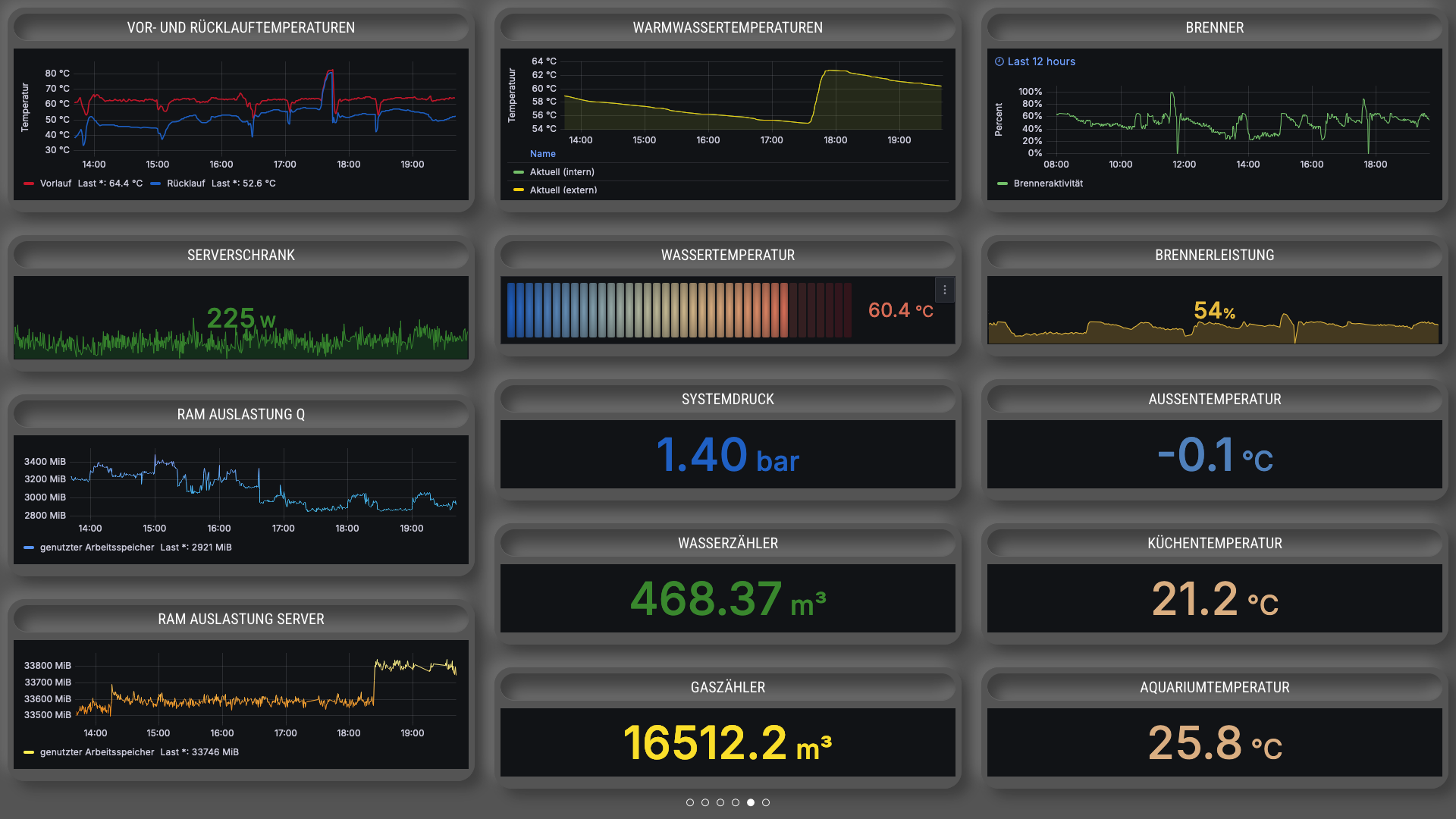
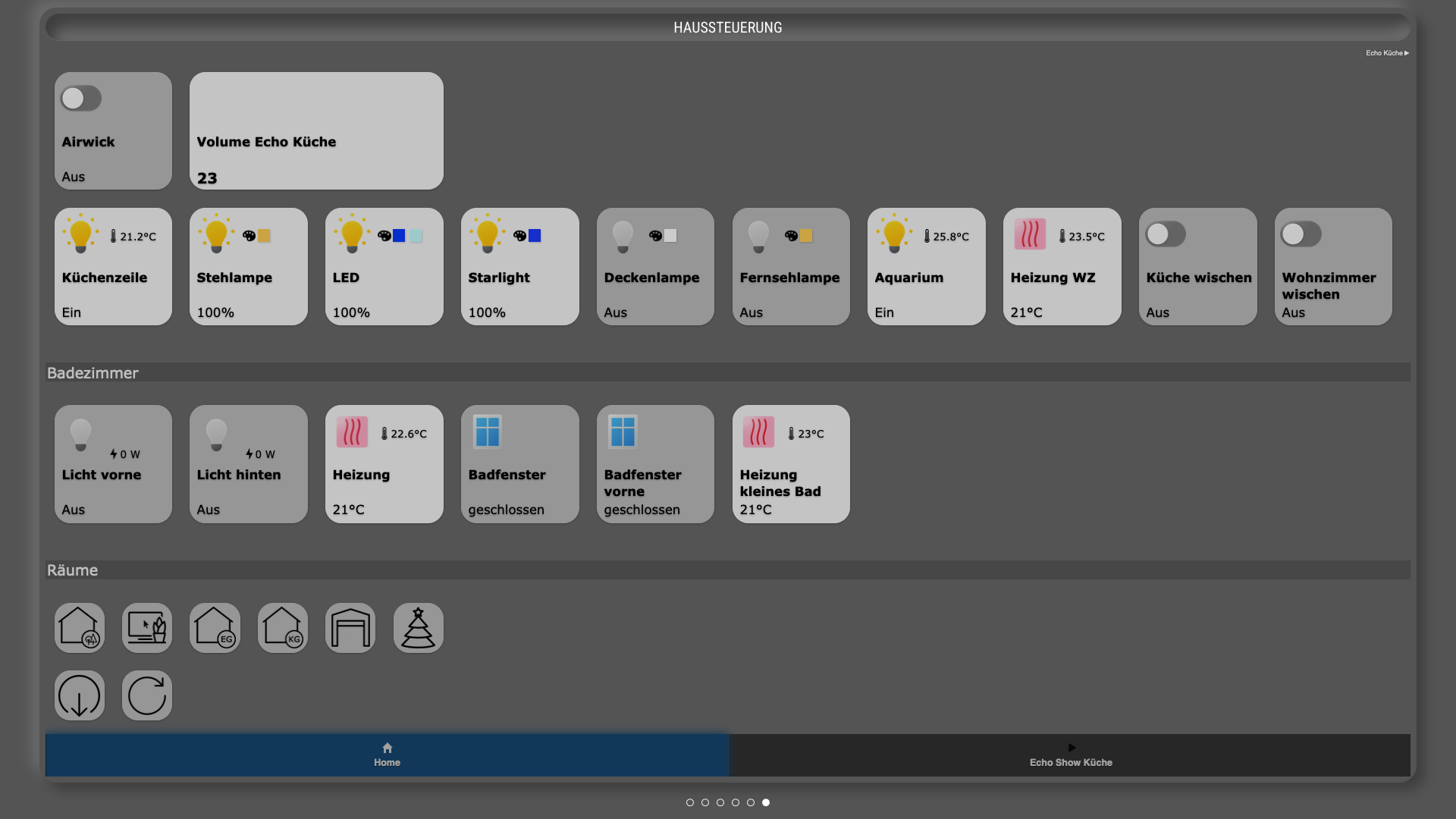
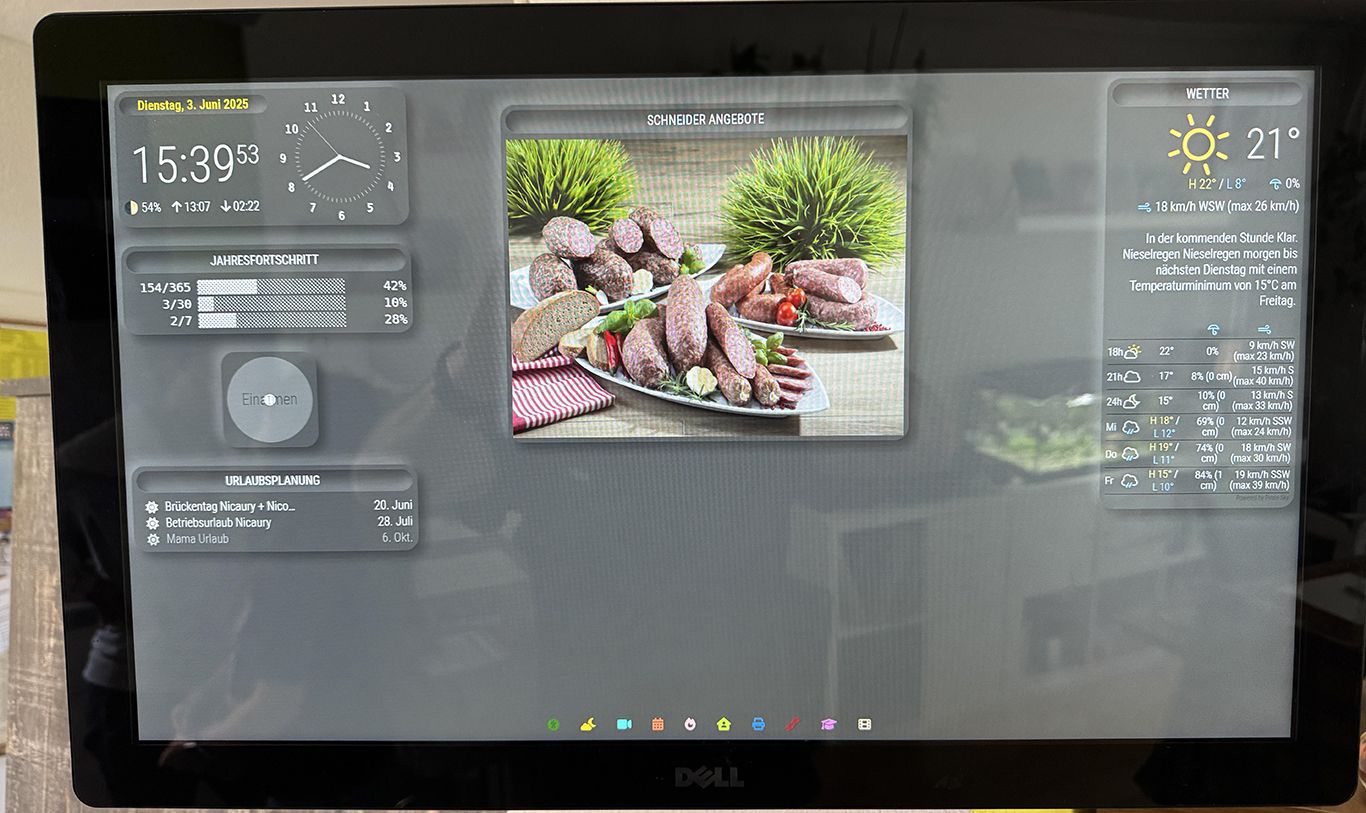
I using and follow the MM Project since about 8 years. Finnaly I want to show you my Dasboard at the Kitchen. That are just Screenshots from the Serverpage… I also use a Mirror with a 27" Monitor.
I used the following Modules.
calendar_monthly
MMM-DWD-Pollen
MMM-MicrosoftToDo
MMM-OnThisDayWikiApi
MMM-RTSPtoWeb
MMM-EasyPix
MMM-MoonPhase
MMM-page-indicator
MMM-Touch
MMM-ApothekenNotdienst
MMM-EmbedURL
MMM-Multimonth
MMM-pages
MMM-WeeklySchedule
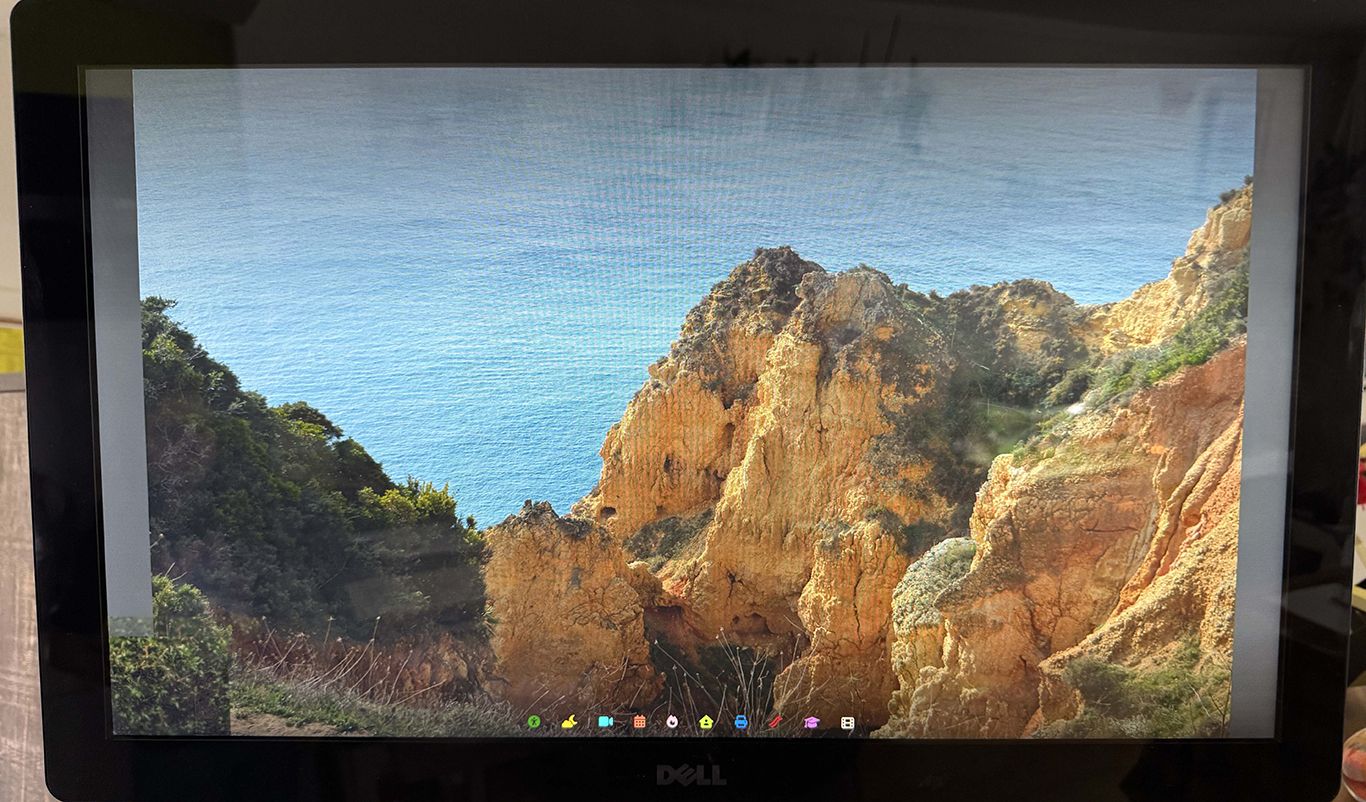
MMM-BackgroundSlideshow
MMM-Fuel
MMM-News-QR
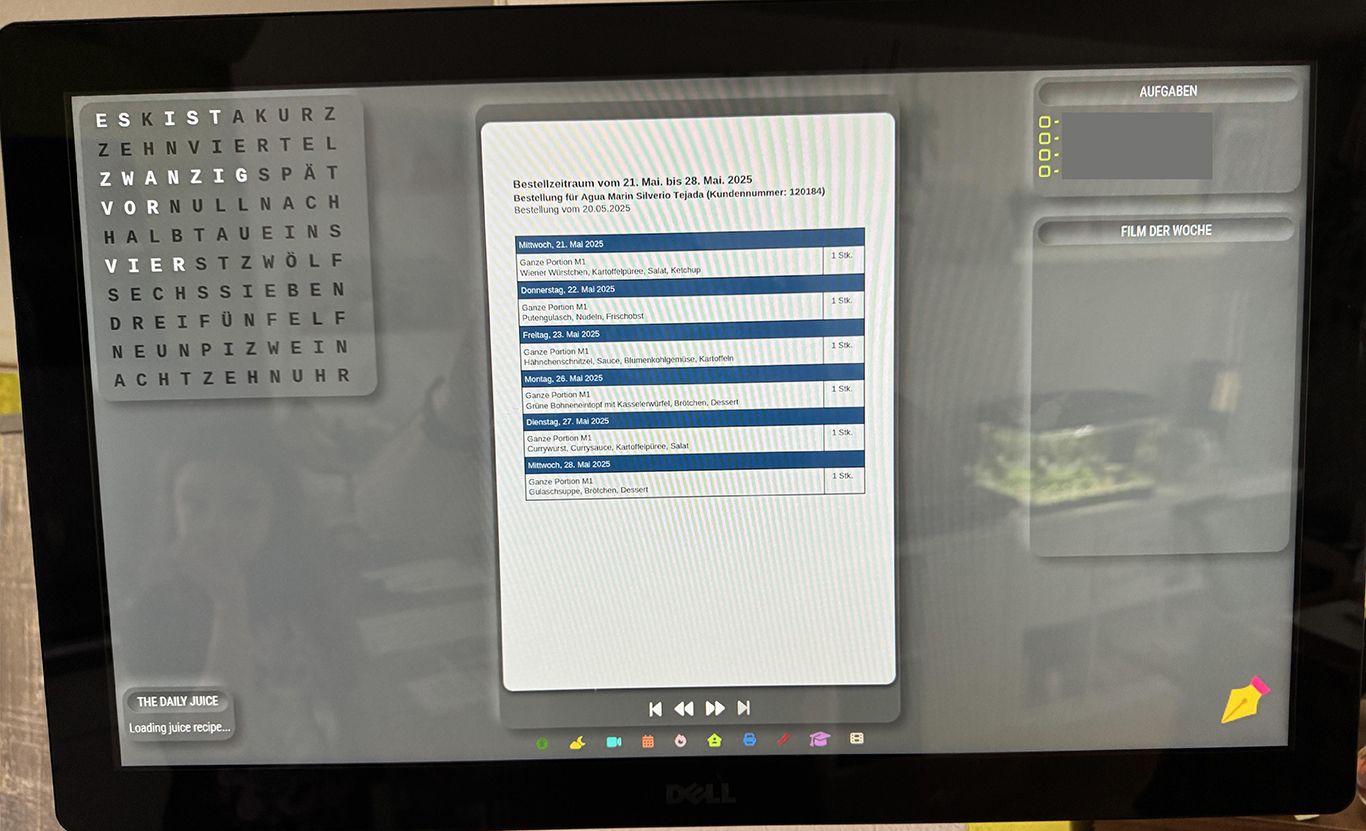
MMM-PDFSlideshow
MMM-Worldclock
MMM-Breathwork
MMM-germanwordclock
MMM-Nixie-Clock
MMM-PirateSkyForecast
MMM-Year-Progress
MMM-CalendarExt3
MMM-GrafanaChart
MMM-octoprint
MMM-RAIN-MAP
MMM-DailyJuice
MMM-ioBroker
MMM-Remote-Control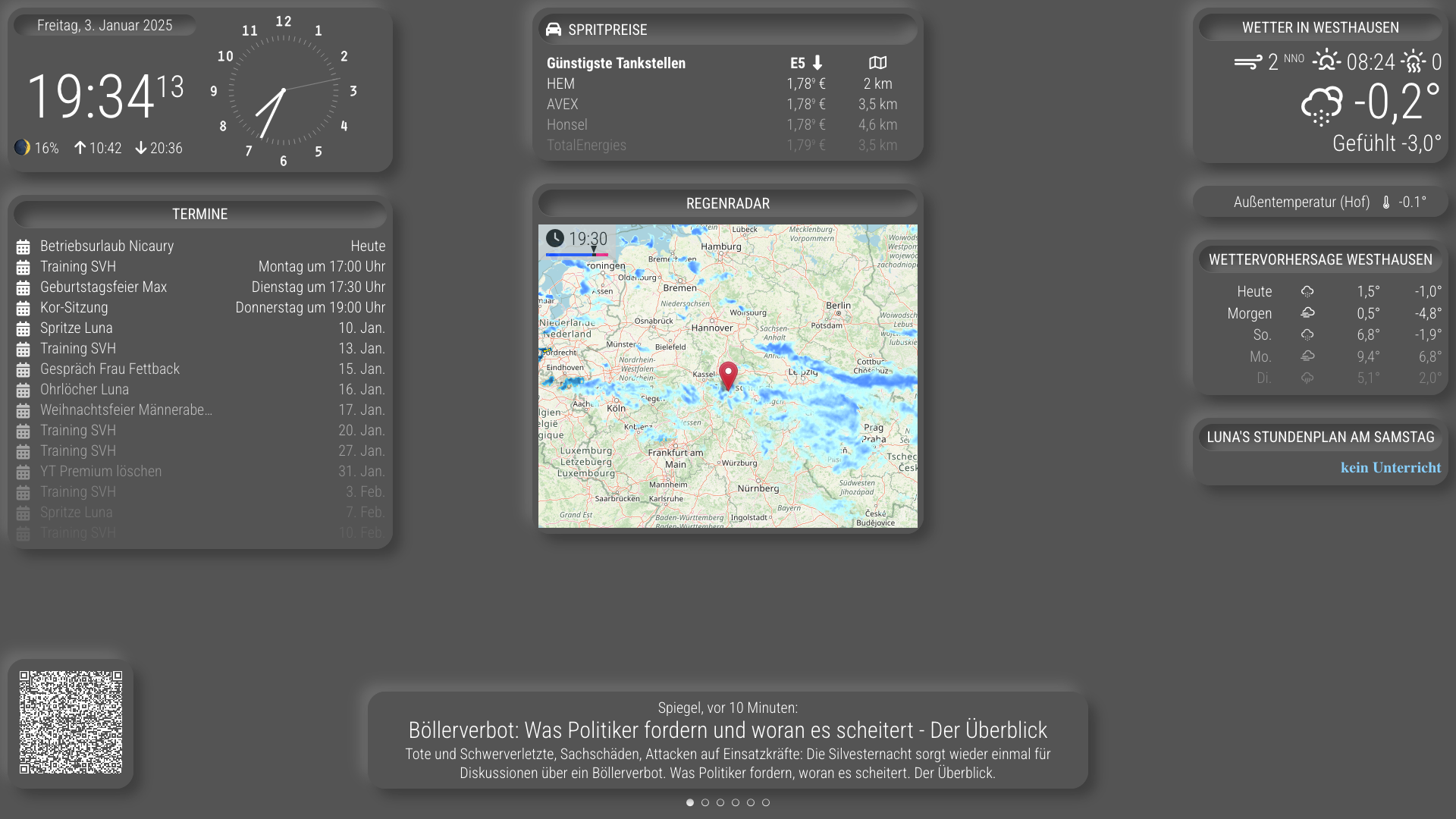
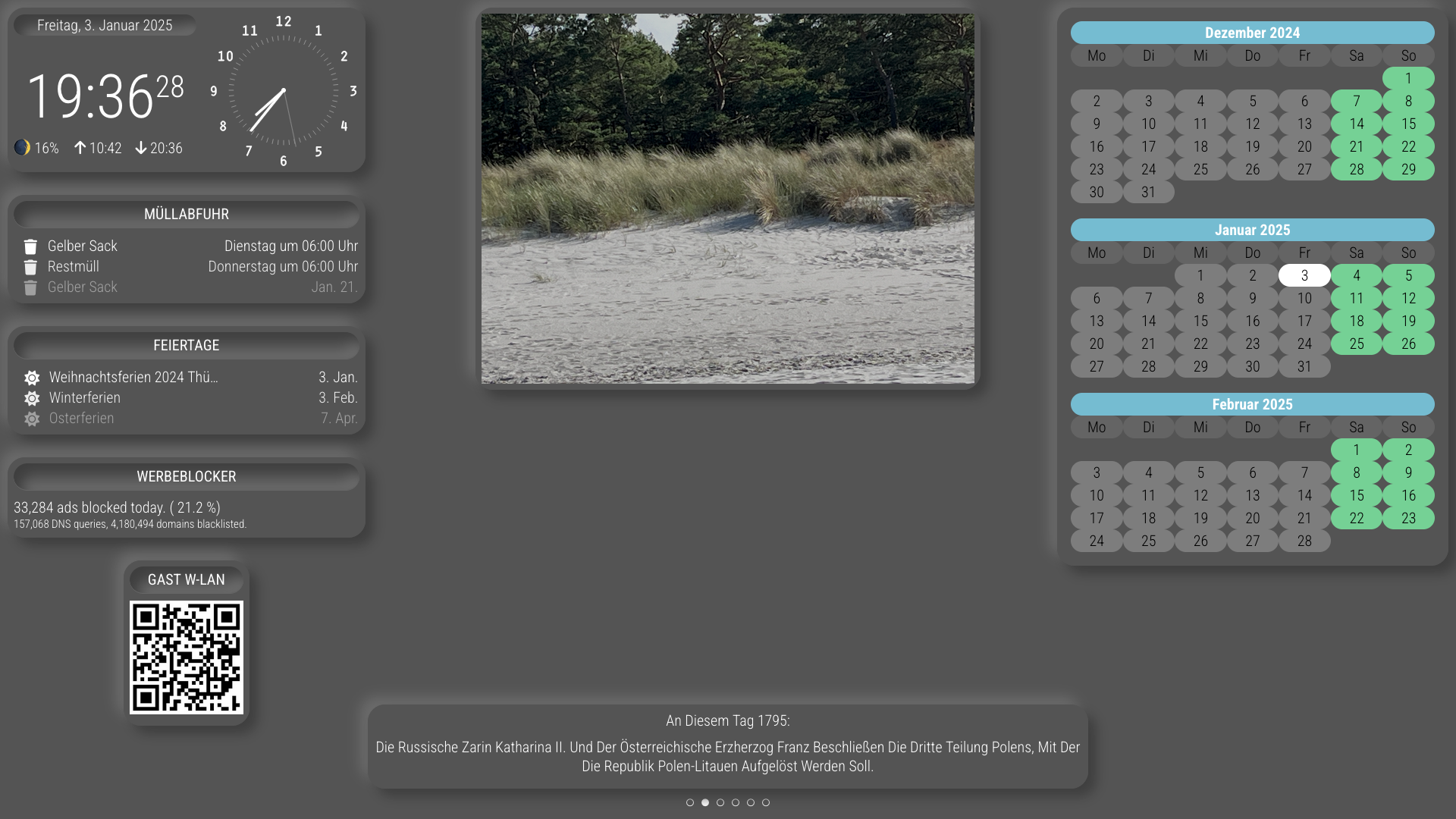
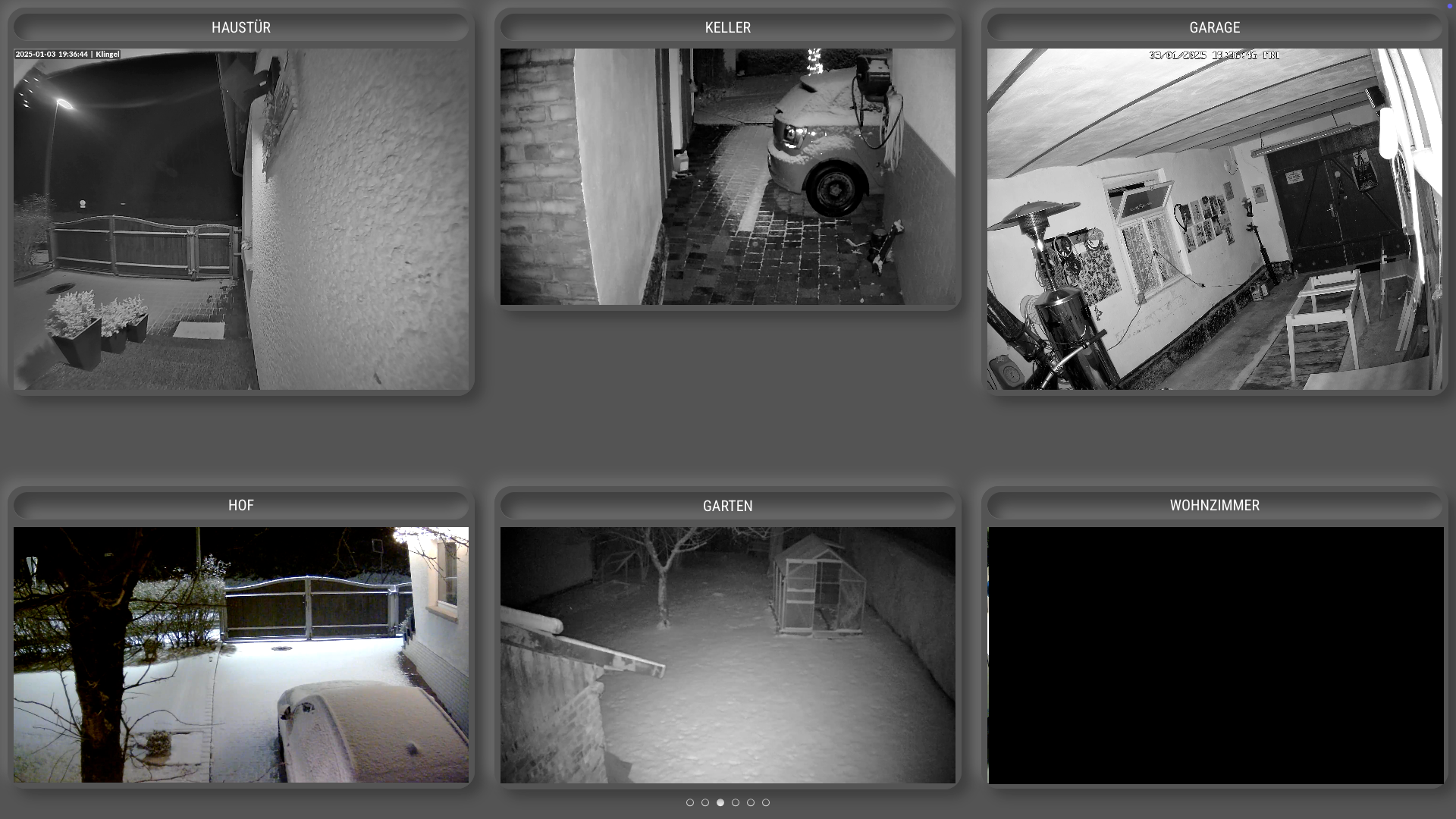
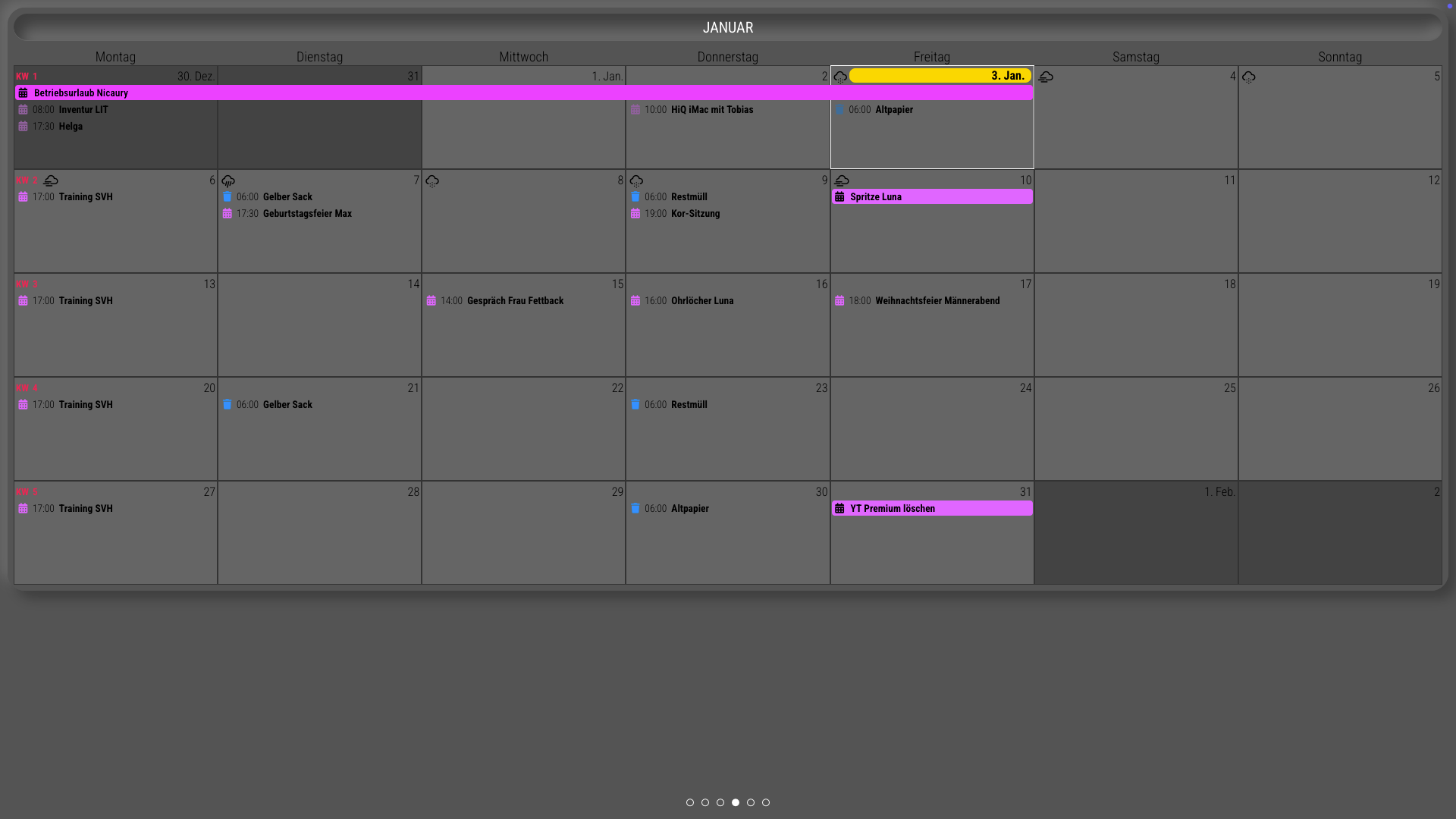
-
@Niggich very cool… if you hadn’t seen it
you can change the indicator circles to actual buttons
https://forum.magicmirror.builders/topic/18876/mmm-carousel-pagination-icons/8?_=1735070775315 -
@sdetweil Thank you. I didn’t know this. I will have a look later…
-
@Niggich I’ve got so many questions — but first, huge kudos on this amazing work!
Could you share which display you’re using? And are you still happy with it?
Also, the smart home control interface (lights, heating, etc.) — is that a MagicMirror module visualizing data from Home Assistant?
-
@MZ-BER Thank you! You’re Welcome!
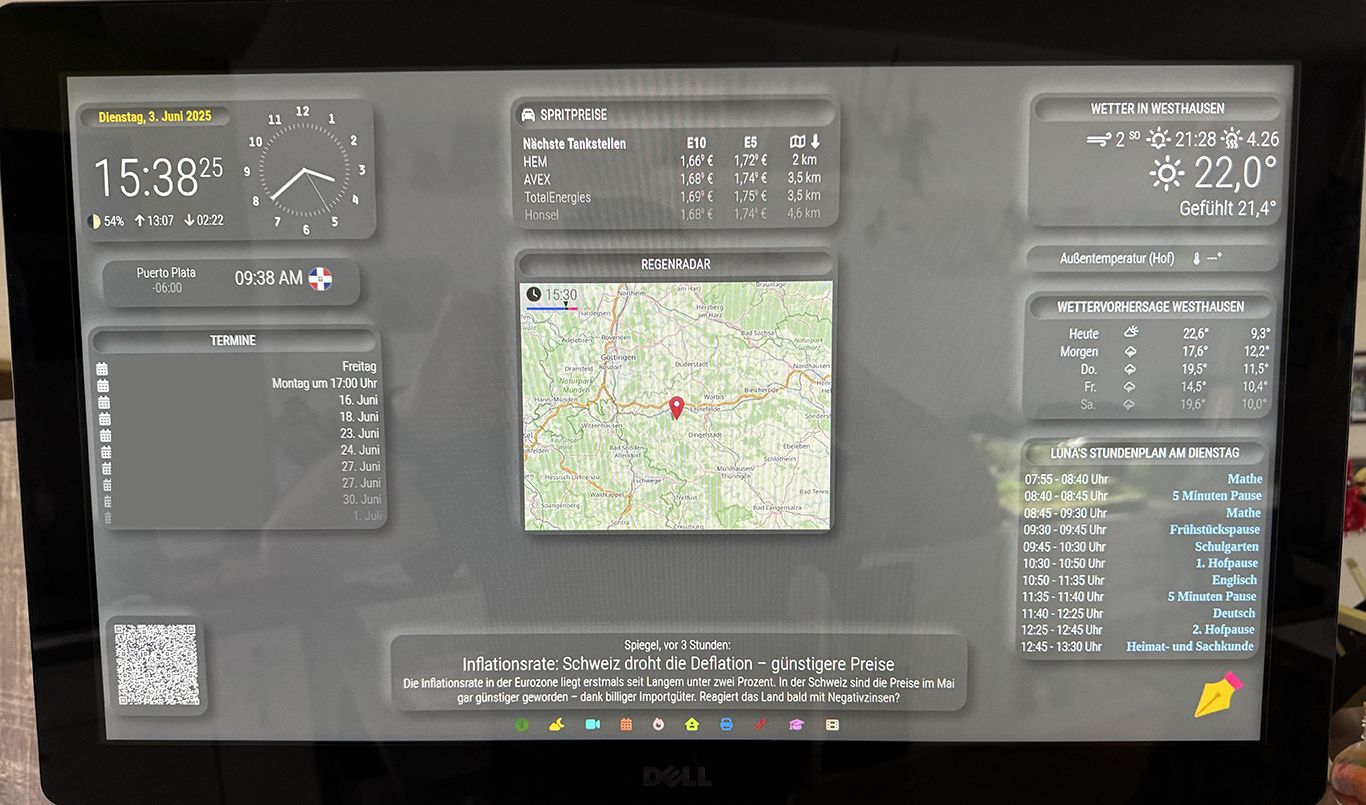
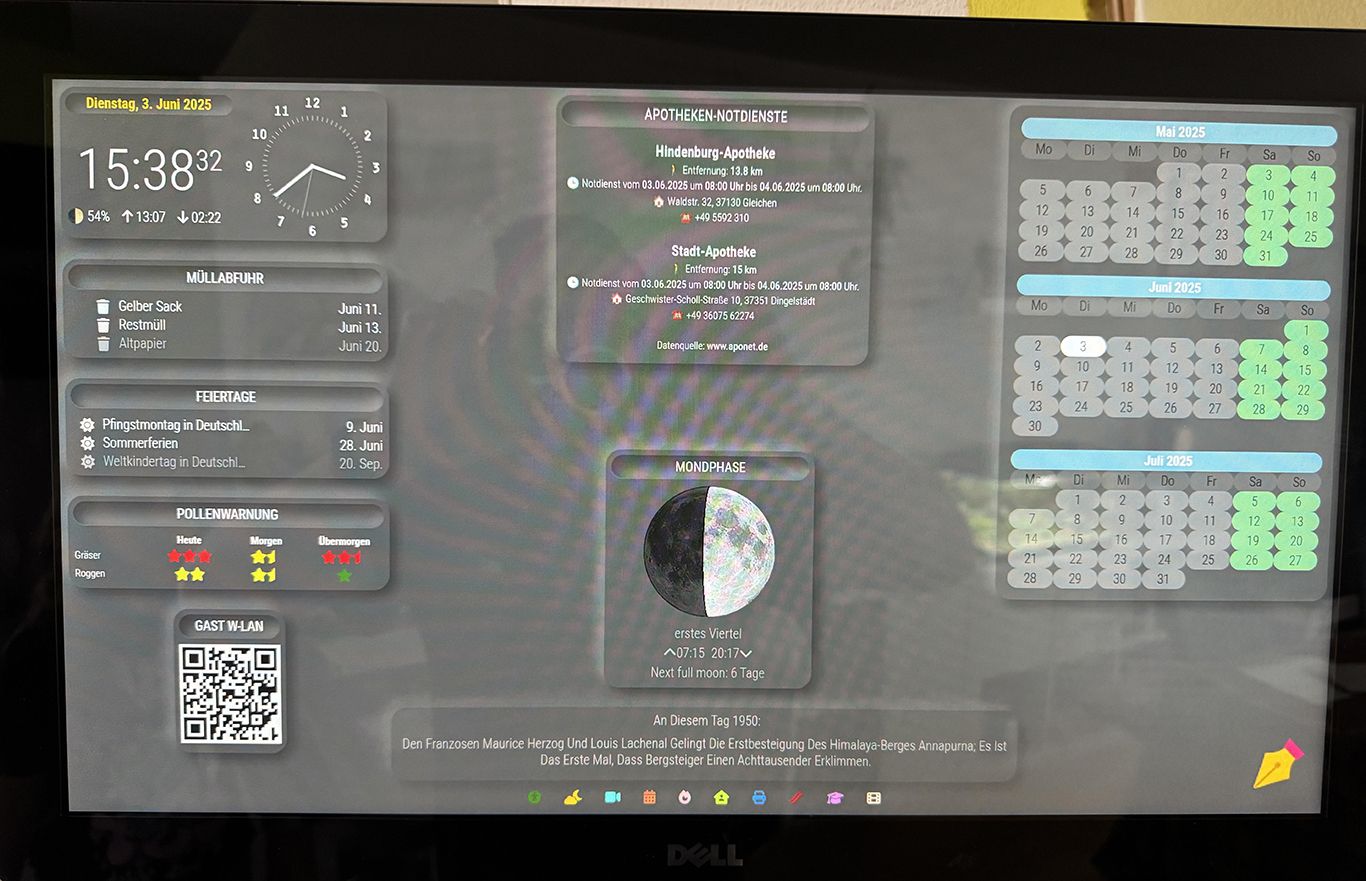
I’m using the MM as a server and just open Webpage in Chromium on Ubuntu. For this I using an Intel Nuc and 23" Dell Touch Monitor. I can share some more Pictures this evening.
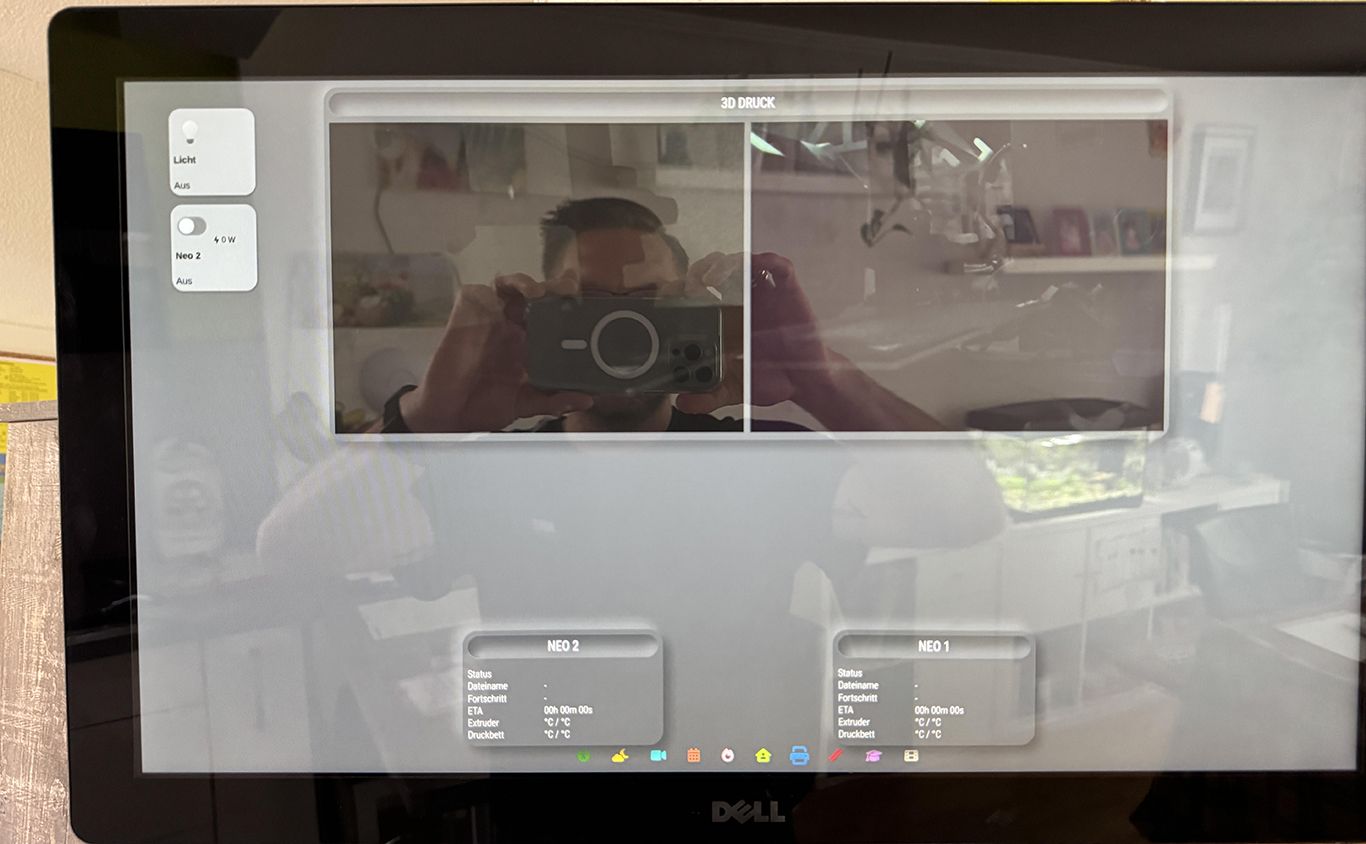
The SmartHome Control is an embeded Webpage I made with iQontrol from ioBroker and the Visualization is Grafana. Also as an embeded Webpage. Grafana takes the data from ioBroker.
Here are some Pictures of the Screen (not only Screenshots)…
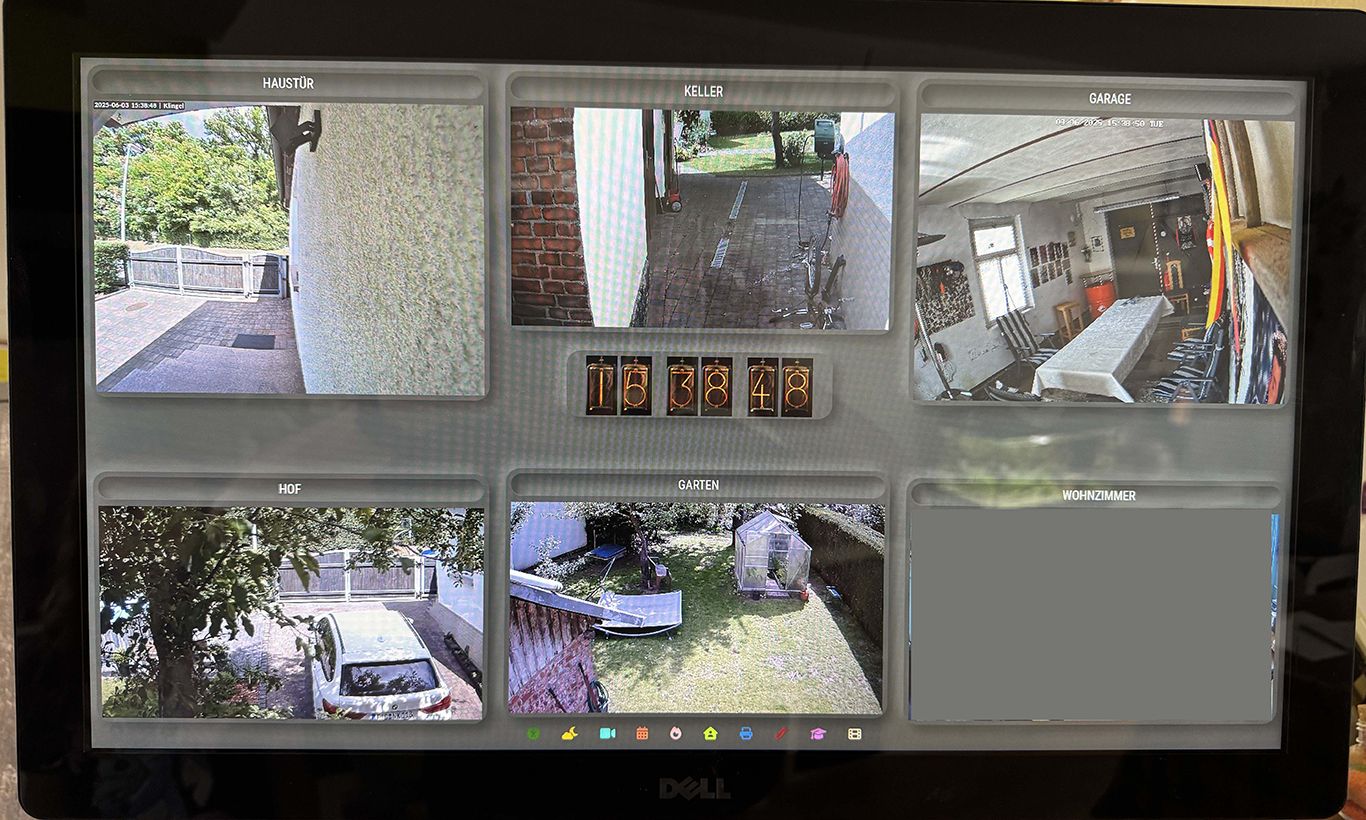
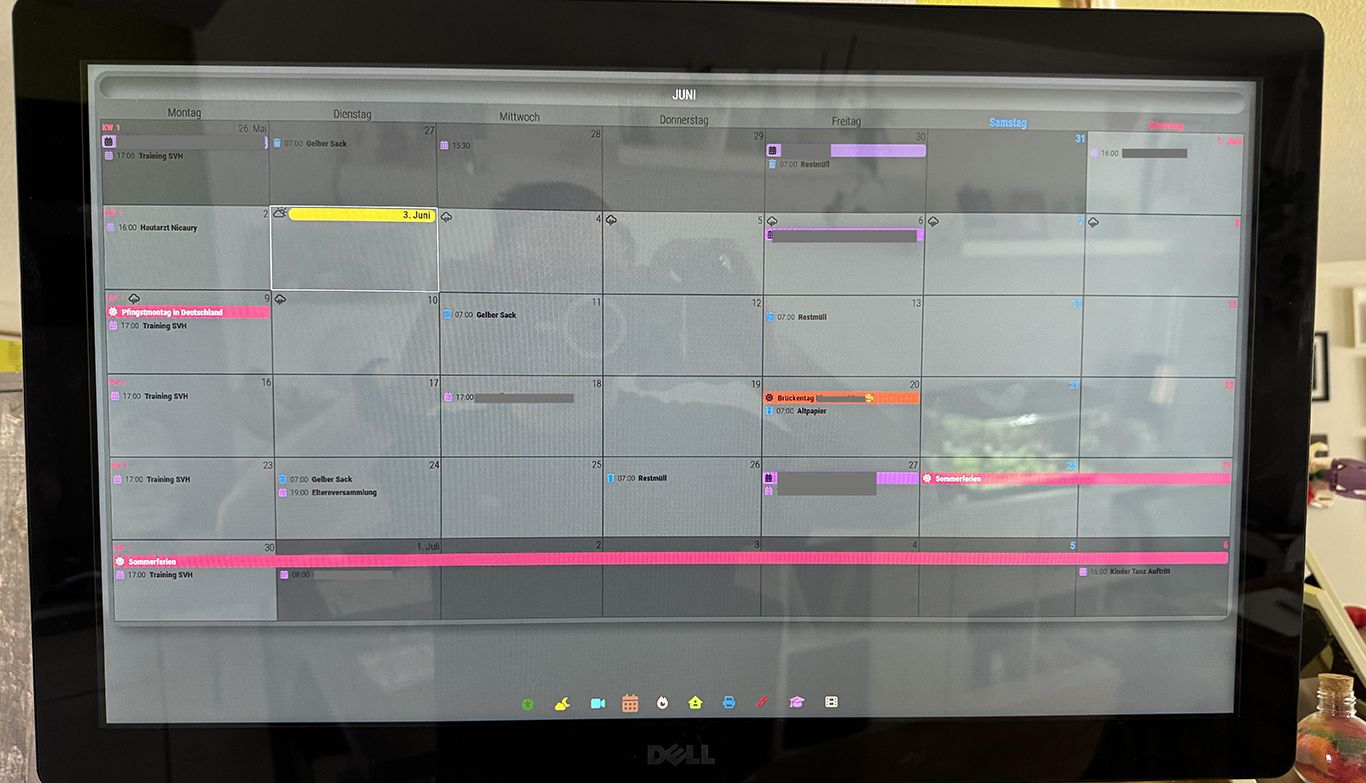
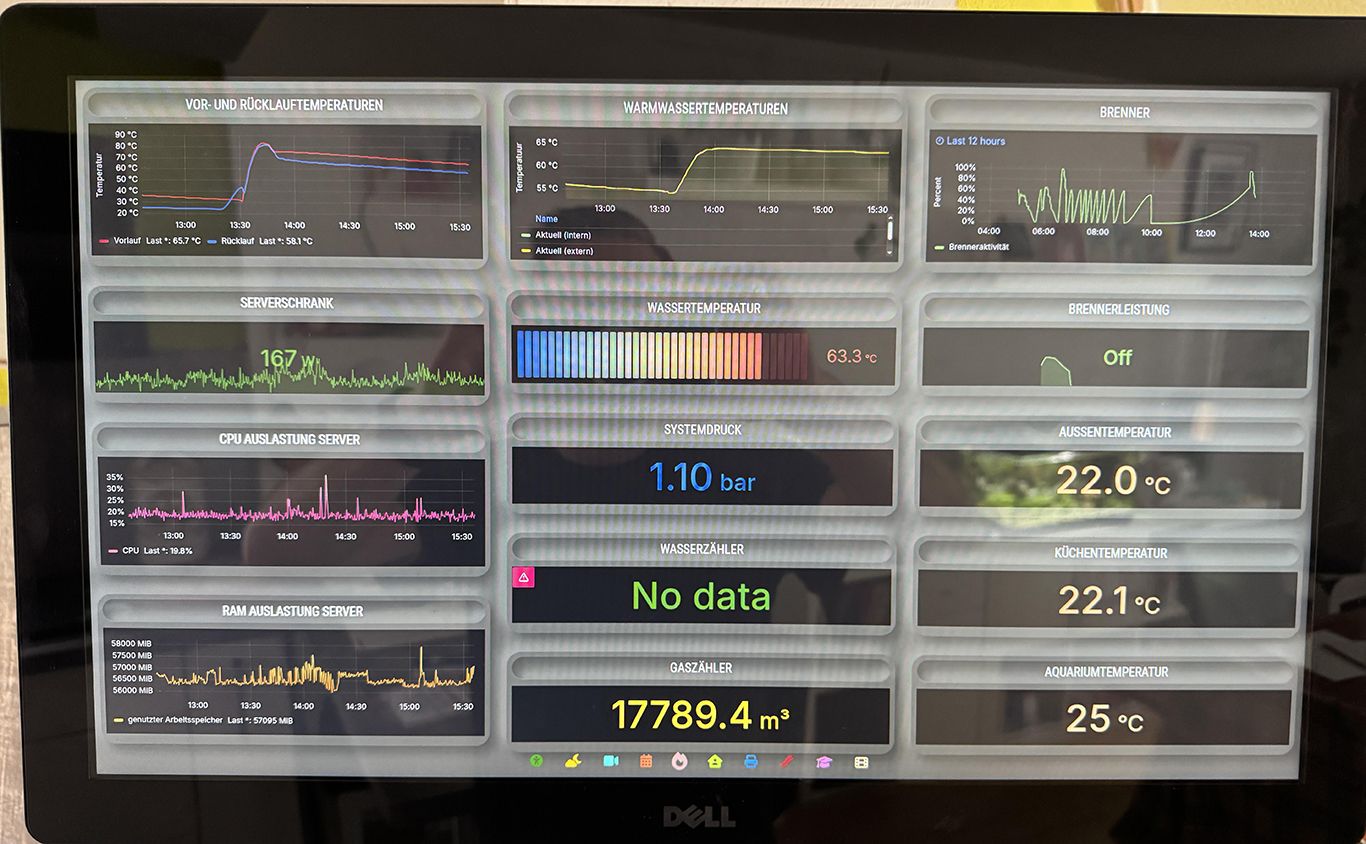
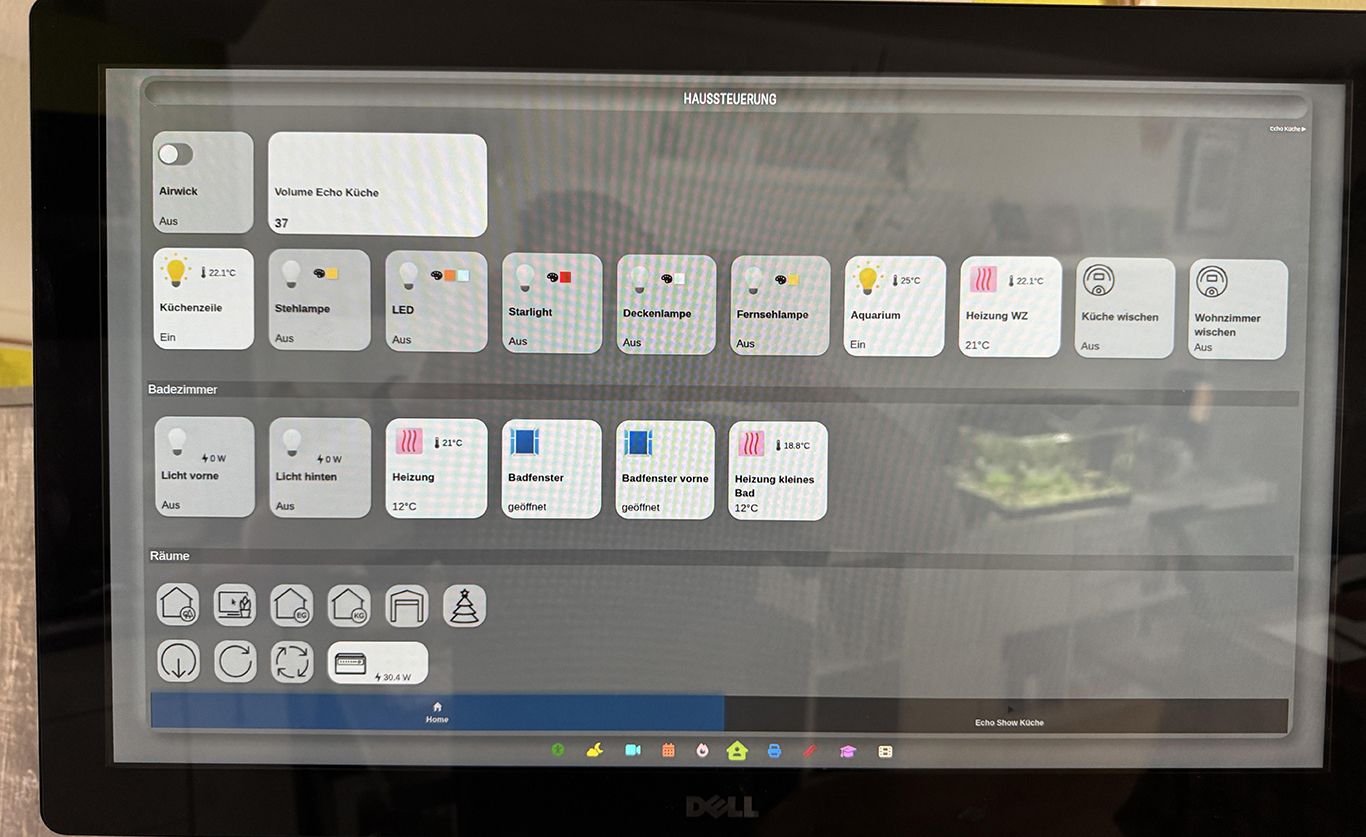
-
@Niggich I see you’re using the MMM-Touch and MMM-pages modules. Are you able to swipe to the next page configured with the MMM-pages module? Would you be able to share your module configuration for the MMM-Touch and MMM-pages modules as I’m unable to get the MMM-Touch module working with my setup. Thank you!
-
@seabass said in Kitchen Touchscreen Dashboard:
I see you’re using the MMM-Touch and MMM-pages modules. Are you able to swipe to the next page configured with the MMM-pages module? Would you be able to share your module configuration for the MMM-Touch and MMM-pages modules as I’m unable to get the MMM-Touch module working with my setup. Thank you!
{ module: "MMM-Touch", position: "top_center", classes: "", disabled: false, config: { debug: false, useDisplay: false, autoMode: false, defaultMode: "default", gestureCommands: { "default":{ "TAP_1": (commander) => {commander.sendNotification("USER_PRESENCE", true);}, "SWIPE_RIGHT_1": (commander) => {commander.sendNotification("PAGE_DECREMENT", null);}, "SWIPE_LEFT_1": (commander) => {commander.sendNotification("PAGE_INCREMENT", null);}, "SWIPE_DOWN_1": (commander, gesture) => {commander.sendNotification("ARTICLE_PREVIOUS")}, "SWIPE_UP_1": (commander, gesture) => {commander.sendNotification("ARTICLE_NEXT")}, "SWIPE_DOWN_2": (commander, gesture) => {commander.sendNotification("BACKGROUNDSLIDESHOW_PREV")}, "SWIPE_UP_2": (commander, gesture) => {commander.sendNotification("BACKGROUNDSLIDESHOW_NEXT")}, //"DOUBLE_TAP_1": (commander) => {commander.sendNotification("LOAD_NEXT_WALLPAPER", null);}, "SWIPE_LEFT_2": (commander) => {commander.sendNotification('CX3_GET_CONFIG', {callback: (before) => {commander.sendNotification('CX3_SET_CONFIG', {monthIndex: before.monthIndex + 1,callback: (after) => {setTimeout(() => { commander.sendNotification('CX3_RESET') }, 60_000)}})}})}, "SWIPE_RIGHT_2": (commander) => {commander.sendNotification('CX3_GET_CONFIG', {callback: (before) => {commander.sendNotification('CX3_SET_CONFIG', {monthIndex: before.monthIndex - 1,callback: (after) => {setTimeout(() => { commander.sendNotification('CX3_RESET') }, 60_000)}})}})}, }, } }, }, -
@Niggich Thanks for the sample code. Unfortunately I still can’t get it working. I’m also using the MMM-ViewNotifications module and never see a notification sent from MMM-Touch when swiping. I used your exact code but commented out all the gestures except SWIPE_RIGHT_1 and SWIPE_RIGHT_2.
I know the touchscreen works because I’m also using the page-indicator module which sends the notification to change pages without issue. Do you have any suggestions on what I can look at?
Thanks!
-
@seabass Ok, do you have MMM-Remote-Control installed?
Can you share your config by the way? -
@Niggich Hopefully the format looks okay but here you go. Thanks in advance for your help. Under the MMM-Touch section I currently added another sendnotification NEW_PAGE but it didn’t have any impact.
let config = { address: "localhost", port: 8080, basePath: "/", ipWhitelist: ["127.0.0.1", "::ffff:127.0.0.1", "::1", "192.168.1.228"], useHttps: false, httpsPrivateKey: "", httpsCertificate: "", language: "en", locale: "en-US", logLevel: ["INFO", "LOG", "WARN", "ERROR"], timeFormat: 12, units: "imperial", modules: [ { module: "alert", }, { module: "updatenotification", position: "top_bar" }, { module: "clock", position: "top_left" }, { module: "calendar", header: "US Holidays", position: "top_left", config: { calendars: [ { fetchInterval: 7 * 24 * 60 * 60 * 1000, symbol: "calendar-check", url: "https://ics.calendarlabs.com/76/mm3137/US_Holidays.ics" } ] } }, { module: "compliments", position: "lower_third" }, { module: "weather", position: "top_right", config: { weatherProvider: "openmeteo", type: "current", lat: 44.953873, lon: -123.0884734 } }, { module: "newsfeed", position: "bottom_bar", config: { feeds: [ { title: "Fox News", url: "https://moxie.foxnews.com/google-publisher/latest.xml" } ], showSourceTitle: true, showPublishDate: true, broadcastNewsFeeds: true, broadcastNewsUpdates: true } }, { module: 'MMM-page-indicator', position: 'bottom_bar', config: { activeBright: true, } }, { module: "MMM-pages", config: { timings: { default: 5000, // rotate every 5 seconds 0: 20000 // page 0 rotates every 20 seconds }, modules: [ ["newsfeed"], // page 0 ["calendar", "compliments"], // page 1 ], fixed: [ // modules that are always shown "alert", "clock", "weather", "MMM-page-indicator", "MMM-Touch", "MMM-ViewNotifications" ] } }, { module: 'MMM-ViewNotifications', position: "top_left", header: "Notifications", config: { // See below for Configuration Options } }, { module: "MMM-Touch", position: "top_center", classes: "", disabled: false, config: { debug: false, useDisplay: false, autoMode: false, defaultMode: "default", gestureCommands: { "default": { "TAP_1": (commander) => {commander.sendNotification("USER_PRESENCE", true);}, "SWIPE_RIGHT_1": (commander) => { commander.sendNotification("NEW_PAGE"), commander.sendNotification("PAGE_DECREMENT", null); }, "SWIPE_LEFT_1": (commander) => { commander.sendNotification("NEW_PAGE"), commander.sendNotification("PAGE_INCREMENT", null); }, } } } } ] }; /*************** DO NOT EDIT THE LINE BELOW ***************/ if (typeof module !== "undefined") { module.exports = config; } -
Hey @seabass, it look’s good. I’m not sure but I think you need to install MMM-Remote-Control for sending notifications. Maybe @sdetweil can tell us more about this? Thanks.
-
@Niggich MMM-RemoteControl is another module that can send many notifications
im not sure its related to Touch
-
-
@Niggich I think @sdetweil is correct that MMM-RemoteControl is not related to Touch. I can try it in a bit to confirm. I do have a question on the MMM-Touch module though that I’m hoping one of you or anyone for that matter can answer. When using the touch module, does it allow touch/swipe across the entire screen or just within the module that is loaded on the screen itself?


Hello! It looks like you're interested in this conversation, but you don't have an account yet.
Getting fed up of having to scroll through the same posts each visit? When you register for an account, you'll always come back to exactly where you were before, and choose to be notified of new replies (either via email, or push notification). You'll also be able to save bookmarks and upvote posts to show your appreciation to other community members.
With your input, this post could be even better 💗
Register Login