Read the statement by Michael Teeuw here.
I am using the default clock module in analog mode. Is there a way to enlarge the date up top, and change the thickness of the clock hands?
-
I am using the default clock module in analog mode. Is there a way to enlarge the date up top, and change the thickness of the clock hands?
-
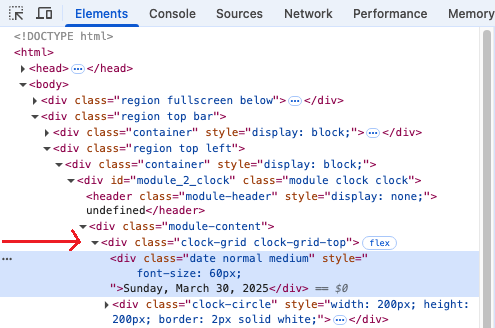
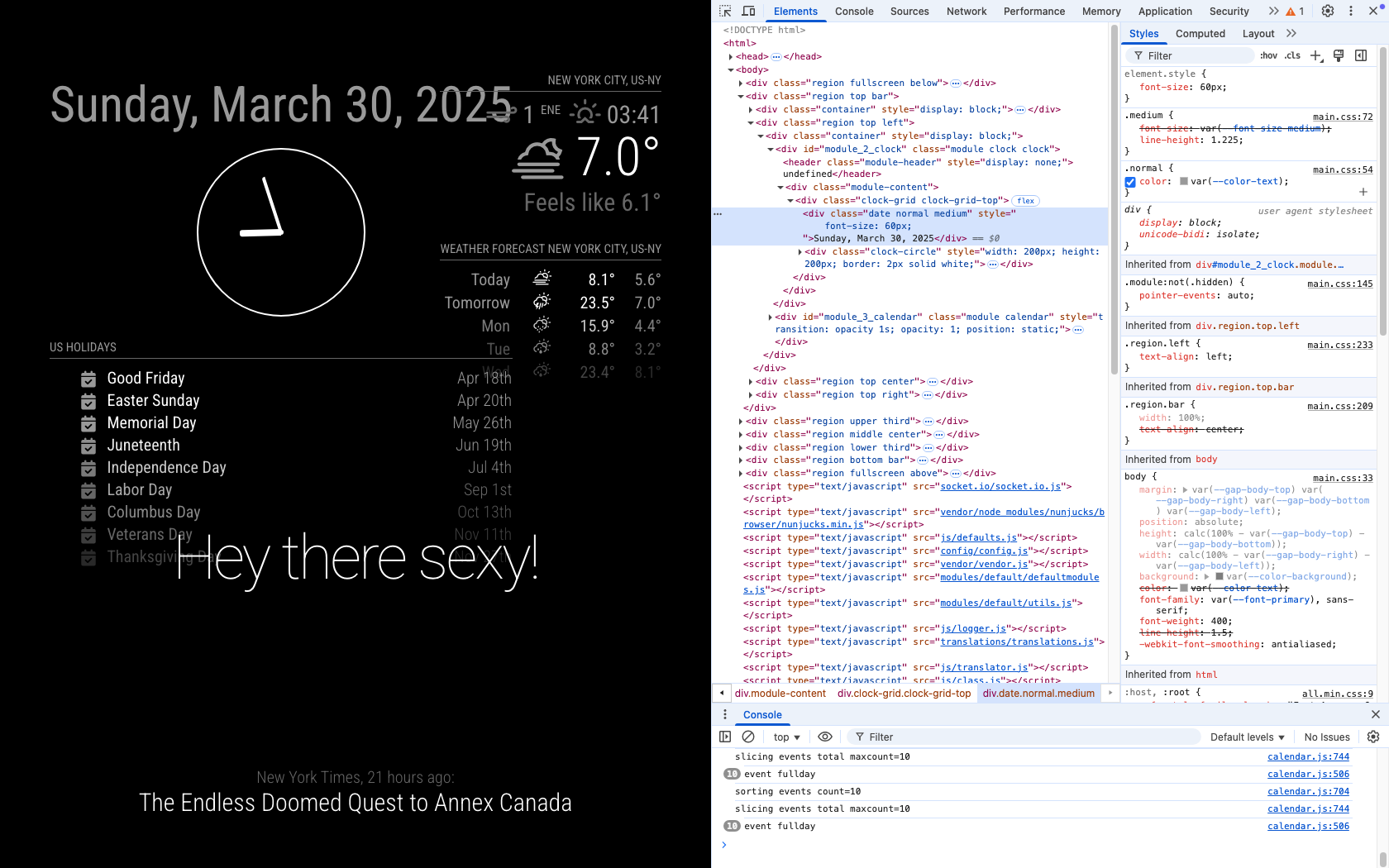
@briantogo font-size was easy
.clock .date {
  font-size: 60px; // or whatever
}
the clock hands also easy as they are commented in clock-styles.css
for hour hand.clock-hour { width: 0; height: 0; position: absolute; top: 50%; left: 50%; margin: -2px 0 -2px -25%; /* numbers must match negative length & thickness */ padding: 2px 0 2px 25%; /* indicator length & thickness */ background: var(--color-text-bright); transform-origin: 100% 50%; border-radius: 3px 0 0 3px; }change 2 to something else, in all the places
here (and in the screen shot) 4 in custom.css
.clock-hour {
  width: 0;
  height: 0;
  position: absolute;
  top: 50%;
  left: 50%;
  margin: -4px 0 -4px -25%;   /* numbers must match negative length & thickness */
  padding: 4px 0 4px 25%;     /* indicator length & thickness */
  background: var(--color-text-bright);
  transform-origin: 100% 50%;
  border-radius: 3px 0 0 3px;
}
clock-minute for minute handle
clock-second for second hand -
@briantogo yes, thru css. see clock_styles.css
override that in the custom.css
-
@briantogo see the second link in my signature below for help on how to use the browser dev window for css
-
@sdetweil
Thanks Sam. I could not find anywhere in the clock_styles.cs to change any of this. The closest I got was a setting under clock-hour/ width. I changed that to 2, and it had no effect. I could not find anything on changing the date size above the clock. And I couldn’t figure out the develpers window, that may be too advanced for me.Any other suggestions?
Thanks,
Brian -
@briantogo font-size was easy
.clock .date {
  font-size: 60px; // or whatever
}
the clock hands also easy as they are commented in clock-styles.css
for hour hand.clock-hour { width: 0; height: 0; position: absolute; top: 50%; left: 50%; margin: -2px 0 -2px -25%; /* numbers must match negative length & thickness */ padding: 2px 0 2px 25%; /* indicator length & thickness */ background: var(--color-text-bright); transform-origin: 100% 50%; border-radius: 3px 0 0 3px; }change 2 to something else, in all the places
here (and in the screen shot) 4 in custom.css
.clock-hour {
  width: 0;
  height: 0;
  position: absolute;
  top: 50%;
  left: 50%;
  margin: -4px 0 -4px -25%;   /* numbers must match negative length & thickness */
  padding: 4px 0 4px 25%;     /* indicator length & thickness */
  background: var(--color-text-bright);
  transform-origin: 100% 50%;
  border-radius: 3px 0 0 3px;
}
clock-minute for minute handle
clock-second for second hand -
@sdetweil
OK, so I get all this Sam, thanks for the help, but now I have a new issue. I’m using a Pi3, and I don’t think it has the horsepower to run Magic Mirror smoothly. The program frequently locks up, mmm-rain-map is the first to freeze. And now I can’t expand the various lines in the developers window.So now I’m thinking of getting a Pi5 with 16 GB’s of RAM. What do you think?
Thanks,
Brian -
@briantogo you dont NEED to go all the way to 16g
4 is plenty, but the future is hard to tell -
Hi Sam, I loaded my new RPi5 with 16 GB’s ram, and boy does it fly!
So getting back to issue, I tried changing the clock hands in clock_styles.css. I changed the hour hand to 2 and changed the minute hand to 20, and could not tell the difference.
Also, I could not change the text size of the date above the analog clock. When I use the developer mode, I cannot expand
When I click the drop down arrow, it briefly expands then contracts again.Any suggestions please?
Thanks,
Brian! -
@briantogo disable seconds for the debug then it will stay
you changed both values for both hands, right?
show your custom css for clock
-
@briantogo said in I am using the default clock module in analog mode. Is there a way to enlarge the date up top, and change the thickness of the clock hands?:
I tried changing the clock hands in clock_styles.css
don’t change them there
copy that whole css entry to custom.css
for each hand
don’t change our files
-
Finally got it Sam, thanks for the help
-
S sdetweil has marked this topic as solved on
-
@briantogo awesome!!
Hello! It looks like you're interested in this conversation, but you don't have an account yet.
Getting fed up of having to scroll through the same posts each visit? When you register for an account, you'll always come back to exactly where you were before, and choose to be notified of new replies (either via email, or push notification). You'll also be able to save bookmarks and upvote posts to show your appreciation to other community members.
With your input, this post could be even better 💗
Register Login